# Duplicating a campaign
Mailmeteor lets you duplicate your campaign in just a few clicks. It copies the entire campaign, including its settings, into a new draft. This feature allows you to reuse your best-performing campaigns and keep improving them.
## How to duplicate a campaign in Mailmeteor?
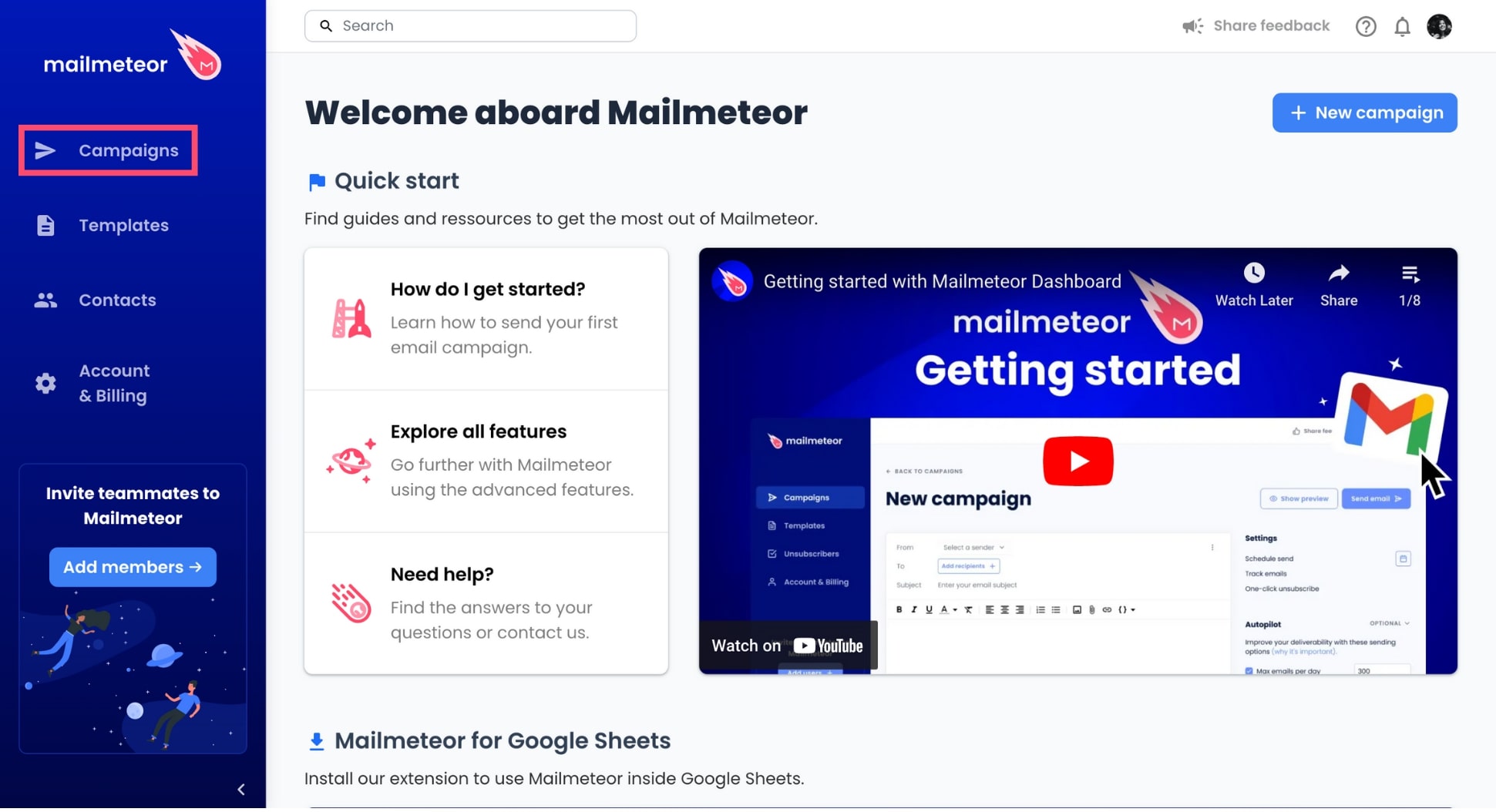
1. Open the [Mailmeteor Dashboard](https://dashboard.mailmeteor.com/).
2. Go to **Campaigns**.
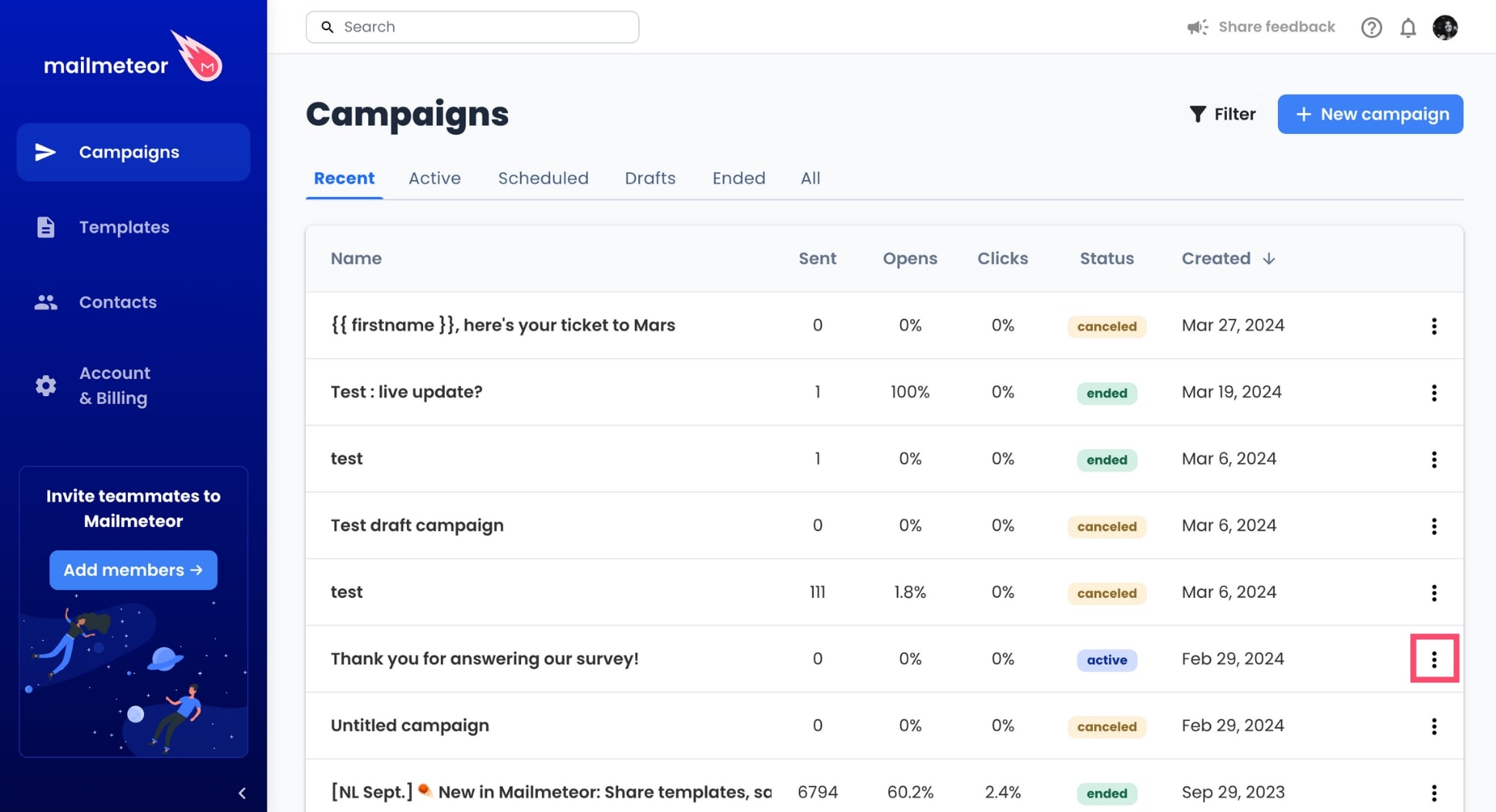
3. Find the campaign you want to duplicate. Then click the three vertical dots next to this campaign.
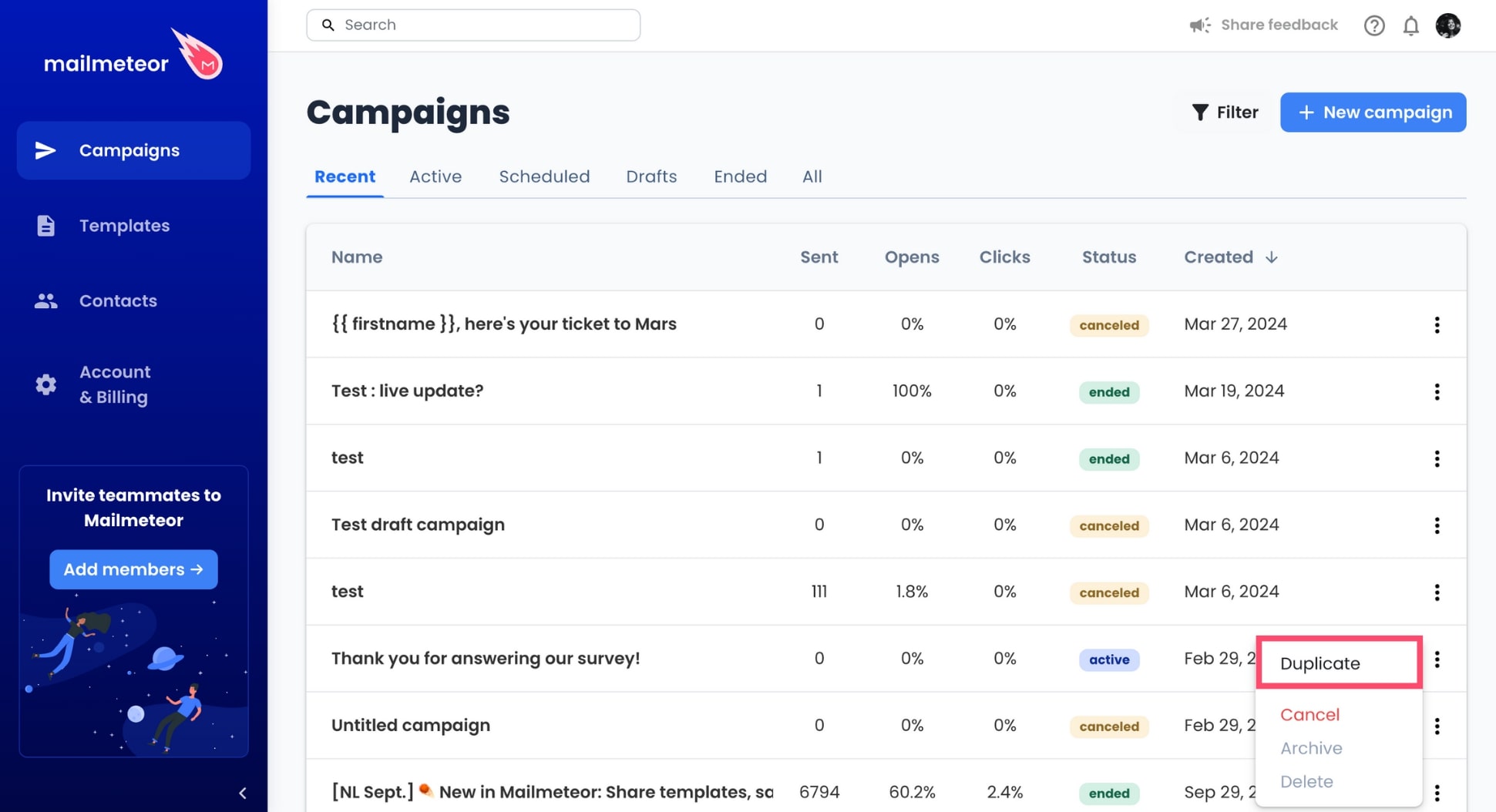
4. In the dropdown menu, select **Duplicate**.
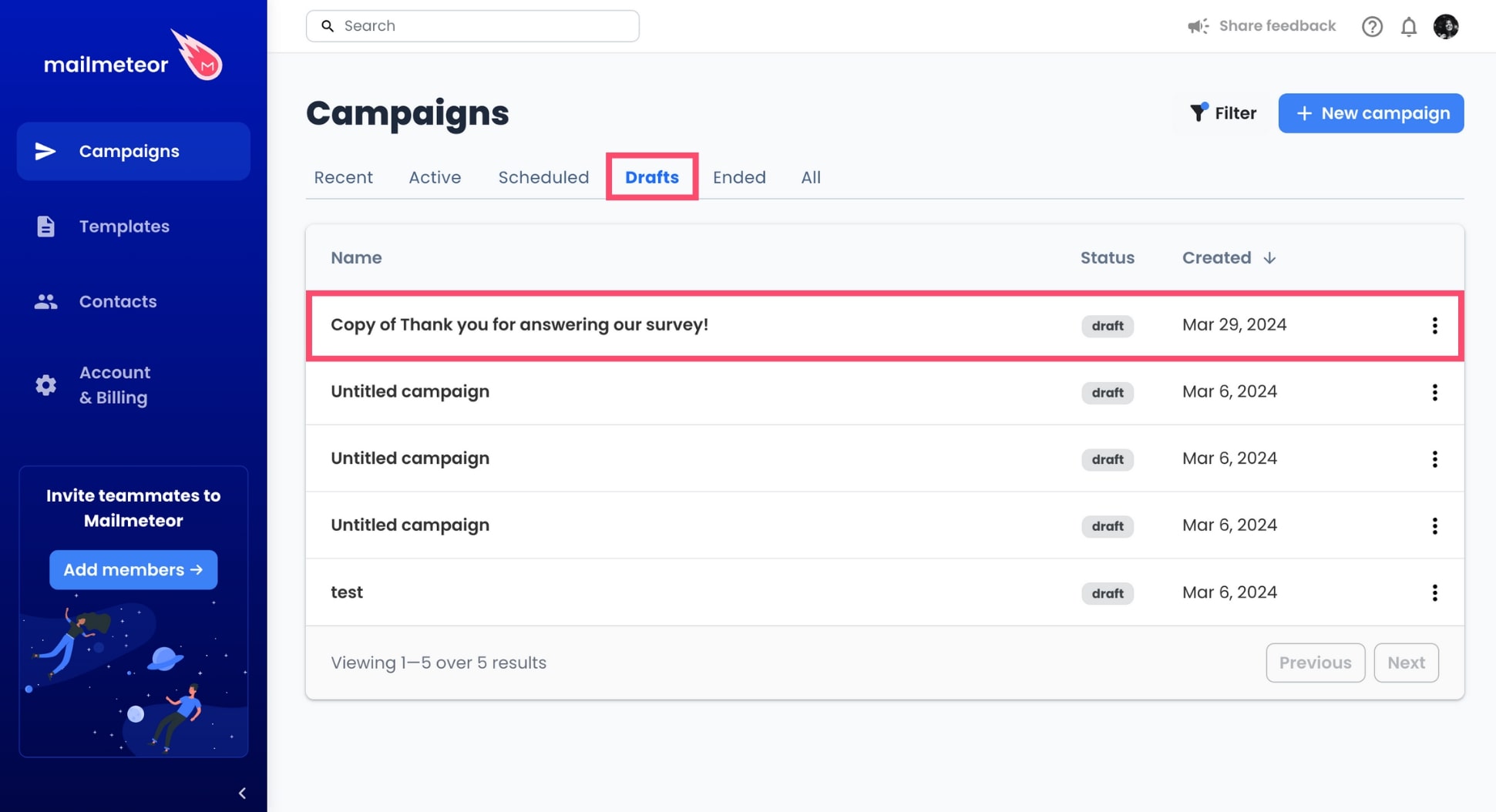
And voilà. Mailmeteor will now automatically make a copy of your campaign and save it as a draft.
## How to edit a duplicated campaign?
Your duplicate campaign can be found in **Campaigns** > **Drafts**. Click the campaign to start editing the content and the settings of your emails before sending or [scheduling](https://mailmeteor.com/docs/campaigns/advanced/schedule) your brand new campaign.