# Renaming a campaign
By default, when you create a new Mailmeteor campaign, your email's subject line becomes the name of your campaign. But if you manage multiple campaigns simultaneously, things can get a bit hectic.
Thankfully you can rename your campaigns. This also makes things a lot easier when you need to share your campaigns with your teams.
## How to change the name of your campaign
1. Open [Mailmeteor Dashboard](https://dashboard.mailmeteor.com/).
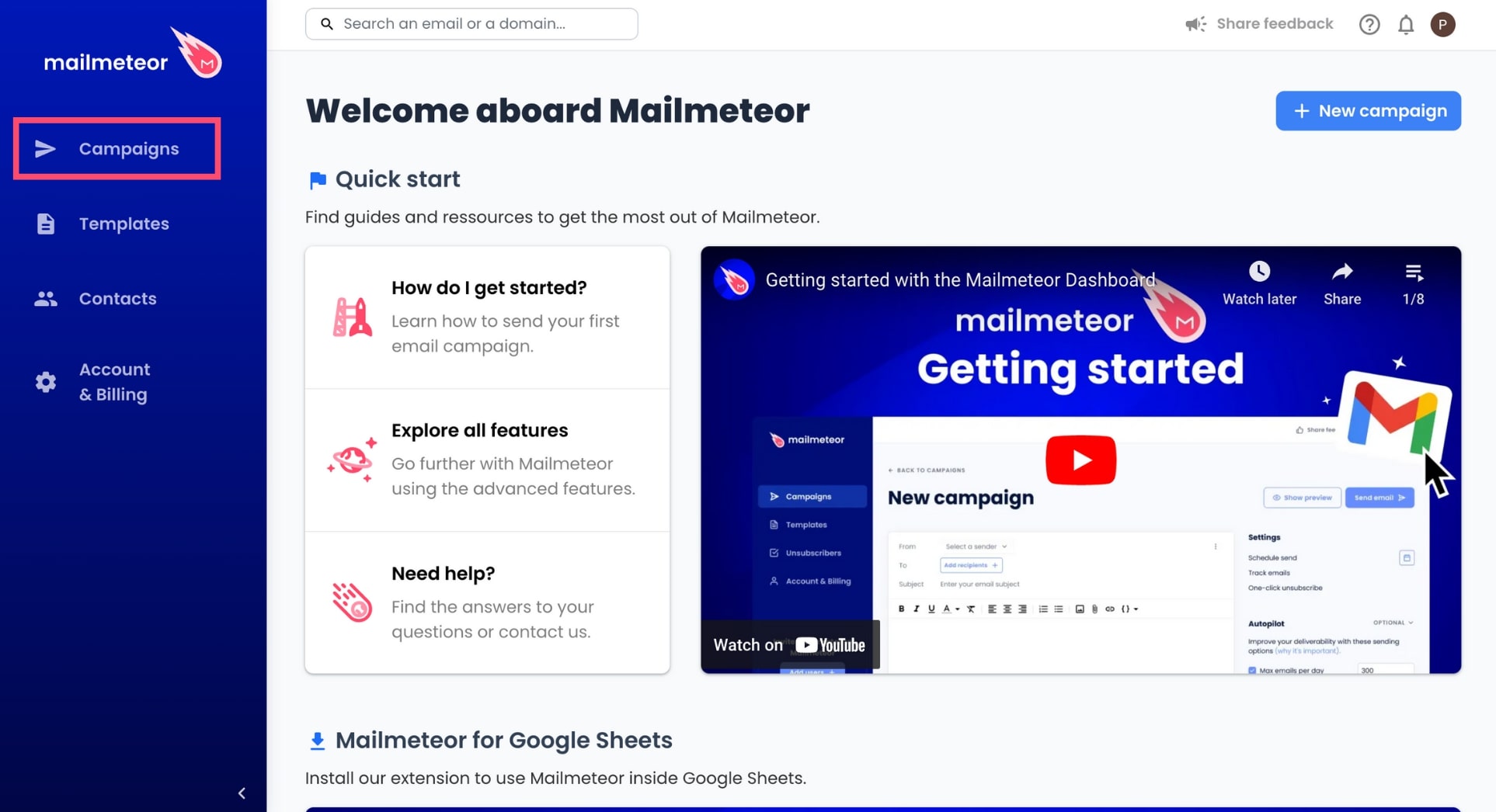
2. In the left-side menu, go to **Campaigns**.
3. Select the campaign you want to rename.
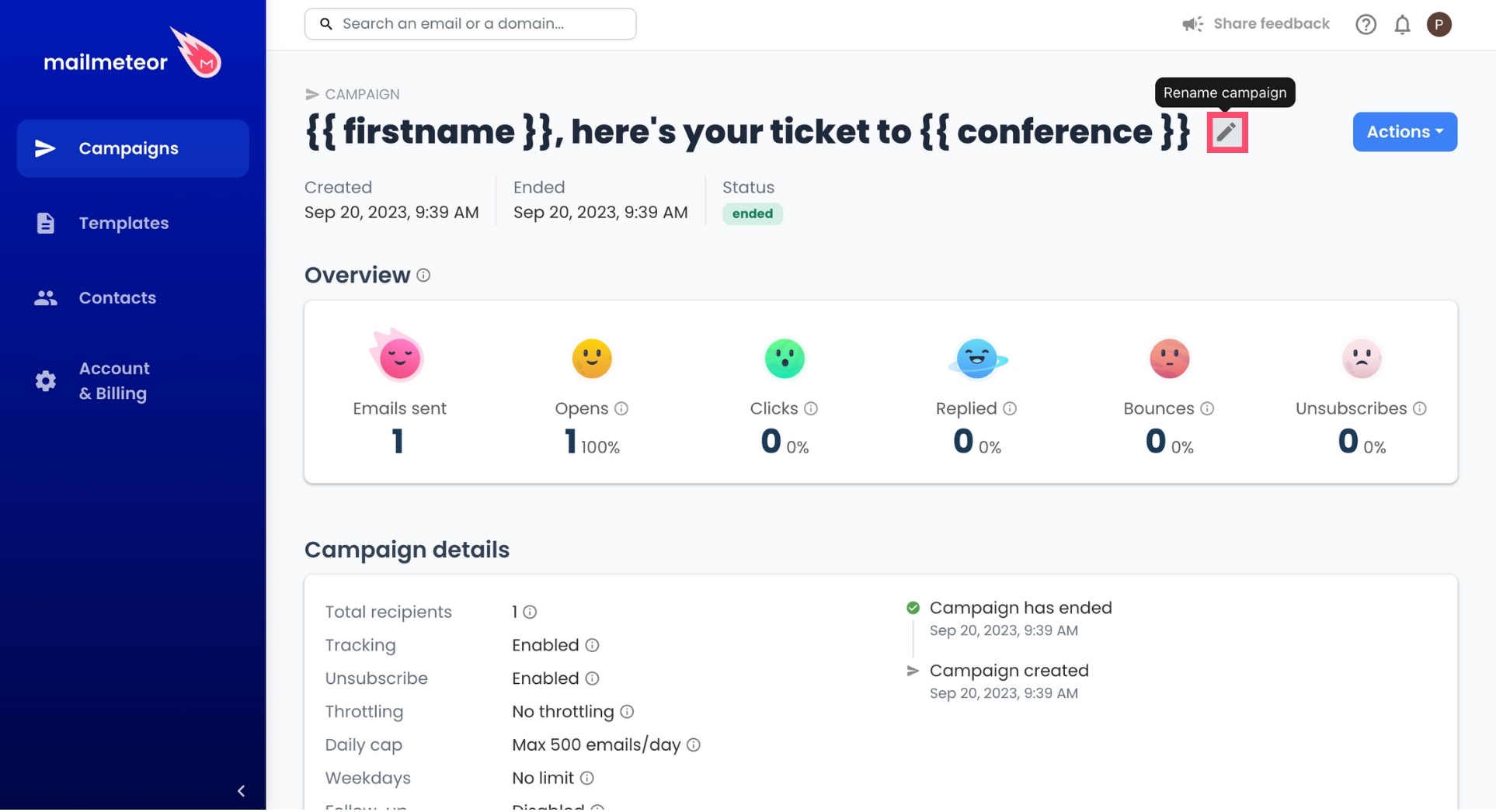
4. Hover over the name of your campaign. A pencil icon will appear. To edit the name of your campaign, click the icon.
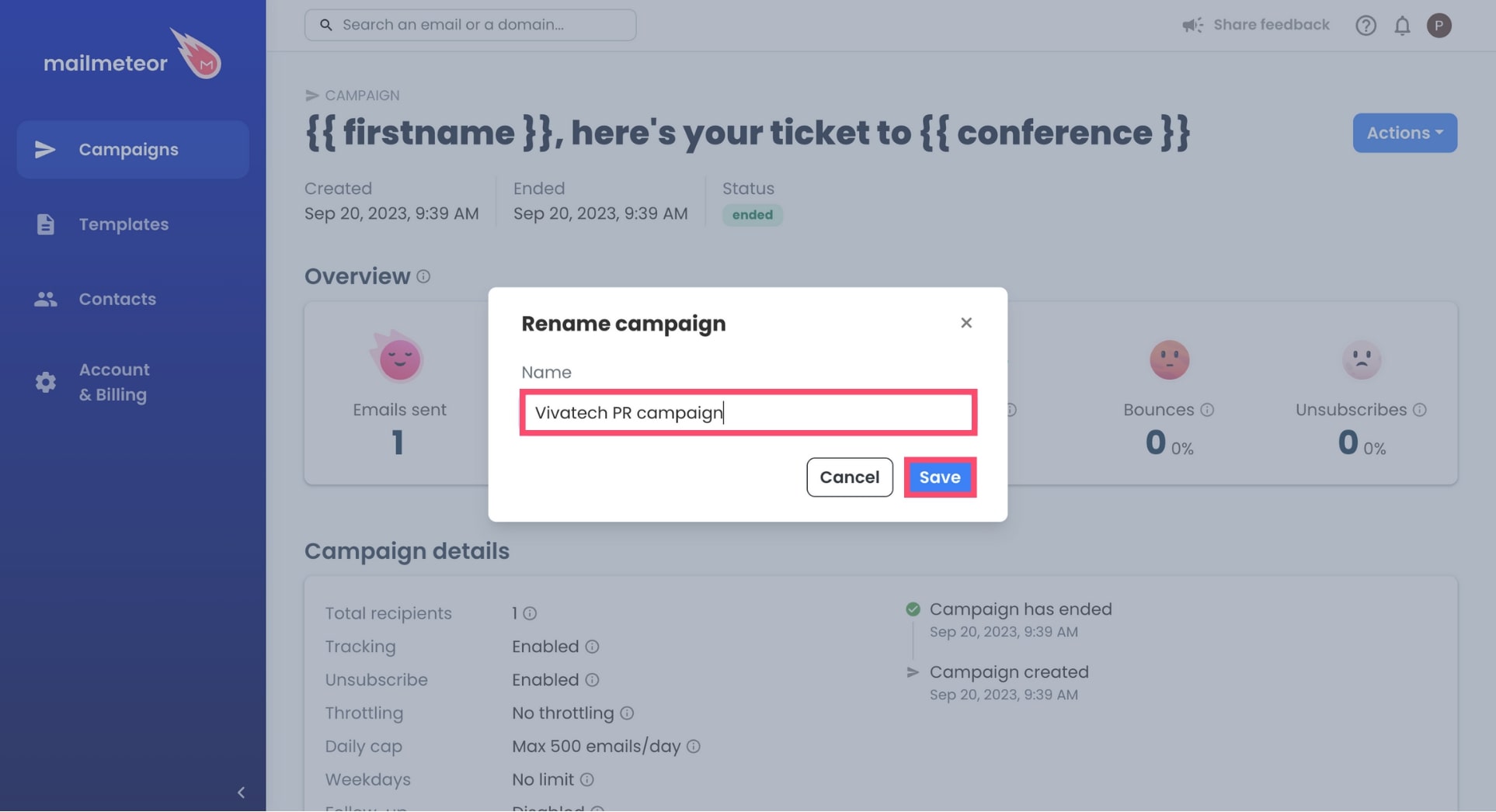
5. Rename your campaign and press **Save**.
That's it. The name of your email campaign has now been updated in your Mailmeteor Dashboard. Congratulations 🎉
.jpg)