# Rescheduling a campaign

Rescheduling campaigns with Mailmeteor is now easier than ever. You can quickly postpone or send campaigns sooner than planned.

## How to reschedule your email campaigns

1. Open [Mailmeteor Dashboard](https://dashboard.mailmeteor.com/).
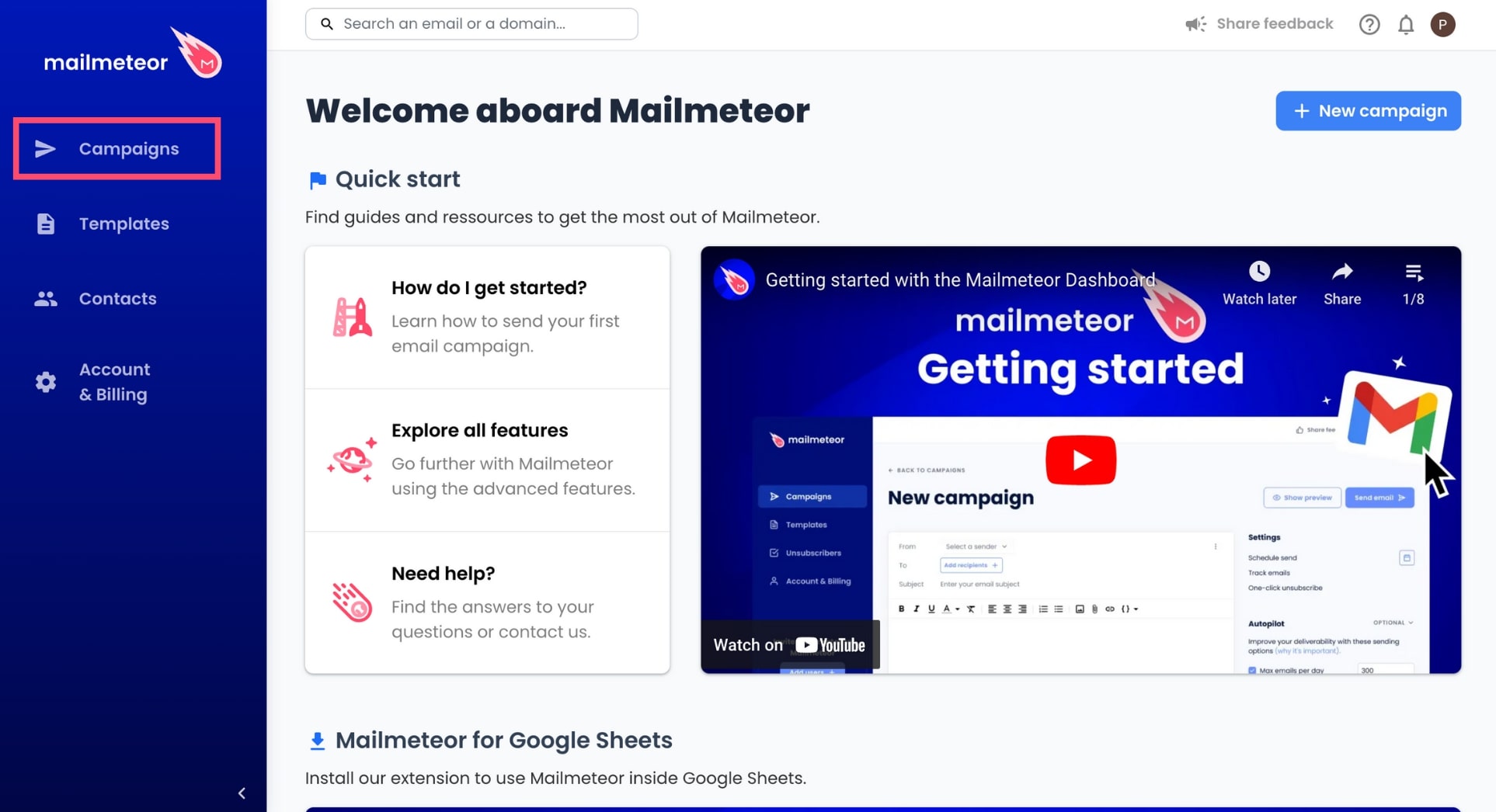
2. Go to **Campaigns**.

    <figure><img src="https://mailmeteor.com/assets/docs/campaigns-menu.jpg" loading="lazy" alt="Campaigns menu"><figcaption></figcaption></figure>

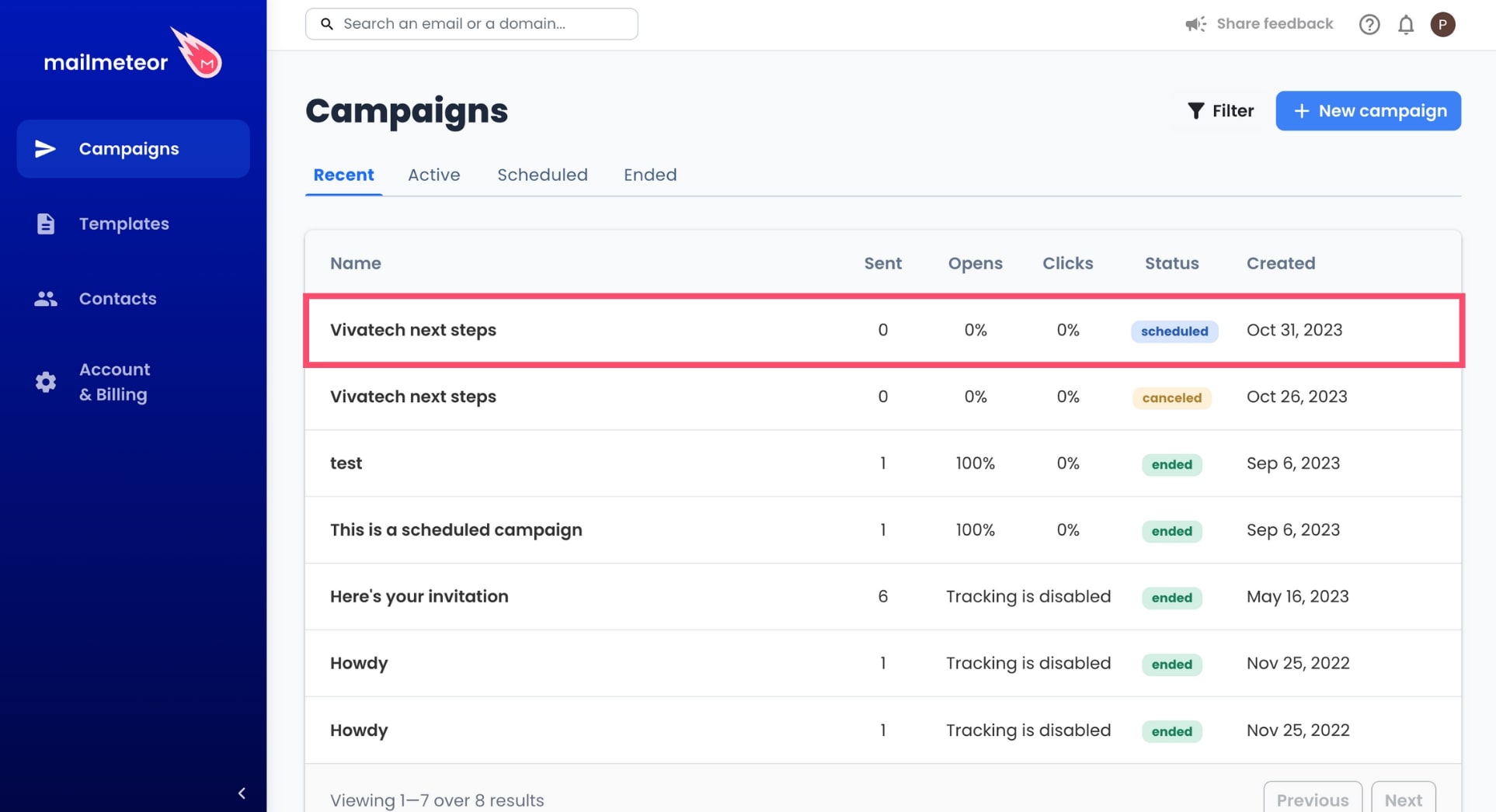
3. Select an active or scheduled campaign.

    <figure><img src="https://mailmeteor.com/assets/docs/select-campaign.jpg" loading="lazy" alt="Select a scheduled campaign in Mailmeteor"><figcaption></figcaption></figure>

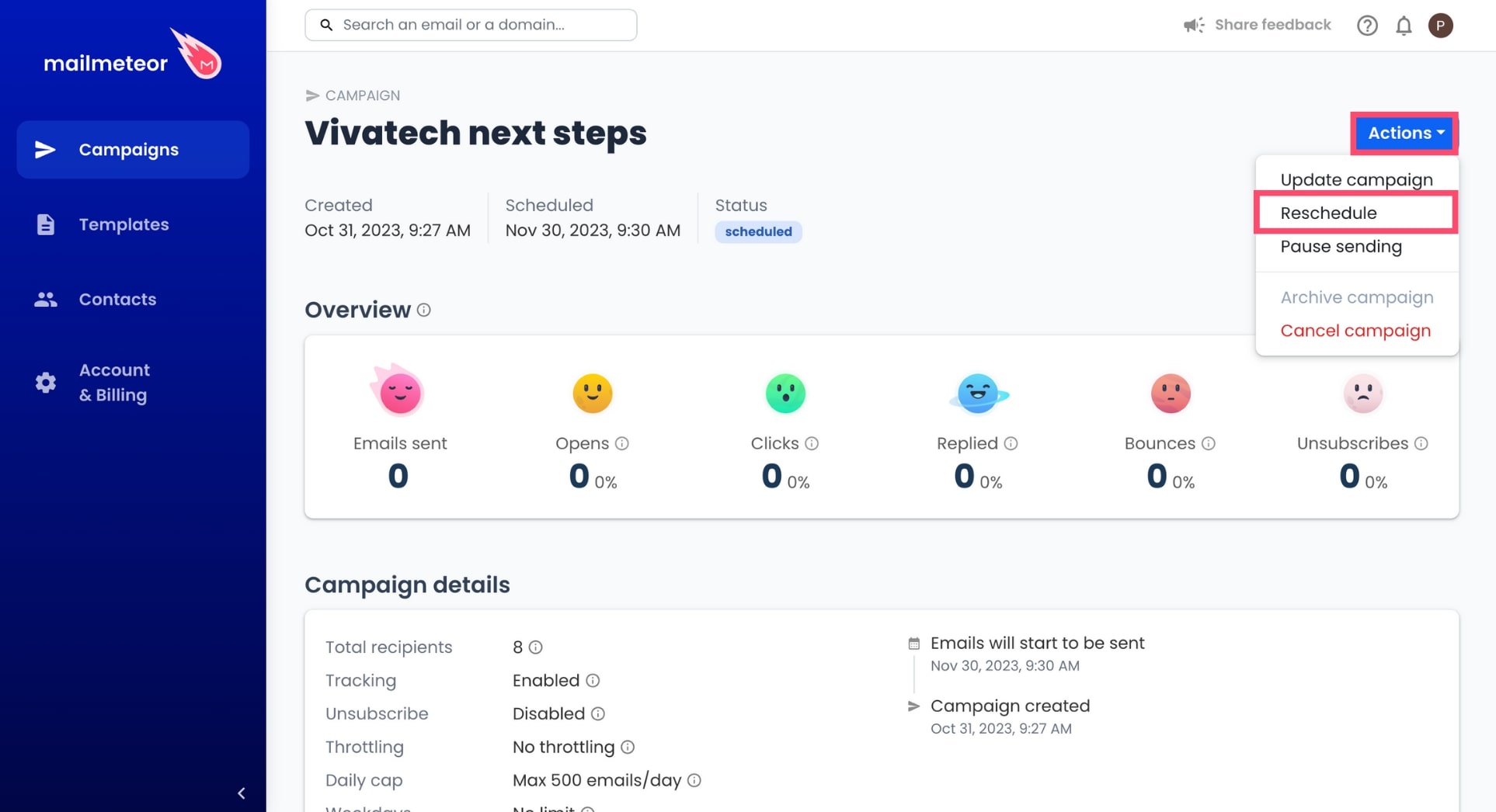
4. Go to **Actions** and select **Reschedule**.

    <figure><img src="https://mailmeteor.com/assets/docs/reschedule-campaign.jpg" loading="lazy" alt="Reschedule a campaign in Mailmeteor"><figcaption></figcaption></figure>

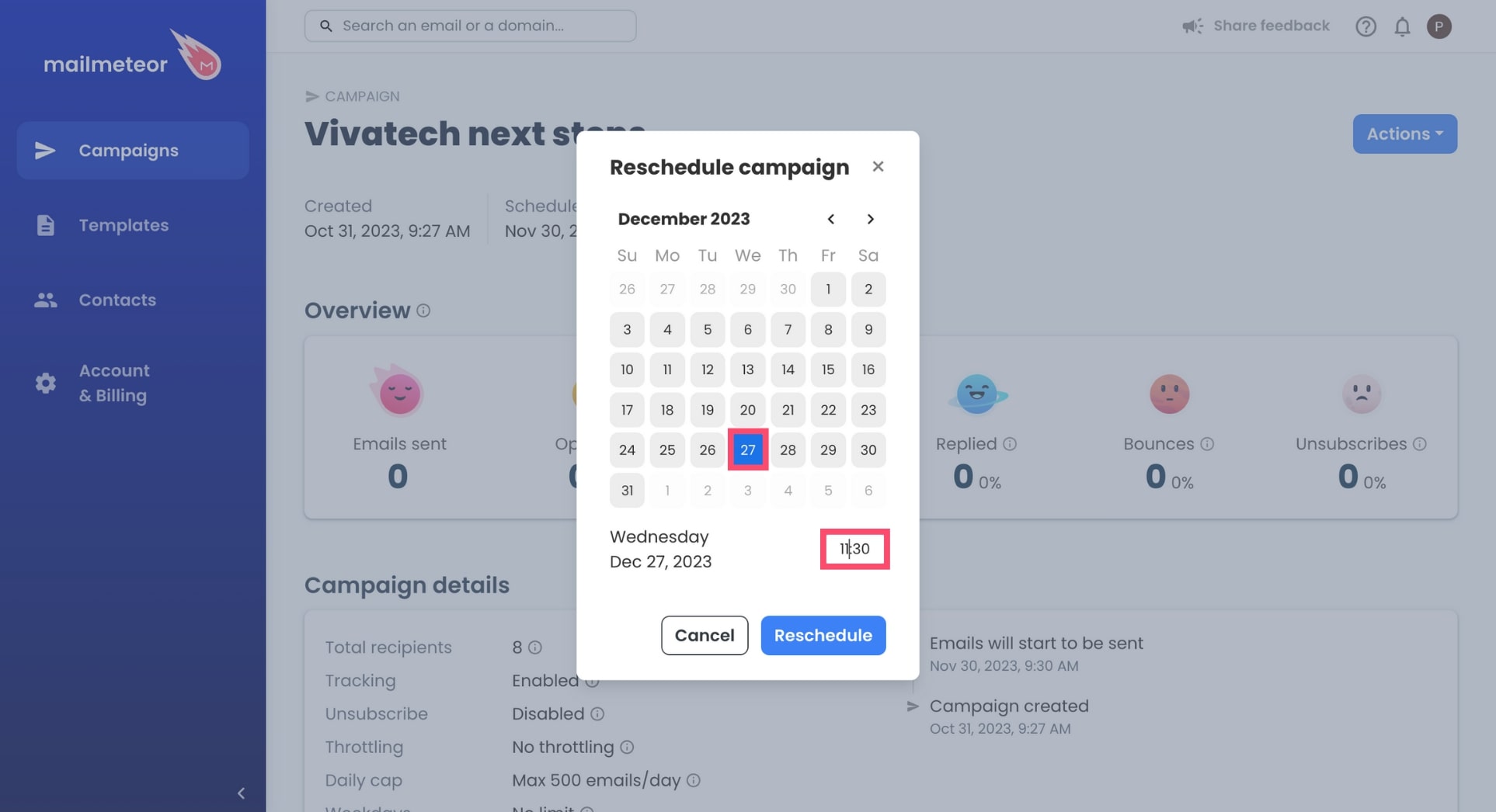
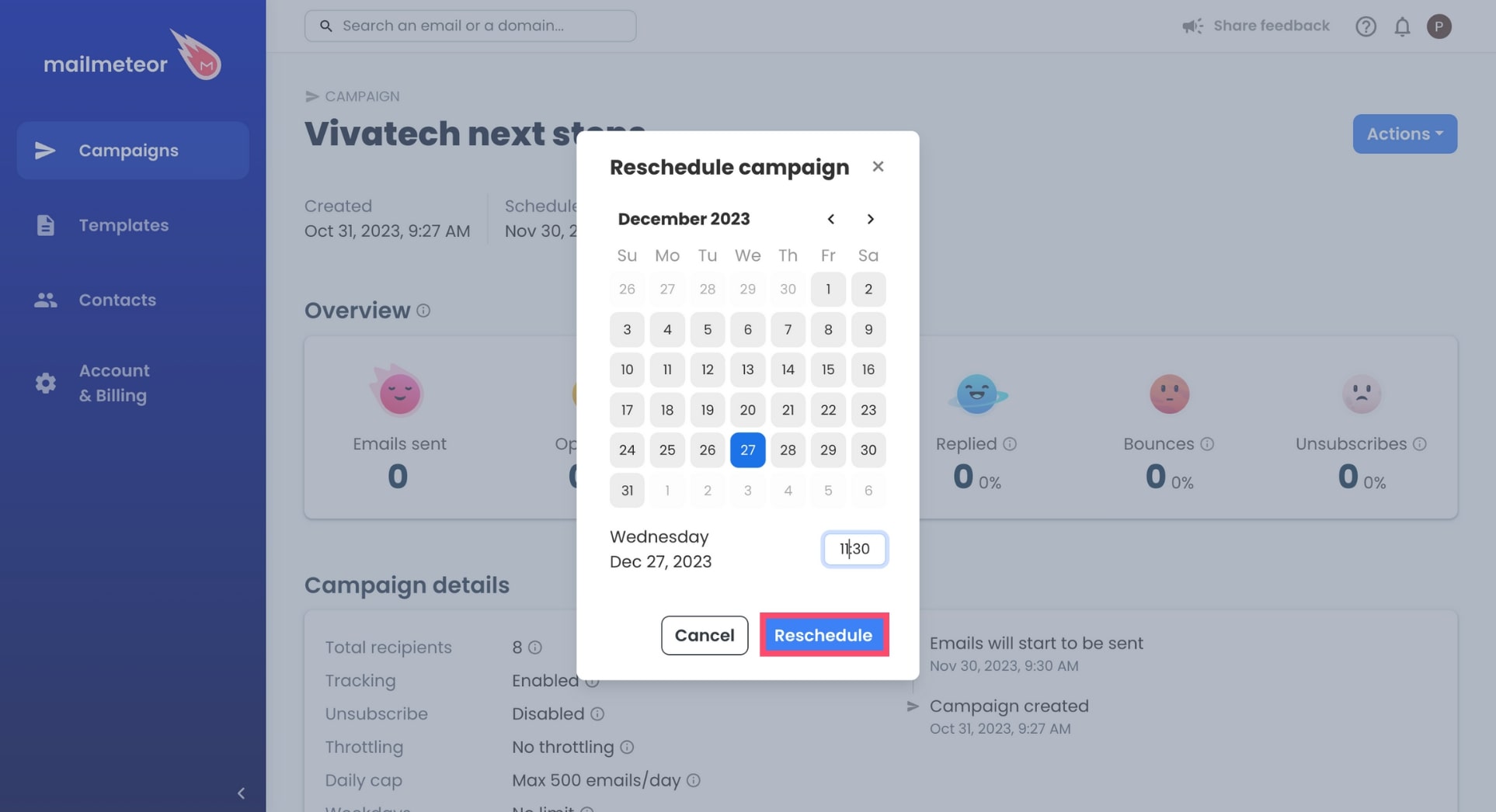
5. Select the new date and time of your campaign.

    <figure><img src="https://mailmeteor.com/assets/docs/change-date.jpg" loading="lazy" alt="Select date and time"><figcaption></figcaption></figure>

6. To confirm, click **Reschedule**.

    <figure><img src="https://mailmeteor.com/assets/docs/reschedule-button.jpg" loading="lazy" alt="Reschedule button"><figcaption></figcaption></figure>

And done. You've successfully rescheduled your Mailmeteor campaign. Congratulations 🎉