# Mailmeteor for Google Docs
[Mailmeteor for Google Docs](https://workspace.google.com/marketplace/app/mailmeteor/1008170693301) is a brand new product, released in January 2025. It lets you design and send emails directly from Google Docs.
[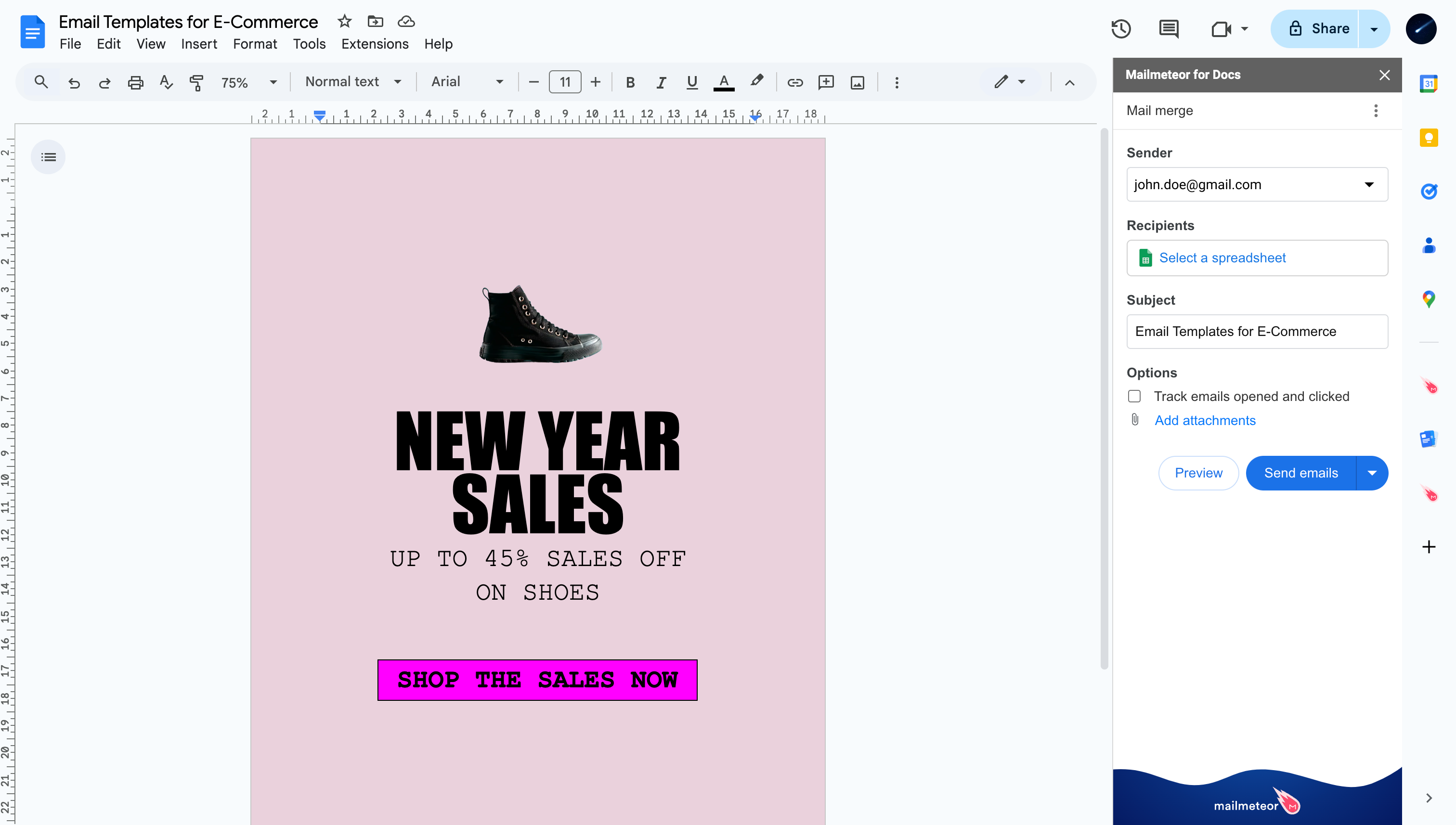](https://workspace.google.com/marketplace/app/mailmeteor/1008170693301)
The add-on is available for free, but some features require a [paid plan](https://mailmeteor.com/pricing). If you have feedback, [please share it using this form](https://forms.gle/JcDxU5RTDUEdhwHD6).
## How to install Mailmeteor extension for Google Docs?
### 1) Open your Google Docs document
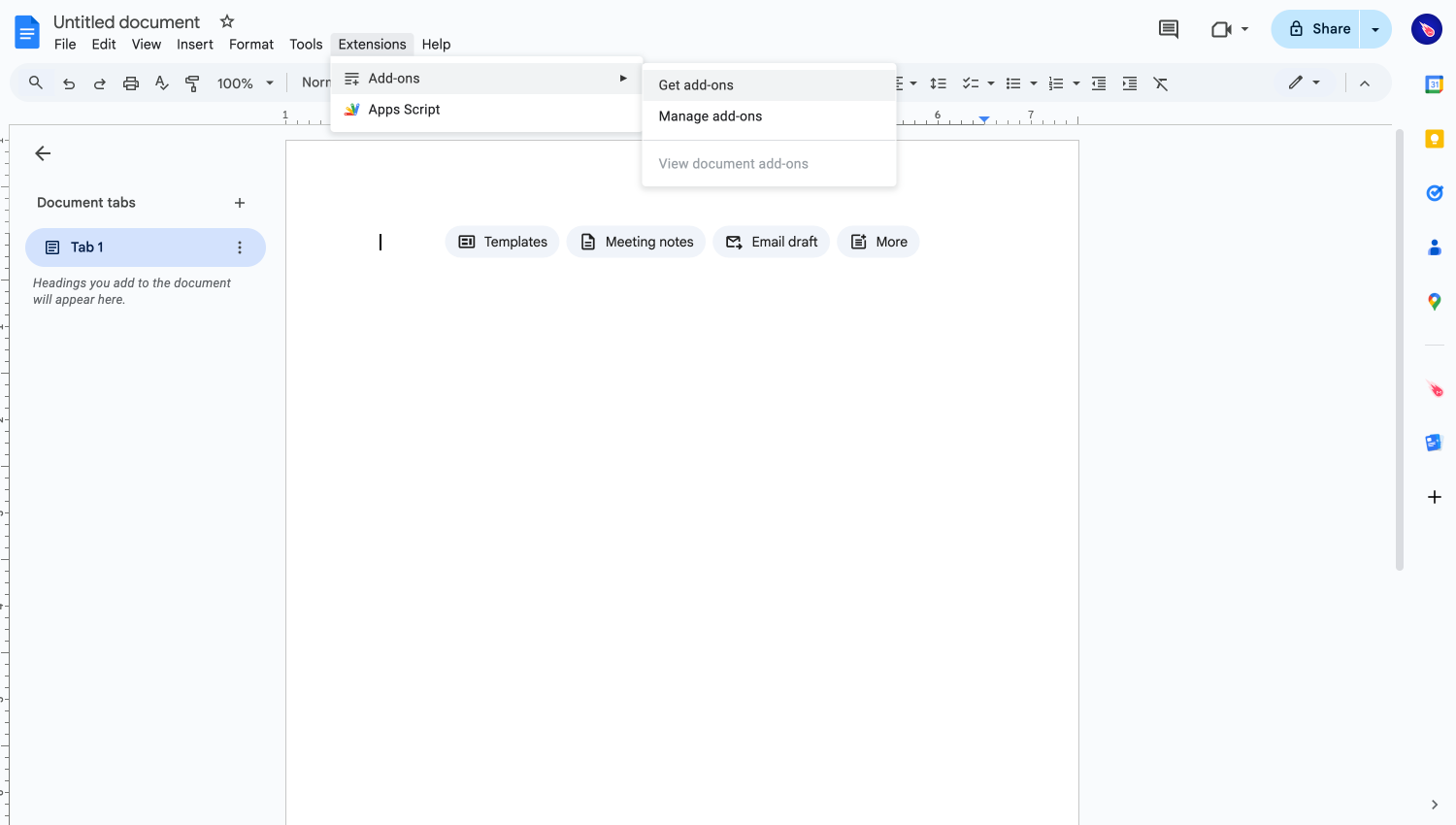
For starters, open one of your documents and click on **Extensions** > **Add-ons** > **Get add-ons.**
Install add-ons from a Google Docs document
### 2) Install Mailmeteor
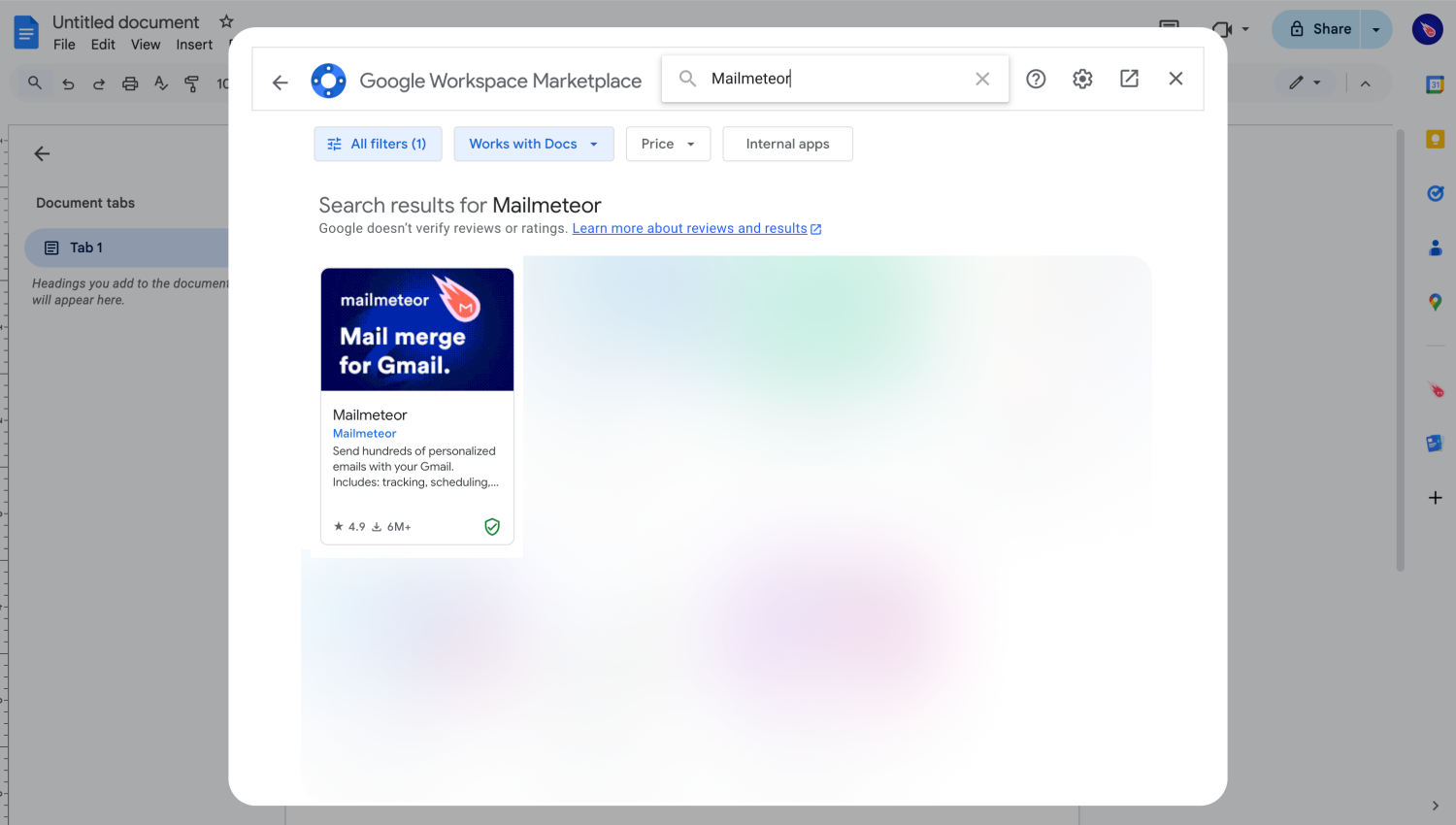
In the search bar, search for "Mailmeteor", then click on the first results entitled Mailmeteor.
Searching for Mailmeteor in the Google Workspace Marketplace
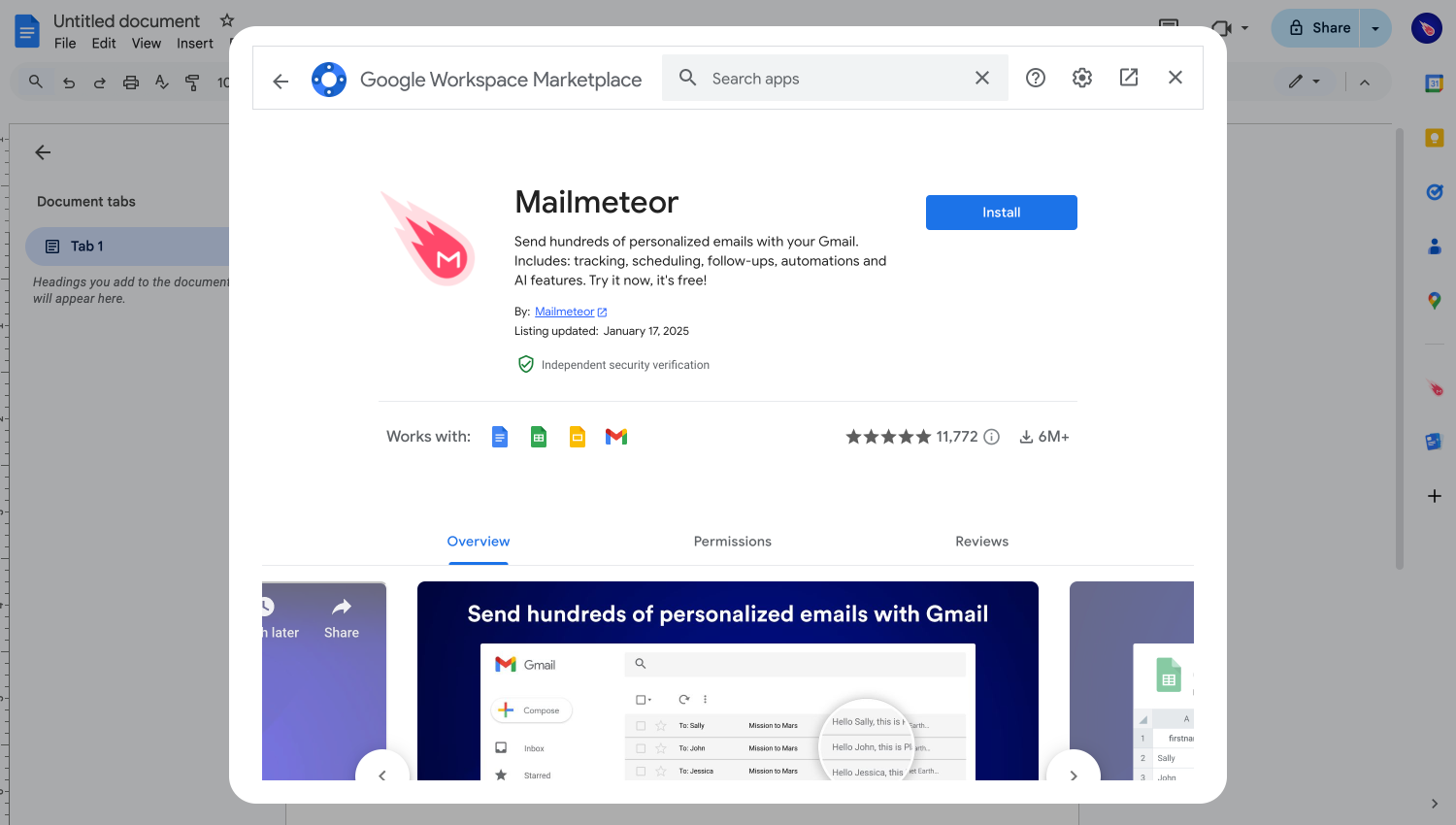
Once you find us, you'll land on our listing page where you can click on "**Install**".
Installing Mailmeteor from a Google Docs document.
If prompted, follow the steps to grand access to the application. Some organizations have restrictions on which applicaiton you can install. If you're having an issue at this stage, you might need to ask your Google Workspace administrator to install the app ([here's how they can do it](https://mailmeteor.com/docs/products/google-sheets#domain-installation)).
### 3) Start using Mailmeteor
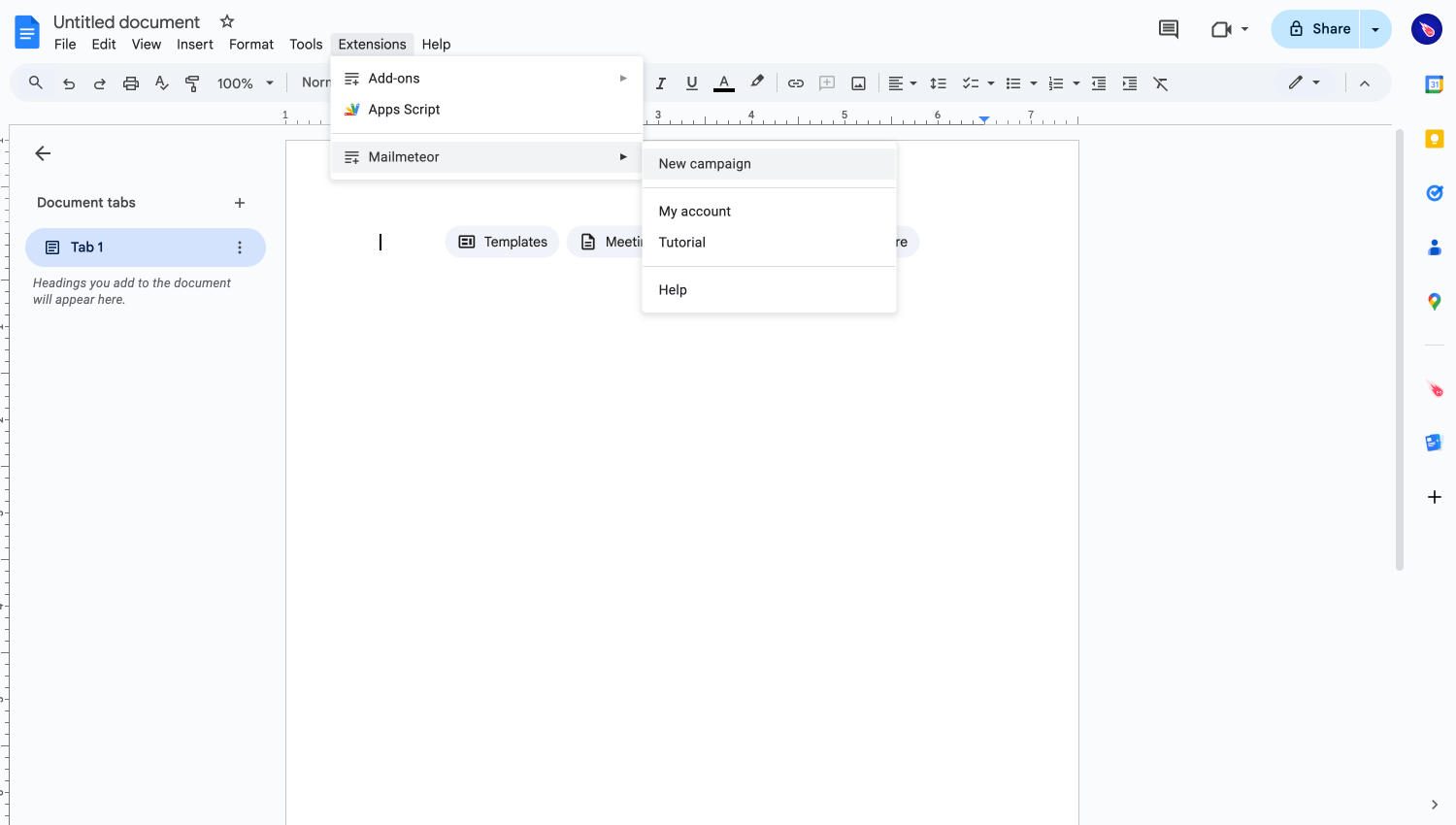
Mailmeteor is now installed 🥳 To start using the app, go back to your Google Docs document, then click on "**Extensions"** > "**Mailmeteor"** > "**New campaign**".
{% hint style="info" %}
If you are a Google Workspace admin (or G Suite admin), you can easily [install Mailmeteor for your entire organization](https://mailmeteor.com/docs/products/google-sheets#domain-installation).
{% endhint %}
## What's next?
Now that you have installed Mailmeteor, let's [send your first emails](https://mailmeteor.com/docs/campaigns/tutorial?product=google-docs). Remember, you can use Mailmeteor for free, and [upgrade whenever you want](https://mailmeteor.com/docs/get-started/upgrade) to unlock more features.