You wrote a great cold email. You hit send. And then… nothing. No reply, no “not interested,” just silence.
Here’s the thing: silence rarely means no. Your prospect may have missed your email, read it at the wrong time, or meant to reply and forgot. That’s why the follow-up matters so much. According to Instantly’s 2026 Cold Email Benchmark Report, 42% of all cold email replies come from follow-ups — not the first email.
So whether you’re sending a cold email for a job, for networking, or to sell your product, skipping the follow-up means leaving almost half your replies on the table.
In this guide, I’ll walk you through how to write a cold email follow-up, when to send it, how many to send without being annoying, and how to keep track of every reply.
- Wait 3 working days before your first follow-up, then space the next ones 3 to 7 days apart.
- Send 3 to 6 follow-ups at most — a 4- to 7-email sequence in total — and stop as soon as you get a clear answer.
- Make it easy to reply: keep it short, stay consistent with your first email, and add something new each time.
- Automate it with a tool like Mailmeteor, which only sends follow-ups to people who haven't replied — and sorts every answer you get in Pipelines.
Here’s what we’ll cover:
- Why send cold email follow-ups?
- How to write a cold email follow-up after no response
- When and how often to follow up
- How to send your cold email follow-ups
- How to manage replies to your cold emails
- 4 cold email follow-up templates
Sounds good? Then let’s dive in.
Why send cold email follow-ups?
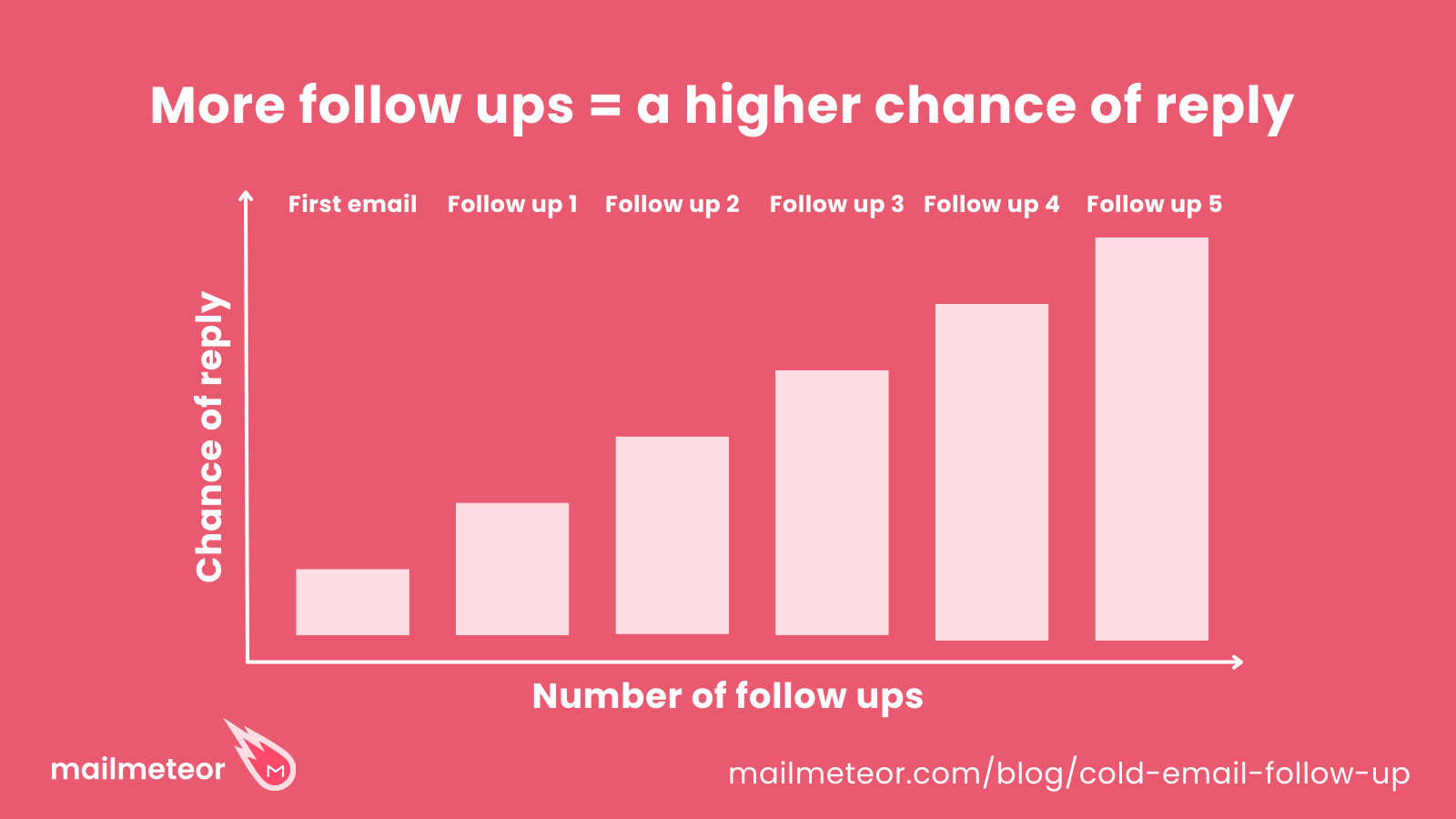
The data is clear: follow-ups work. Backlinko and Pitchbox analyzed 12 million outreach emails and found that sending just one follow-up boosts replies by 65.8%. Sequences of three or more messages got the best overall response rate.
And look, I get it. You might think, Won’t I come across as annoying or desperate? That’s how I often feel too.
But when you follow up well, you’re actually helping your recipient. Here’s why:
- They may have missed your original email.
- It may have been buried under newer messages.
- It may have arrived at the wrong time.
- They may need more information before they can say yes.
So don’t let your inner voice tell you a story that might not be true. A good follow-up can kickstart a win-win relationship.
…As long as you’re not sending lazy follow-ups like “Hey, just following up on this.” Done tactfully, you’ll see the benefits. Showing up in someone’s inbox a few times also builds familiarity — what psychologists call the “mere-exposure effect.” Follow-ups aren’t just about persistence. They’re about building trust.
How to write a cold email follow-up after no response
Alright, now it’s time to get down to business.
You might be tempted to keep it simple with “Hey, just following up on this email.” It’s short and to the point. But remember why someone might not have replied in the first place:
- Your ask was too big in the first email.
- They still have doubts about responding.
That’s why the best follow-ups follow five rules ⤵️
- Make it easy to respond to. Ask yourself: could they answer in seconds, without thinking?
- Stay consistent with your last message. Don’t invent a new, unrelated reason to email. Build on what you already said.
- Add value and handle hesitations. Don’t just say “I’m still here.” If your prospect seems hesitant, share social proof, a case study, or a new detail.
- Keep it human. Write like you’re talking to a person, not a CRM. Start chatty, then adjust to a more professional tone if needed.
- Keep it short. Instantly’s 2026 report found the best-performing cold emails stay under 80 words. Think of a follow-up as a quick text to someone you’re waiting to hear back from.
Here’s an example that puts these rules into action. It’s easy to answer, consistent with a previous meeting request, and adds value with a case study:
Hey [name],
If 11 am doesn’t work for you on Tuesday, how are you fixed for Thursday?
When we spoke, I mentioned how we recently helped [company] (an email marketing tool for healthcare organizations) get SOC2 certified, influencing $1 million in Enterprise deals in the past year.
Check out their story here.
Cheers,
[Your signature]
When and how often to follow up
Timing can make or break your follow-up. Too soon, and you look pushy. Too late, and they’ve forgotten who you are.
Here’s a simple cadence you can start with:
| When to send it | What it should do | |
|---|---|---|
| First email | Day 1 | Make your pitch with one clear ask |
| Follow-up 1 | 3 working days later | Make it easier to say yes |
| Follow-up 2 | 5 days after follow-up 1 | Add new value (case study, proof, idea) |
| Follow-up 3 | 7 days after follow-up 2 | Offer an alternative (another time, another contact) |
| Breakup email | 7+ days after follow-up 3 | Close the loop politely |
How long should you wait before following up?
Three working days is a good default before your first follow-up. It gives your prospect time to see your email, without letting it slip from memory. Depending on the situation, you can stretch it to a week. Don’t overthink it — send it, then test and tweak your timing later.
How many follow-ups should you send?
Instantly’s 2026 benchmark found that the most effective cold email sequences run 4 to 7 emails in total — your first email plus 3 to 6 follow-ups. Beyond that, returns drop and you risk annoying people or getting flagged as spam.
Stop sooner if you get a clear answer — yes or no.
How long should you leave between follow-ups?
Space each follow-up 3 to 7 days apart, increasing the gap as you go. At a previous food business I was part of, we’d send cold emails to ask stores if they’d stock our product. Our sequence looked like this:
- Send the first email.
- If no reply in 3 days, send the first follow-up.
- If no reply 5 days after that, send the second follow-up.
By the time the last email went out, 55% of the prospects had replied.
How to send your cold email follow-ups
There are two ways to send follow-ups:
- Manually. Keep a list, check who replied, and write each follow-up yourself.
- Automatically. Use a tool like Mailmeteor, which sends follow-ups only to people who haven’t replied — and stops as soon as they do.
Manual works for a handful of emails. Past that, it’s easy to lose track — and following up with someone who already replied is a quick way to look careless.
How to automate follow-ups for a single email in Gmail
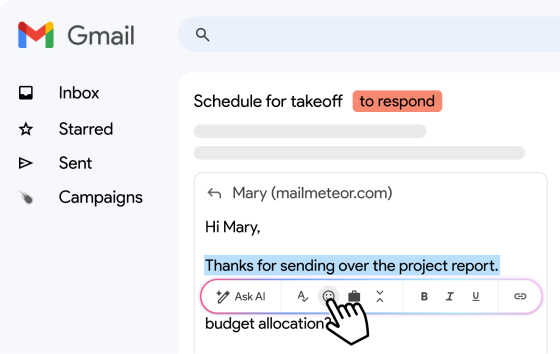
Only sending a few cold emails here and there? The Mailmeteor Gmail extension lets you schedule follow-ups on individual emails, right from your inbox:
- Install Mailmeteor for Gmail — it’s free.
- Write your cold email in Gmail.
- Click the drop-down arrow next to the Send button.
- Select Send with a follow-up.
- Write your follow-up and choose when it should go out if there’s no reply.
And voilà. If your prospect replies, the follow-up is canceled automatically.

How to automate follow-ups for a cold email campaign
Sending to a list of prospects? Set up your whole sequence at once:
- Sign in to the Mailmeteor Dashboard.
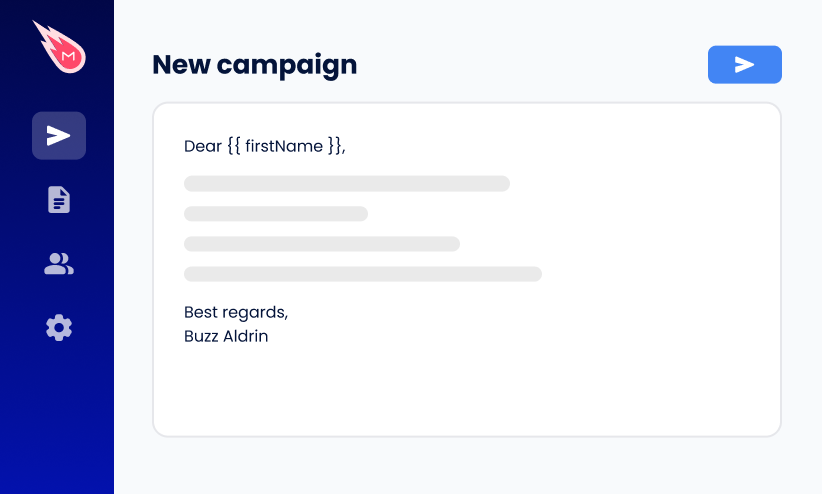
- Click New campaign.
- Write your first email, using merge tags to personalize it for each prospect.
- Click Add a follow-up email.
- Choose the condition (if no reply, no open, or no click) and the delay.
- Repeat to add more follow-ups to your sequence.
- Select your recipients and click Send.
All done. Each prospect gets their own personalized sequence, and anyone who replies drops out of it automatically.
How to manage replies to your cold emails
Automated sequences stop when someone answers. But that’s exactly when the real conversation begins — and when deals get lost. A prospect replies “Interesting, send me more info,” you answer, and then… they go quiet. Your automated follow-ups won’t catch that, because the prospect technically already replied.
That’s what Mailmeteor’s Pipelines is for. Every reply to your campaigns shows up automatically in one place, sorted by status:
| Status | What it means for your cold outreach |
|---|---|
| To reply | A prospect answered — it’s your move |
| Waiting | You’ve replied and are waiting for their answer |
| To follow up | They replied at least once, then went quiet for 5 days |
| Archived | The conversation is closed, went nowhere for 21 days, or bounced |
The To follow up status is the one that saves deals. It shows you every warm conversation that stalled — the prospects who showed interest but stopped responding.
From Pipelines, you can:
- Read the full thread, attachments included, without opening your inbox
- Reply directly from Mailmeteor
- Schedule a follow-up that only sends if there’s no reply, no open, or no click
- Select several conversations and send follow-ups in one go — each email still goes out individually
Mailmeteor also emails you when work piles up: when 5 or more conversations need a reply, or 3 or more need a follow-up.
4 cold email follow-up templates
Template 1: You didn’t get a reply, and the proposed date is coming up
Hey [Name],
If Wednesday doesn’t work, what about a quick call on Friday morning? Let me know.
In the meantime, here’s a case study of [Company], who struggled with the inefficiency of their email marketing process before automating it with our tool.
Give it a read here: [Link]
Kind regards,
[Signature]
Why it works: You sent a meeting request and heard nothing. Offer another date, and slip in extra value with customer proof.
Template 2: You want to add more reasons why you can help
Hi [Name],
Not sure if you saw my last email, so I’ll keep this super quick.
I’m confident working together could make a real difference for [their company]. Here’s why…
[Argument]
Would love to hear your thoughts.
Cheers,
[Signature]
Why it works: It respects their time, sticks to the same call-to-action, and adds a new reason to say yes.
Template 3: You want to offer another way to get in touch
Hi [Name],
Not sure if you saw my last email, but I’d love to send you some samples to try out with your customers.
If you’d rather chat, feel free to call me at [Number].
Kind regards,
[Signature]
Why it works: It’s a brief check-in that keeps the original offer and gives them an easier way to say yes.
Template 4: The breakup email
Hi [Name],
I’ve reached out a few times about [topic], so I’ll assume the timing isn’t right.
I won’t keep filling your inbox. If things change, just reply to this email — I’d be happy to pick things back up.
All the best,
[Signature]
Why it works: It closes the loop politely, takes the pressure off, and leaves the door open. Breakup emails often get replies precisely because they don’t ask for anything.
Looking for more inspiration? Check out our cold email examples and proven cold email templates. But don’t rely on templates alone — write your own follow-ups based on the principles above, so you stand out in the inbox.
Follow up smarter with Mailmeteor
Following up doesn’t have to feel awkward. Make it easy to answer, keep it human, and come from a place of genuinely wanting to help. Then let your tools handle the timing — and the tracking.
Mailmeteor gives you everything you need to follow up without the busywork:
🔁 Automatic follow-ups that only go to people who haven’t replied
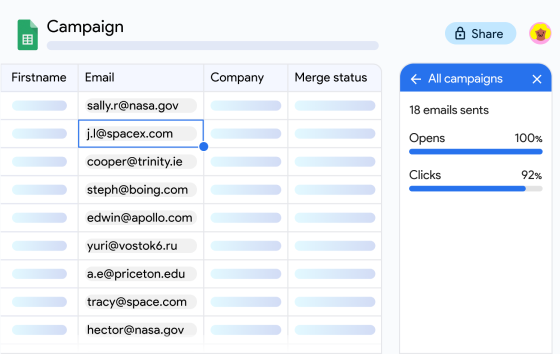
📬 Mail merge to personalize every cold email at scale
📋 Pipelines to spot every reply — and every warm lead that went quiet
📊 Real-time tracking of opens, clicks, and replies
✍️ AI-powered drafting to write better follow-ups in seconds
Try Mailmeteor for Gmail today (it’s free!) and never miss a follow-up again.
FAQs
What’s the best day to send a cold email follow-up?
According to Instantly’s 2026 Cold Email Benchmark Report, Tuesday and Wednesday see the highest reply rates, with Wednesday on top. Avoid Monday mornings, when inboxes are full, and Friday afternoons, when people are wrapping up the week.
How many follow-ups should I send after a cold email?
Aim for a sequence of 4 to 7 emails in total — your first email plus 3 to 6 follow-ups. Space them 3 to 7 days apart, and stop as soon as you get a clear yes or no.
What subject line should I use for a cold email follow-up?
It’s usually best to reply in the same thread as your first email, so your subject line stays the same and your prospect has the full context. If it’s been a while, or if you’re following up after a call, a new subject like “Re: our last conversation” works too.
What should I include in a cold email follow-up?
A good follow-up includes:
- A brief reminder of your previous email
- Something new: a case study, proof, or idea
- One clear, easy call-to-action
- Your contact details and signature
You can end with “Would be great to connect” or “Looking forward to hearing from you.”
Should I follow up if they opened my email but didn’t reply?
Yes. An open means your email landed, but your prospect may need a nudge or more information. Opens aren’t always reliable, though — some email apps register opens automatically — so don’t read too much into them. Follow up based on your timing plan, and treat clicks and replies as stronger signals.
How do I stop follow-ups when someone replies?
Use a tool that detects replies automatically. With Mailmeteor, follow-ups set to “if no reply” are canceled as soon as your prospect answers. Their reply then shows up in Pipelines, so you can pick up the conversation.
How do you politely follow up on a cold email?
Acknowledge they’re busy, keep it short, restate the value you offer, and make your call-to-action easy to answer. Always thank them for their time.