For most of us, email is a double-edged sword. It’s the primary way we do business, close deals, and support customers. But it’s also a source of noise. You spend hours filtering through newsletters, cold outreach, and urgent requests, often leaving you with little energy to write the emails that actually matter.
At Mailmeteor, we’ve helped thousands send personalized emails. We solved the sending part. And we noticed a gap. Once the campaign is sent, the replies start rolling in. And that’s where the chaos returns.
Today, we are closing the loop.
We are thrilled to introduce a new Mailmeteor that works as an email asssistant for Gmail to help save hours per week. Our assistant helps you triage your inbox, drafts replies in your tone and stay focused on what matters.
Why an AI tool?
We didn’t want to build just another chatbot where you have to copy-paste emails back and forth. We wanted an experience that feels native.
Mailmeteor’s Email Assistant isn’t a destination you have to visit. It analyzes the context of your emails and offers help right where you need it, without ever leaving your inbox. It’s a companion that stays with you, where you already work.
What can this Email Assistant do for you?
We focused on the two biggest time-consuming issues in email management: decision fatigue and writer’s block.
- Smart triage & labeling 🧠
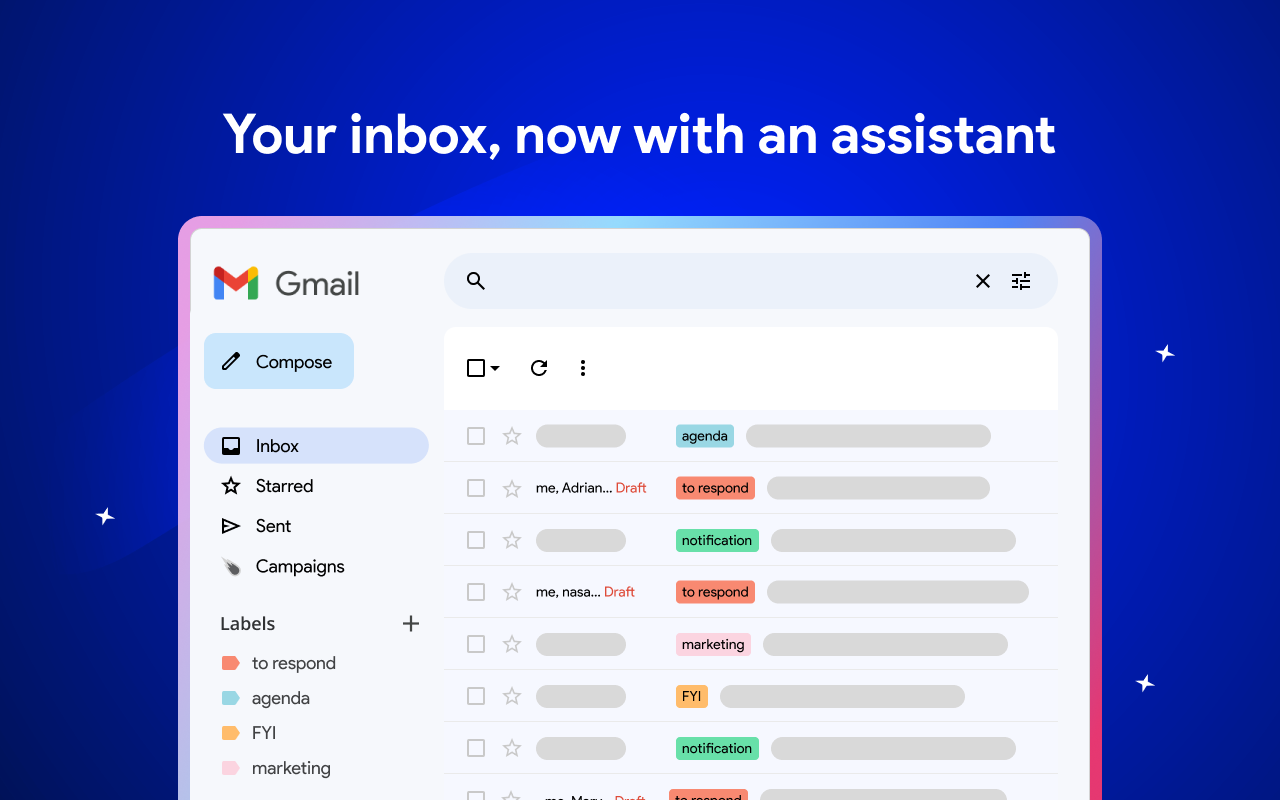
Stop wasting mental energy deciding what to open first. Your assistant analyzes incoming emails as they get in and automatically applies smart labels based on context.
- is it a lead asking for a demo ? It gets tagged “to respond”
- is it an email you sent that needs tracking? It gets tagged “to follow-up”
- is it a calendar invite? It gets tagged “agenda”
You get an organized inbox instantly, allowing you to prioritize high-value conversations.
- Instant draft replies ⚡️
Staring at a blank cursor is a thing of the past. Based on the email thread, the assistant suggests relevant, context-aware drafts.
Whether you need to confirm a meeting, politely decline an offer, or follow up on a quote, AI generates a draft that sounds like you. We never send the email ourselves, so you stay in control. But once you’re ready to treat the email, the response is already available saving a lot of time.
Privacy first
We know that letting AI into your inbox requires trust. That’s why we built the Assistant with the same rigorous privacy standards as our core mail merge product.
- Your data is yours. We do not use your emails to train our AI models
- Secure by design. We only process the data needed to generate your request, and nothing is stored longer than necessary
Get started today
Mailmeteor’s email assistant is available starting today. It’s time to stop managing your inbox and start mastering it.
P.S. We are live on Product Hunt today! If you like what we’re building, come say hi and support the launch.

This article was written by Corentin Brossault, Mailmeteor's CEO. Mailmeteor is a simple & privacy-focused email marketing software. Trusted by millions of users worldwide, it is often considered as the best Gmail mail merge to send mass personalized emails.


