Before you get yourself in Spam filter jail, and tank your email marketing efforts – you need to read this. Validating emails before sending them off is an important step in optimizing your email marketing strategy, especially if you hope to maintain a strong sender reputation.
Because without proper validation, you run the risk of hitting high bounce rates, not to mention the abysmal engagement metrics, and in the worst of cases, email services start filtering your future messages as spam.
In this guide, we will discuss some email validation techniques which you can employ to effectively improve your deliverability, build trust with your audience, and maximize the impact of your campaigns.
What is Email Validation?
Think of email validation as the final proofreader for your recipient’s address. It is the process of verifying that an email address is accurate, active, and capable of receiving your content before you hit send.
For example, imagine throwing a big party and sending out invitations. You would want to make sure everyone’s address is correct to avoid wasting time and resources on undeliverable invites.
Just like that, email validation will also be checking for typos, confirming if the domain exists, and some email validation tools even take this a step further to verify if the mailbox is active in the first place.
Email Validation vs Email Verification
Notice how we mentioned that some email validation tools also verify the address? There is a subtle but crucial difference between the two.
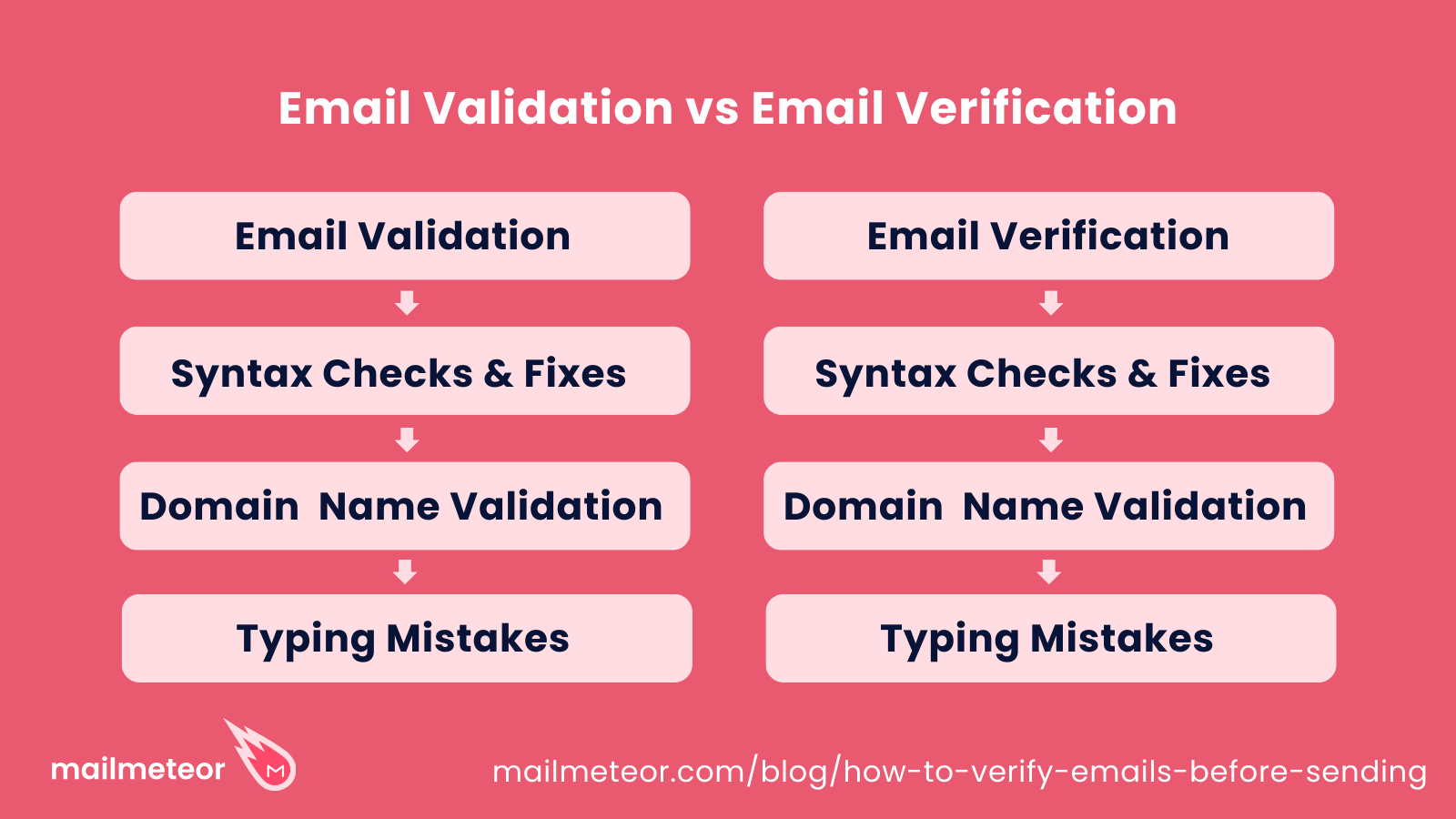
Email Validation is the initial step which checks whether an email address is correctly formatted and adheres to standard syntax rules. This process typically involves:
- Syntax Validation: Ensuring an email follows the proper structure (contains an “@” symbol for example).
- Domain Validation: Confirming that the domain exists and is configured to receive emails, this step requires some technical knowledge about domain names and MX DNS records.
- Typo Detection: Identifying common misspellings or errors in the email address which could prevent delivery, “gmial.com” instead of “gmail.com” for example.
Think of email validation as a gatekeeper that filters out obviously incorrect or malformed addresses before they enter your mailing list.
Email Verification on the other hand, takes this entire process a step further by actively confirming the existence and responsiveness of the email address or mailbox itself. This process includes:
- Mailbox Validation: Checking if the specific mailbox is active and capable of receiving emails, often carried out with a request to the recipient’s mail server.
- Activity Monitoring: Assessing whether an email address is currently in use and engaging with content, if someone has ignored a dozen emails from you, what are the odds that they check your next message?
For the remainder of this article, we will be treating both terms synonymously.
Why is it important to validate emails?
Validating your email list before hitting send ensures that your messages land where they are supposed to, right in your audience’s inbox.
Imagine you are hosting that big party again and you have put in the effort to double-check every invitation, just to make sure the addresses are correct. You would be thrilled to see a packed room, right?
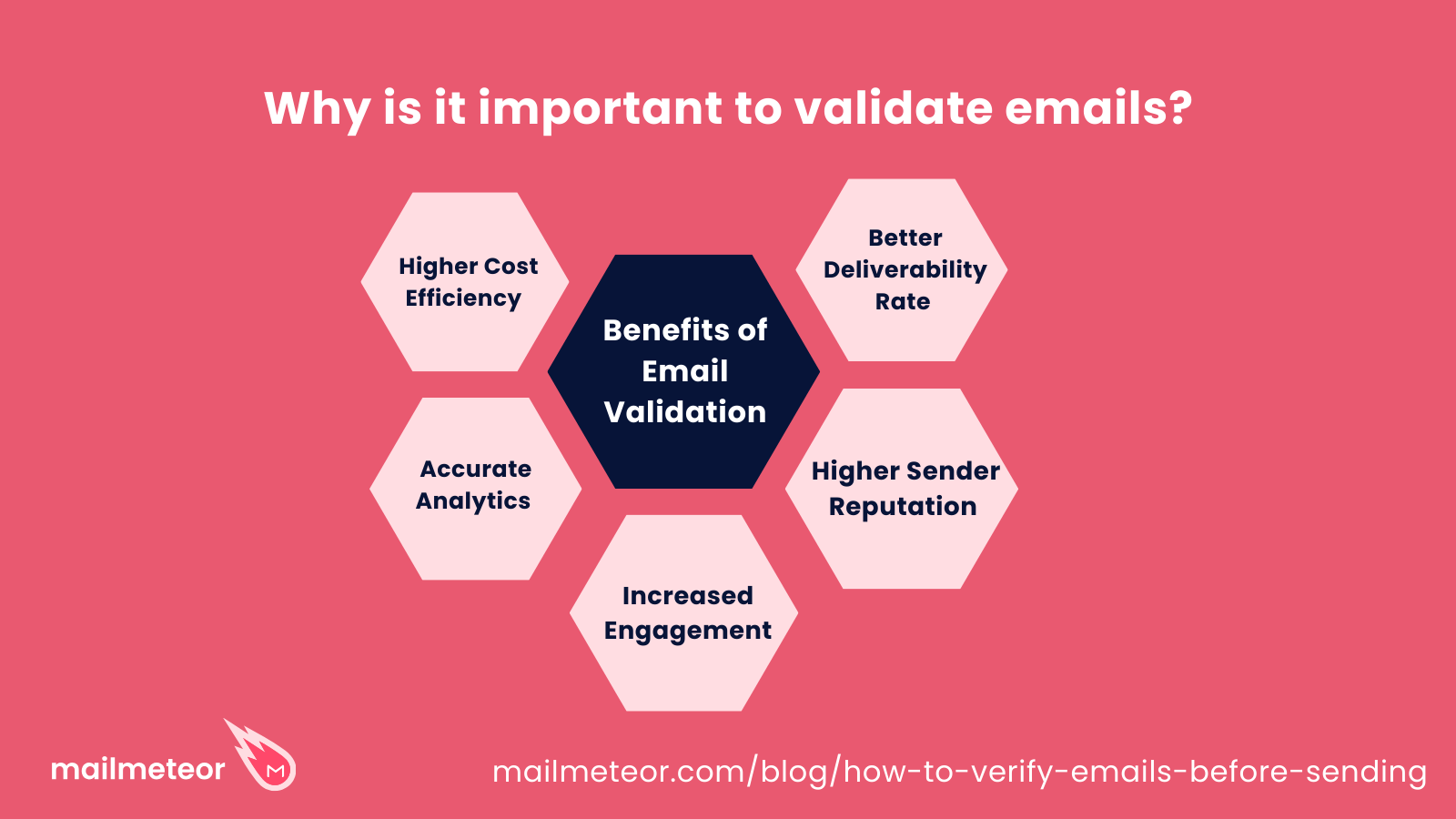
Emails work the same way, and here is what you get by validating them:
- Better Deliverability Rates: Validating emails will reduce your bounce rates significantly, ensuring more of your messages reach active inboxes instead of bouncing back.
- Higher Sender Reputation: Maintaining a clean list does prevent high bounce rates, but it also improves your sender reputation in the process, letting your emails skip the spam filters entirely. Spammers do not put in the effort to validate their email address, who would have thought?
- More Engagement: Reaching the right audience leads to higher open rates, which in turn improves your click-throughs, and overall engagement with your emails. Keep in mind that a bounced email is just one additional number dragging down your average.
- Accurate Analytics: With reliable recipient lists, come reliable and accurate insights for your email marketing campaigns.
- It is Just Cheaper: By eliminating invalid addresses, you avoid wasting resources and reduce the costs associated with sending unnecessary emails.
Validate your Emails with Mailmeteor’s Email Checker
We have talked about the right ways to verify an email address in the past, but today’s focus is going to be on our exciting email checker tool, which gives you the ability to automatically verify email addresses without effort!
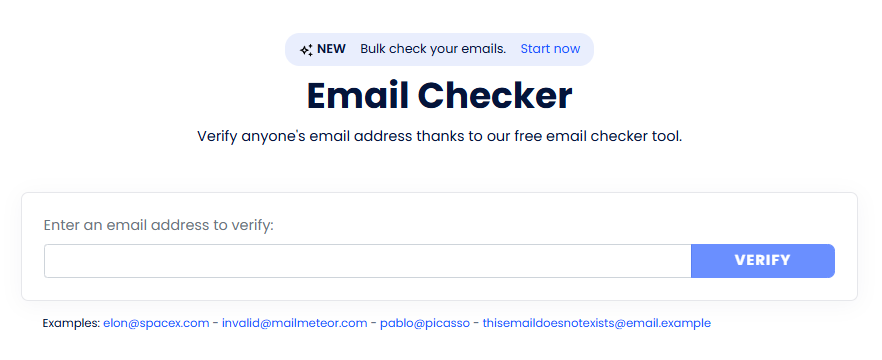
Mailmeteor’s Email Checker is a handy tool which allows you to verify any email address quickly, efficiently, and for free.
By assessing multiple factors, our tool helps ensure your email lists are accurate and reliable, ultimately improving the effectiveness of your email campaigns and letting you skip the tedious labor of manually validating email addresses.
Here is what our Email Checker does for you:
- Format Validation: Ensures the email address follows the correct structure and is not gibberish.
- Professional Verification: Confirms the domain is not used for webmail or temporary addresses, people sign up for online services with temporary email addresses all the time, which are effectively useless for email marketing.
- Domain Checks: It is important to verify that a domain actually exists and has valid MX records, otherwise all emails will automatically bounce. We have this technical task covered for you!
- Mailbox Checks: Finally, we run a quick check to see if the recipient’s mailbox is reachable and recognizes the email address itself.
Step by Step Guide: Validating Email Addresses
Mailmeteor’s Email Checker makes it incredibly easy and simple to validate any email address.
- Simply go to https://mailmeteor.com/email-checker
- Type in the email address you wish to verify.
- Click the Verify button.
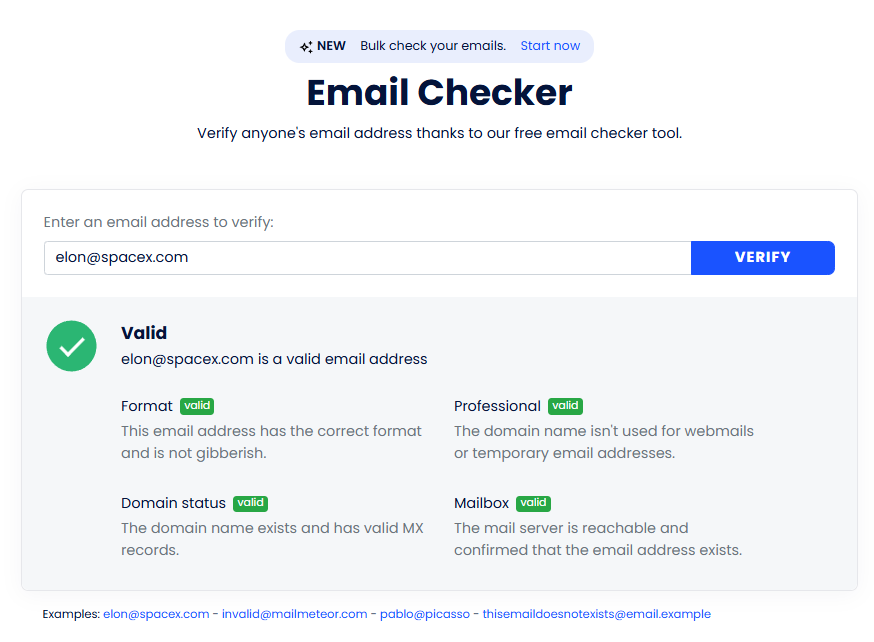
- In just a few seconds, you will be provided with a quick summary of the different tests we ran.
Take the following result as an example:
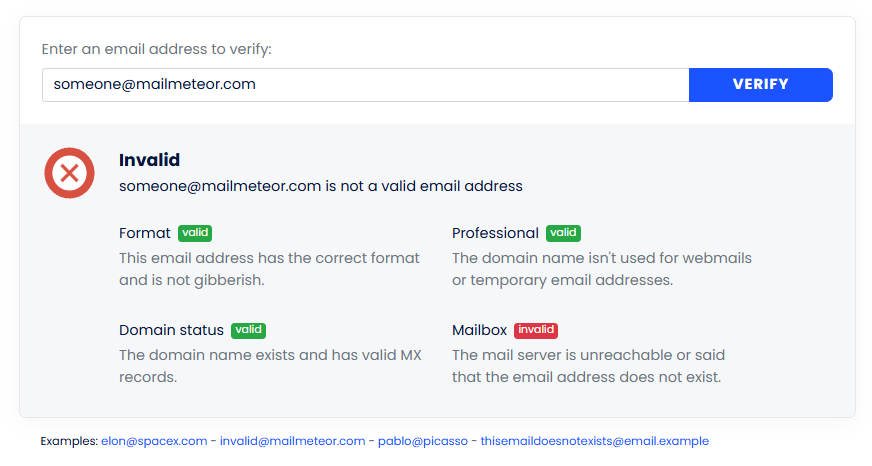
As you can see, the format is obviously correct, and the domain name also exists. However, there is no mailbox named “[email protected]” – the mail server refuses to recognize the email address, and the email verification fails.
If you had sent out an email campaign with the above address in your recipient list, this email would have bounced, and your metrics would take the hit.
Bulk Email Validation with BounceShield
While our Email Checker is perfect for validating an odd email or two, if you need a premium verification service then look no further and try out BounceShield.
Keep in mind that this is a premium service which is not available for free, so you will need to pay a token amount of $0.01 per email you wish to validate (with a minimum cost of $0.50).
Here is how:
- Visit https://dashboard.mailmeteor.com/bounceshield and log in with your Mailmeteor account to access the dashboard.
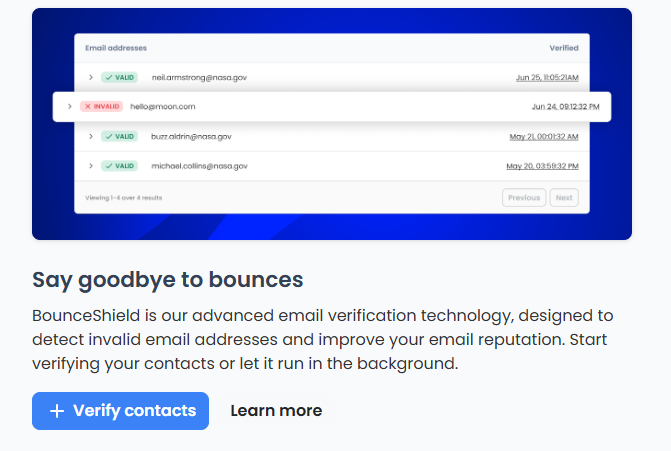
- Click on “+ Verify Contacts” to start the process.
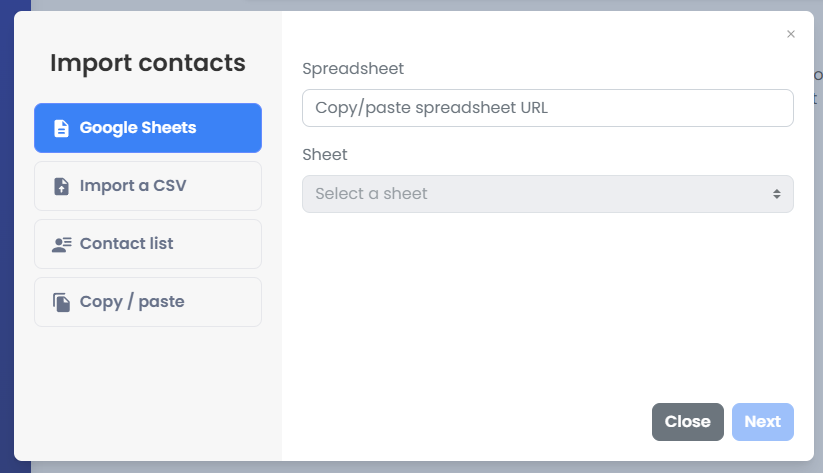
- You will need to import the contacts which you wish to verify. Four options are available:
- Google Sheets – You may use the same Google Sheet which you are using to send bulk mail merge emails with Mailmeteor.
- Import a CSV – We also let you import contacts with an CSV file.
- Contact list – If you already have a contact list with us, this will work too.
- Copy / paste – Sometimes you just have a list of email addresses that need verification, put them in the textbox and we will get to work!
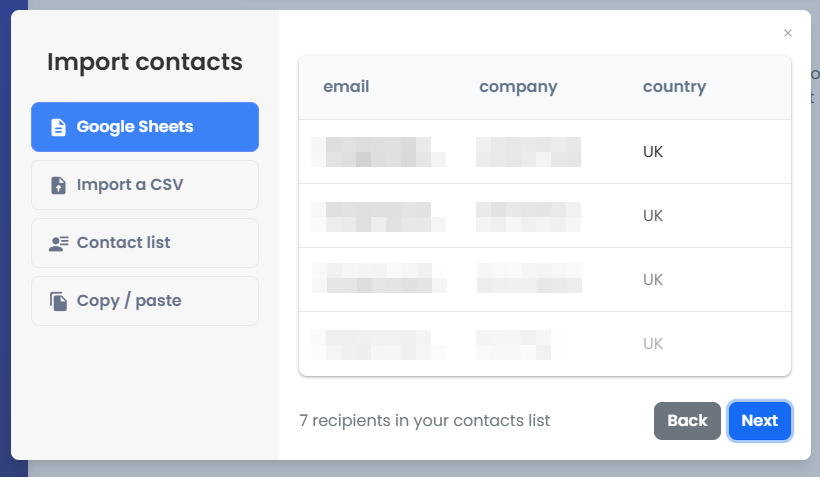
- Click “Next” when you are ready to pay.
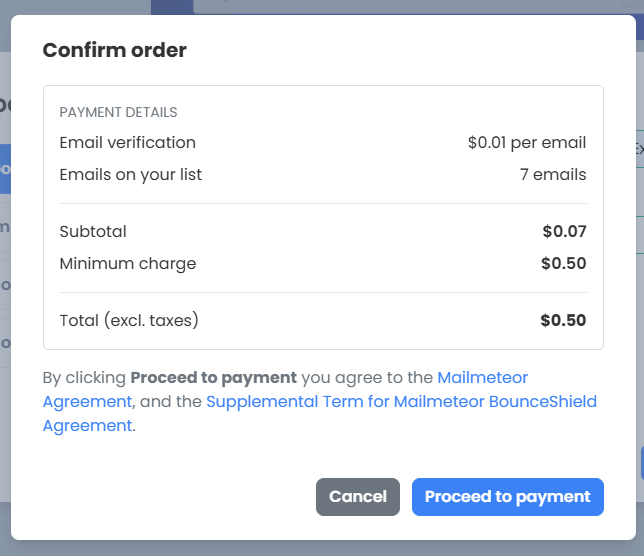
- Simply process the payment and Mailmeteor’s BounceShield will get to work right away.
With BounceShield, there is no reason for you to look for third party email verification services. Verify your emails, write out your template with personalized merge tags, and send out your campaign to thousands of recipients, all with a single Mailmeteor account.
FAQs
How often should I validate my email list?
It is recommended to validate your email list regularly, depending on the size of your list, this can be done on a monthly or quarterly basis. However, if you are looking to maximize your productivity, it is a good idea to only add an email address to your mailing list after validating it.
This way you will only have validated email addresses on your list.
Are there any privacy concerns with using email validation tools?
Absolutely. Which is why you should stick with reputable validation services that adhere to privacy laws and regulations, take the time to review the privacy policy of any tool you use.
What should I do with invalid email addresses after validation?
Invalid email addresses are completely useless, you should remove them from your mailing list permanently.
However, it is wise to set them aside in order to reach the recipients through an alternative channel such as social media, that way you can confirm their correct email address and update it in your list.


