When you send an email campaign to thousands of people, the work has only begun. Now you need to manage replies, send follow-ups, and see who opened your email and who didn’t. So far, Mailmeteor tried to help with all of that, but we have always wanted to do more.
Today we’re launching Pipelines, one place to help you focus on your conversations. So you never miss a reply or a follow-up again. It’s available to all Pro users at no extra cost.
See what needs your attention
We envisioned Pipelines as an inbox that lets you focus on what needs your attention. The To reply tab lets you see who has answered and is waiting on you. The To follow-up tab is for conversations that went quiet after you replied, but haven’t been lost yet.
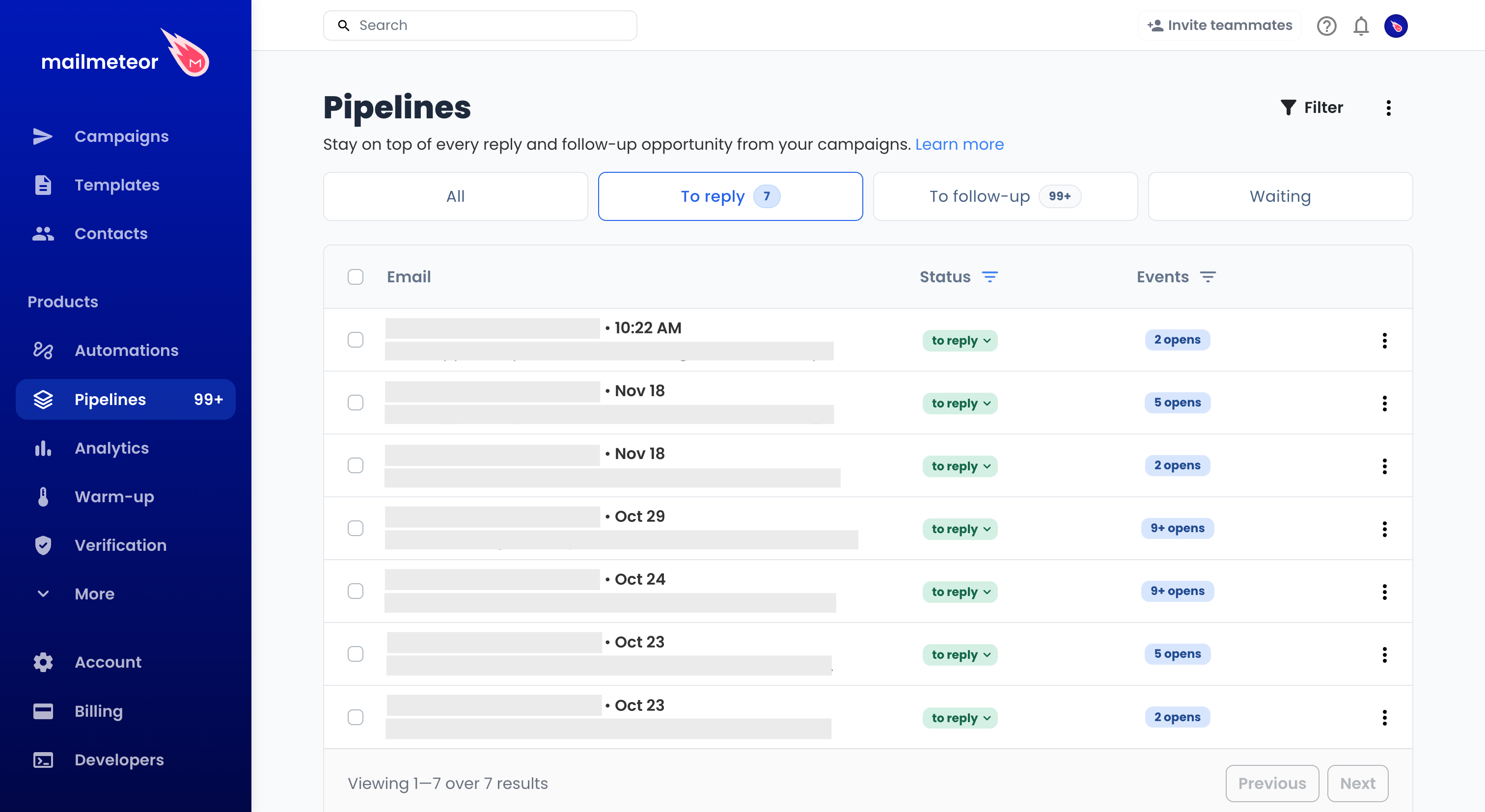
If needed, you can filter by campaign to work through them one at a time. Open any conversation to read the full thread, including its attachments. If needed, you can even reply right there, no need to open your Gmail or Outlook inbox.
How to use it?
Say you invite a list of prospects to an online demo. When replies start coming in, open Pipelines and look at who’s waiting for an answer.
Some people might just want a link to book a time, so you can send it to them all in one go. If someone asks whether the demo covers a workflow they use, open their email thread and answer them directly.
A few days later, check the To follow-up tab for people who showed interest but went quiet after you replied. See who’s already booked, then send a quick note to anyone who still needs to pick a time.
Reply or follow up in batches
If several people ask for the same information, select those conversations and write a bulk reply. Mailmeteor sends a separate reply to each person in their own thread.
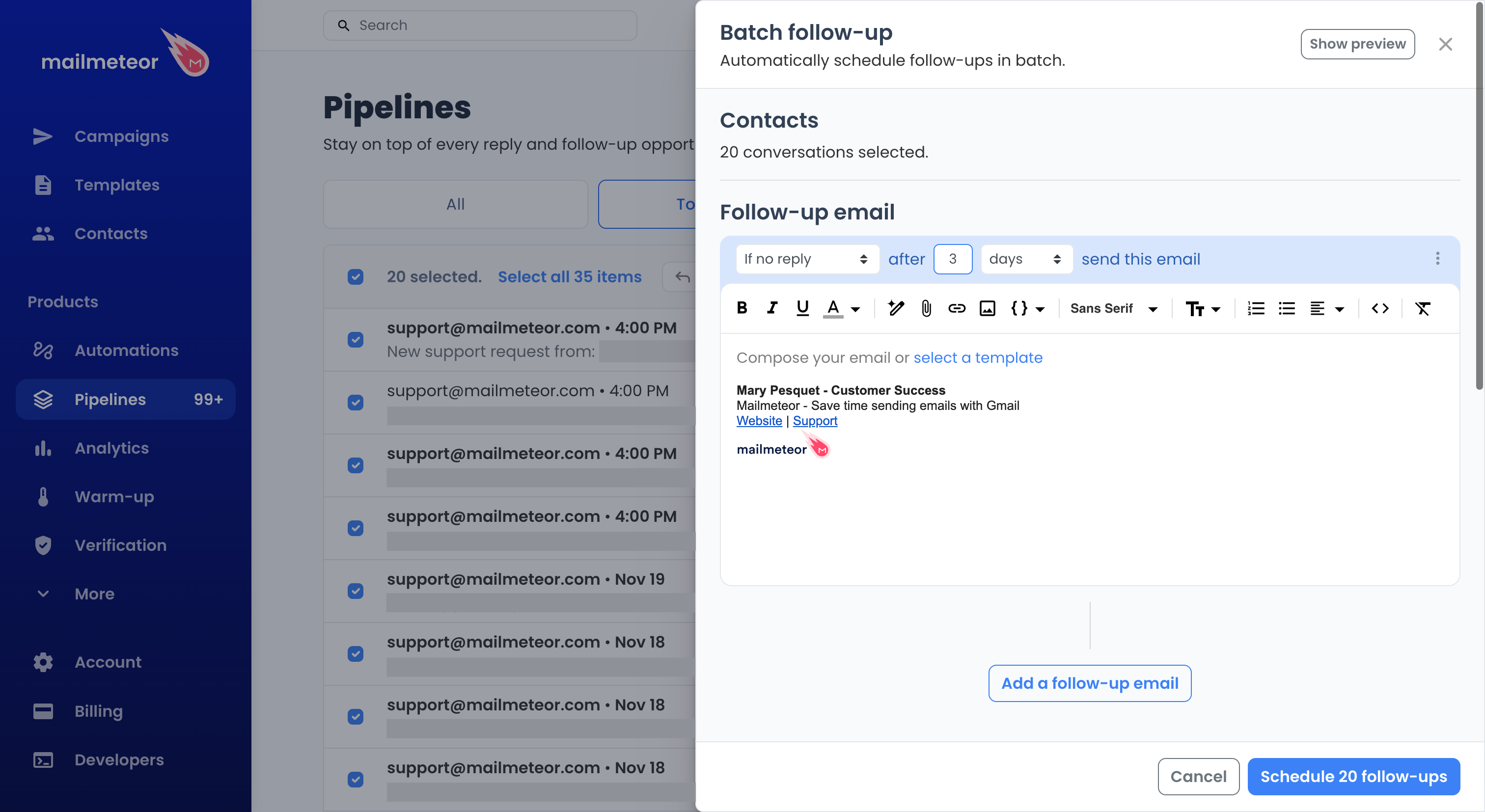
For campaigns sent from Gmail, you can also schedule follow-ups in batches. For example, write a quick check-in and set it to go out in three days if the recipient hasn’t replied.
Get started now
Pipelines is automatically updated as you send emails with Mailmeteor. It works with campaigns sent from Gmail, Outlook, and Zoho Mail. At this stage, only Gmail supports the full set of Pipelines features. Campaigns sent through your own SMTP server aren’t supported yet.
If you’re already on the Pro plan, just open Pipelines from the left menu in your Dashboard. If you’ve been meaning to try Pro, the plan is 50% off during Black Friday Week, so it’s a good time to try Pipelines.
We can’t wait to hear what you’ll do with Pipelines. Please tell us using our feedback form.

This article was written by Corentin Brossault, Mailmeteor's CEO. Mailmeteor is a simple & privacy-focused email marketing software. Trusted by millions of users worldwide, it is often considered as the best Gmail mail merge to send mass personalized emails.