Email is at the center of almost everything we do online — from work and personal messages to logins, subscriptions, and alerts. And for most people, a free email service is more than enough. The real challenge isn’t finding a free inbox — it’s figuring out which one you’ll still be happy using a year from now.
Some free email providers focus on simplicity and storage. Others prioritize privacy, security, or tight integration with productivity tools. And while big names like Gmail or Outlook dominate the market, there are solid alternatives that may better match your needs — especially if you want fewer ads or more control over your data.
In this guide, we compare the 9 best free email service providers in 2026, based on features, storage limits, privacy, ease of use, and long-term flexibility. Whether you’re looking for a mainstream inbox, a privacy-first email, or a free option outside Big Tech, you’ll find the right fit here.
Here’s what we’ll cover:
- What Makes a Good Free Email Service Provider?
- The 9 Best Free Email Service Providers (2026)
- Gmail — Best Overall Free Email Service
- Outlook — Best Free Email for Microsoft Users
- Proton Mail — Best Option for Private & Encrypted Email
- Yahoo Mail — Best Free Email for Large Storage
- iCloud Mail — Best Choice for Apple Users
- Zoho Mail — Best Free Email for Small Teams
- AOL Mail — Best No-Frills Email for Everyday Use
- Mailfence — Secure Email with Built-In Productivity Tools
- GMX Mail — A Free Email Provider Outside Big Tech
- Which Free Email Service Provider Should You Choose?
- Free vs Paid Email Services: When Should You Upgrade?
Sounds good? Then let’s dive in.
What Makes a Good Free Email Service Provider?
Not all free email services are created equal. While they may look similar on the surface, the experience can vary dramatically once you start using them every day. Here are the key criteria we used to evaluate each provider in this guide.
- Reliability & deliverability: Your emails should arrive on time — and land in the inbox, not spam. A solid free provider invests in spam filtering, phishing protection, and reliable infrastructure to boost email deliverability.
- Storage limits: Some providers offer plenty of space, while others fill up quickly. Storage matters not just for emails, but also for attachments and long-term archiving — especially if you don’t want to delete messages.
- Inbox usability & organization: A good inbox helps you stay organized without effort. Features like labels or folders, filters, search, automatic sorting, and unsubscribe tools make a huge difference.
- Privacy & data handling: Not all free inboxes treat your data the same. Some analyze emails to power ads or features, while others minimize data access and focus on privacy or encryption.
- Ads & Distractions: Ads are common in free inboxes, but their impact varies. Some providers keep them subtle, while others place them directly in the inbox. A good free service strikes a balance between monetization and usability.
- Ecosystem & Integrations: Your email rarely lives in isolation. Whether it’s calendars, cloud storage, documents, or third-party tools, the best free providers integrate smoothly with the apps you already use.
- Long-Term Flexibility: Even if you start on a free plan, it’s good to know what comes next. Can you upgrade later? Add a custom domain? Migrate your data easily? A good provider won’t lock you in or make switching painful.
The 9 Best Free Email Service Providers (2026)
Your inbox is something you use every day — so the free email provider you choose actually matters more than it seems. The right one can make email feel effortless. The wrong one can mean clutter, ads, or privacy trade-offs you didn’t sign up for.
Below, we’ve hand-picked the 9 best free email service providers in 2025. Whether you care most about privacy, storage, simplicity, or staying out of Big Tech’s orbit, this list will help you quickly find the option that fits how you use email.
| Provider | Free Storage | Ads | Privacy & Encryption | Best For |
|---|---|---|---|---|
| Gmail | 15 GB (shared with Drive) | Yes | Standard encryption, no E2EE | Productivity, everyday use, Google ecosystem |
| Outlook | 15 GB mail + 5 GB OneDrive | Yes | Standard encryption | Microsoft users, professional workflows |
| Proton Mail | 1 GB mail + 5 GB drive | No | End-to-end encryption by default | Privacy, security, sensitive communications |
| Yahoo Mail | 20 GB | Yes | Standard encryption | Large inboxes, personal email |
| iCloud Mail | 5 GB (shared with iCloud) | No | Standard encryption | Apple users (iPhone, iPad, Mac) |
| Zoho Mail | 5 GB per user | No | Standard encryption | Small teams, free custom domain email |
| AOL Mail | Unlimited | Yes | Standard encryption | Simple, no-frills everyday email |
| Mailfence | 500 MB mail | No | OpenPGP encryption available | Secure email + calendars & documents |
| GMX Mail | 65 GB | Yes | Standard encryption | Free email outside Big Tech |
1. Gmail — Best Overall Free Email Service
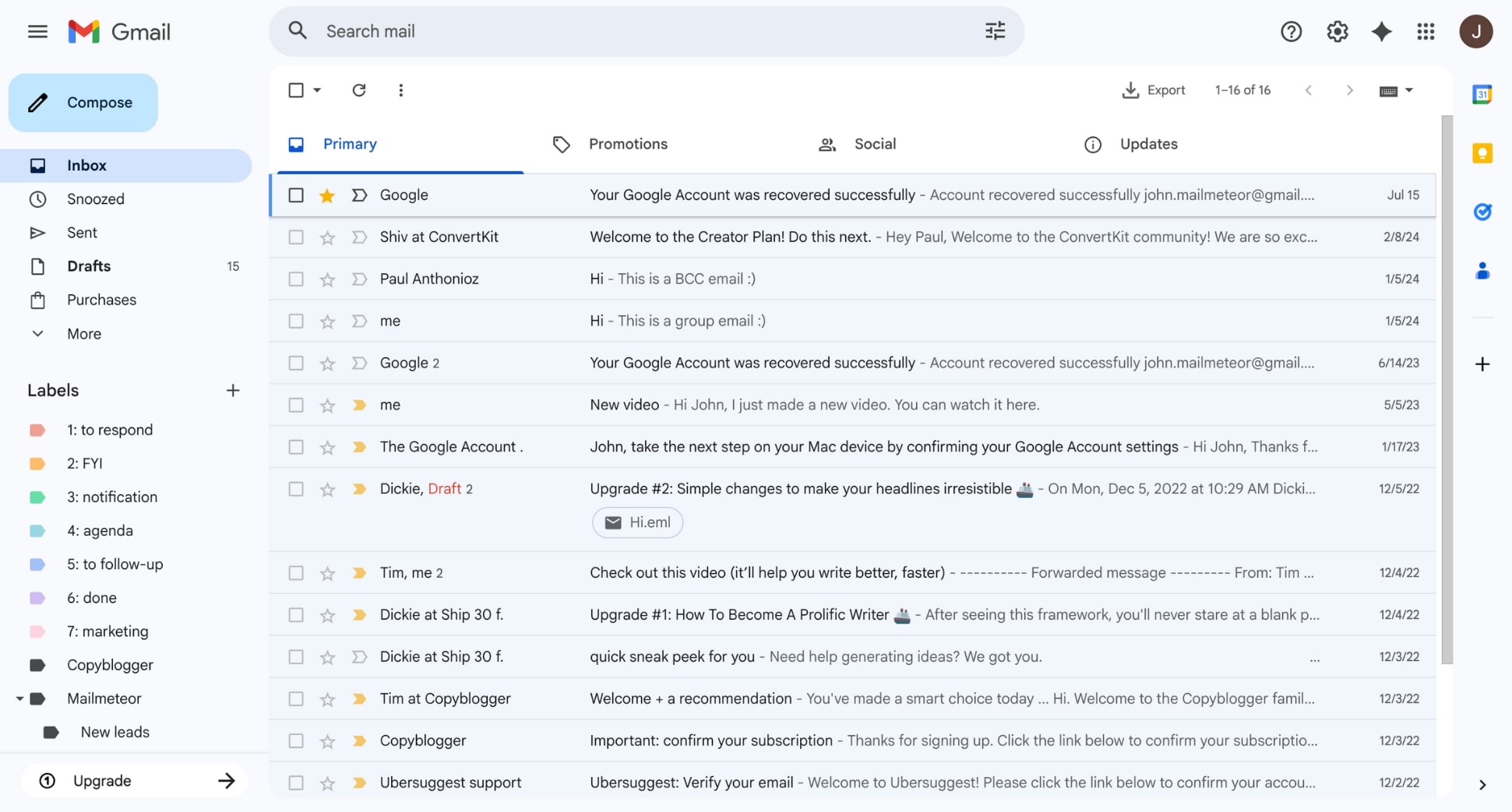
Gmail is the most widely used free email service provider, with over 1.8 billion active users — and for good reason. It strikes a strong balance between reliability, storage, built-in productivity features, and third-party integrations, making it a solid choice for both personal and professional use.
Beyond integrations, Gmail stands out for built-in email features that make managing a busy inbox easier. You can schedule emails to send later, undo a message seconds after hitting send, create aliases, and unsubscribe from newsletters with a one-click Unsubscribe button.
Gmail also offers smart productivity tools like automatic sorting, nudges that remind you to reply or follow up, advanced filters to auto-label or archive messages, and powerful search that can find emails by sender, attachment type, or time range in seconds — even in inboxes with thousands of messages.
That said, Gmail isn’t designed with privacy as its top priority. Emails are automatically scanned for spam protection and system improvements, and ads appear in the inbox on free accounts. If you’re comfortable with that trade-off, Gmail is the most powerful free inbox available.
| Pros | Cons |
|---|---|
| ✅ Excellent spam filtering and inbox organization | ❌ Ads appear in the inbox on the free plan |
| ✅ 15 GB of free storage shared with Google Drive and Photos | ❌ No end-to-end encryption by default |
| ✅ Powerful search, labels, and automation rules | ❌ Storage is shared across multiple Google services |
| ✅ Deep integration with Google Workspace and third-party tools like Mailmeteor | |
| ✅ Accessible on all devices (web, Android, iOS) |
Key features
📅 Schedule Send to send emails later
↩️ Undo Send to cancel an email seconds after sending
🧹 One-click unsubscribe for newsletters and promotions
🔍 Advanced search operators to find emails instantly
🏷️ Labels & filters for automated inbox organization
⏰ Follow-up nudges so important emails don’t slip through
Free storage
15 GB shared across Gmail and Google Drive
Best for
Users who want a free, reliable inbox for daily use — especially those already using Google Drive, Calendar, or Docs and who value productivity features over privacy.
2. Outlook — Best Free Email for Microsoft Users
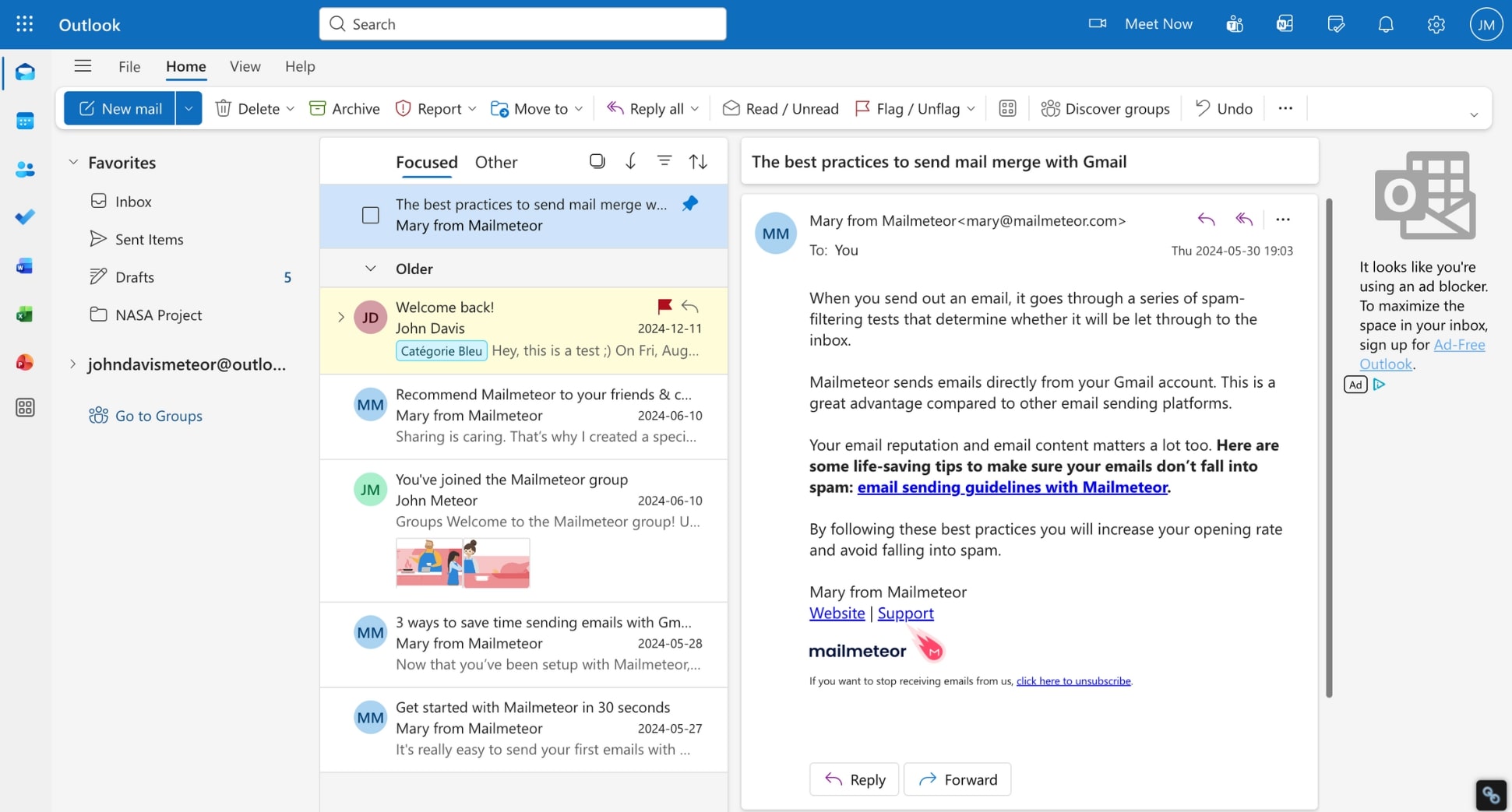
Outlook is Microsoft’s free email service, and it’s an easy pick if you already use Windows or Microsoft 365. The interface is clean, familiar, and built to work smoothly with tools like Outlook Calendar, OneDrive, Word, Excel, and Teams — which makes it especially comfortable in work or productivity-focused setups.
One of Outlook’s strengths is how it keeps your inbox under control. Features like Focused Inbox automatically surface important emails while pushing less urgent messages aside. You can also set rules, categories, and automatic replies, or schedule emails to send later — all without much setup.
If you’re already in the Microsoft ecosystem, everything just clicks. Calendar events sync instantly, attaching files from OneDrive is effortless, and emails tie neatly into tasks and meetings. The trade-off? The free plan includes inbox ads, and you’ll need to upgrade if you want more storage or advanced security features.
| Pros | Cons |
|---|---|
| ✅ Clean, professional interface | ❌ Ads appear in the inbox on the free plan |
| ✅ Focused Inbox reduces email clutter | ❌ Limited storage compared to some competitors |
| ✅ Strong integration with Microsoft 365 apps | ❌ Can feel slower with very large inboxes or many add-ins |
| ✅ Built-in calendar, scheduling, and auto-replies | ❌ Interface customization is more limited than some alternatives |
Key features
📅 Schedule Send to deliver emails later
📥 Focused Inbox to prioritize important messages
🗂️ Rules & categories for inbox organization
↩️ Message Recall to attempt deleting a sent email
📎 OneDrive integration for easy file sharing
📆 Built-in calendar and meeting scheduling
Free storage
15 GB of Mail storage + 5 GB of Drive Storage
Best for
Users who rely on Microsoft tools like Word, Excel, OneDrive, or Teams — and want a free, professional-looking inbox that integrates smoothly with their existing workflow.
3. Proton Mail — Best Option for Private & Encrypted Email
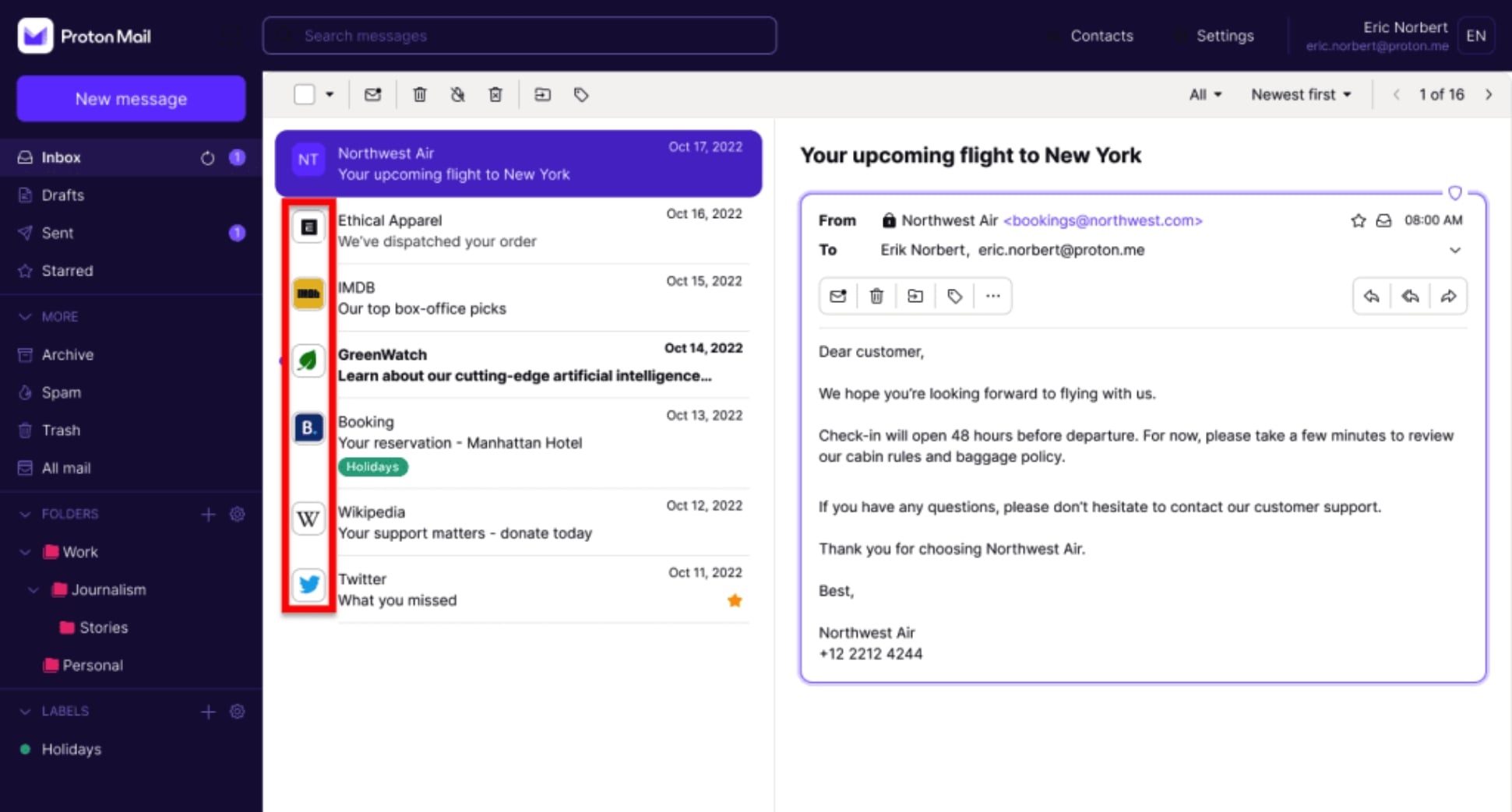
Proton Mail puts privacy first — and it doesn’t really compromise on that. Unlike most mainstream email providers, it uses end-to-end encryption by default. That means your emails are encrypted on your device before they’re sent, and even Proton Mail can’t read what’s inside.
The service is based in Switzerland, which comes with some of the strongest privacy protections in the world. Proton Mail doesn’t scan your messages to serve ads, doesn’t track how you use your inbox, and doesn’t rely on data monetization to stay afloat.
What’s nice is that the privacy focus doesn’t make Proton Mail hard to use. The interface is clean and modern, with support for folders, labels, filters, scheduled sending, and a short Undo Send window. You can even send encrypted emails to people who don’t use Proton Mail by protecting messages with a password.
The trade-offs mainly show up on the free plan. Storage is limited, some advanced features require an upgrade, and integrations with third-party productivity tools are more basic than what you’ll get with Gmail or Outlook. Still, for privacy-first users, these compromises are well worth it.
| Pros | Cons |
|---|---|
| ✅ End-to-end encryption by default | ❌ Very limited storage on the free plan |
| ✅ No ads or email content scanning | ❌ Fewer productivity and collaboration features |
| ✅ Strong privacy laws | ❌ Limited third-party integrations |
| ✅ Open-source and transparent security model | ❌ Advanced features locked behind paid tiers |
Key features
🔐 End-to-end encryption for emails by default
🕵️ No ads, no tracking, no content scanning
📅 Schedule Send and Undo Send support
🔑 Password-protected emails to non-Proton users
🏷️ Labels, folders, and filters for organization
🌍 Secure web, mobile, and desktop access
Free storage
1 GB of Mail storage + 5 GB of Drive Storage
Best for
Users who prioritize privacy and security above all else — including journalists, activists, professionals handling sensitive information, or anyone who wants an ad-free inbox with strong encryption by default.
4. Yahoo Mail — Best Free Email for Large Storage
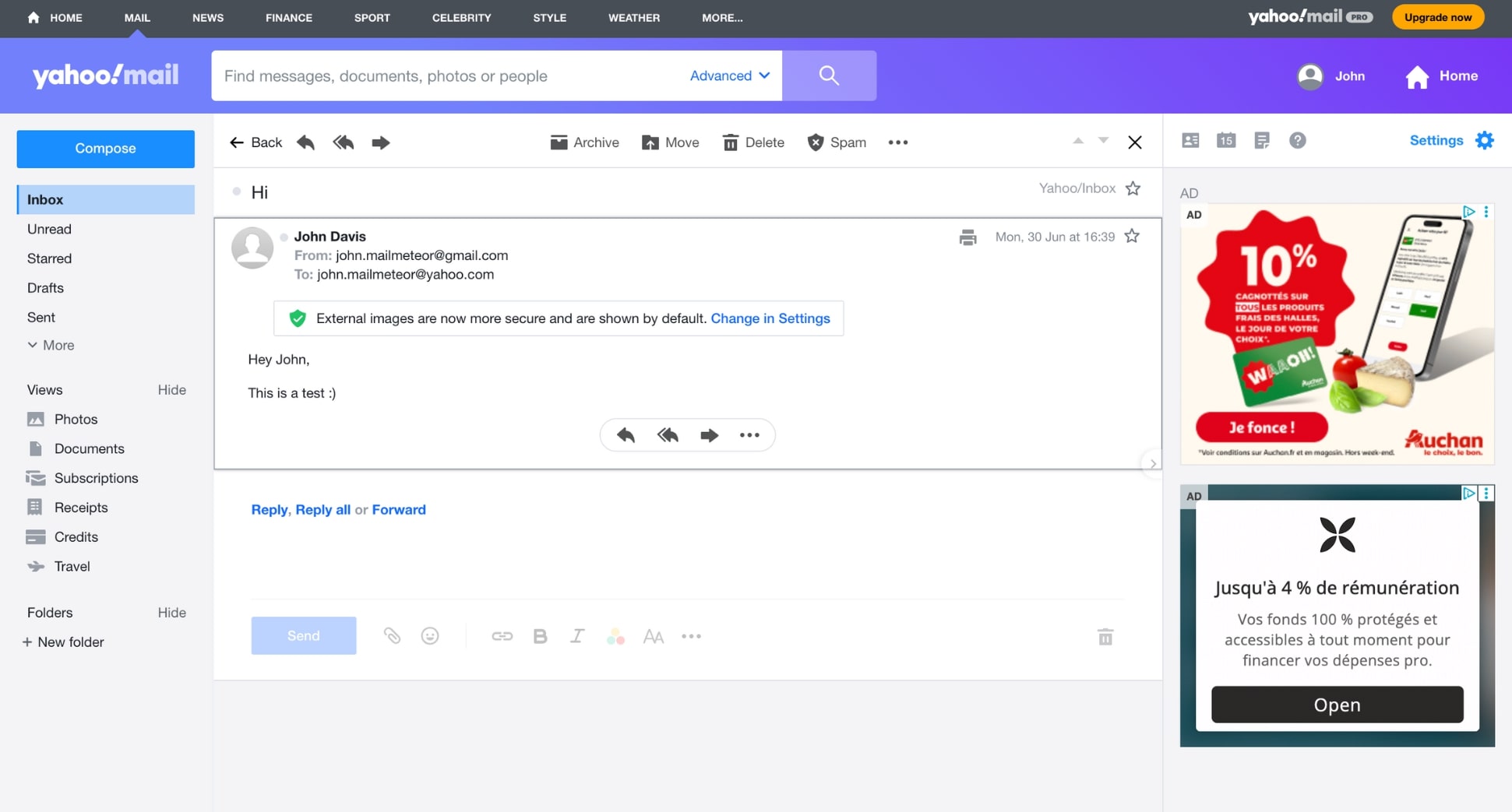
Yahoo Mail stands out for one simple reason: storage. With 20 GB of free email storage, it offers more space than almost any other free email service provider on the market. If you hate deleting emails, attachments, or old newsletters, Yahoo Mail gives you plenty of breathing room.
The interface is clean, modern, and easy to navigate. Yahoo Mail includes helpful tools like automatic sorting, powerful search, disposable email addresses, and one-click unsubscribe links for newsletters. It also does a good job filtering spam and promotional emails, keeping your primary inbox relatively tidy.
Yahoo Mail is designed mainly for personal use. While it covers the essentials well, it doesn’t offer the same level of productivity integrations or advanced automation you’ll find in Gmail or Outlook. And like most free email services, ads are displayed (prominently) in the inbox unless you upgrade to a paid plan.
| Pros | Cons |
|---|---|
| ✅ Huge free email storage | ❌ Ads appear in the inbox on the free plan |
| ✅ Clean, easy-to-use interface | ❌ Fewer productivity and collaboration features |
| ✅ Disposable email addresses for sign-ups | ❌ Limited business-oriented tools |
| ✅ Strong spam filtering and search | ❌ Undo Send only available in the mobile app |
Key features
🗄️ Generous free email storage
🧹 One-click unsubscribe for newsletters and promotions
📬 Disposable email addresses to protect your main inbox
🔍 Fast search across large mailboxes
🛑 Solid spam and phishing protection
📱 Mobile app with a short Undo Send window
Free storage
20 GB of Mail storage
Best for
Users who receive a lot of emails and attachments, don’t want to worry about storage limits, and are looking for a simple, everyday inbox for personal use rather than work or collaboration.
5. iCloud Mail — Best Choice for Apple Users
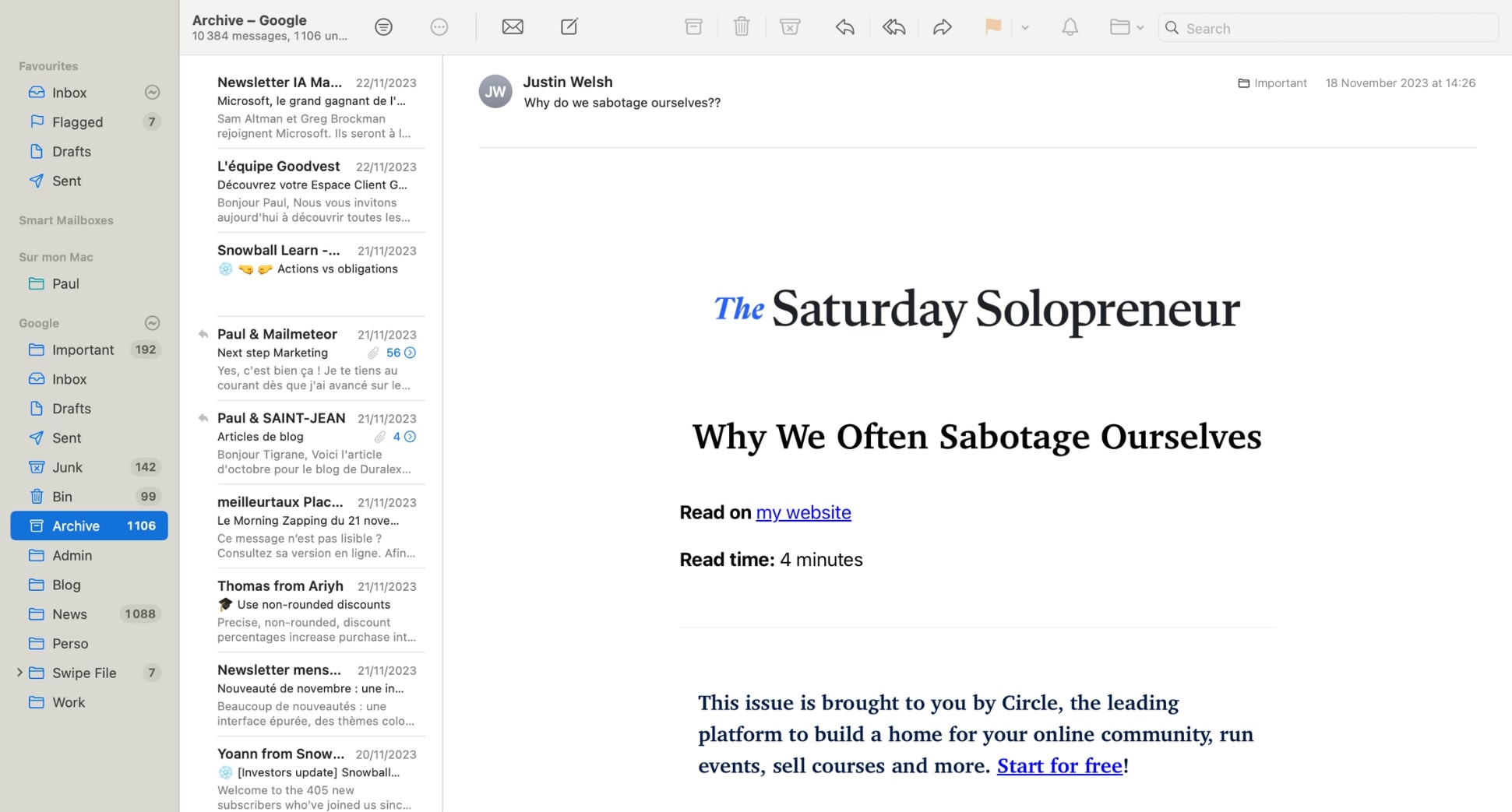
If you’re deeply embedded in Apple’s ecosystem, iCloud Mail feels like the natural free inbox. It’s the default email service on iPhones, iPads, and Macs, and works seamlessly with Apple’s apps and services — especially Mail, Calendar, Contacts, and iCloud Drive.
The interface is simple and familiar, with no clutter or unnecessary features. Messages sync across Apple devices, and iCloud Mail’s integration with Apple’s wider ecosystem makes it easy to manage attachments, calendar invites, and contacts without jumping between apps.
On the free plan, iCloud Mail doesn’t offer quite as many bells and whistles as Gmail or Outlook — and its web interface is more basic than some competitors. But for many Apple users, the advantage of having an inbox that works with iOS and macOS outweighs those limitations.
| Pros | Cons |
|---|---|
| ✅ Deep integration with Apple devices and services | ❌ Basic feature set compared with Gmail or Outlook |
| ✅ Clean, intuitive interface | ❌ Limited customization and automation |
| ✅ Syncs seamlessly across iPhone, iPad, and Mac | ❌ No robust web-only inbox experience |
| ✅ Works well with iCloud Drive and Calendar | ❌ Limited free storage shared across Apple services |
Key features
🍎 Seamless iCloud integration across Mail, Calendar, and Contacts
📱 Sync messages across iPhone, iPad, and Mac instantly
📂 Attach files from iCloud Drive with ease
🔔 Built-in VIP inbox for priority contacts
📧 Simple threading and conversation views
📍 Basic filters and search for inbox organization
Free storage
5 GB shared across iCloud Mail, iCloud Drive, and device backups
Best for
Users who are already invested in the Apple ecosystem and want a free email experience that integrates smoothly with iPhone, iPad, and Mac — without extra complexity.
6. Zoho Mail — Best Free Email for Small Teams
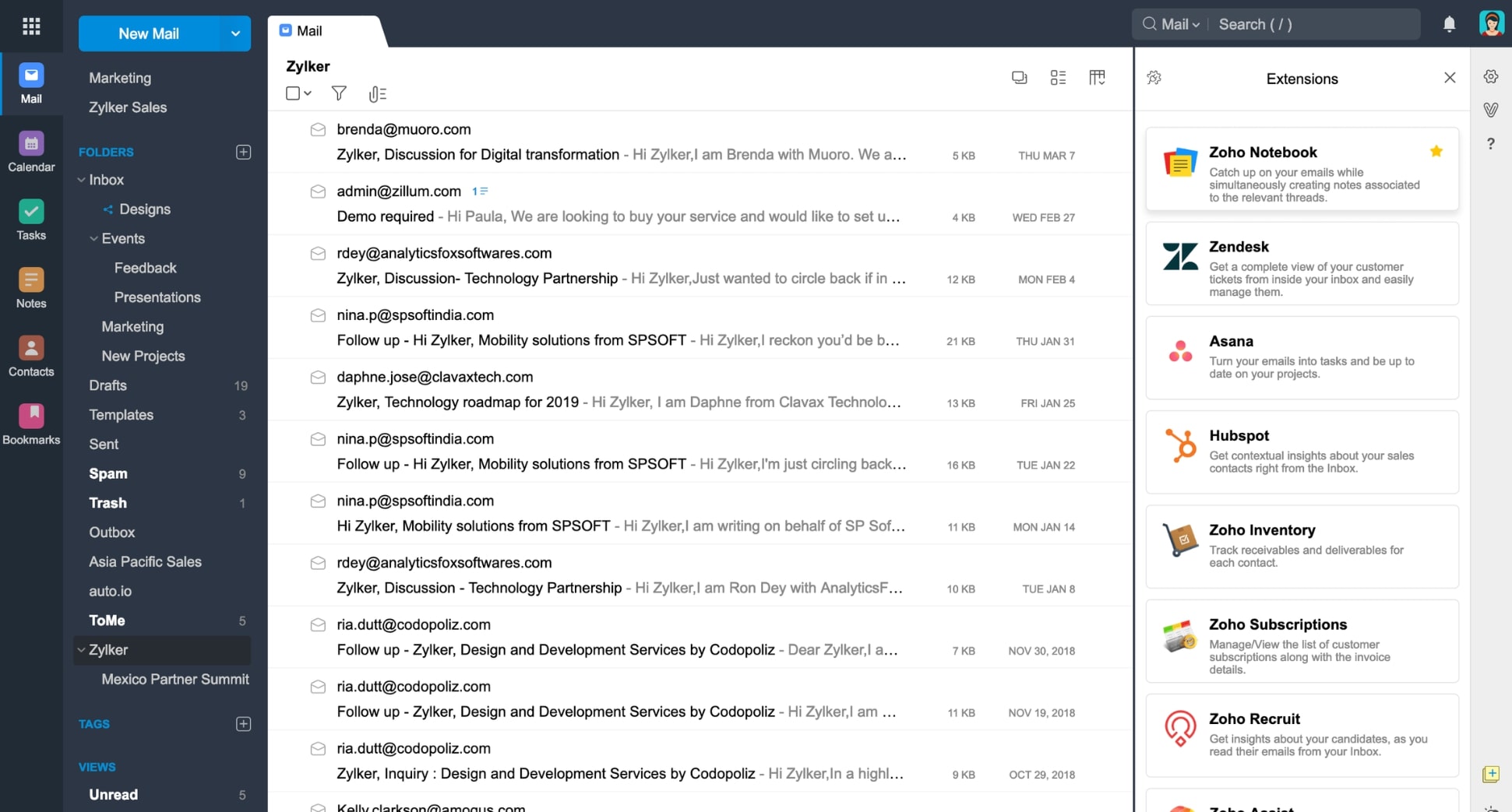
Zoho Mail stands out as one of the few free email services designed with small teams and business use in mind. While most free inboxes target individual users, Zoho Mail offers a more professional setup — including custom domains, basic admin controls, and collaboration-friendly features.
The interface is ad-free, with a strong focus on productivity. You get folders, filters, search, calendar integration, and a distraction-free inbox that feels closer to a business email client than a consumer one. Zoho Mail also integrates with Zoho’s broader suite of tools, including CRM, Docs, Projects, and Calendar.
Where Zoho Mail really shines is its free plan for teams. You can create email addresses for up to 5 users under the same domain — something Gmail and Outlook reserve for paid plans. That makes Zoho Mail a compelling option for small organizations that want a professional email without immediate costs.
That said, the free plan comes with limitations. Storage is modest, IMAP/POP access is restricted, and the interface can feel less modern than Gmail or Outlook. Still, for small teams that value structure over polish, Zoho Mail offers rare value.
| Pros | Cons |
|---|---|
| ✅ Ad-free inbox on the free plan | ❌ Limited storage on free accounts |
| ✅ Supports custom domains for teams | ❌ IMAP/POP access restricted on free plan |
| ✅ Basic admin controls and user management | ❌ Interface feels less modern than competitors |
| ✅ Integrates with Zoho’s business apps | ❌ Best features unlocked on paid tiers |
Key features
🏢 Custom domain email for small teams
👥 Multi-user management on the free plan
📁 Folders, filters, and advanced search
📆 Integrated calendar and contacts
🔒 Strong security and spam protection
🔗 Native integration with Zoho CRM and Docs
Free storage
5 GB per user
Best for
Small teams, startups, nonprofits, or side projects that want a professional, ad-free email setup with a custom domain — without paying for Google Workspace or Microsoft 365 from day one.
7. AOL Mail — Best No-Frills Email for Everyday Use
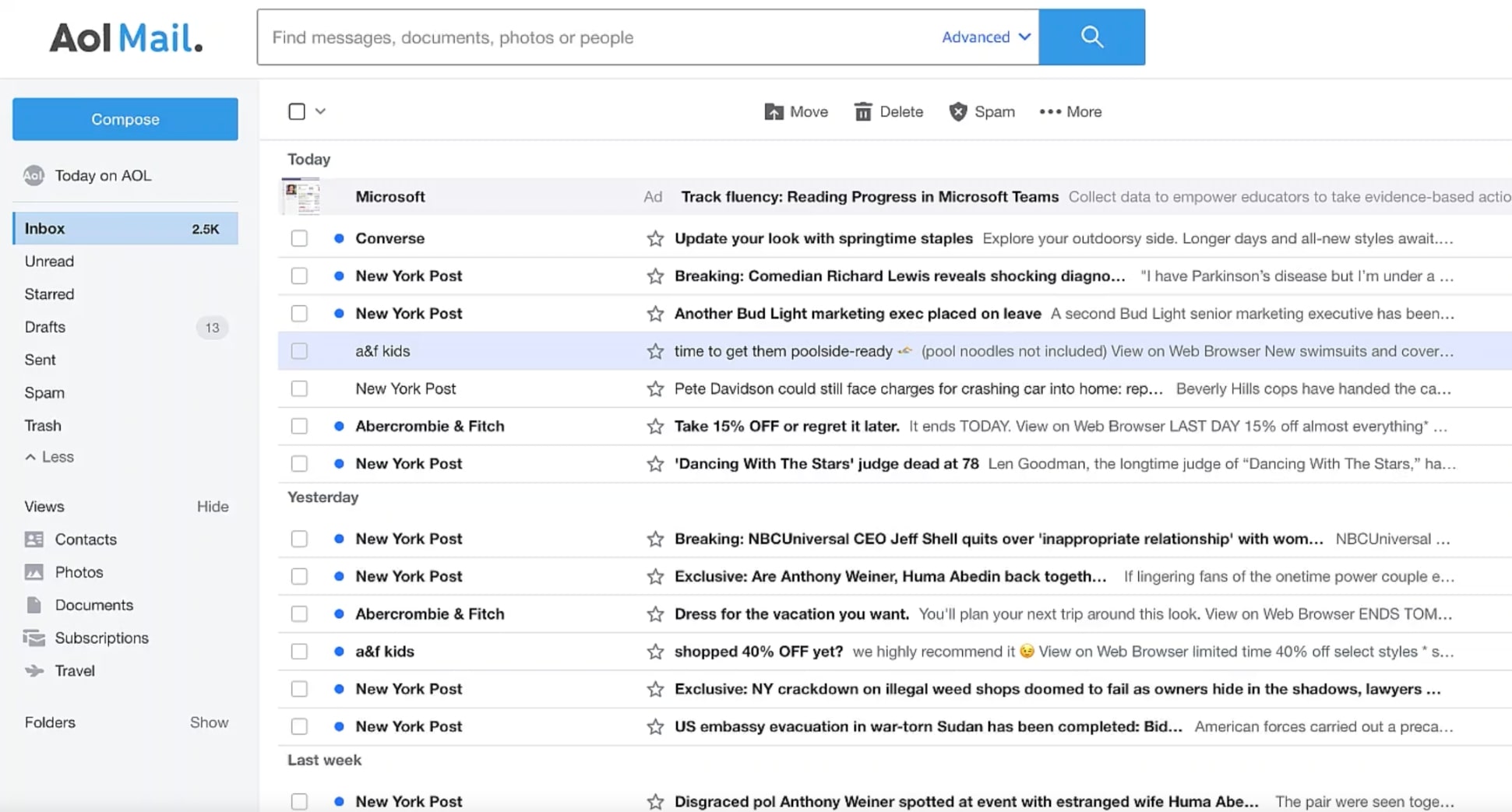
AOL Mail is one of the oldest free email services still around — and while it hasn’t evolved as aggressively as Gmail or Outlook, that’s part of its appeal. It offers a straightforward, clutter-free inbox that focuses on the basics: sending, receiving, and organizing email without complexity.
The interface is simple and easy to navigate, even for users who aren’t especially tech-savvy. AOL Mail includes practical features like spam filtering, customizable folders, powerful search, and a built-in calendar. You also get access to aliases, allowing you to manage sign-ups without exposing your main address.
However, AOL Mail doesn’t try to be a productivity powerhouse. Integrations are limited, customization options are basic, and the free plan includes ads in the inbox. If you want a free email account that just works — without learning curves or advanced workflows — AOL Mail does the job.
| Pros | Cons |
|---|---|
| ✅ Very beginner-friendly interface | ❌ Ads appear in the inbox |
| ✅ Unlimited free storage | ❌ Limited productivity and collaboration tools |
| ✅ Solid spam filtering | ❌ Few third-party integrations |
| ✅ Email aliases for managing sign-ups | ❌ Interface feels dated compared to modern inboxes |
Key features
📥 Easy-to-use inbox layout
🗂️ Folders and filters for basic organization
🔍 Fast search across emails and attachments
➕ Email aliases to protect your main address
📆 Built-in calendar access
🛡️ Spam and virus protection
Free storage
Unlimited free Mail storage
Best for
Users who want a simple, no-frills free email account for everyday use — especially those who value ease of use over advanced productivity features or deep integrations.
8. Mailfence — Secure Email with Built-In Productivity Tools
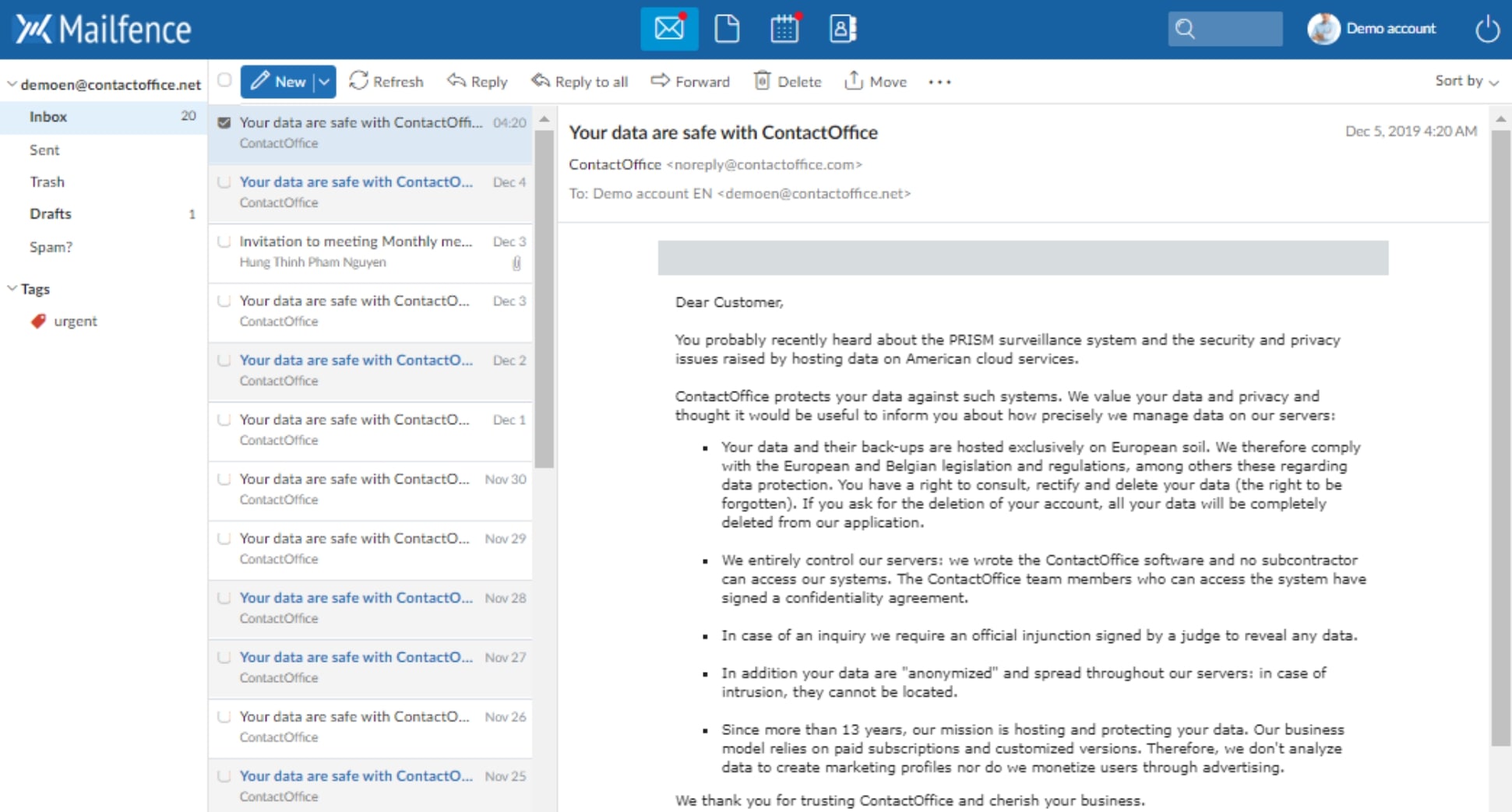
Mailfence is a privacy-focused email provider that goes a step further than most secure inboxes by bundling real productivity tools alongside email. Unlike services that focus only on encryption, Mailfence offers a full suite: email, calendar, contacts, documents, and group collaboration — all under one account.
Security is a core pillar. Mailfence supports end-to-end encryption via OpenPGP, digital signatures, and strong spam protection. The service is based in Belgium and operates under strict European privacy laws. Mailfence does not rely on advertising and does not scan email content for marketing purposes.
| Pros | Cons |
|---|---|
| ✅ End-to-end encryption support (OpenPGP) | ❌ Limited storage on the free plan |
| ✅ No ads or data monetization | ❌ Interface feels more utilitarian than modern |
| ✅ Built-in calendar, contacts, and documents | ❌ Fewer third-party integrations |
| ✅ European privacy protections | ❌ Advanced features require a paid plan |
Key features
🔐 OpenPGP encryption and digital signatures
📆 Built-in calendar and contact management
📄 Online document storage and editing
👥 Group collaboration tools
🛡️ Strong spam and malware protection
🌍 Web access with mobile support
Free storage
500 MB of Mail storage + limited document storage
Best for
Users who want a secure, ad-free email service with built-in productivity tools — especially professionals, small teams, or privacy-conscious users who still need calendars, contacts, and documents in one place.
9. GMX Mail — A Free Email Provider Outside Big Tech
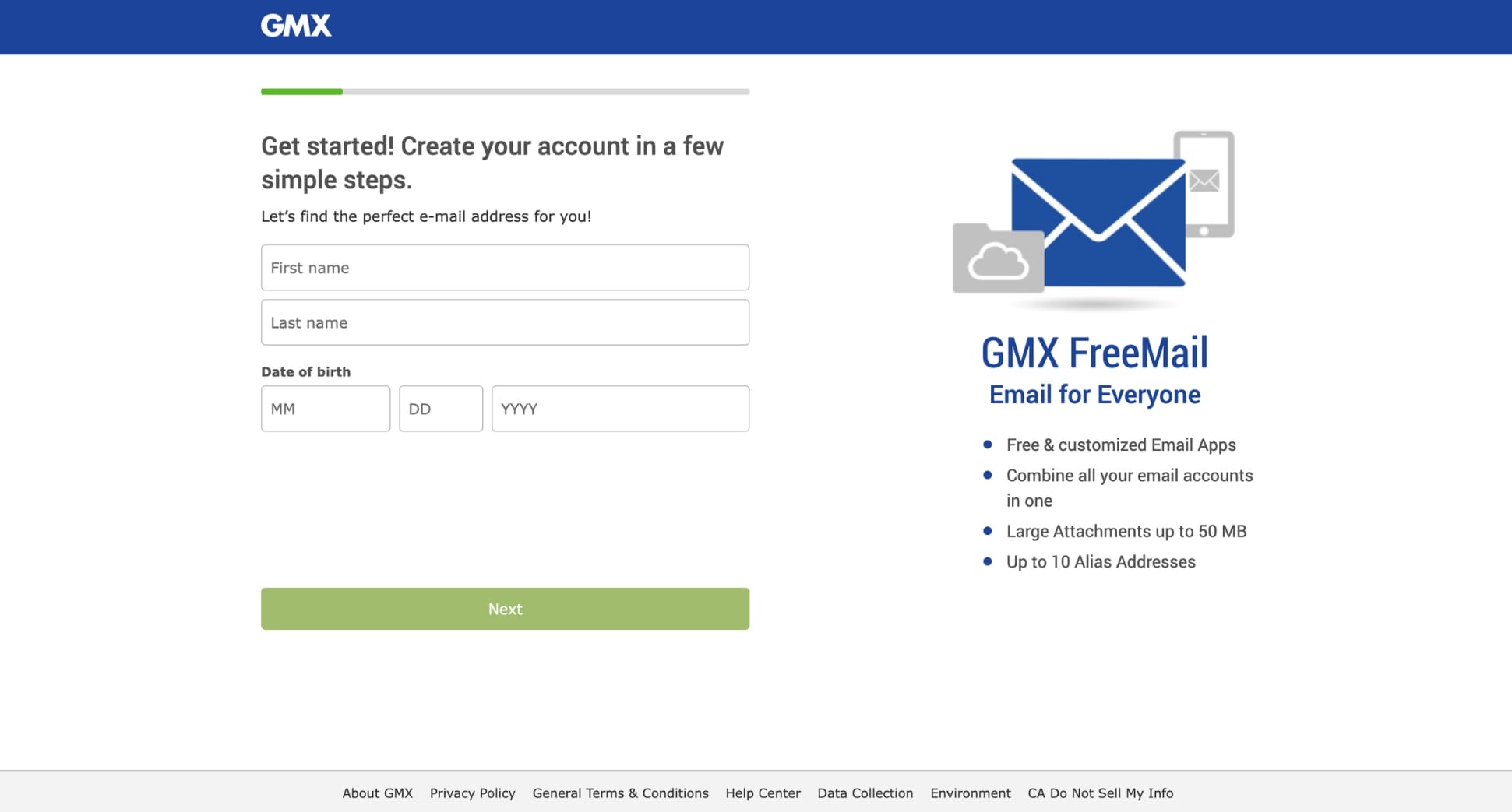
GMX Mail is a long-standing free email provider that appeals to users who want a simple inbox outside the Google–Microsoft ecosystem. Based in Germany, GMX operates under European data protection regulations and positions itself as an alternative to Big Tech email platforms.
GMX focuses on the basics, like sending and receiving emails, organizing messages into folders, and attaching large files. It doesn’t try to be a full productivity hub like Gmail or Outlook, but it does offer generous attachment limits (up to 50 MB per email) and solid reliability for everyday use.
That simplicity comes with trade-offs. The interface feels dated compared to modern inboxes, ads are present on the free plan, and advanced features like encryption or deep integrations are limited. But if you want a free email address that isn’t tied to a major tech ecosystem, GMX works.
| Pros | Cons |
|---|---|
| ✅ Independent from Google and Microsoft | ❌ Ads displayed in the inbox |
| ✅ European data protection standards | ❌ Outdated interface |
| ✅ Large attachment size limits | ❌ No end-to-end encryption |
| ✅ No steep learning curve | ❌ Limited productivity features |
Key features
📎 Large attachment support
📂 Folder-based inbox organization
🔄 POP3 and IMAP access
🛡️ Standard spam and virus protection
🌍 Web and mobile access
Free storage
65 GB of Mail storage
Best for
Users who want a free, independent email provider outside Big Tech, with generous storage, and who don’t need advanced productivity or privacy features.
Which Free Email Service Provider Should You Choose?
If you’re unsure which free email provider to pick, the simplest approach is to start with how you actually use email. Different inboxes shine in different situations — here’s a quick way to narrow it down.
- You want the most reliable all-around inbox → Gmail offers the best balance of spam filtering, features, search, and integrations — especially if you already use Google Drive, Calendar, or Docs.
- You’re already using Microsoft products (like Windows, Office, or Teams) → Outlook feels native in a Microsoft workflow, with Focused Inbox, calendar integration, and easy OneDrive attachments.
- Privacy matters more than convenience → Proton Mail is the strongest choice for private, encrypted email. Mailfence adds productivity tools on top of a privacy-first approach.
- Your inbox is huge and you never want to delete emails → Yahoo Mail or GMX Mail. Yahoo is simple and generous. GMX is a solid option if you want large storage outside the Google–Microsoft ecosystem.
- You’re fully invested in Apple devices → iCloud Mail offers the smoothest experience if you want everything to sync effortlessly across iPhone, iPad, and Mac.
- You need free email for a small team or side project → Zoho Mail is one of the few providers offering a business-oriented setup (including team use and custom domains) on a free plan.
- You just want a simple inbox with no learning curve → AOL Mail is basic, familiar, and easy to use — ideal if you don’t care about advanced features.
Free vs Paid Email Services: When Should You Upgrade?
Free email services are more powerful than ever — and for many people, they’re all you’ll ever need. If you’re using email for personal communication, online accounts, or light professional use, a free inbox like Gmail or Outlook works just fine.
However, there are clear situations where upgrading to a paid email service starts to make sense. Paid email services typically offer better deliverability, more customization, priority support, extra storage, and deeper collaboration features. So you may want to consider a paid plan if you:
- Need a custom domain (e.g.
[email protected]) for a more professional image - Want to remove inbox ads
- Are running a business or team and need admin controls or shared inboxes
- Require more storage or advanced security features
- Rely heavily on email for sales, support, or client communication
If you’re unsure whether upgrading is worth it, we’ve broken down the pros, cons, and pricing of the leading options in our full comparison of the best email service providers. It’s a good next step if you’re outgrowing a free inbox or planning to use email professionally.
Conclusion
There’s no single “best” free email service provider — that’s a good thing. In 2026, free inboxes are capable enough to cover very different needs, whether you care most about productivity, privacy, storage, or avoiding Big Tech altogether. In the end, the right choice is the inbox that fits your daily habits.
If you want a reliable inbox, Gmail and Outlook are still the safest bets. If privacy comes first, Proton Mail and Mailfence stand apart. If storage is your main concern, Yahoo Mail and GMX Mail offer plenty of space. And if you’re running a small team, Zoho Mail delivers a professional setup at no cost.
FAQs
Are free email service providers safe?
Yes — most major free email service providers are safe for everyday use. Providers like Gmail, Outlook, iCloud, and Proton Mail invest heavily in security features such as spam filtering, malware detection, encryption in transit, and account protection.
Do free email providers read your emails?
Free email providers don’t have humans reading your messages, but many scan emails automatically. This scanning is typically used for spam filtering, security checks, and (in some cases) ad personalization. Privacy-focused providers like Proton Mail and Mailfence take a different approach by limiting or avoiding content scanning and using encryption to reduce access to message contents.
Can I use a free email for business?
You can — but with limitations. A free email address (like @gmail.com or @outlook.com) works fine for freelancers, side projects, or early-stage businesses. However, it may look less professional and offers fewer admin or collaboration features. If email is central to your business, a paid plan with a custom domain usually makes sense.
What’s the best free email service without ads?
Ads are common with free email services. If you’d rather keep your inbox ad-free, Proton Mail and Mailfence are your best bets — both focus on privacy and don’t display ads on their free plans. With mainstream providers like Gmail or Yahoo Mail, an upgrade is required to remove ads.
Which free email provider is best for privacy?
Proton Mail is often considered the best free email provider for privacy. It uses end-to-end encryption, doesn’t scan email content for ads, and is based in Switzerland, where privacy laws are strong. Mailfence is another solid choice if you want a balance between privacy, encryption, and productivity tools — though its free plan has more limitations.
Can I switch providers later?
Yes. You can switch email providers at any time. Most services let you import emails, contacts, and calendars from another provider, making the transition relatively smooth. That said, switching becomes harder the longer you’ve used one inbox for logins and subscriptions. If you’re unsure, it’s often a good idea to test a provider alongside your current email before fully committing.


