Sending an email without tracking is like leaving a voicemail and never knowing if it was listened to. Did the prospect open it? Did they read it, or dismiss it in two seconds? Did they click the link, or forward it to someone else on the team? Every follow-up decision — when to reach out, how hard to push, when to move on — is a guess.
Gmail and Outlook don’t help much here. Read receipts exist, but they require the recipient to opt in, and most people decline. For anything involving sales, outreach, or client follow-up, that’s not reliable enough.
Email tracking tools solve this by embedding an invisible pixel in your emails and replacing links with tracked versions. The moment your email is opened or a link is clicked, you know — in real time, without the recipient doing anything.
Not every tool is worth your time, though. Some add promotional branding to every email you send. Others hurt your deliverability by routing tracking through shared domains. A few claim Outlook support but only work properly in Gmail.
We tested 9 of the most popular email trackers across Gmail and Outlook — looking at tracking accuracy, pricing, email provider support, deliverability impact, and overall value. Here’s what made the cut.
- Mailmeteor — best for tracking personalized outreach campaigns at scale
- Mailsuite — best free option for basic open tracking
- HubSpot Sales Hub — best for teams already using HubSpot as their CRM
- Yesware — best for Salesforce-connected sales teams
- Mixmax — best for sales sequences and workflow automation
- Instantly — best for agencies managing multiple inboxes
- Lemlist — best for cold email outreach with built-in deliverability tools
- Boomerang — best for individuals who just need the basics
- Mailbutler — best for Apple Mail and Outlook users
Here’s what we’ll cover:
- How email tracking works
- What to look for in an email tracking tool
- The 9 best email tracking tools in 2026
- Which email tracking tool is right for you?
Sounds good? Then let’s dive in.
How Email Tracking Works
Email tracking relies on two mechanisms: a tracking pixel and tracked links.
When you send a tracked email, a tiny invisible image — one pixel in size — is embedded in the message. When the recipient opens the email and their client loads images, the pixel fires a request to the tracking server and records the open. You get a timestamp, and in some cases the device type and location.
Links work differently. Each link in your email is replaced with a tracked version that redirects through the tracking server before landing on the destination. When the recipient clicks, the click is recorded and they’re forwarded to the original URL instantly — they notice nothing.
Neither mechanism is perfect. Open tracking can be blocked by email clients that disable images by default, and inflated by security scanners that pre-fetch email content before the recipient ever sees the message. Apple Mail Privacy Protection is the biggest distortion factor today. It pre-loads emails automatically, registering an “open” before anyone has actually read anything.
Click tracking is more reliable. A click requires a deliberate action and is far less likely to be triggered by a scanner or privacy tool. If you’re going to act on one signal, act on clicks and replies — not raw open counts.
What to Look For in an Email Tracking Tool
Not all tracking data is created equal, and picking the wrong tool can hurt your deliverability. Here’s what actually matters when you’re comparing options ⤵️
- Tracking accuracy. Every tool uses the same basic pixel-and-link mechanism, but how they filter false opens (self-sends, security scanners, Apple Mail Privacy Protection) varies a lot. Look for tools that are upfront about this.
- Real Gmail and Outlook support. Plenty of tools claim to support both, but the Outlook version is often a stripped-down afterthought. Check what you lose before committing to a tool on the strength of “works with Outlook” alone.
- Deliverability impact. Tracking pixels and links route through a domain. If it’s shared with thousands of other senders, their spam habits can drag down your reputation too. Tools with a domain isolated per customer protect you better.
- Actual free plans. “Free” ranges from genuinely useful (unlimited tracking, light branding) to a disguised countdown to a paywall. Know which one you’re signing up for, and what’s capped — recipients per month, tracking window, or both.
- Where the data lives. Some tools surface tracking data right inside Gmail. Others push you to an external dashboard. Neither is wrong, but it changes your day-to-day workflow.
- Whether you need a CRM. If you already run HubSpot or Salesforce, native sync saves real time — every open and click lands on the contact record without anyone copying data by hand. If you don’t, there’s no reason to pay a premium for it.
Now let’s see which tools actually deliver on it.
The 9 Best Email Tracking Tools in 2026
We evaluated each tool on tracking accuracy, free plan quality, email provider support, deliverability impact, and value for money. Here’s what you need to know about each one.
| Tool | Best For | Gmail | Outlook | Free Plan | Starting Price | Rating |
|---|---|---|---|---|---|---|
| Mailmeteor | Outreach campaigns | ✅ | ✅ | Yes (50 emails/day) | Free — paid from $4.99/mo | 4.9/5 |
| Mailsuite | Free open tracking | ✅ | ✅ (limited) | Yes (unlimited opens, with branding) | $11.99/user/mo | 4.4/5 |
| HubSpot Sales Hub | CRM users | ✅ | ✅ | Yes (basic tracking) | $20/user/mo | 4.4/5 |
| Yesware | Salesforce teams | ✅ | ✅ | Yes (10 recipients/mo, 24hr tracking) | Free — paid from $19/user/mo | 4.4/5 |
| Mixmax | Sales sequences | ✅ | ❌ | Yes (20 tracked emails/mo) | Free — paid from $34/user/mo | 4.6/5 |
| Instantly | Agencies | ✅ | ✅ | No (free trial) | $47/mo | 4.8/5 |
| Lemlist | Cold email at scale | ✅ | ✅ | No (14-day trial) | €69/mo | 4.6/5 |
| Boomerang | Basic tracking | ✅ | ✅ | Yes (10 credits/mo) | $4.99/user/mo | 4.6/5 |
| Mailbutler | Apple Mail + Outlook | ✅ | ✅ | Yes (limited) | €8/user/mo | 4.4/5 |
1. Mailmeteor — Best for Personalized Outreach
Rating: 4.9/5 on Google Workspace Marketplace
Mailmeteor is an email outreach platform that helps you send personalized emails at scale and know exactly what happens after you hit send. It works across Gmail, Outlook, Zoho Mail, Google Sheets, and Excel, so your tracking data lives alongside your campaign, not in a separate tool.
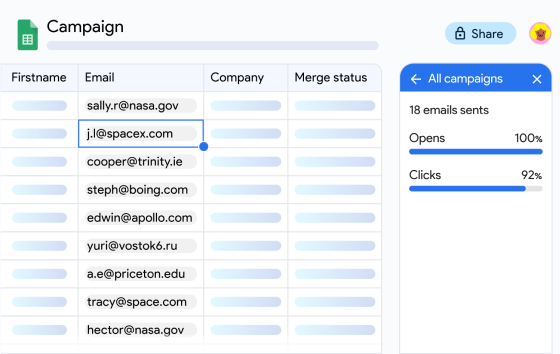
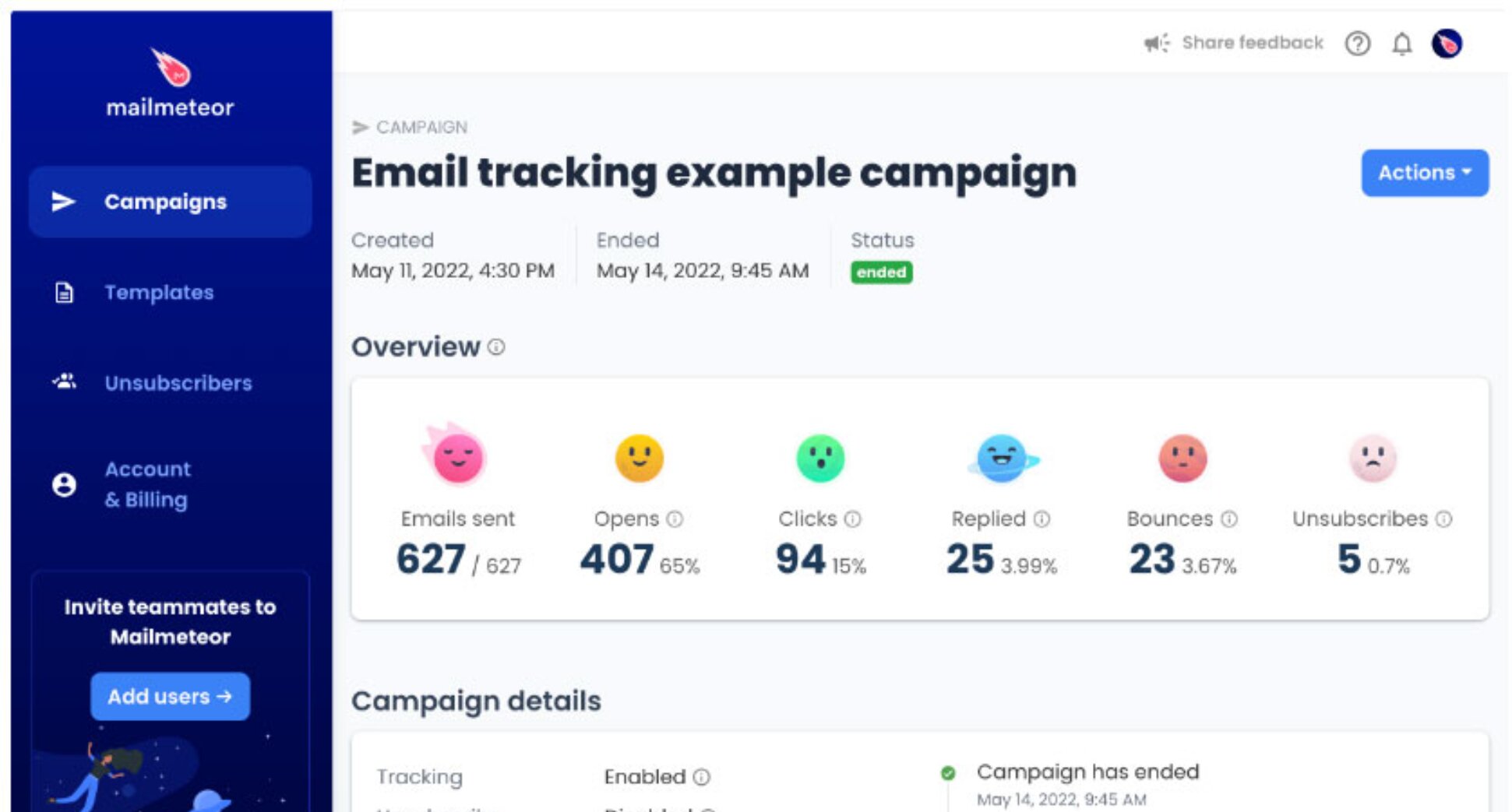
Tracking is built into every campaign. The moment a recipient opens your email or clicks a link, Mailmeteor logs it in real time. You get a full per-recipient breakdown of opens, clicks, replies, bounces, and unsubscribes — and you can trigger automated follow-ups based on what recipients actually do.
Key features:
- Real-time open and click tracking per recipient
- Campaign analytics dashboard (open rate, click rate, reply rate, bounces, unsubscribes)
- Personal tracking domain to protect your sender reputation
- Mail merge for personalized campaigns at scale
- Automated follow-ups triggered by recipient behavior
- AI email writer
- Email verification to reduce bounces before sending
- Works with Gmail, Outlook, Zoho Mail, Google Sheets, and Excel
Pricing: Free plan includes up to 50 emails/day with tracking. Paid plans from $4.99/month.
Limitation: Sending limits are set by your email provider — 500 emails/day for personal Gmail, 2,000 for Google Workspace, and variable for Outlook. For most outreach use cases, that’s more than enough. If you’re running high-volume cold email across multiple sending addresses, Instantly or Lemlist are built for that.
2. Mailsuite — Best Free Option
Rating: 4.4/5 on Chrome Web Store
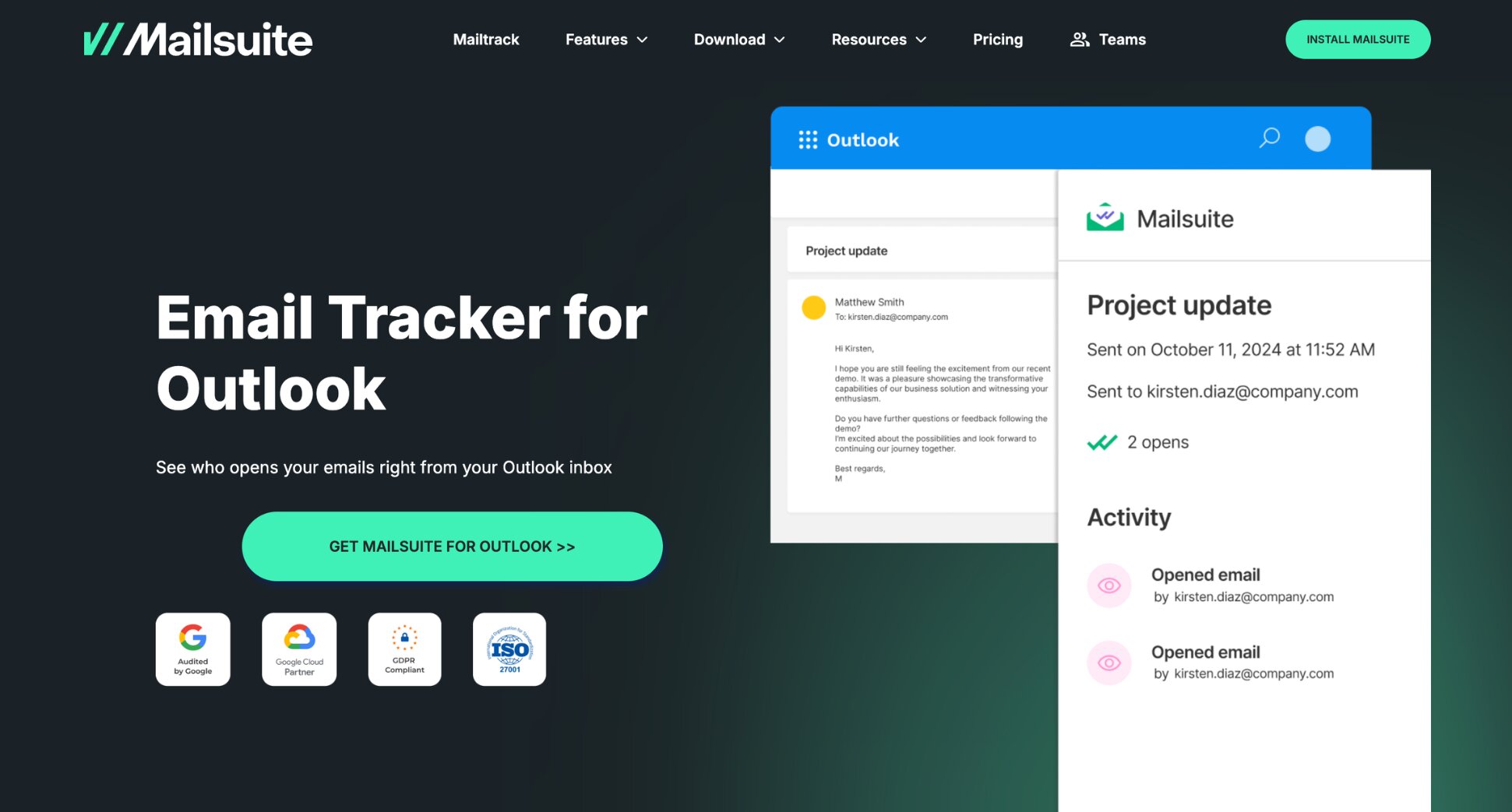
Mailsuite (formerly Mailtrack) is one of the most widely used Gmail email trackers, mainly because of how much it offers for free. Install the Chrome extension and every Gmail email you send is tracked automatically. No setup, no per-email toggles.
The free plan covers unlimited open tracking. The main trade-off is a “Sent with Mailsuite” signature added to every tracked email. The paid plan removes the branding and adds click tracking, multi-recipient tracking, and detailed open counts.
Key features:
- Real-time open tracking and notifications
- Full tracking history — see when and how many times each email was opened
- Individual tracking for group emails
- Link click tracking
- Follow-up alerts if an email isn’t opened or replied to within 24–72 hours
- False open filtering — emails sent to yourself aren’t tracked
- Works with Gmail and Outlook
Pricing: Free plan with unlimited opens and Mailsuite branding. Paid plan from $11.99/user/month — removes branding, unlocks click tracking and open counts.
Limitation: The free plan only notifies you the first time an email is opened — no repeat open counts, no click tracking. The promotional signature is a dealbreaker for professional sales or client emails. The Outlook add-in is functional but more limited than the Gmail version.
3. HubSpot Sales Hub — Best for CRM Users
Rating: 4.4/5 on G2
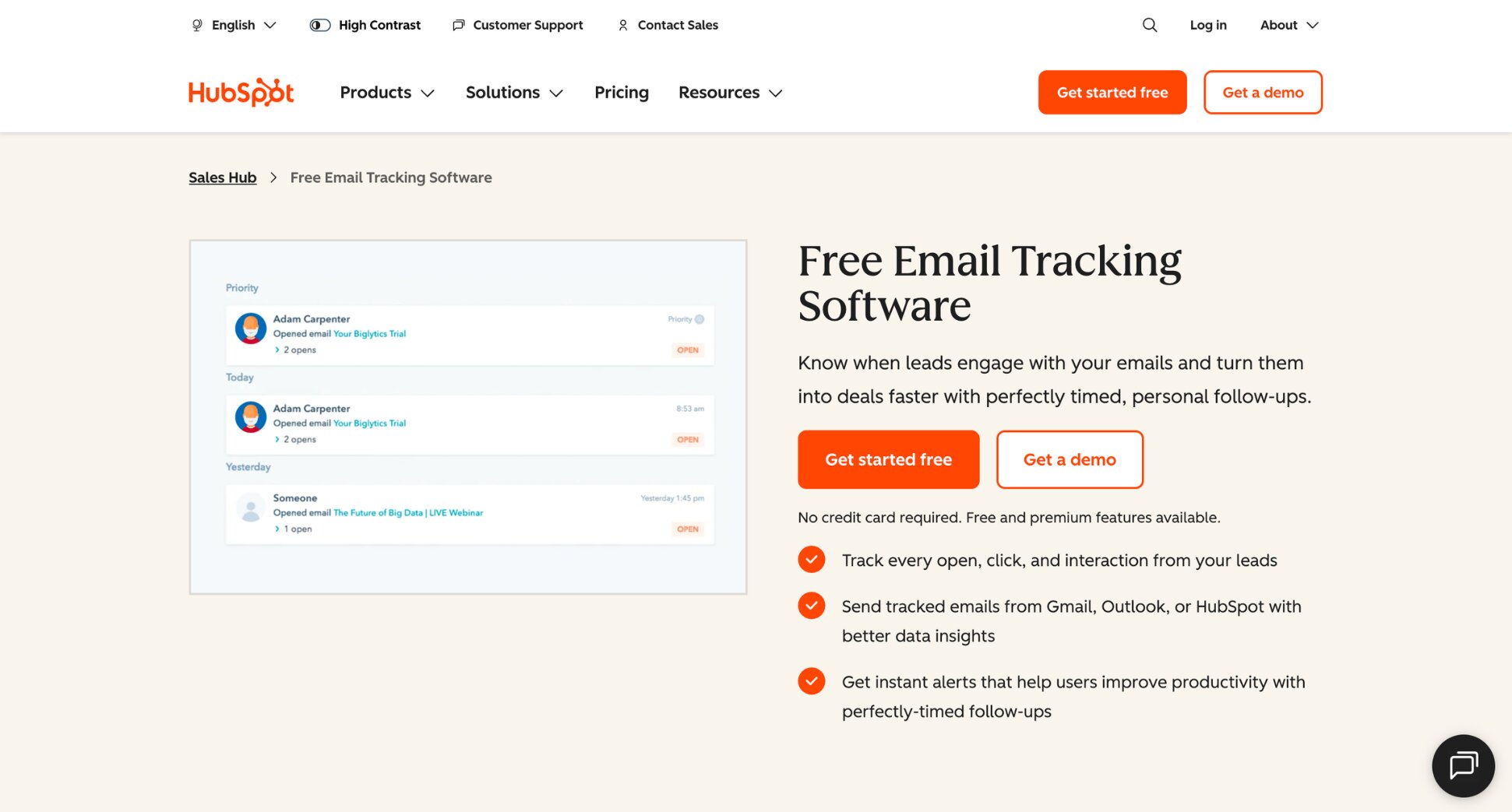
If your team already uses HubSpot to manage contacts and pipelines, email tracking is built in. Install the Outlook add-in or Gmail extension, and every tracked email logs automatically to the relevant contact record. No manual entry, no switching tabs.
The free plan includes basic open tracking. For click tracking, unlimited notifications, and email sequences, you’ll need a paid plan. The bigger picture is the integration: every open and click feeds directly into your CRM, so your pipeline reflects real engagement without anyone updating it manually.
Key features:
- Open and click tracking
- Automatic logging to HubSpot CRM
- Email templates and sequences
- Meeting scheduler
- Works with Gmail and Outlook
Pricing: Free CRM tier includes basic email tracking. Starter plan from $20/seat/month. Professional from $100/seat/month, which adds sequences and automation.
Limitation: If you’re not already using HubSpot CRM, the pricing is hard to justify purely for tracking. The features that matter most for outreach (sequences, automation) sit behind the Professional tier, and Professional carries a separate one-time onboarding fee. You’re paying for a full sales platform to access features other tools offer for a fraction of the cost.
4. Yesware — Best for Salesforce Teams
Rating: 4.4/5 on G2
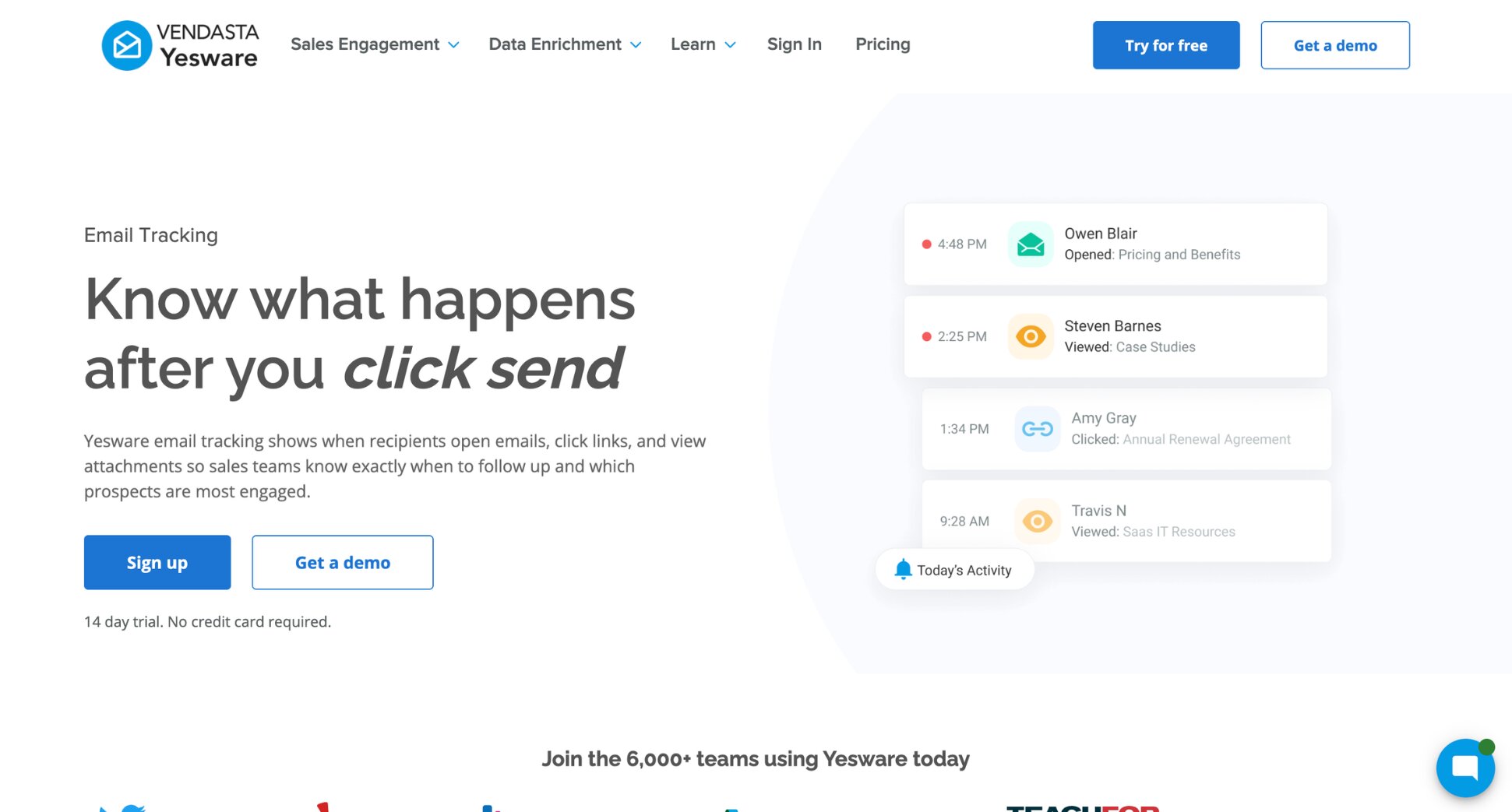
Yesware is a sales engagement platform that sits inside Gmail and Outlook, adding tracking, templates, and multi-step campaigns without requiring a separate dashboard. Its standout feature is the Salesforce integration: every open, click, and reply logs directly to the relevant Salesforce record.
The free plan includes basic open and attachment tracking, but it’s limited to emails sent in the last 24 hours for up to 10 campaign recipients a month. For teams running structured outreach with Salesforce at the center, the Enterprise tier removes a significant amount of manual CRM hygiene work.
Key features:
- Open, click, and attachment tracking
- Multi-step email campaigns
- Email templates with performance analytics
- Bidirectional Salesforce sync
- Works with Gmail and Outlook
Pricing: Free plan (10 campaign recipients/month, tracking limited to the last 24 hours). Pro from $19/user/month (unlimited tracking, 20 campaign recipients/month). Premium from $45/user/month (removes Yesware branding, unlimited campaigns and teams). Enterprise from $85/user/month (full Salesforce sync, SSO, trusted IP ranges).
Limitation: Free and Pro cap how many people you can enroll in a campaign each month (10 and 20, respectively), so any real outbound volume pushes you to Premium. The Yesware branding on outbound emails only disappears once you upgrade to Premium.
5. Mixmax — Best for Sales Sequences
Rating: 4.6/5 on G2
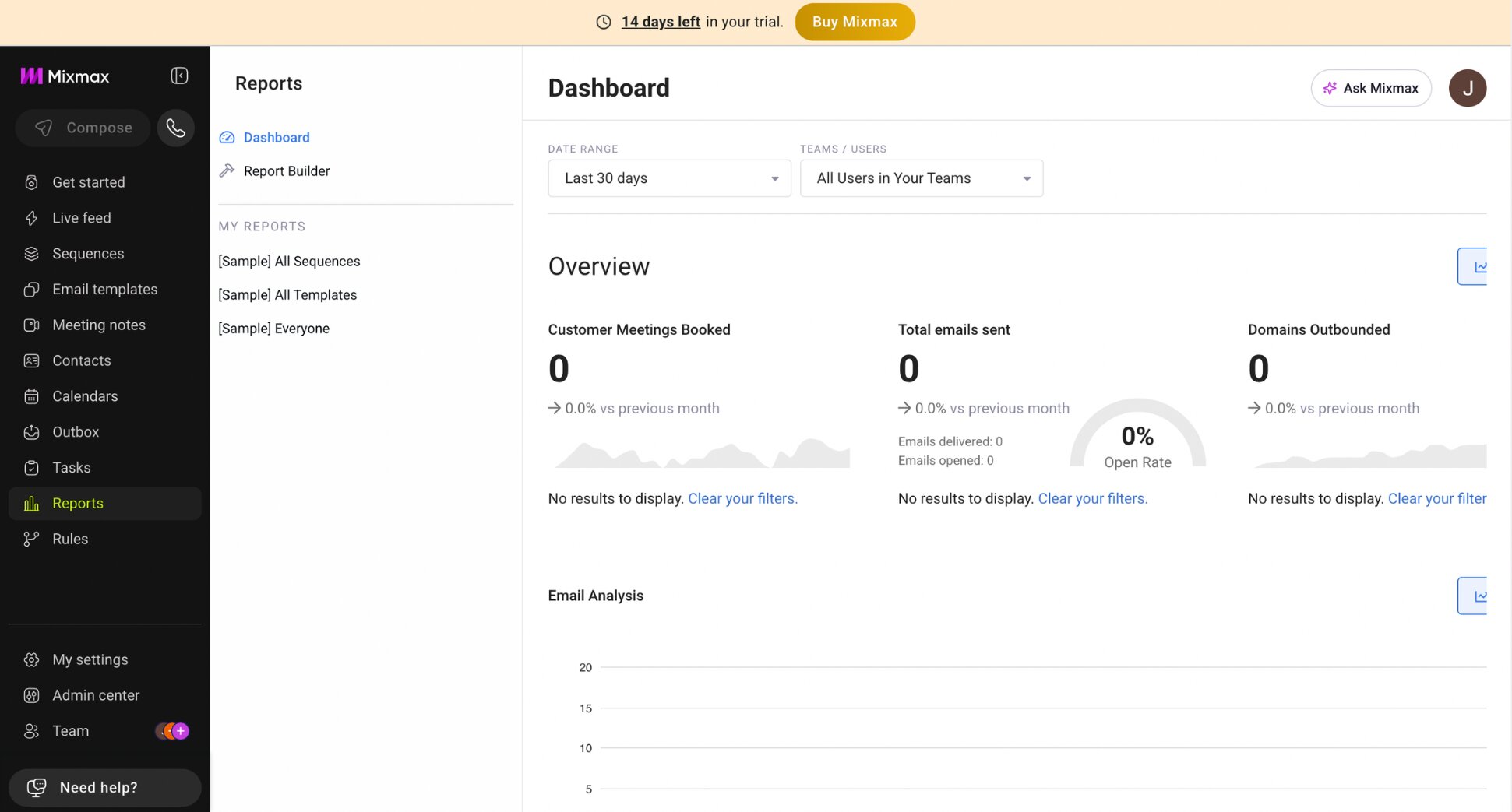
Mixmax is a Gmail-based sales engagement tool that goes beyond basic tracking. It combines open and click tracking with email sequences, scheduling, templates, and interactive elements like polls, surveys, and calendar embeds that recipients can respond to without leaving the email.
The tracker covers open and click tracking in real time, with per-recipient data and attachment download tracking. The sequences let you build multi-step follow-up flows triggered by whether an email was opened, clicked, or ignored. However, Mixmax has no built-in email warmup or deliverability tools.
Key features:
- Real-time open, click, and attachment tracking
- Multi-step email sequences
- Scheduling and calendar embeds
- Interactive polls and surveys inside emails
- Salesforce and HubSpot integration
- Works with Gmail only
Pricing: Free plan (limited to 20 tracked emails/month, with Mixmax branding). Inbox Copilot or Meeting Copilot from $34/user/month (tracking, inbox categorization, and scheduling). Engagement Copilot from $65/user/month unlocks sequences. Mixmax Suite from $89/user/month bundles all three.
Limitation: Gmail only — Outlook users are completely locked out. The free plan’s 20-email cap and branding make it a trial, not a working tier. Pricing scales steeply if you need more advanced features. No deliverability tools.
6. Instantly — Best for Agencies
Rating: 4.8/5 on G2
Instantly is a cold email platform built for teams managing outreach at scale. Specifically agencies running multiple client inboxes across Gmail, Outlook, and other providers. Unlike browser extension-based trackers, Instantly connects at the SMTP/IMAP level, so tracking works regardless of which email client your clients use.
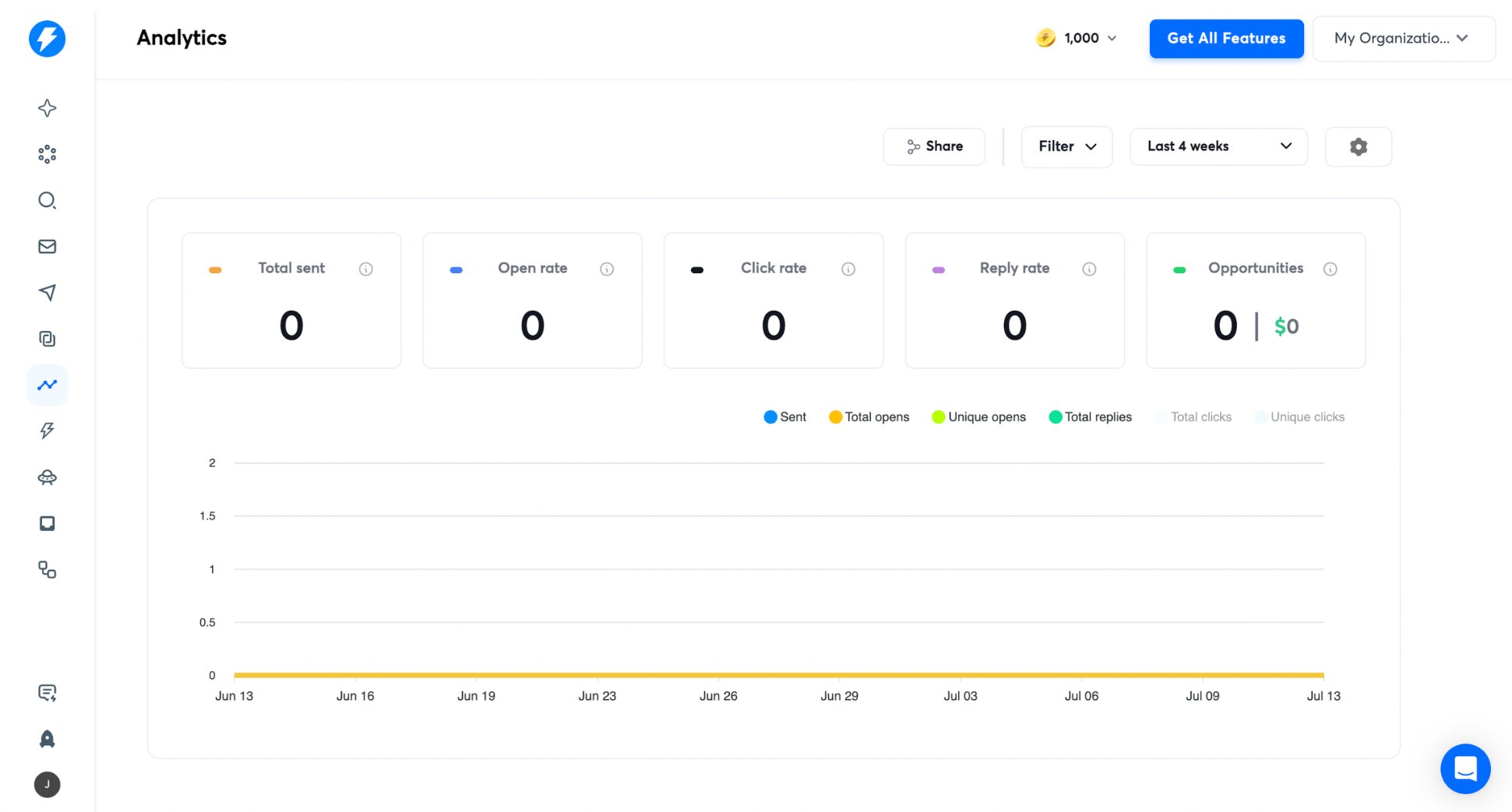
Every plan includes unlimited email account connections, which is where the agency value proposition sits. Instead of paying per inbox, you pay a flat monthly fee and connect as many accounts as you need. All tracking data (opens, clicks, replies, bounces…) flows into a single unified dashboard across all connected accounts.
Key features:
- Open, click, and reply tracking across all connected accounts
- Unified analytics dashboard for multiple inboxes
- Unlimited email accounts on all plans
- Built-in email warmup
- Multi-step sequences and A/B testing
- Works with Gmail, Outlook, and any SMTP/IMAP provider
Pricing: No permanent free plan, but a 14-day free trial is available. Growth from $47/month (5,000 emails/month, 1,000 active contacts). Hypergrowth from $97/month (up to 100,000 emails/month and full analytics).
Limitation: The lead database and CRM are sold as separate add-on subscriptions, so a fully equipped setup costs a lot more than the headline price suggests. Support response times have been flagged as inconsistent in recent reviews.
7. Lemlist — Best for Cold Email at Scale
Rating: 4.6/5 on G2
Lemlist is a cold outreach platform built for teams running high-volume, multi-step campaigns. It connects to Gmail and Outlook via SMTP/IMAP and tracks opens, clicks, replies, and bounces across every campaign you send.
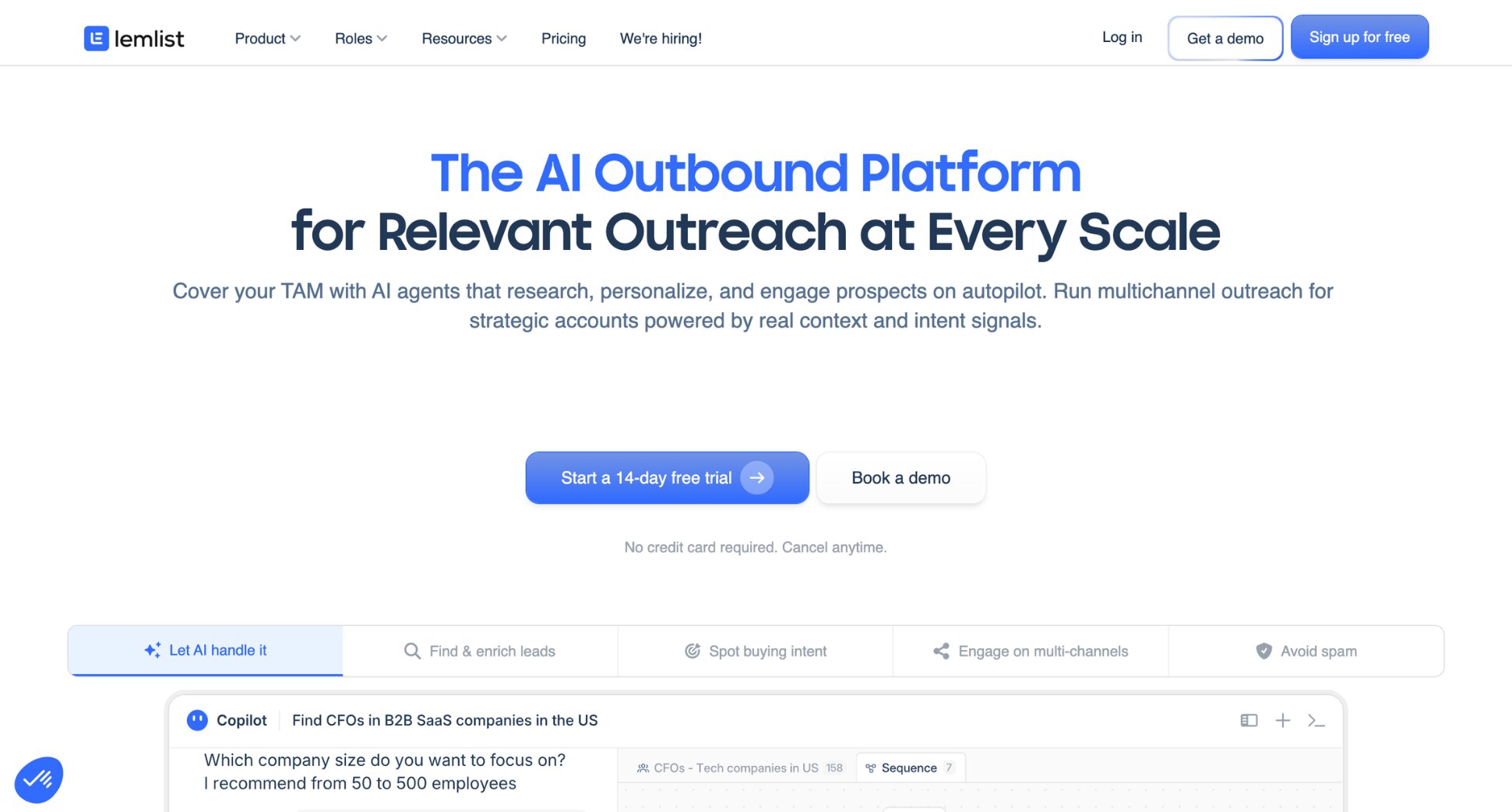
What sets Lemlist apart is deliverability. Every plan includes Lemwarm — a built-in email warmup tool that gradually increases your sending volume to protect your sender reputation. It also offers A/B testing at the campaign level.
Key features:
- Open, click, and reply tracking
- Multi-step automated sequences
- Built-in email warmup
- Image and video personalization per recipient
- A/B testing
- Works with Gmail and Outlook via SMTP/IMAP
Pricing: No free plan. 14-day free trial available. Email plan from €69/month (unlimited users, 5,000 emails/month). Multichannel plan from €109/user/month.
Limitation: Lemlist is a campaign platform first and a tracker second. If you just want to track individual one-off emails, it’s overkill. It’s best suited to teams running structured cold outreach at volume.
8. Boomerang — Best for Basic Individual Tracking
Rating: 4.6/5 on G2
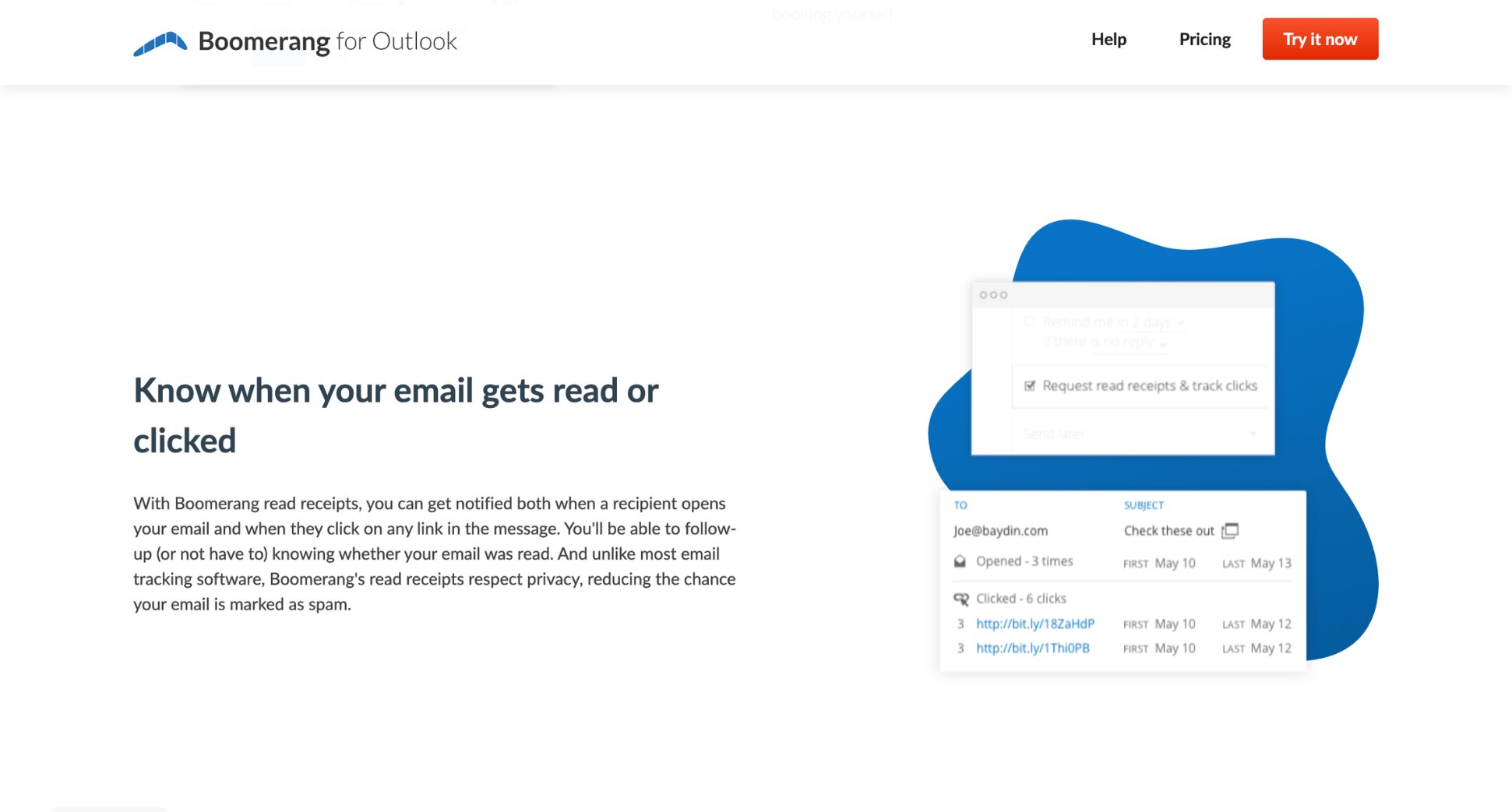
Boomerang is a lightweight email productivity tool that adds open and click tracking to Gmail and Outlook without the overhead of a full sales platform. If you just want to know whether someone opened your email, it gets the job done.
Beyond Gmail and Outlook email tracking, Boomerang adds send-later scheduling and follow-up reminders, making it useful for anyone who wants a small productivity boost without changing how they work or committing to a CRM.
Key features:
- Open tracking
- Click tracking and read receipts
- Send later and follow-up reminders
- Works with Gmail and Outlook
Pricing: Free plan (10 message credits/month, shared across all features). Personal from $4.99/month (Gmail addresses only, unlimited credits). Pro from $14.99/month (the effective starting tier for Google Workspace users). Premium from $49.99/month adds Salesforce and CRM integration.
Limitation: The 10 monthly credits on the free plan are shared across all Boomerang features — tracking, scheduling, and reminders. Heavy users burn through them in a day or two, and the Personal plan’s low price only applies to personal @gmail.com addresses.
9. Mailbutler — Best for Apple Mail and Outlook Users
Rating: 4.4/5 on G2
Mailbutler is the only tool on this list with native support for Apple Mail, Gmail, and Outlook. It adds email tracking, scheduling, templates, and task management directly inside your existing inbox. No new dashboard to learn.
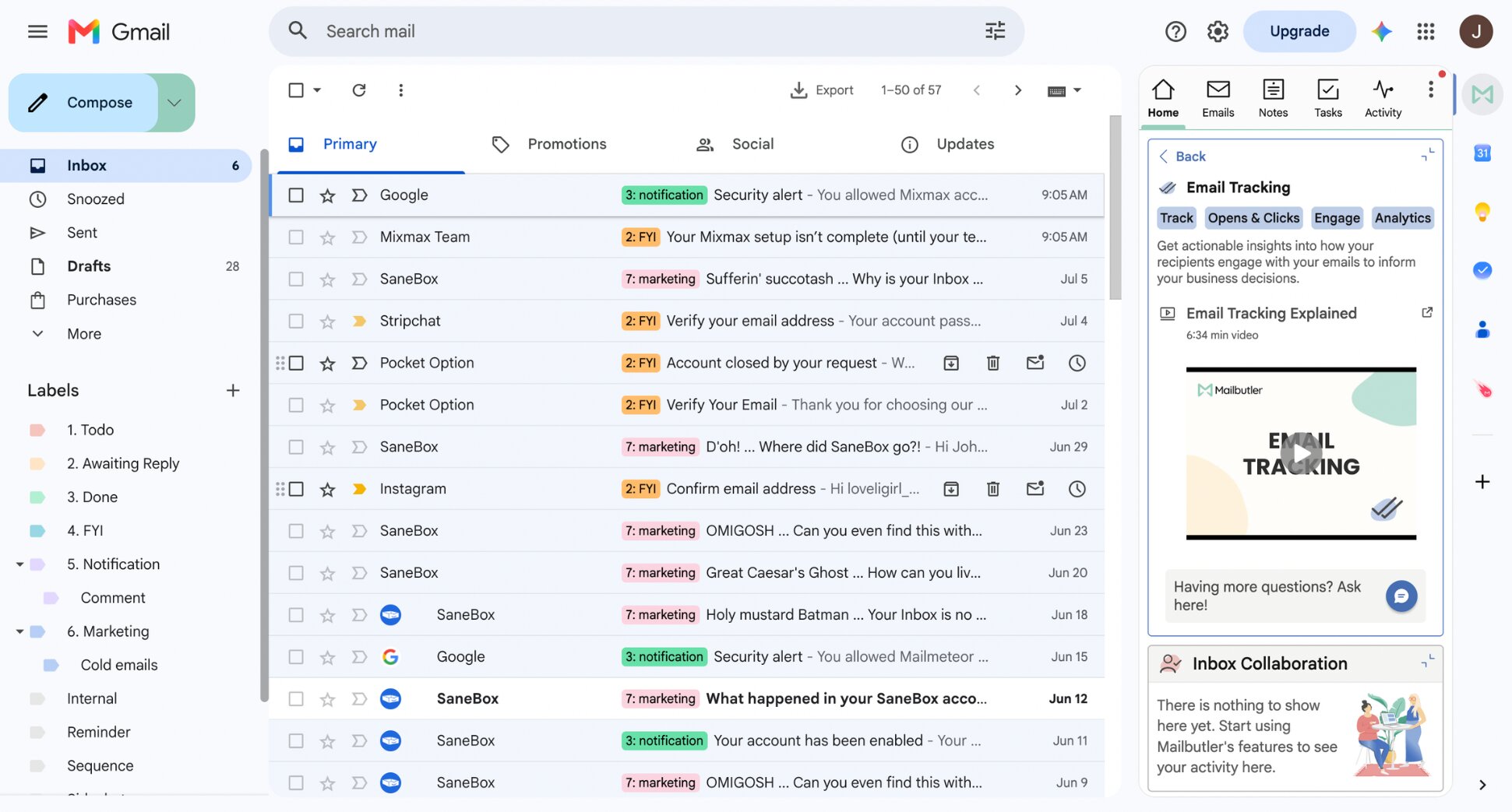
The tracking layer covers real-time notifications, engagement data, and per-recipient tracking on paid plans. Users particularly value the Apple Mail integration since most trackers don’t support it at all.
Key features:
- Email tracking with real-time notifications and engagement data
- Smart follow-ups and per-recipient tracking
- Send later and mail merge
- Email templates and notes
- Task creation from emails
- Works with Apple Mail, Gmail, and Outlook
Pricing: Free plan with basic tracking. Professional from €8/user/month. Smart from €12/user/month— unlocks the AI writing assistant and custom tracking subdomain. Business is custom-priced for larger teams. A 14-day free trial with full features is available.
Limitation: Advanced tracking features — device and location details, custom tracking subdomain, CRM sync — are gated behind the Smart tier. Several users report the Apple Mail plugin can be unstable after macOS updates.
Which Email Tracking Tool Is Right for You?
It usually comes down to how you already send email. Find yourself below ⤵️
- Want to send personalized campaigns from Gmail or Google Sheets? Mailmeteor bundles tracking into every send, so you’re not stitching together two tools.
- Just want free open notifications on individual emails? Mailsuite’s free plan is the most generous on this list.
- Already living inside HubSpot? HubSpot Sales Hub logs every open and click straight to the contact record.
- Salesforce is the center of your sales process? Yesware’s bidirectional sync is built for exactly that.
- You’re a Gmail power user who wants scheduling, sequences, and interactive emails? Mixmax covers more ground than a pure tracker.
- Running outbound for multiple client accounts? Instantly’s unlimited inboxes and flat pricing make sense at agency scale.
- Sending cold email at real volume with visual personalization? Lemlist is built for exactly that, warm-up included.
- Just need a lightweight nudge and a follow-up reminder? Boomerang keeps it simple.
- You live in Apple Mail? Mailbutler is the only tool here that treats it as a first-class citizen.
Tracking Is Only Half the Job
If your outreach starts in Gmail or a Google Sheet — a client list, a fundraising ask, a batch of personalized intros — you still need to send those emails without hitting Gmail’s sending limits, personalize each one, and know what to do the moment someone opens or ignores it.
That’s the gap Mailmeteor closes. Every campaign comes with tracking built in, not bolted on:
✍️ Write better emails in seconds with AI-powered drafting
📊 Real-time open, click, and reply tracking per recipient, with a full campaign dashboard
🔁 Automatic follow-ups triggered by what recipients actually do — or don’t do
✅ Email verification to catch bad addresses before they become bounces
📬 Mail merge to personalize hundreds of emails at once, straight from a Google Sheet
Try Mailmeteor today (it’s free!) and see exactly what happens after you hit send.
FAQs
What is the best free email tracking tool?
It depends on what “free” needs to include. Mailsuite’s free plan offers unlimited open tracking, but every email carries a “Sent with Mailsuite” signature. Mailmeteor’s free plan caps at 50 emails a day and includes tracking. HubSpot Sales Hub’s free tier is worth a look if you also want a CRM bundled in, not just a tracker.
Does email tracking work with Outlook?
Yes, but not all tools support Outlook equally. Native add-ins like Mailsuite and Mailbutler work directly inside Outlook. Some tools — like Mixmax — are Gmail-only and don’t support Outlook at all. Always check compatibility before committing to a tool, especially if your team uses both Gmail and Outlook.
Is email tracking legal?
In most countries, yes. Email tracking is widely used in sales and marketing and is not prohibited by law. That said, if you’re emailing recipients in the EU, GDPR applies — your privacy policy should cover how you collect and use engagement data. B2B outreach carries lower risk than consumer email.
How accurate is email tracking?
More reliable than guessing, less reliable than you might hope. Opens are the weakest signal — Apple Mail Privacy Protection pre-loads emails before they’re opened, inflating counts for anyone on Apple Mail or iPhone. Security scanners do the same. Click tracking is far more dependable, since it requires a deliberate action.
Does email tracking affect deliverability?
It can, if done wrong. Most tracking tools embed a pixel and wrap links using a shared domain. If other users on that domain send spam, your sender reputation takes a hit too. The best tools use a custom tracking subdomain per customer to isolate your reputation. It makes a real difference to inbox placement.
Can the recipient tell if I’m tracking their email?
Not directly. There’s no notification sent to the recipient, and the tracking pixel is invisible. A technically savvy recipient could inspect the email source and spot a tracking pixel or wrapped links — but the vast majority of recipients never will. Some email clients like Apple Mail and Hey block tracking pixels as a privacy feature.
Does Apple Mail Privacy Protection affect email tracking?
Yes, significantly. Since 2021, Apple Mail pre-loads all email content — including tracking pixels — before the recipient actually opens the message. This means every email sent to an Apple Mail or iPhone mail app user registers as an “open” regardless of whether it was read. Click and reply tracking are unaffected.