Outlook doesn’t tell you what happens after you hit send. Did your prospect open the email? Did they click the link? Did they forward it to their manager — or send it to trash? Without email tracking, you’re flying blind on every email you send.
Read receipts exist, but Outlook’s built-in tracking is unreliable — recipients can decline them with one click, and most do. For email tracking that actually works, you need a dedicated tool.
In this guide, we’ve compared the 6 best email tracking tools for Outlook — so you can pick the right one and start getting real data on every email you send.
TL;DR: Here's how to track emails in Outlook:
- Read receipts — Outlook's built-in option. Free, but unreliable.
- Mailmeteor — Best for tracking email campaigns at scale.
- Mailsuite — Best free option for basic open tracking.
- HubSpot Sales Hub — Best for teams already using a CRM.
- Yesware — Best for Salesforce-connected sales teams.
- Lemlist — Best for cold email outreach.
- Boomerang — Best for users who just need the basics.
Here’s what we’ll cover:
- Why Outlook’s built-in read receipts aren’t enough
- The 6 best email tracking tools for Outlook
- Which Outlook email tracker is right for you?
- How to set up email tracking in Outlook
- How accurate is Outlook email tracking?
Sounds good? Then let’s dive in.
Why Outlook’s Built-In Read Receipts Aren’t Enough
Outlook has two native tracking options:
- A delivery receipt confirms your email reached the inbox.
- A read receipt confirms it was opened.
On paper, that sounds useful. But in practice, there’s a catch.
Read receipts require your recipient’s consent. When they open your email, Outlook shows them a pop-up asking whether they want to notify you. Most people click No, and you get nothing. No open confirmation, no data, no follow-up signal.
Even when recipients do agree, the data isn’t always accurate. Some email clients don’t support read receipts at all. Like personal Gmail accounts, for example. Others are configured to decline every request without ever showing the recipient a pop-up.
The result? Read receipts are fine for the occasional important email between colleagues. However, for anything involving sales outreach, client follow-ups, or email marketing campaigns, they’re not reliable enough.
That’s where third-party email tracking tools come in ⤵️
The 6 Best Email Tracking Tools for Outlook
To put this list together, we tested and evaluated each tool across five criteria:
- Outlook compatibility — does it actually work natively with Outlook, not just Gmail?
- Tracking features — does it track opens and clicks, or just one of the two?
- Ease of use — is it easy to set up and use without a steep learning curve?
- Deliverability — does the tool use practices that could hurt your sender reputation?
- Value for money — is the free plan genuinely useful, or a bait-and-switch?
Here’s a quick overview of all six tools before we dive into the details:
| Tool | Free plan | Starts at | Tracks opens | Tracks clicks | Best for |
|---|---|---|---|---|---|
| Mailmeteor | ✅ | $4.99/month | ✅ | ✅ | Email campaigns |
| Mailsuite | ✅ | $9.99/month | ✅ | ✅ | Free open tracking |
| HubSpot Sales Hub | ✅ | $20/month | ✅ | ✅ | CRM users |
| Yesware | ✅ | $19/month | ✅ | ✅ | Salesforce users |
| Lemlist | ❌ | €39/month | ✅ | ✅ | Cold outreach |
| Boomerang | ✅ | $4.99/month | ✅ | ✅ | Basic tracking |
1. Mailmeteor — Best for Tracking Email Campaigns
Mailmeteor is an email outreach platform that works directly inside the tools you already use — Outlook, Gmail, Google Sheets, and Excel. Unlike most tools on this list, it combines email tracking with full campaign management. You can send personalized emails at scale, automate follow-ups, and monitor results — all from one dashboard.
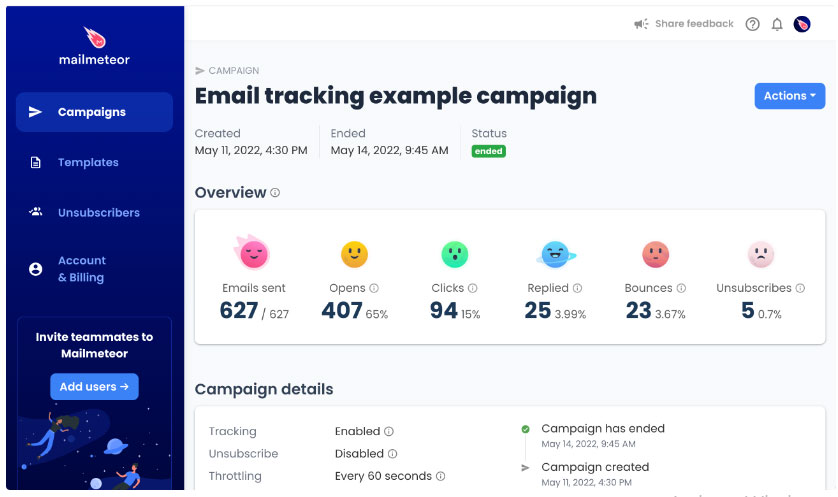
Tracking is built into every campaign. The moment a recipient opens your email or clicks a link, Mailmeteor logs it in real time. You get a full breakdown of opens, clicks, replies, bounces, and unsubscribes for every campaign you send.
Key features:
- Real-time open and click tracking
- Campaign analytics dashboard (open rate, click rate, reply rate, top contacts)
- Mail merge for personalized emails at scale
- Automatic follow-ups
- AI-powered email writing
- Works with Outlook, Gmail, Google Sheets, and Excel
Pricing:
- Free plan includes up to 50 emails/day with basic tracking
- Paid plans from $4.99/month
Rating: 4.9/5 (11,000+ reviews) on Google Workspace Marketplace
Limitations: Mailmeteor is built around campaigns rather than single-email tracking. If you just want to track one-off emails without sending campaigns, a simpler tool like Mailsuite may be a better fit.
2. Mailsuite — Best Free Option for Outlook
Mailsuite (formerly Mailtrack) is one of the most popular email trackers around, mainly because of its generous free plan. Install the extension, and every email you send gets tracked automatically — no setup required.
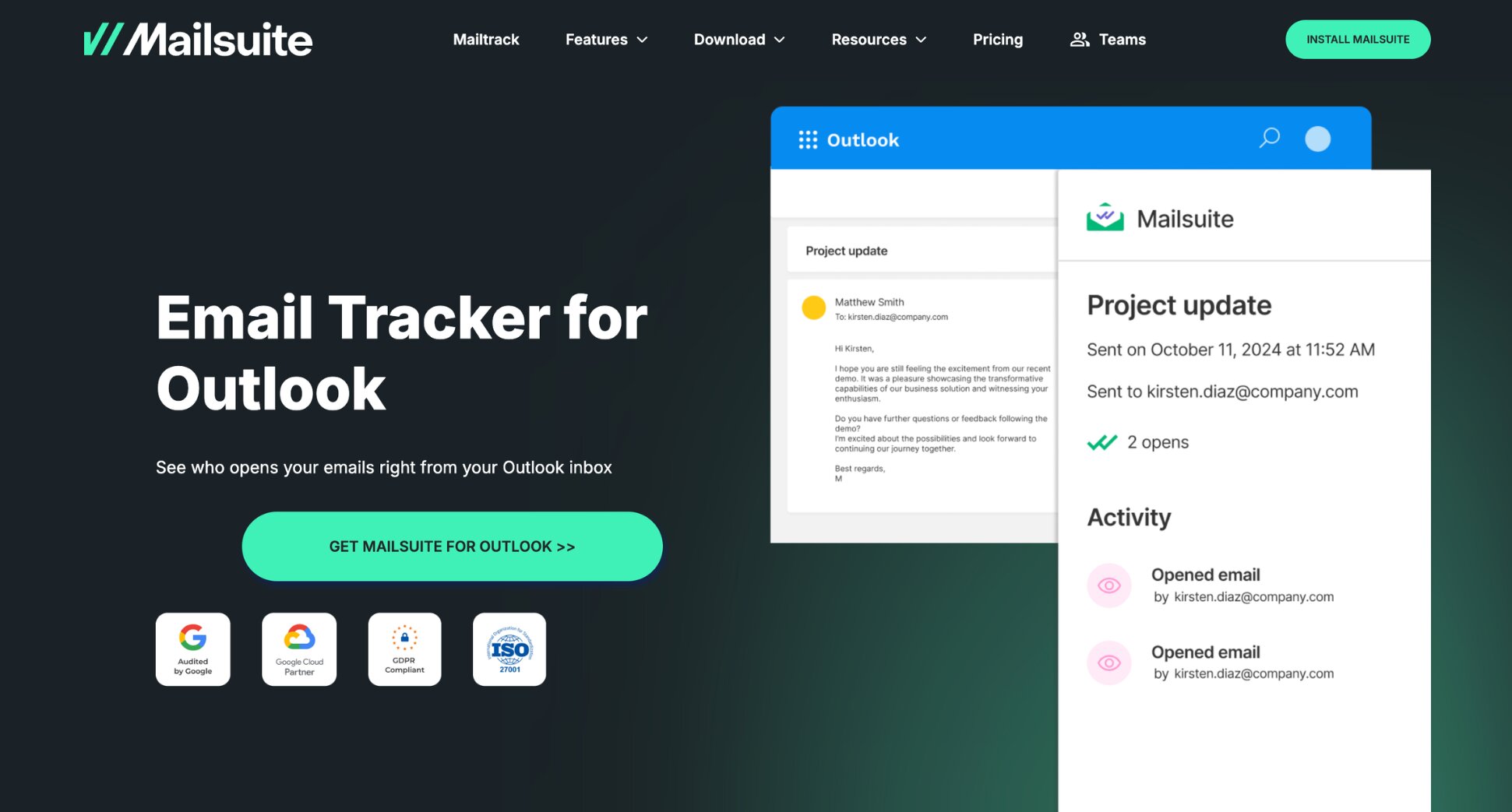
The free plan covers unlimited open tracking, which is more than most free tools offer. The main catch? It adds a “Sent with Mailsuite” promotional signature to every email. Upgrading to the paid plan removes the branding and unlocks click tracking and detailed open counts (how many times an email was opened, not just whether it was).
Key features:
- Unlimited open tracking on the free plan
- Real-time open notifications
- Click tracking (paid)
- Individual tracking for group emails (paid)
- Works with Gmail and Outlook
Pricing:
- Free plan includes unlimited open tracking with Mailsuite branding
- Paid plan from $9.99/month — removes branding, unlocks click tracking and open counts
Rating: 4.4/5 on Chrome Web Store
Limitation: The free plan’s promotional signature can look unprofessional in sales or client emails. If branding matters, you’ll need the paid plan from day one.
3. HubSpot Sales Hub — Best for Teams Already Using a CRM
HubSpot Sales Hub is far more than an email tracker — it’s a full sales CRM with email tracking built in. If your team is already using HubSpot to manage contacts and pipelines, adding email tracking requires nothing more than installing the Outlook add-in.
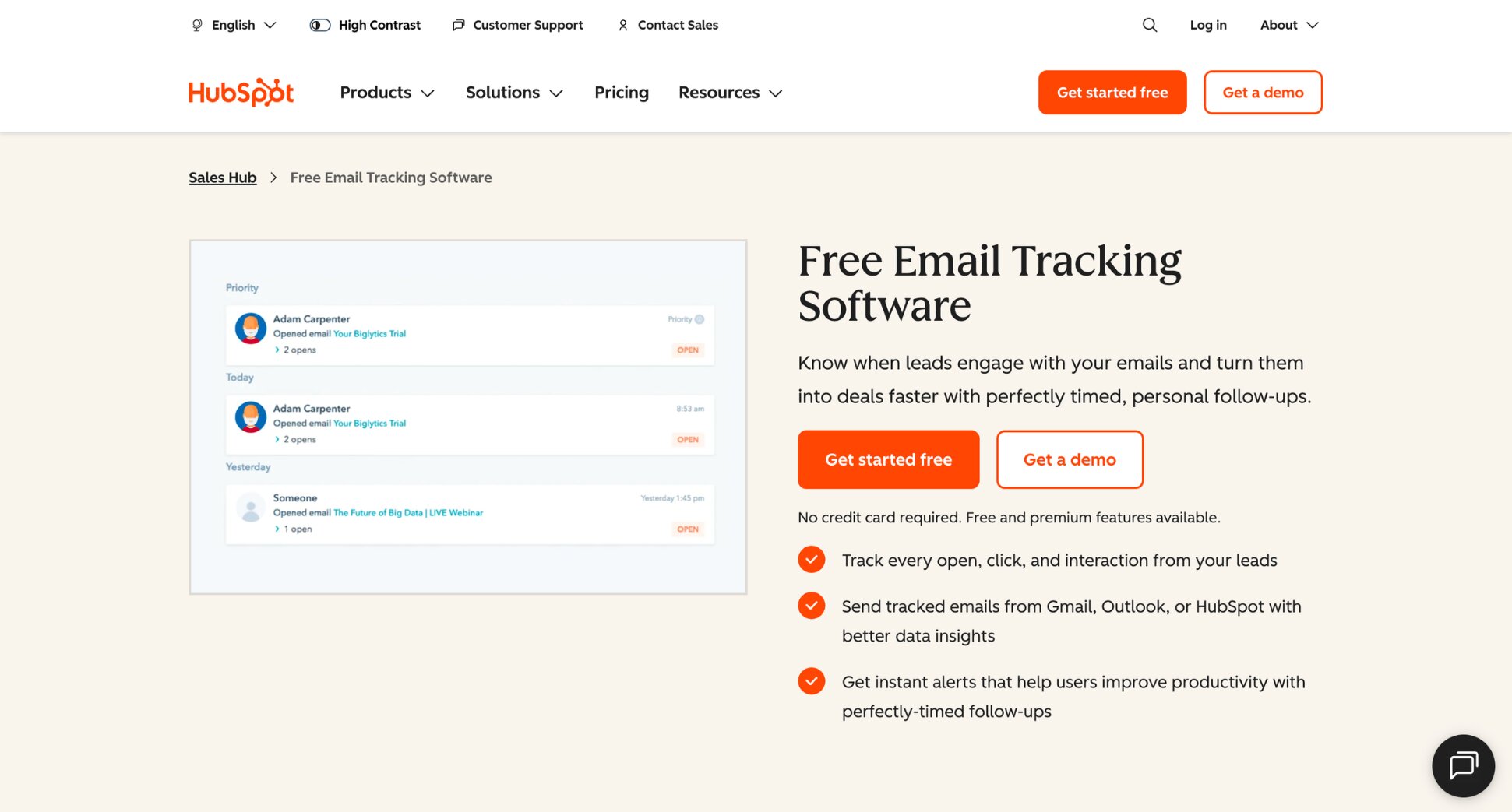
The free plan includes basic open tracking, but it’s capped at 200 notifications per month and doesn’t include click tracking. For serious outreach, you’ll need a paid plan. The upside? Every tracked email logs automatically to the relevant contact record in HubSpot, so your pipeline stays up to date without any manual work.
Key features:
- Open and click tracking
- Automatic logging to HubSpot CRM
- Email templates and sequences
- Meeting scheduler
- Works with Gmail and Outlook
Pricing:
- Free plan includes open tracking only, capped at 200 notifications/month
- Paid plans from $20/seat/month
Rating: 4.4/5 on Chrome Web Store
Limitation: If you’re not already using HubSpot CRM, the pricing is hard to justify just for tracking. You’d be paying for a full CRM platform to access features other tools offer at a fraction of the cost.
4. Yesware — Best for Salesforce-Connected Sales Teams
Yesware is a sales engagement platform built for teams running structured outreach directly from their inbox. It sits inside Outlook and Gmail, adding tracking, templates, and multi-step campaigns without requiring a separate dashboard.
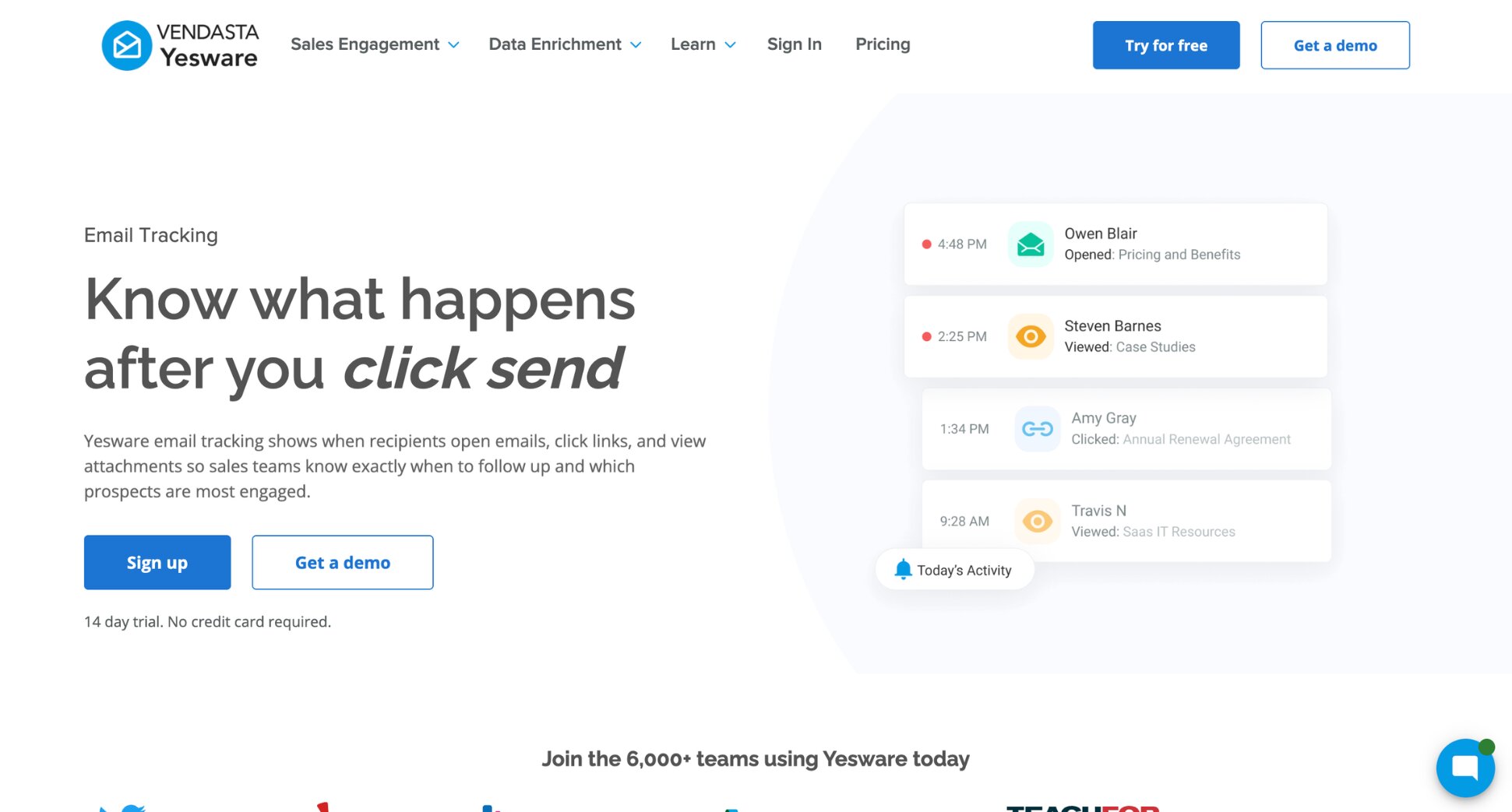
Its standout feature for Outlook users is the Salesforce integration. Every open, click, and reply logs directly to the relevant Salesforce record automatically — no manual entry. That makes it one of the strongest options for sales teams whose pipeline lives in Salesforce.
Key features:
- Open, click, and attachment tracking
- Multi-step email campaigns
- Email templates with performance analytics
- Bi-directional Salesforce sync
- Works with Gmail and Outlook
Pricing:
- Free plan includes tracking limited to emails sent in the last 24 hours
- Starter from $19/month — includes unlimited tracking
- Premium from $45/month — removes Yesware branding
Rating: 4.3/5 (G2)
Limitation: Yesware’s free plan only gives you a 24-hour lookback window on tracking data, with a 40-event limit. It’s enough to test the tool, but not enough for real outreach. You’ll also need the Premium plan ($45/month) to remove Yesware branding from your emails.
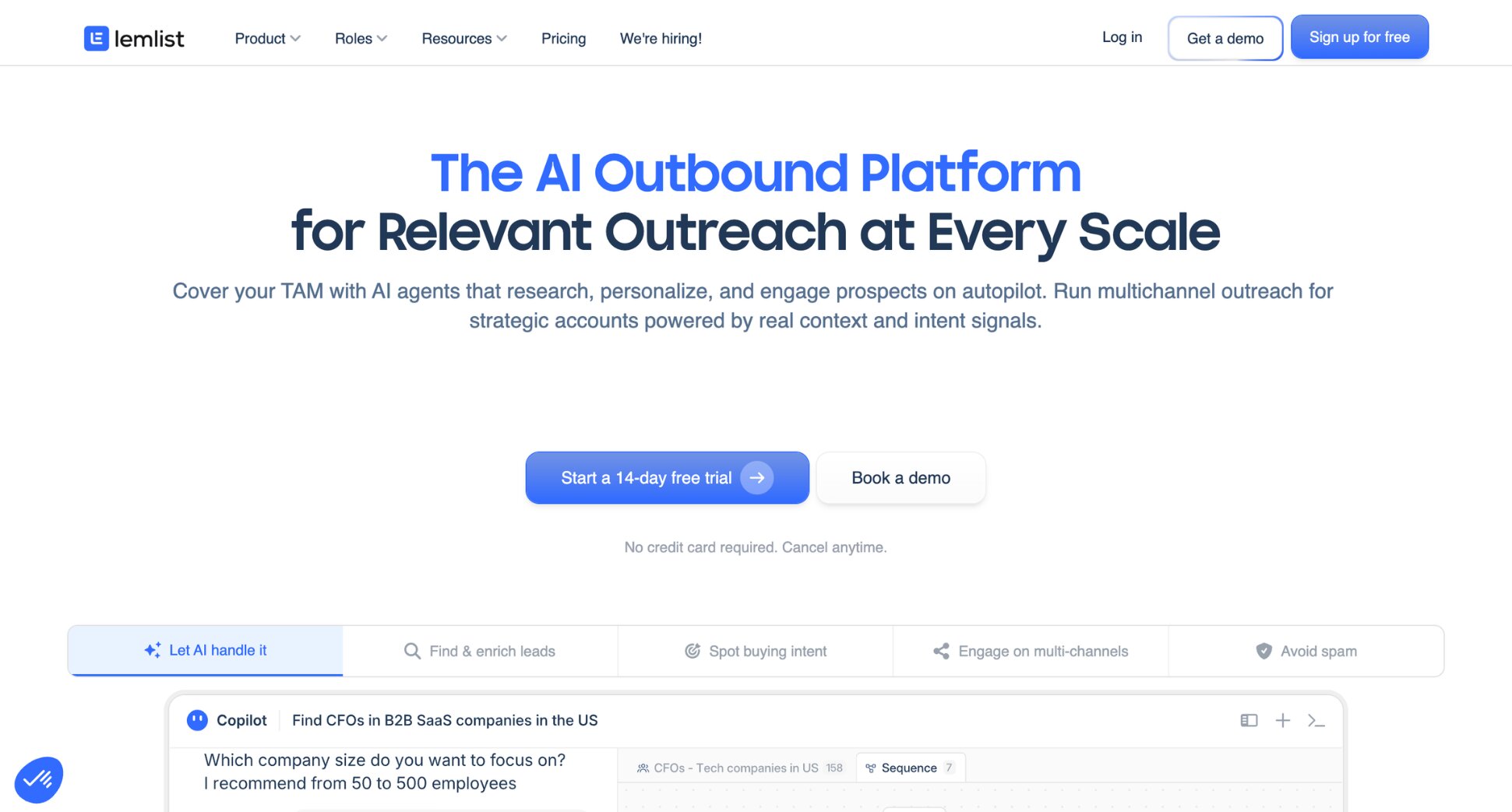
5. Lemlist — Best for Cold Email Outreach
Lemlist is a cold outreach platform built for teams running high-volume, multi-step campaigns. It connects to Outlook via SMTP/IMAP, so you can send tracked campaigns directly from your Outlook address. Tracking is built into every campaign: opens, clicks, replies, and bounces are visible in the campaign dashboard.
Where Lemlist stands out is deliverability and personalisation. Every plan includes Lemwarm — a built-in email warm-up tool that gradually increases your sending volume to keep you out of spam. It also offers image and video personalisation, letting you embed dynamic visuals customised per recipient.
Key features:
- Open, click, and reply tracking
- Multi-step automated sequences
- Built-in email warm-up (Lemwarm)
- Image and video personalisation
- A/B testing
- Connects to Outlook via SMTP/IMAP
Pricing:
- No free plan — 14-day free trial available
- Email plan: €39/month (unlimited users, 5,000 emails/month)
- Multichannel: €109/user/month
Rating: 4.4/5 (G2)
Limitation: Lemlist is a campaign platform first and a tracker second. If you just want to track individual one-off emails in Outlook, it’s overkill. It’s best suited for teams running structured cold outreach at volume.
6. Boomerang — Best for Outlook Users Who Just Need the Basics
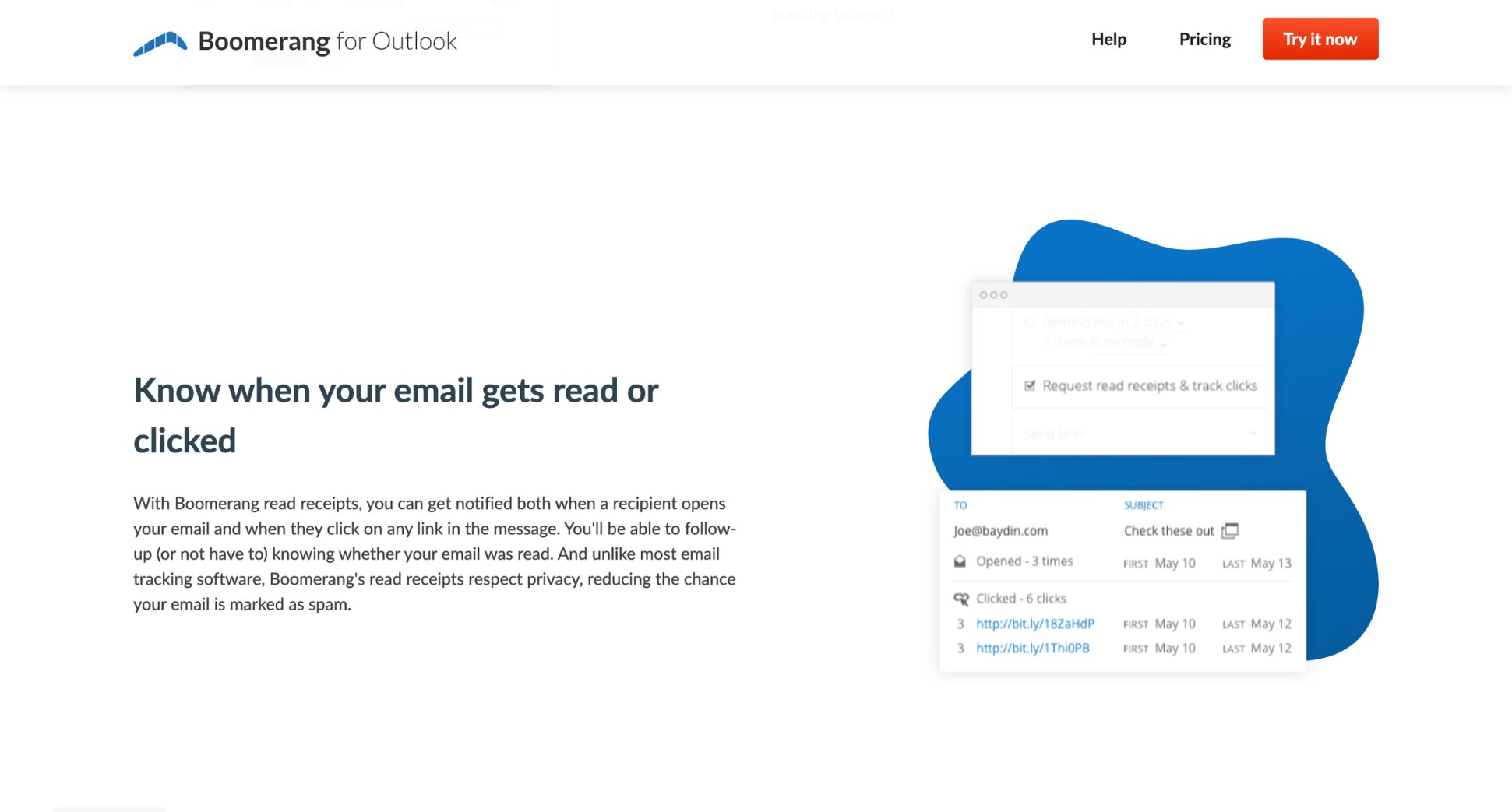
Boomerang is a lightweight email productivity tool that adds basic tracking to Outlook without the overhead of a full sales platform. If you just want to know whether someone opened your email — without committing to a CRM, a campaign tool, or a monthly subscription — it gets the job done.
The free plan gives you 10 message credits per month, shared across all Boomerang features. It’s limited, but enough for occasional tracking. The Personal plan at $4.99/month removes those limits and adds click tracking and read receipts.
Key features:
- Open tracking
- Click tracking and read receipts (paid)
- Send later and follow-up reminders
- Works with Gmail and Outlook
Pricing:
- Free plan: 10 message credits/month
- Personal plan from $4.99/month
- Pro plan from $14.99/month
Rating: 4.2/5 on Chrome Web Store
Limitation: The 10 monthly credits on the free plan are shared across all Boomerang features — tracking, scheduling, reminders. Heavy users can burn through them in days.
Which Outlook Email Tracker Is Right for You?
The right Outlook email tracking tool depends on what you’re actually trying to do. Here’s a quick breakdown to help you decide:
- If you want to track email campaigns and outreach at scale, go with Mailmeteor. You get open and click tracking across all your emails, plus mail merge, and automatic follow-ups in one place.
- If you just want free, unlimited open tracking, Mailsuite is the simplest option. Install it, and every email you send gets tracked automatically.
- If you’re already using HubSpot as your CRM, stay in the ecosystem. HubSpot Sales Hub adds email tracking without requiring you to adopt a new tool.
- If your team runs on Salesforce, Yesware is built for this. It syncs tracking data directly into Salesforce so your pipeline stays up to date without manual logging.
- If you’re doing cold email outreach, Lemlist is purpose-built for this use case, with multi-step sequences, built-in email warm-up, and campaign tracking built in.
- If you just need the basics and nothing else, Boomerang gets the job done without the overhead of a full sales tool.
How to Set Up Email Tracking in Outlook
With Read Receipts
- Open Outlook.
- Start composing a new email.
- Go to the Options tab in the ribbon.
- In the Tracking section, check Request a Read Receipt.
- Finish writing your email and hit send.
And voilà. If the recipient agrees to send a receipt, you’ll get a confirmation email when they open it. But keep in mind that most recipients decline, so don’t rely on this for anything important.
With a Third-Party Tool
For tracking that works automatically — no recipient approval needed — here’s how to set up email tracking in Outlook with Mailmeteor.
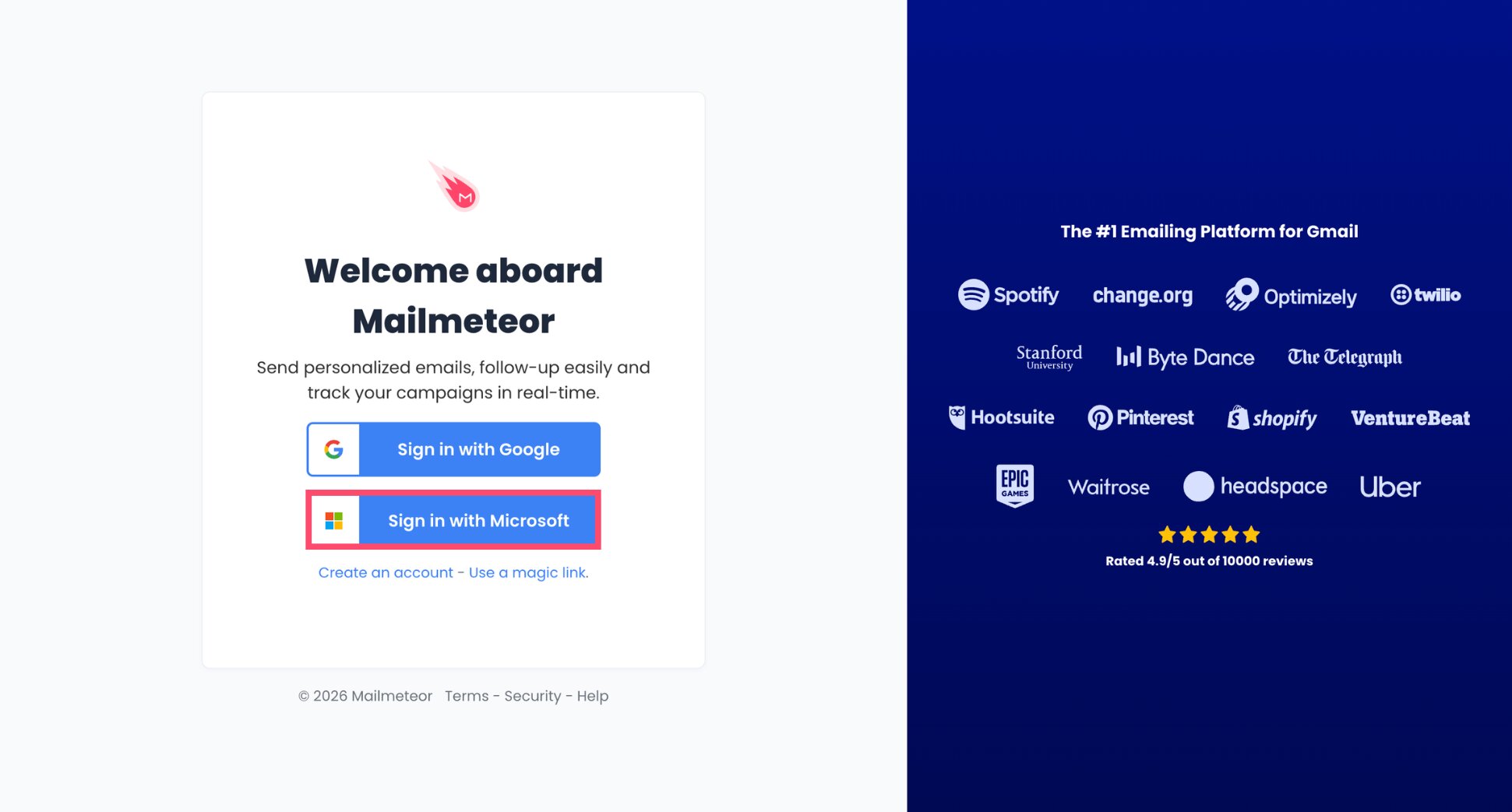
- Go to your Mailmeteor Dashboard and sign in with your Microsoft account.
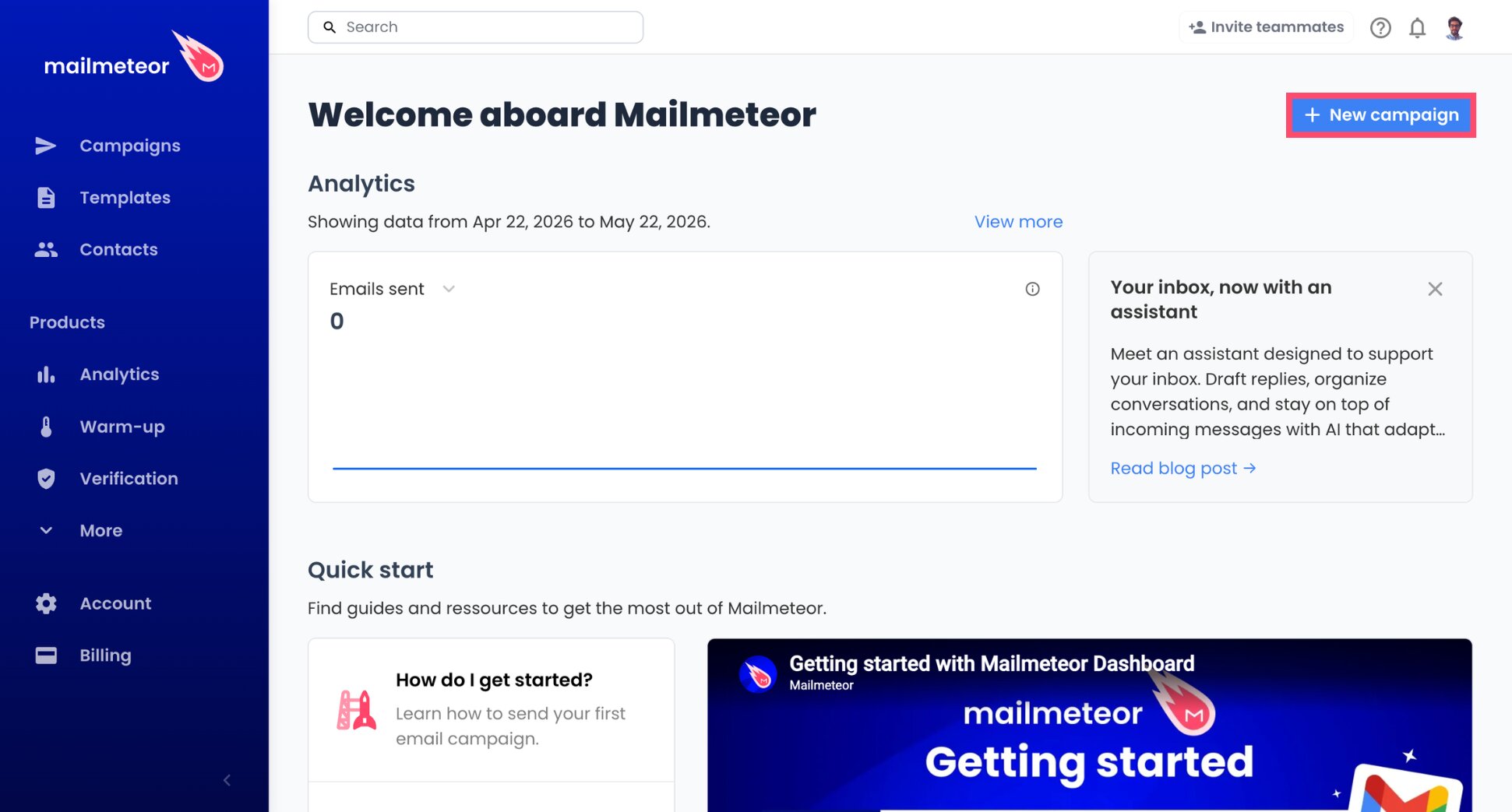
- Click New campaign.
- Write your email and add your recipients.
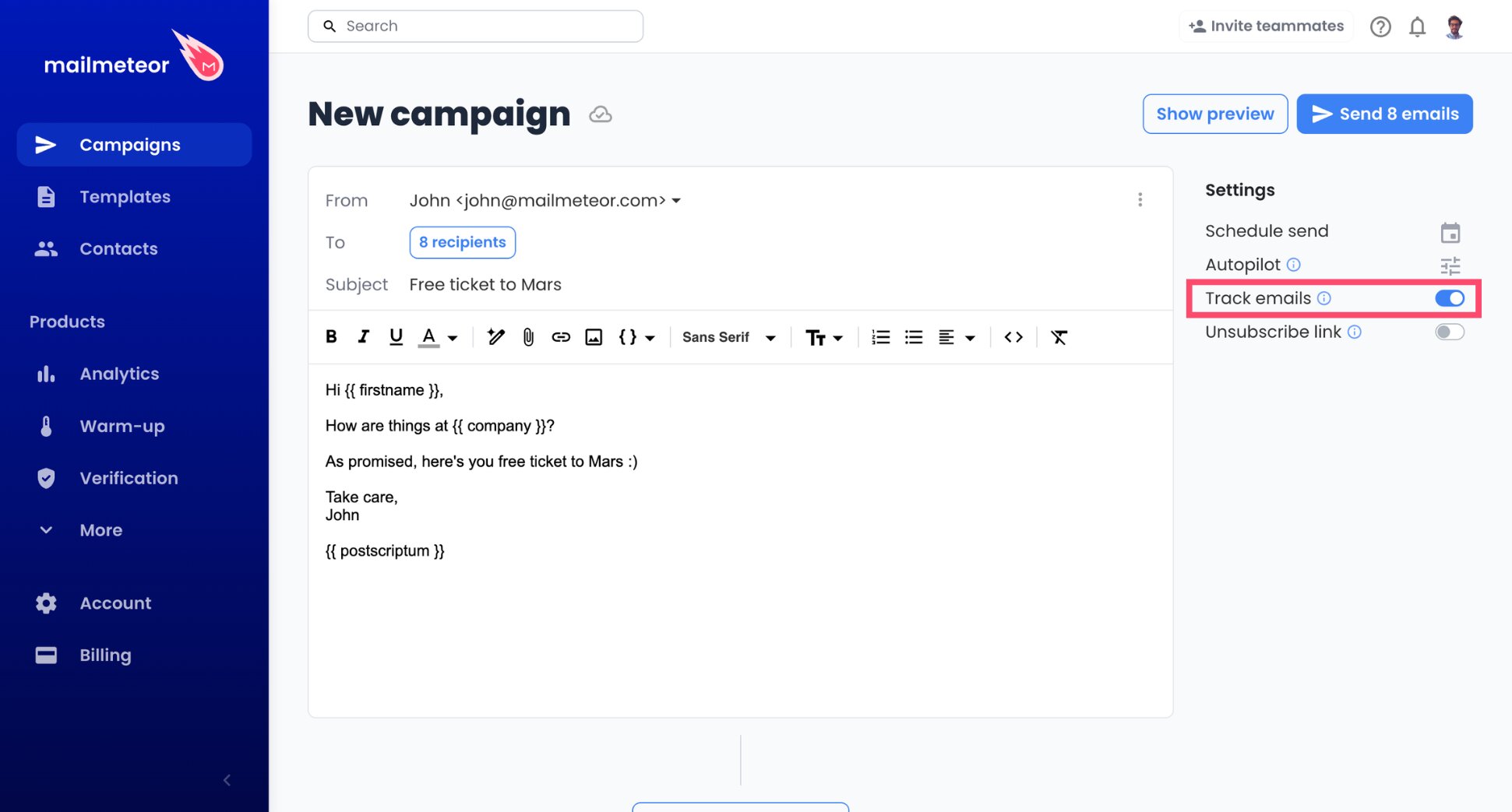
- Enable tracking to monitor opens and clicks.
- Click Send emails.
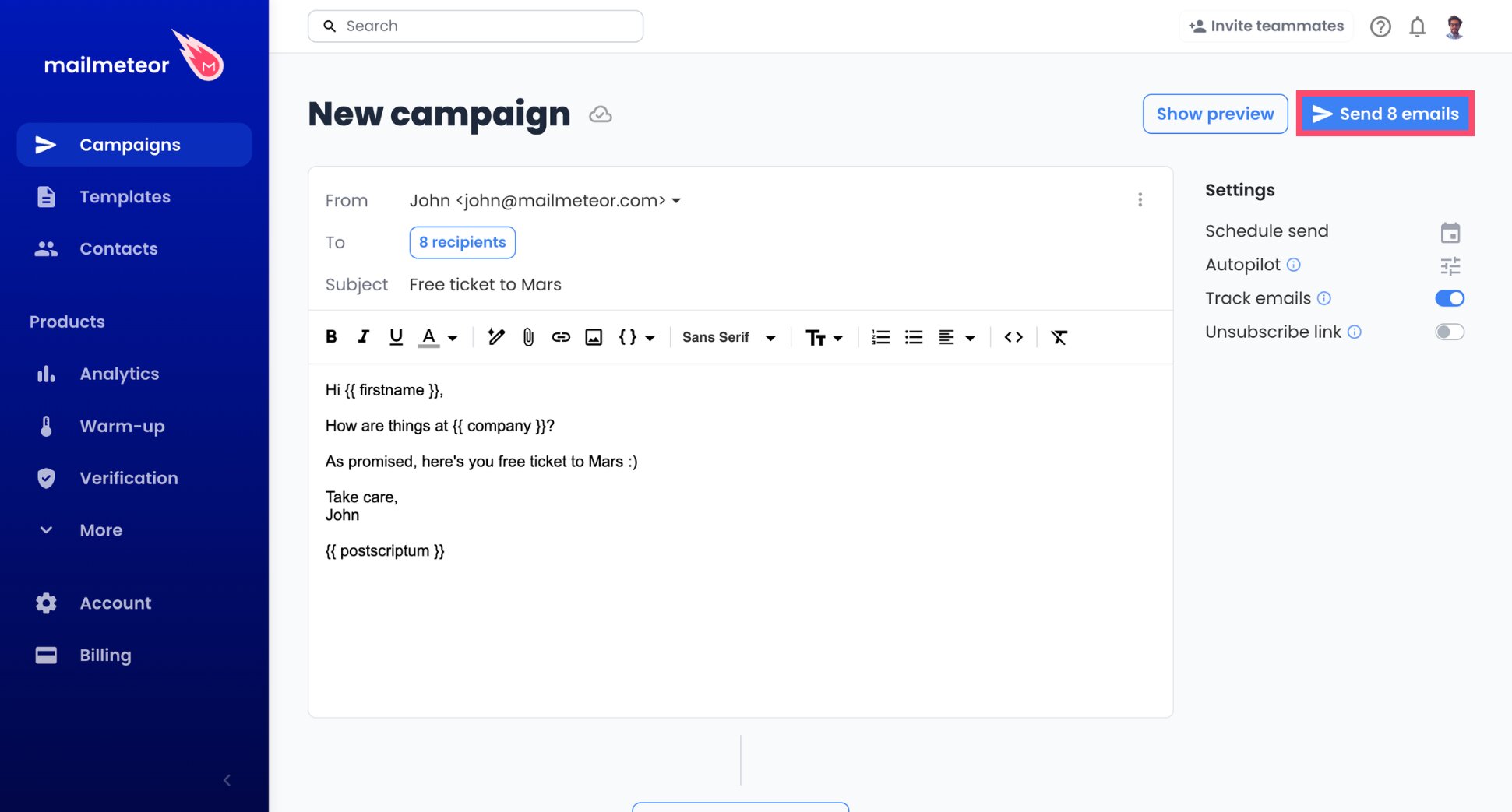
And voilà. Mailmeteor will start tracking your emails in real time the moment they land in your recipients’ inboxes.
To monitor your results, go to Campaigns, select your campaign, and you’ll see a full breakdown of opens, clicks, replies, bounces, and unsubscribes — all in one place.
How Accurate Is Outlook Email Tracking?
Email tracking is a strong signal — but not a perfect science. A few things can affect the accuracy of your data.
- Image blocking. Most trackers work by embedding an invisible pixel in your email. If the recipient has images disabled in their email client, the pixel never loads and the open goes unrecorded.
- False opens. Some systems trigger your tracking pixel automatically, with no human involved. Apple Mail pre-loads emails through its own proxy before the recipient opens them. Enterprise security tools like Mimecast and Proofpoint scan every incoming email for malware, loading all images in the process. Both inflate your open rates.
The data isn’t perfect, but it’s still far more useful than guessing. If someone opens your email five times in an hour, that’s a strong buying signal regardless of minor inaccuracies. And click tracking is more reliable than open tracking.
Ready to Track Your Outlook Emails?
Outlook’s read receipts are a start — but they depend on your recipient saying yes. For tracking that actually works, you need a proper tool.
Mailmeteor gives you real-time open and click tracking across all your emails and campaigns, with no guesswork involved.
Here’s what you get:
📧 Email tracking that works without recipient approval
📊 Real-time opens and clicks for every email you send
🔁 Automatic follow-ups so nothing slips through the cracks
✍️ AI-powered email writing to help you send better emails
📬 Mail merge to send personalised emails at scale from Outlook
Try Mailmeteor for free today — no credit card required.
FAQs
Does Outlook have built-in email tracking?
Yes, but it’s limited. Outlook lets you request a delivery receipt to confirm the email reached the inbox and a read receipt to confirm it was opened. The problem is that read receipts require the recipient to approve them. And most people decline them. For reliable tracking, you need a third-party tool.
How do I track if someone opened my email in Outlook?
The simplest way is to enable read receipts in Outlook’s compose window under Options > Tracking. For more reliable results, use an Outlook email tracker like Mailmeteor, which automatically tracks opens, clicks, replies, unsubscribes and bounces — without requiring anything from the recipient.
What is the best free email tracker for Outlook?
Mailmeteor has a free plan that includes email tracking (opens and clicks) alongside its campaign features — making it a strong pick if you plan to do outreach too. Mailsuite (formerly Mailtrack) is the better choice if you just want unlimited open tracking at no cost.
Can you track emails in Outlook without the recipient knowing?
Yes. Third-party trackers like Mailmeteor use an invisible tracking pixel embedded in the email. The recipient sees nothing different. The only exceptions are users with image blocking enabled or privacy tools like Apple Mail Privacy Protection, which can interfere with tracking.
Does email tracking work if the recipient blocks images?
Not always. Most email tracking relies on a tiny image (a tracking pixel) loading when the email is opened. If the recipient has images disabled or uses a privacy tool that pre-loads emails, the open may not be recorded, or may be recorded inaccurately. Clicks on tracked links are more reliable than open tracking.
Is email tracking legal?
Yes. Email tracking is widely used in sales and marketing and is not explicitly banned in most jurisdictions. That said, if you’re emailing recipients in the EU, GDPR applies. Your company should therefore have a clear privacy policy covering how you collect and use data. B2B outreach is generally lower risk than consumer email.


