Add recipients
Mailmeteor lets you send emails to more than one recipient at a time. You can use this feature to keep people in the loop and spark group conversations.
The 4 ways to add recipients
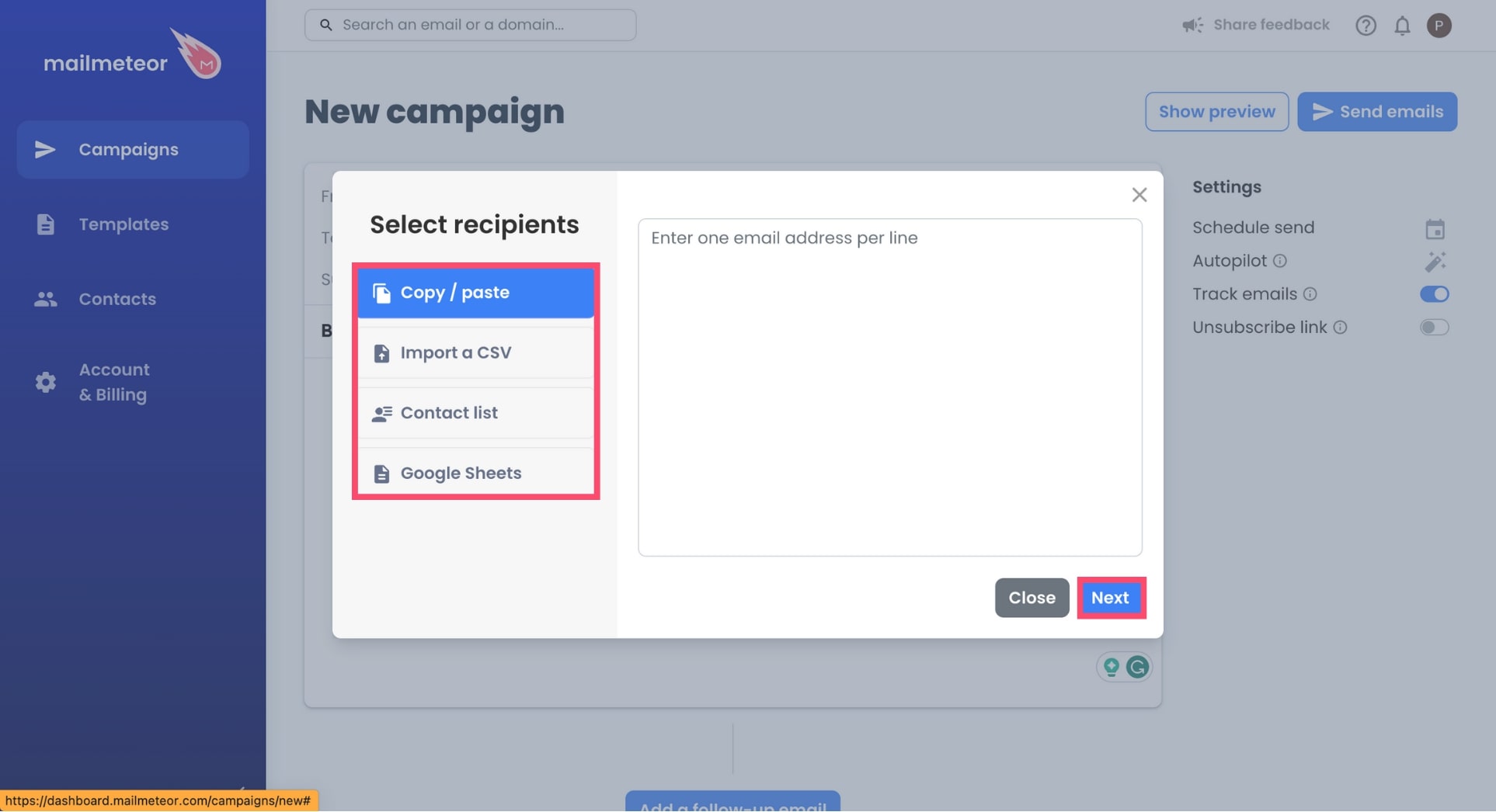
When creating a campaign, Mailmeteor gives you 4 options to select your contacts:
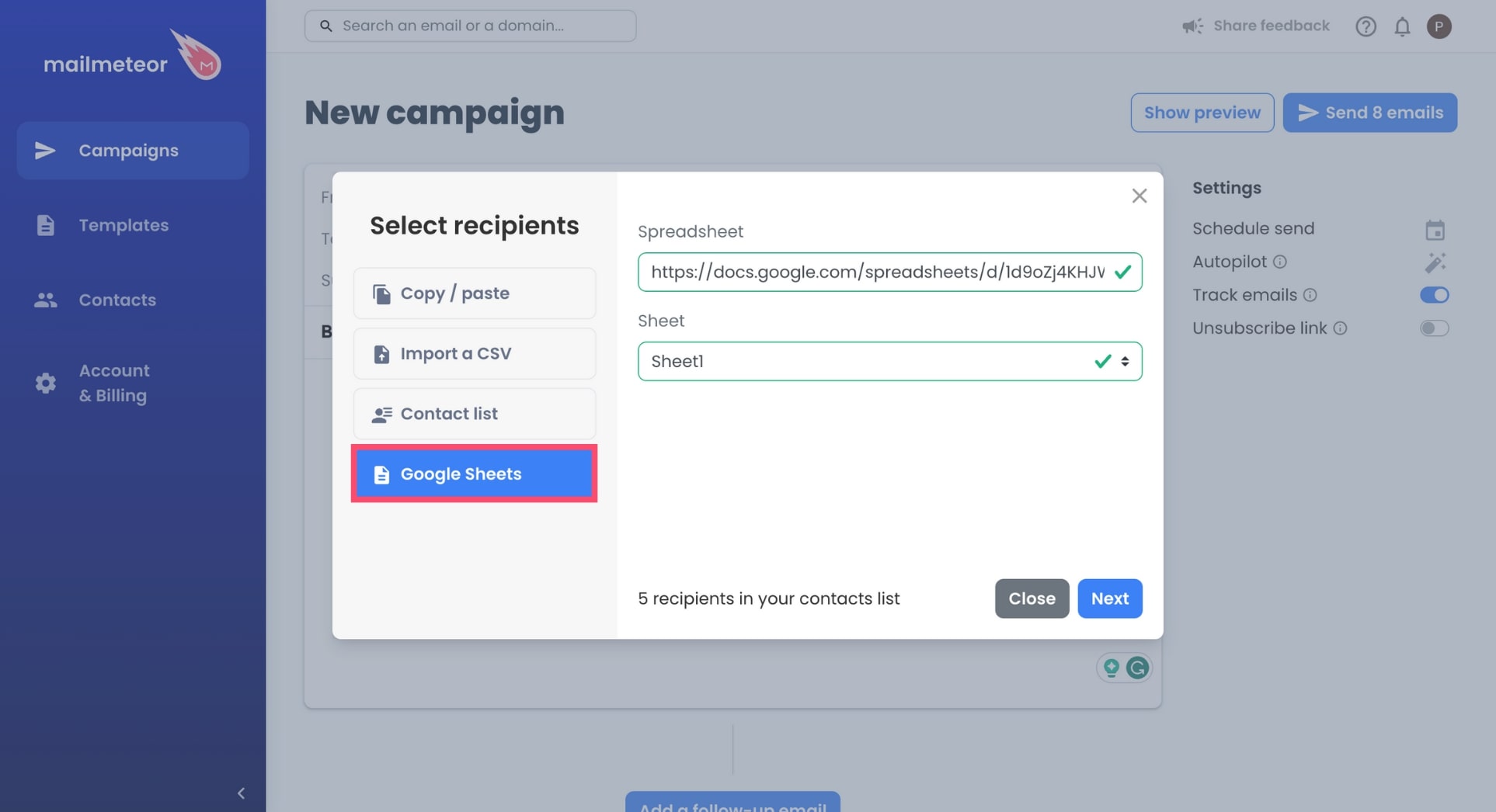
Option #1: Google Sheets
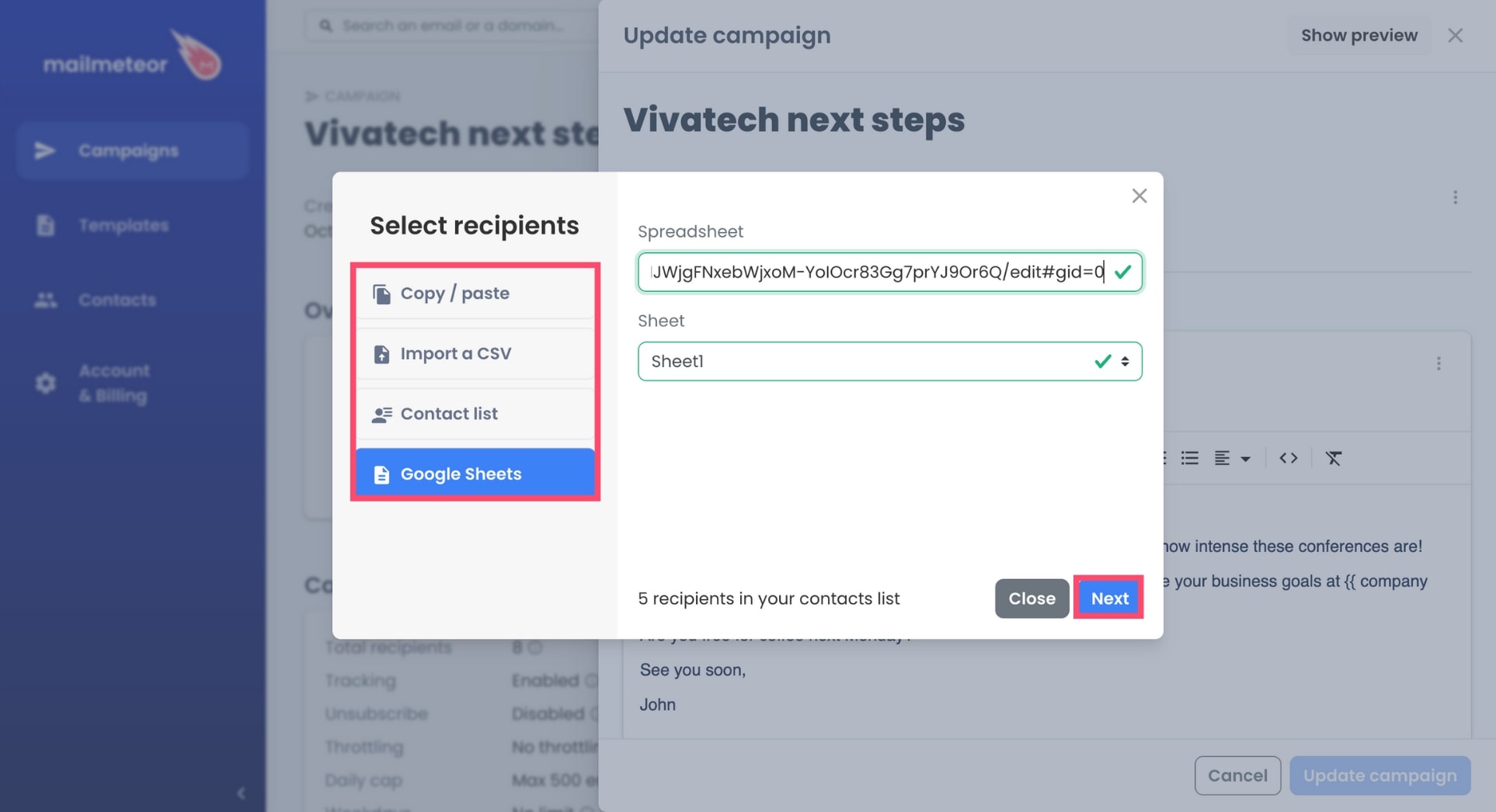
Lastly, you can add recipients with a Google Sheets document. Just copy and paste the link to your spreadsheet and select the right sheet.
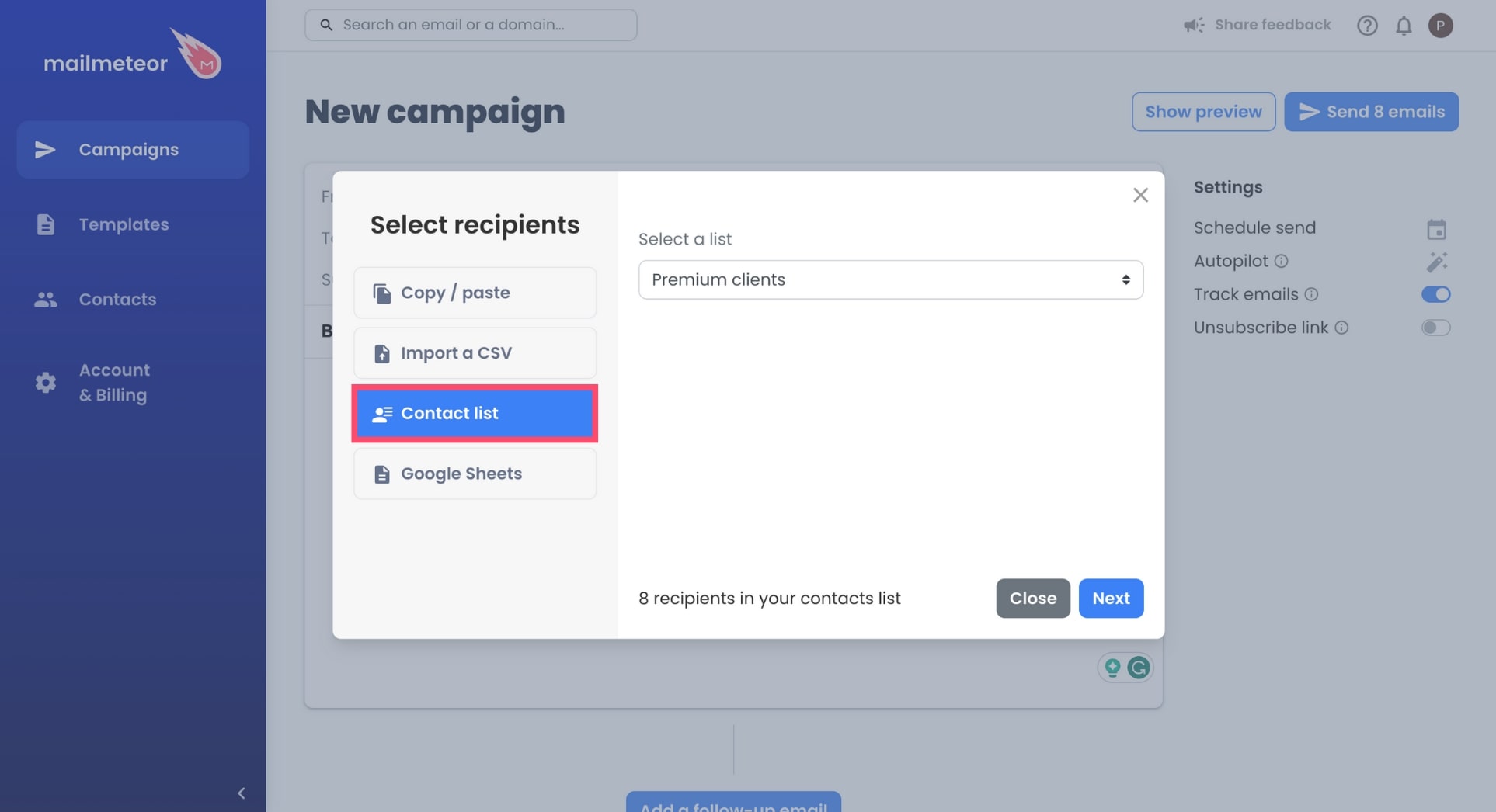
Option #2: Contact list
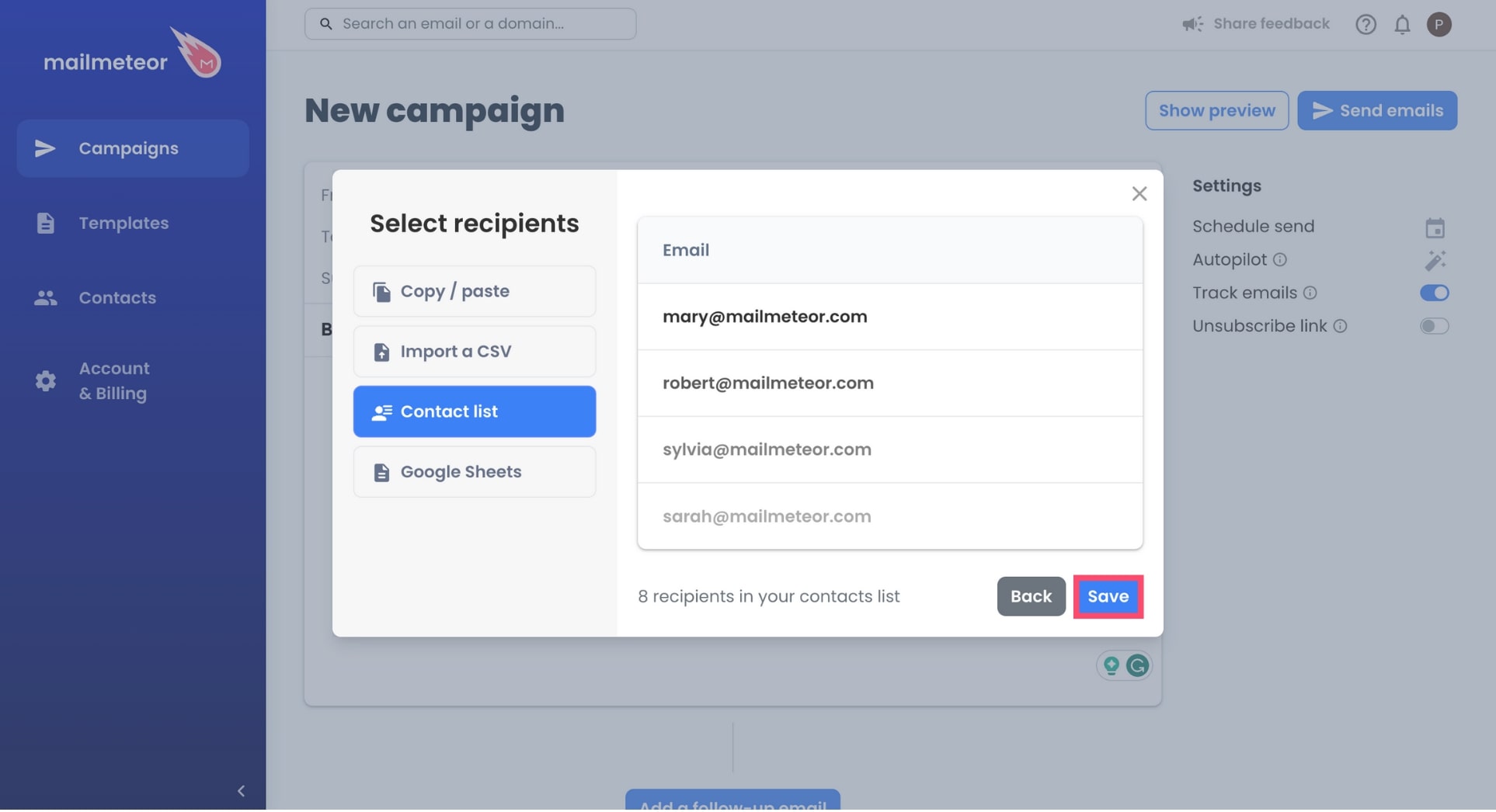
You can select one of your contact lists. If you don’t have a contact list yet, here’s how you can create one in just a few clicks.
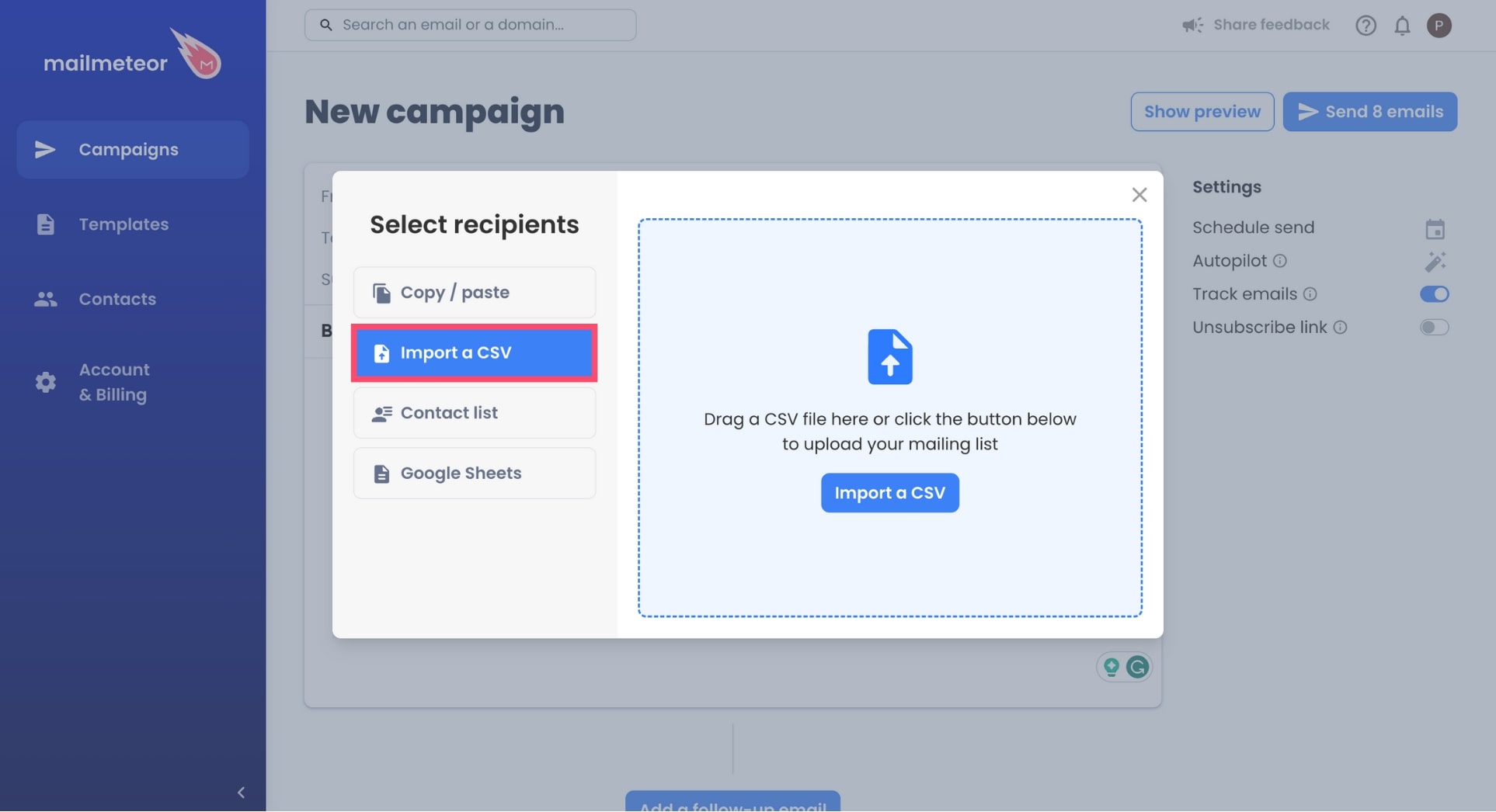
Option #3: Import a CSV
You can add recipients with a CSV file.
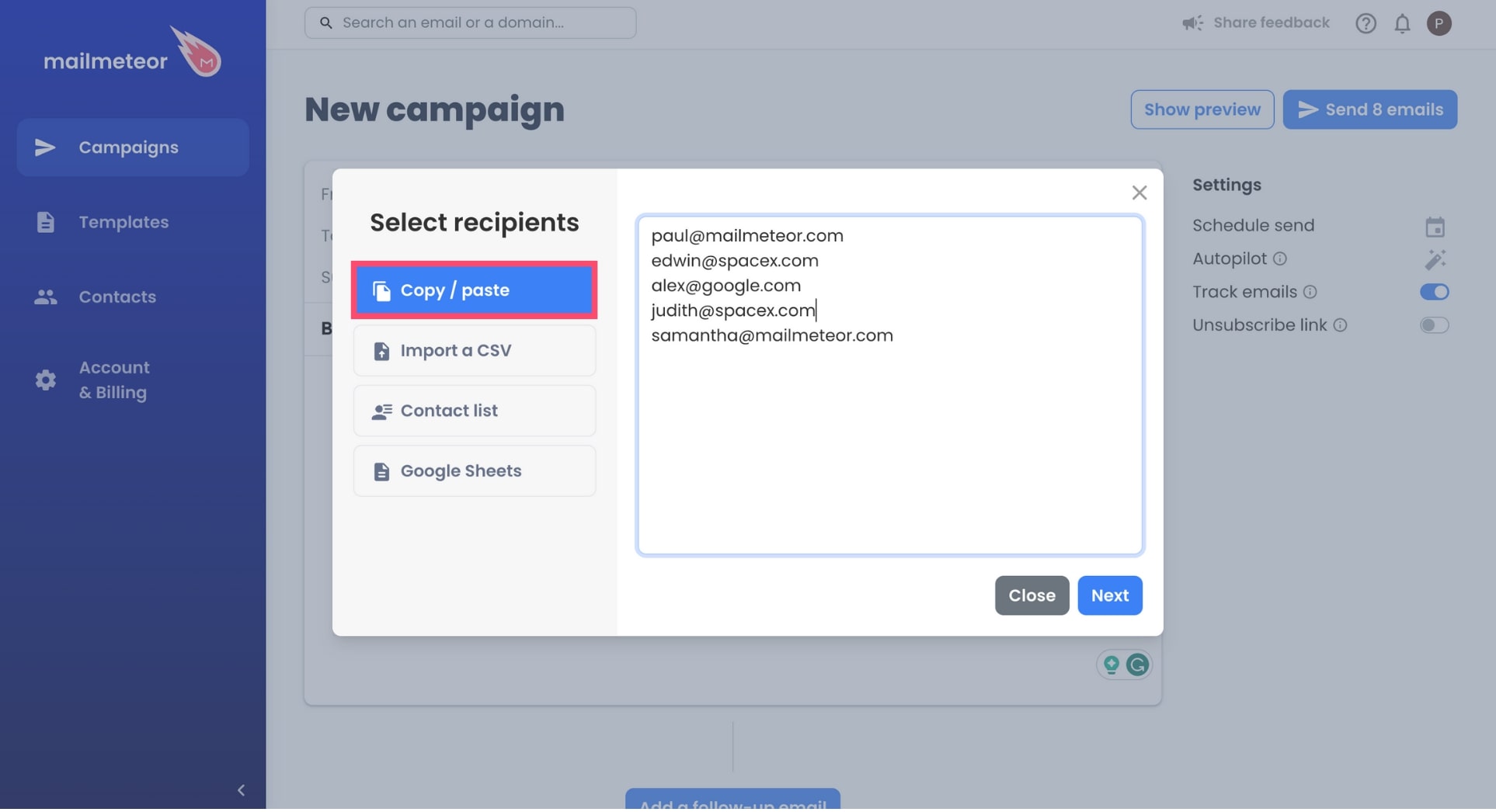
Option #4: Copy/paste
You can copy and paste the email addresses of your recipients. Just make sure that 1 line = 1 recipient.
Alternatively, you can also send a campaign directly from a Google Sheets using our mail merge extension.
How to add recipients to a new campaign?
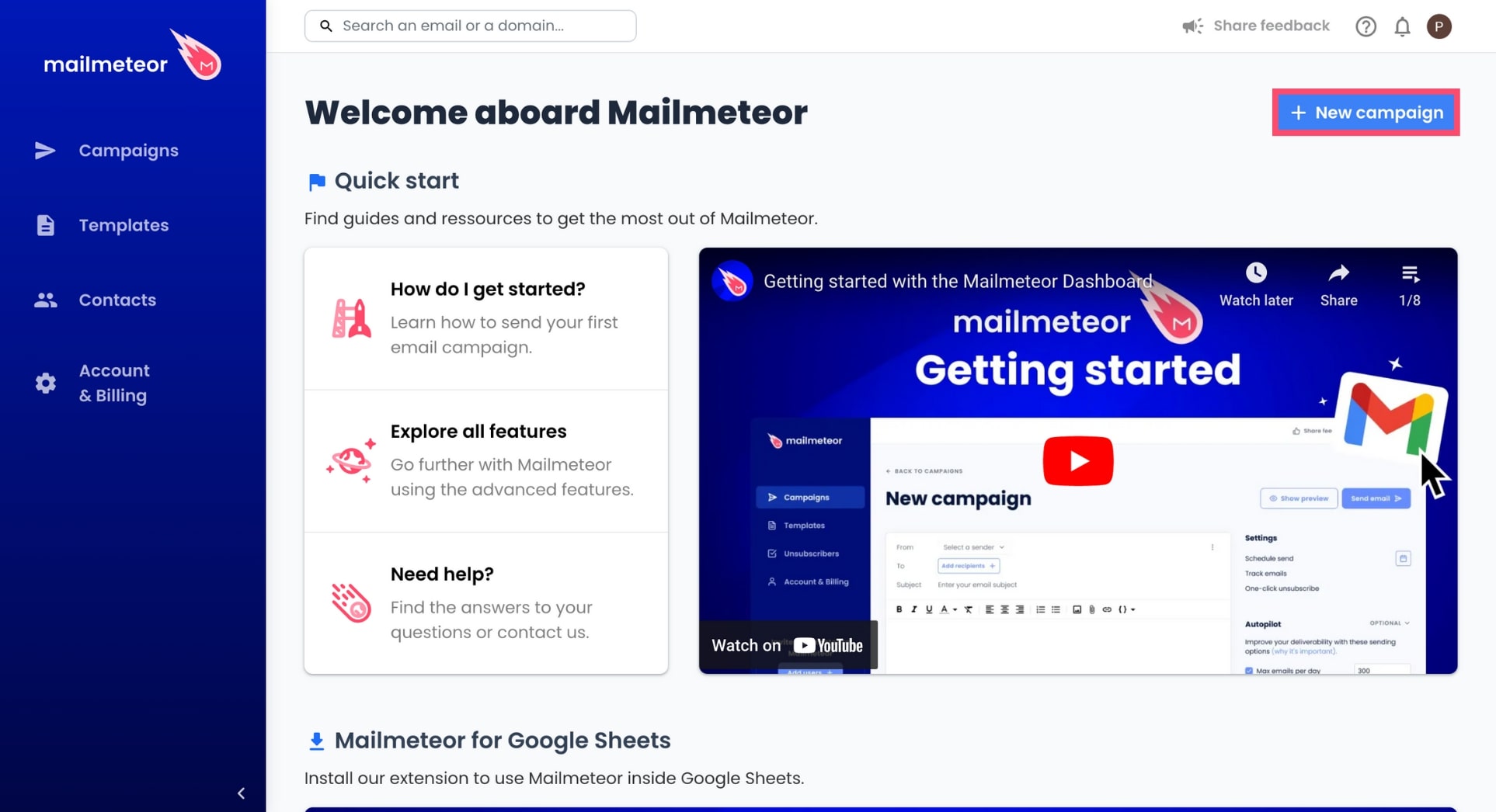
- Open Mailmeteor Dashboard.
-
Click New campaign.
-
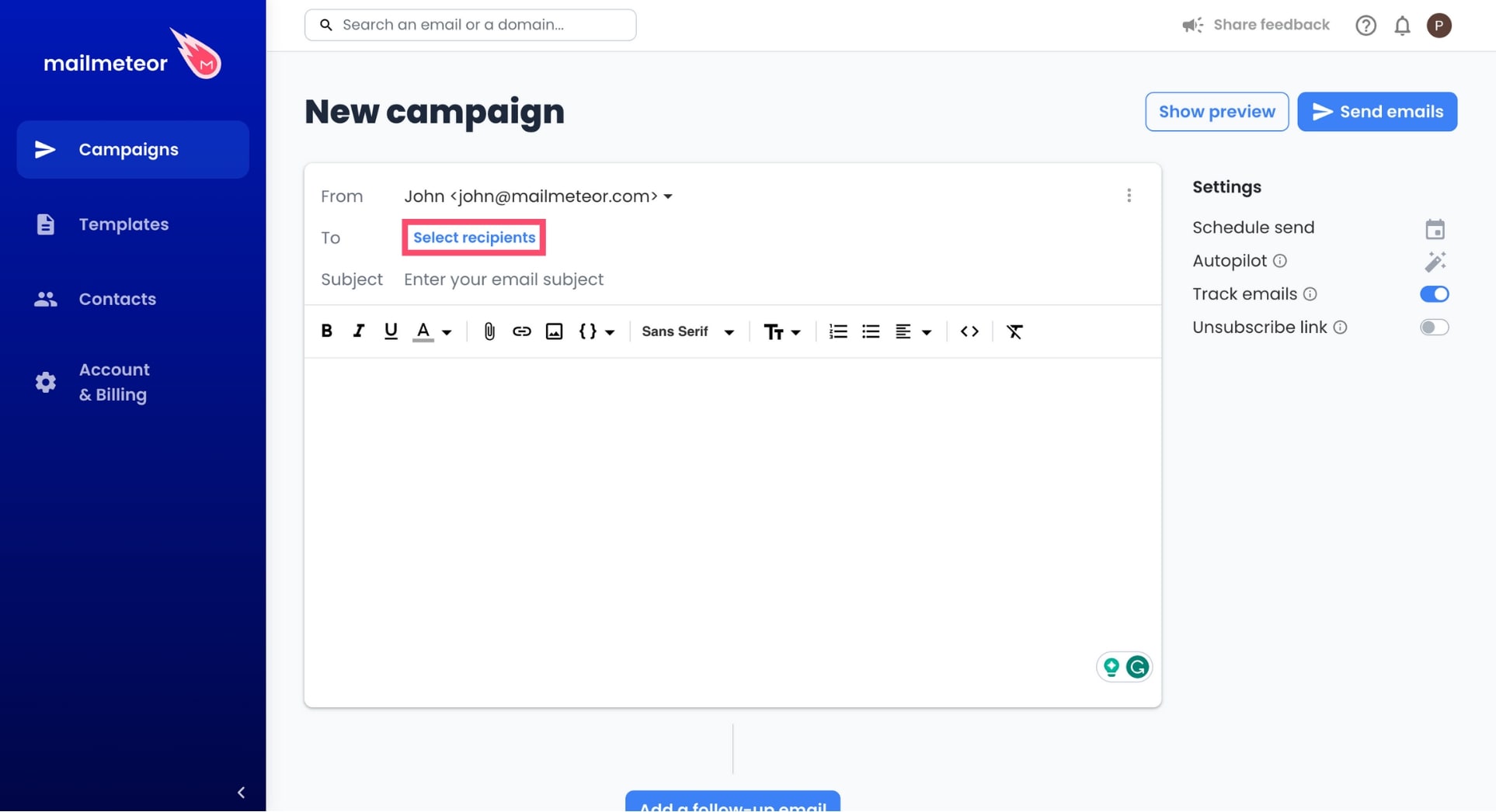
Click Select recipients.
-
Select a data source, add your recipients, and click Next.
-
To confirm, press Save.
And that’s it. You’ve successfully added recipients to your new campaign. Congratulations 🎉 You can now personalize your message and schedule your campaign.
How to add multiple recipients
To add multiple recipients, separate each email address with a comma. Example: “[email protected], [email protected]”.
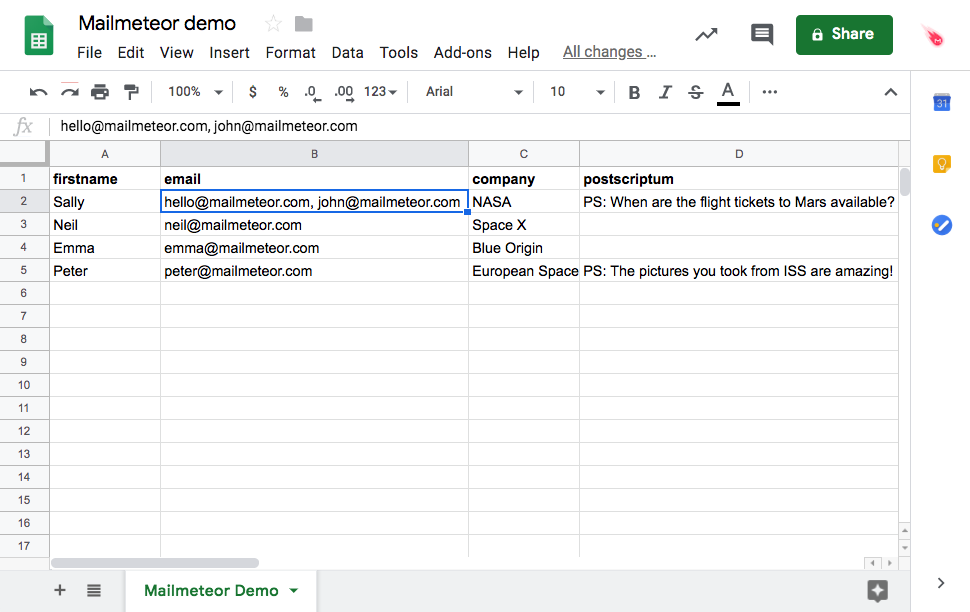
Add multiple recipients
How to add multiple Cc or Bcc recipients
Similarly, you can add multiple Cc and Bcc by separating each email address with a comma. Add the recipients in a column named “cc” for Cc recipients or “bcc” for Bcc recipients.
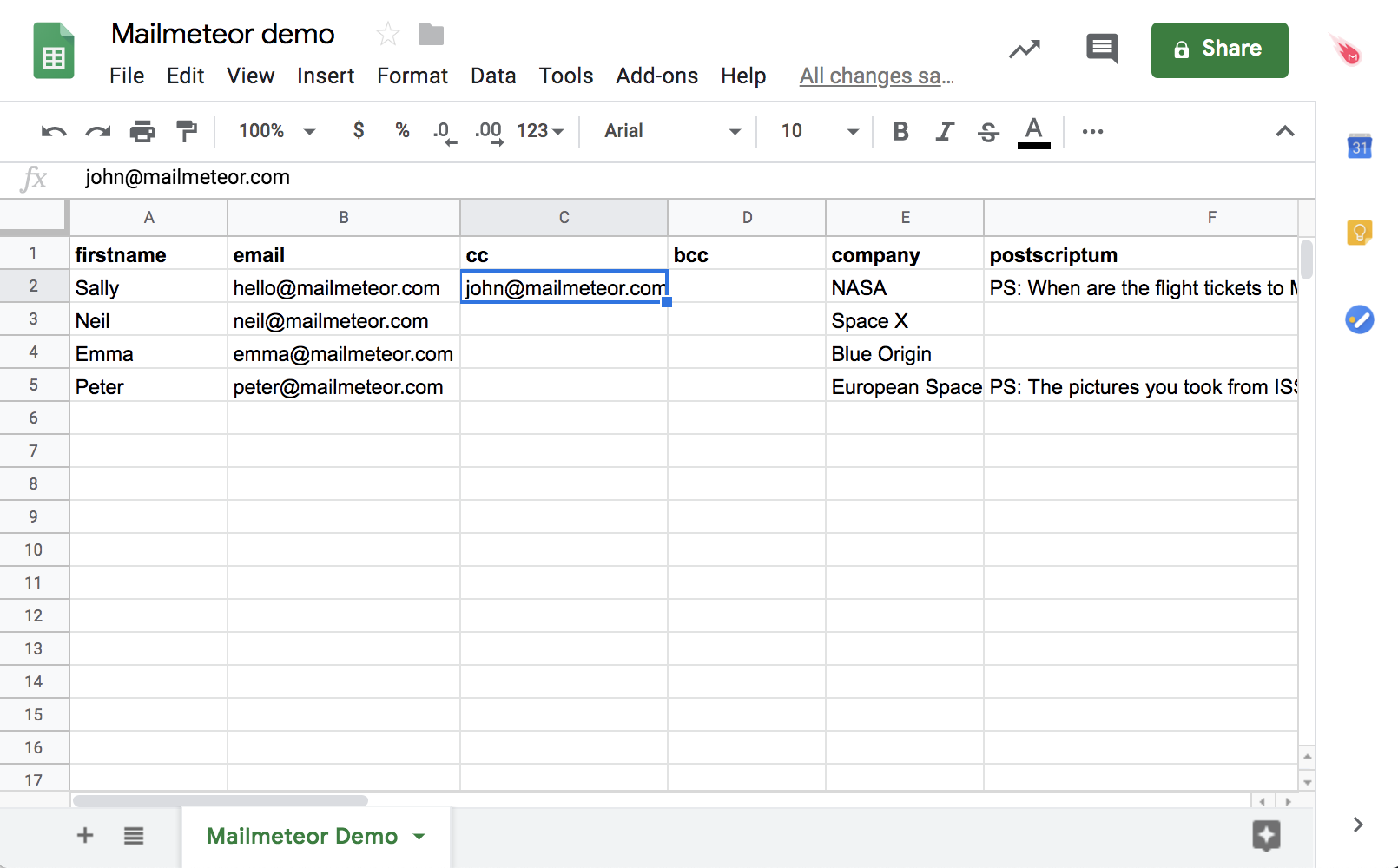
Add cc or bcc recipients
How to add recipients to an existing campaign
- Open the Mailmeteor Dashboard.
-
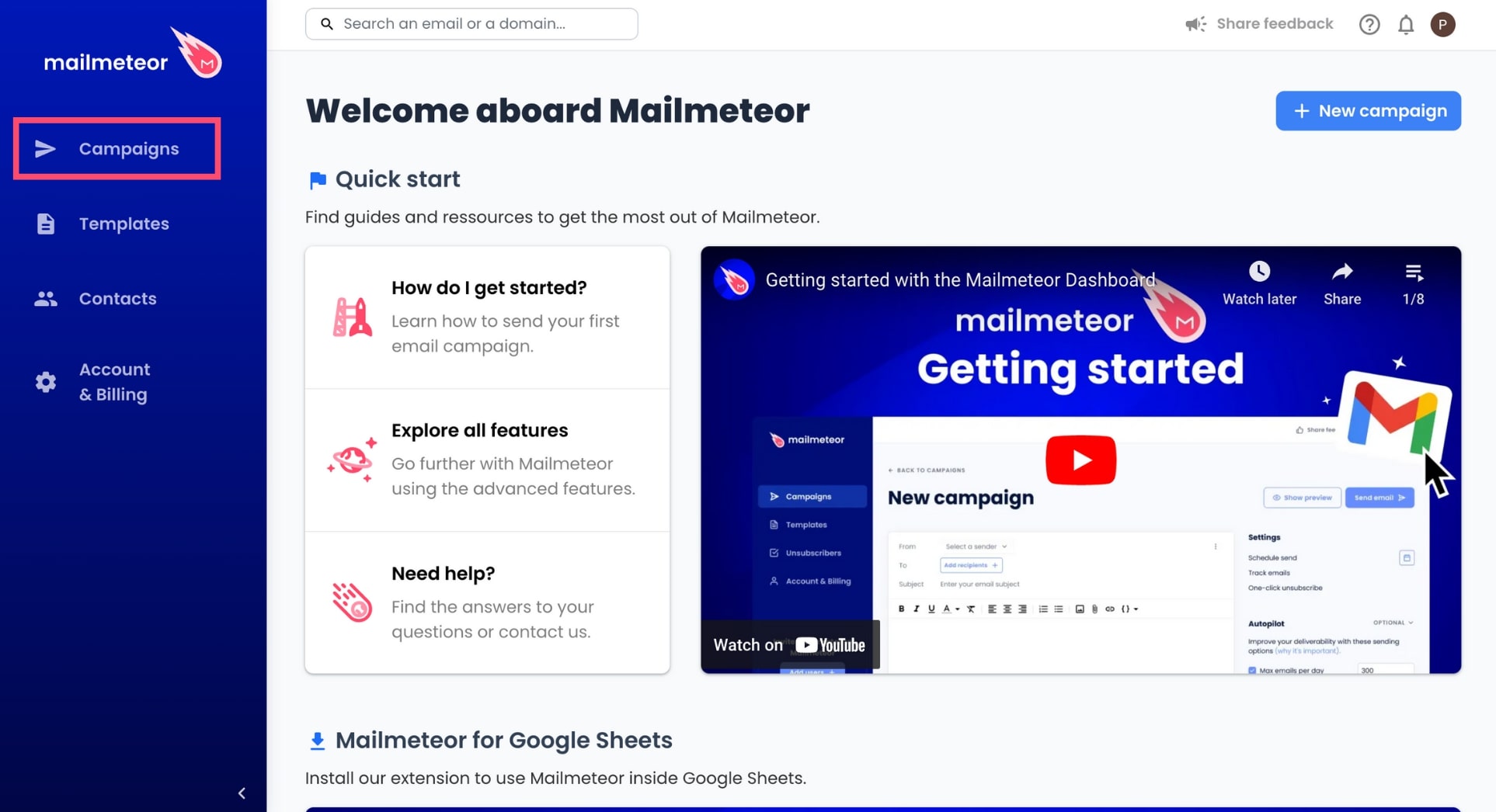
Go to Campaigns.
-
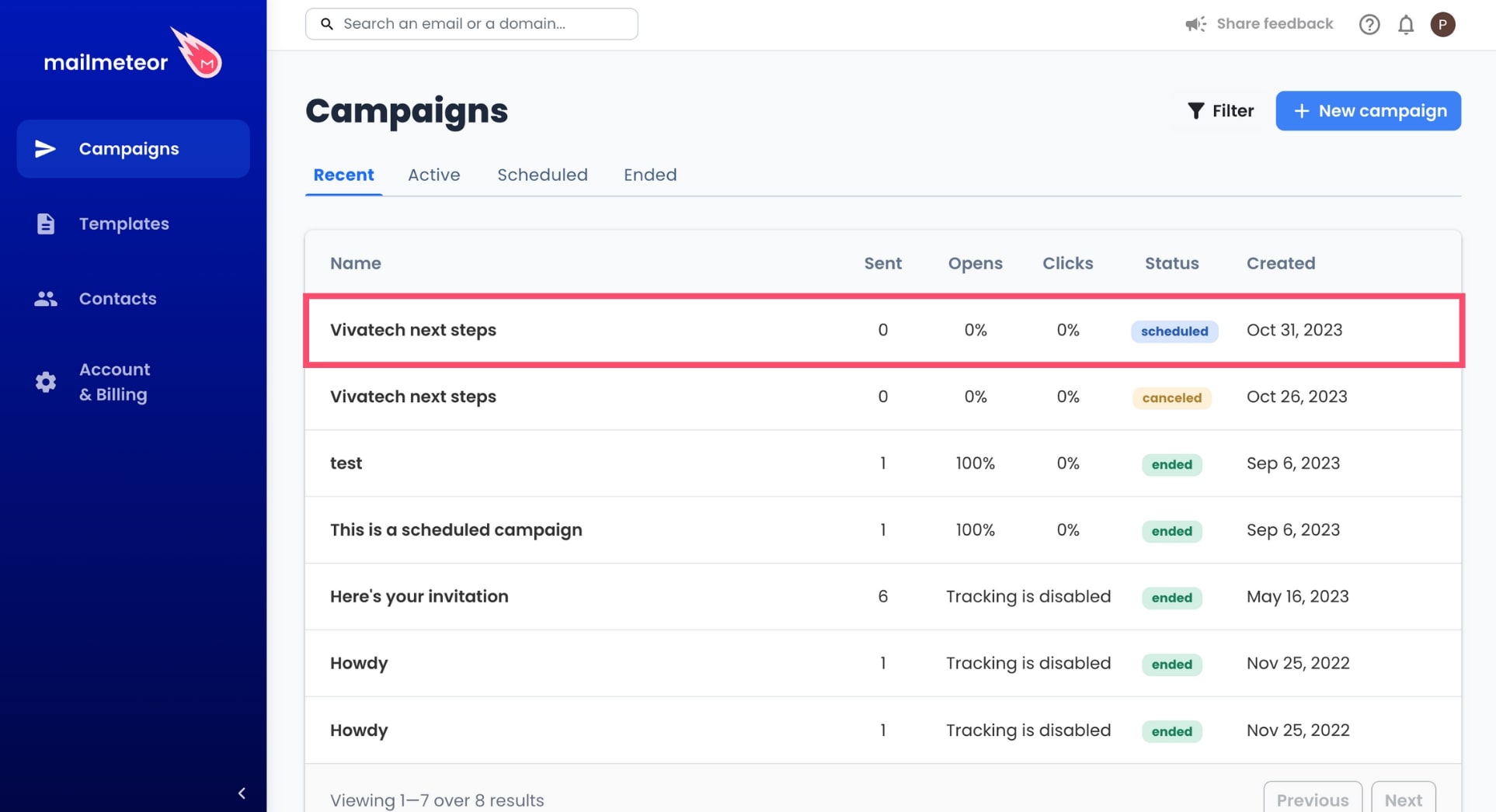
Select an ongoing or scheduled campaign.
-
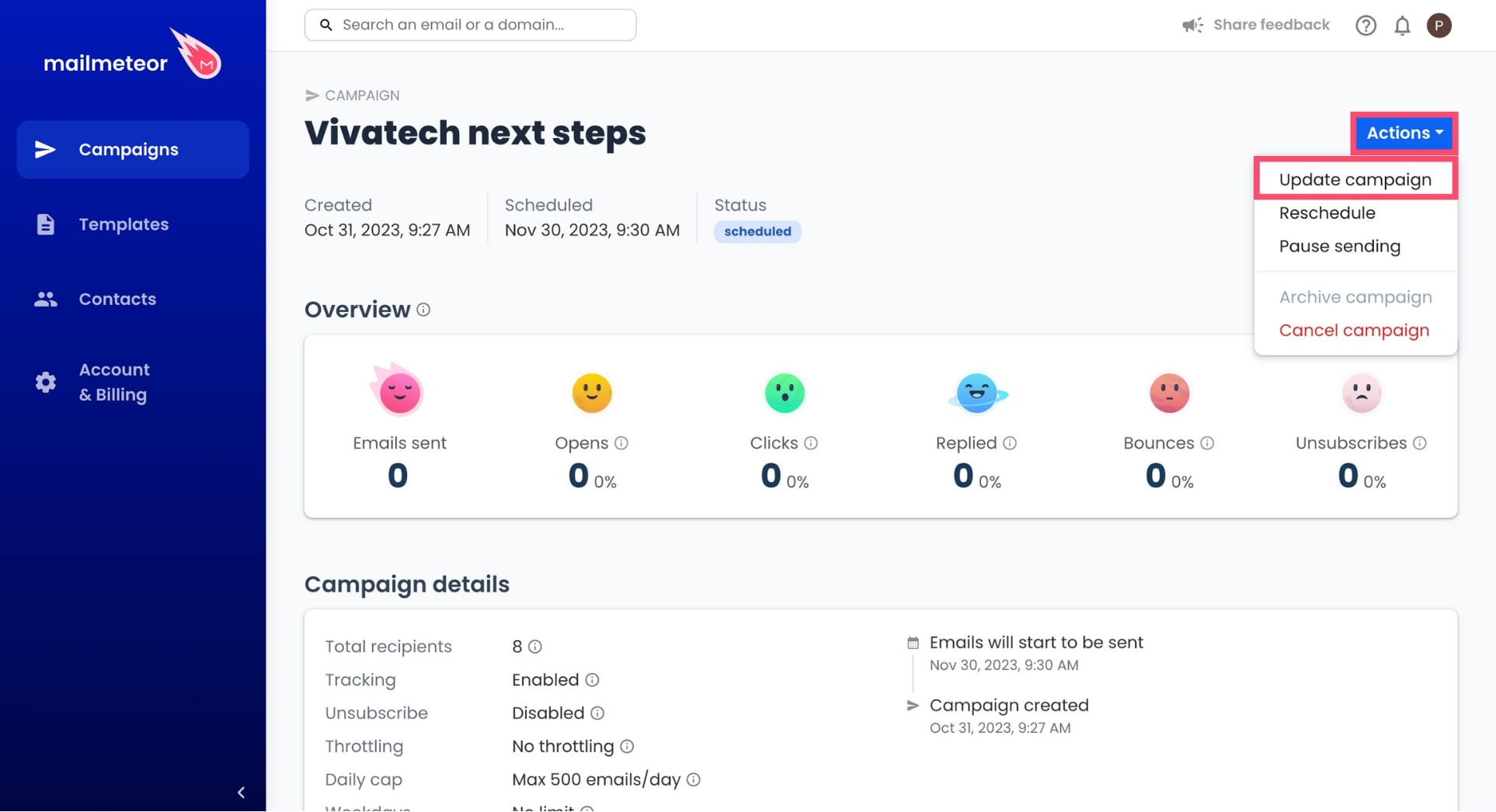
Go to Actions and select Update campaign.
-
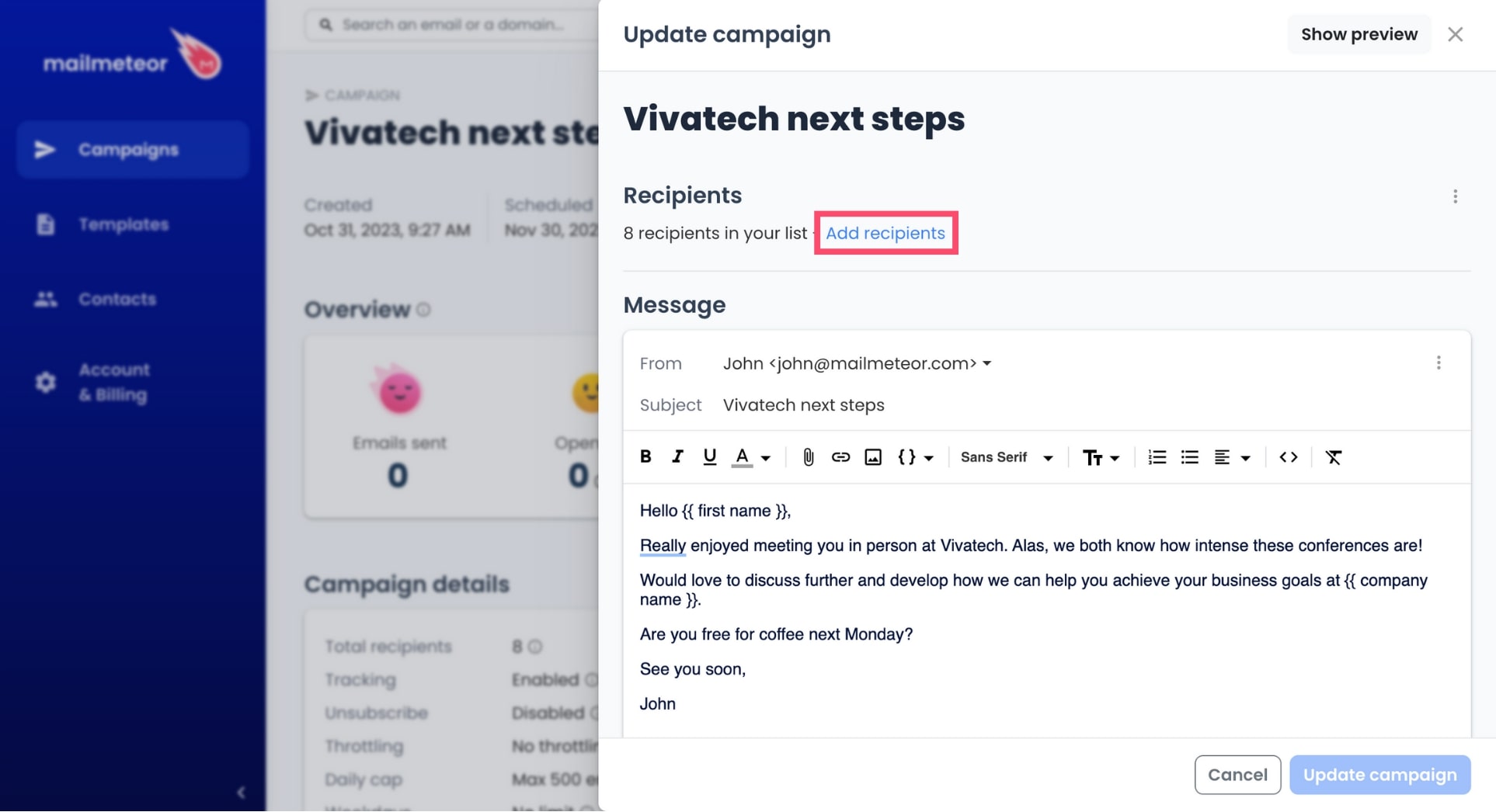
Click Add recipients.
-
Select a data source, add your recipients, and click Next.
-
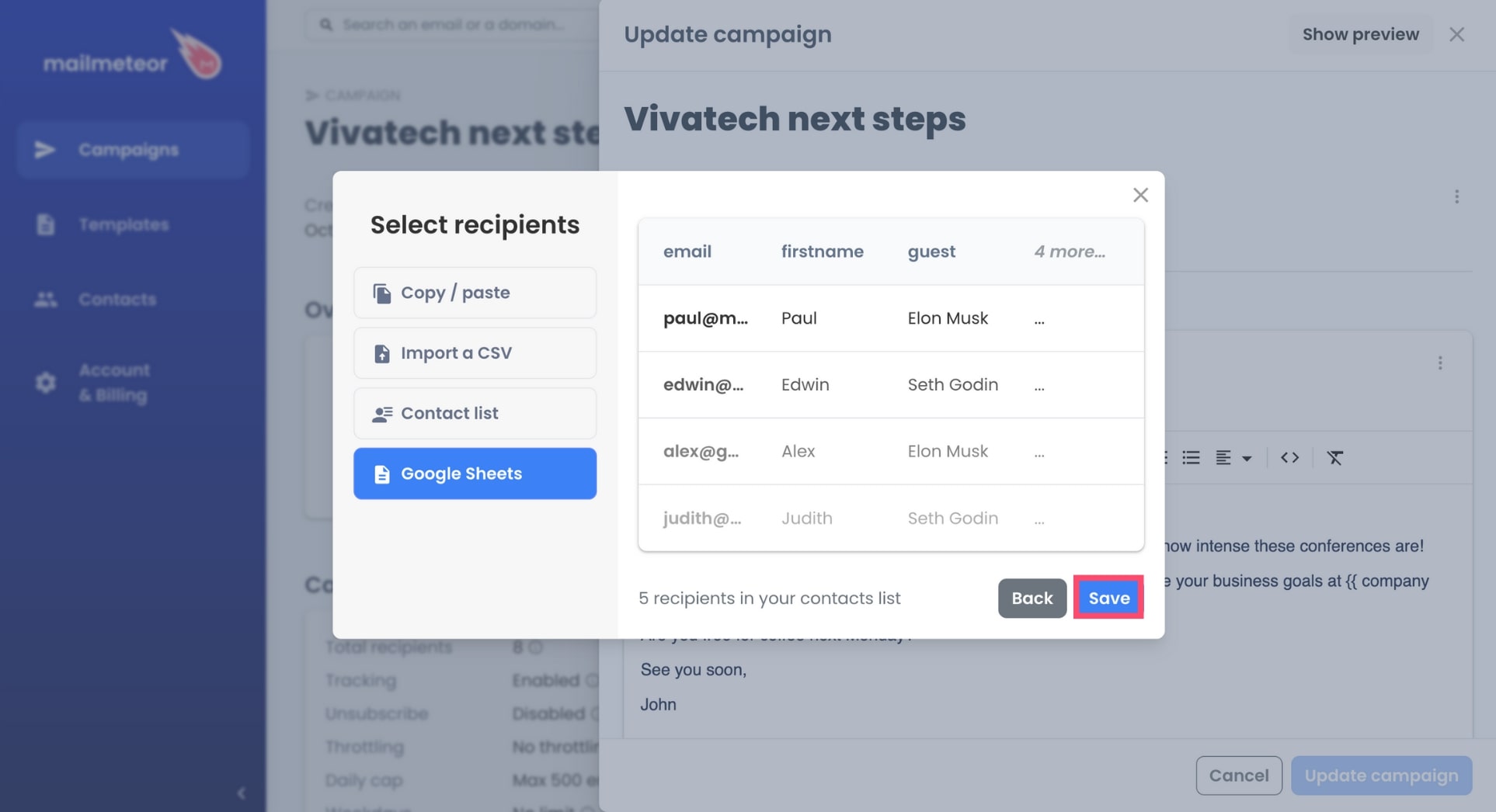
To confirm, press Save.
-
Lastly, click Update campaign to save your changes.
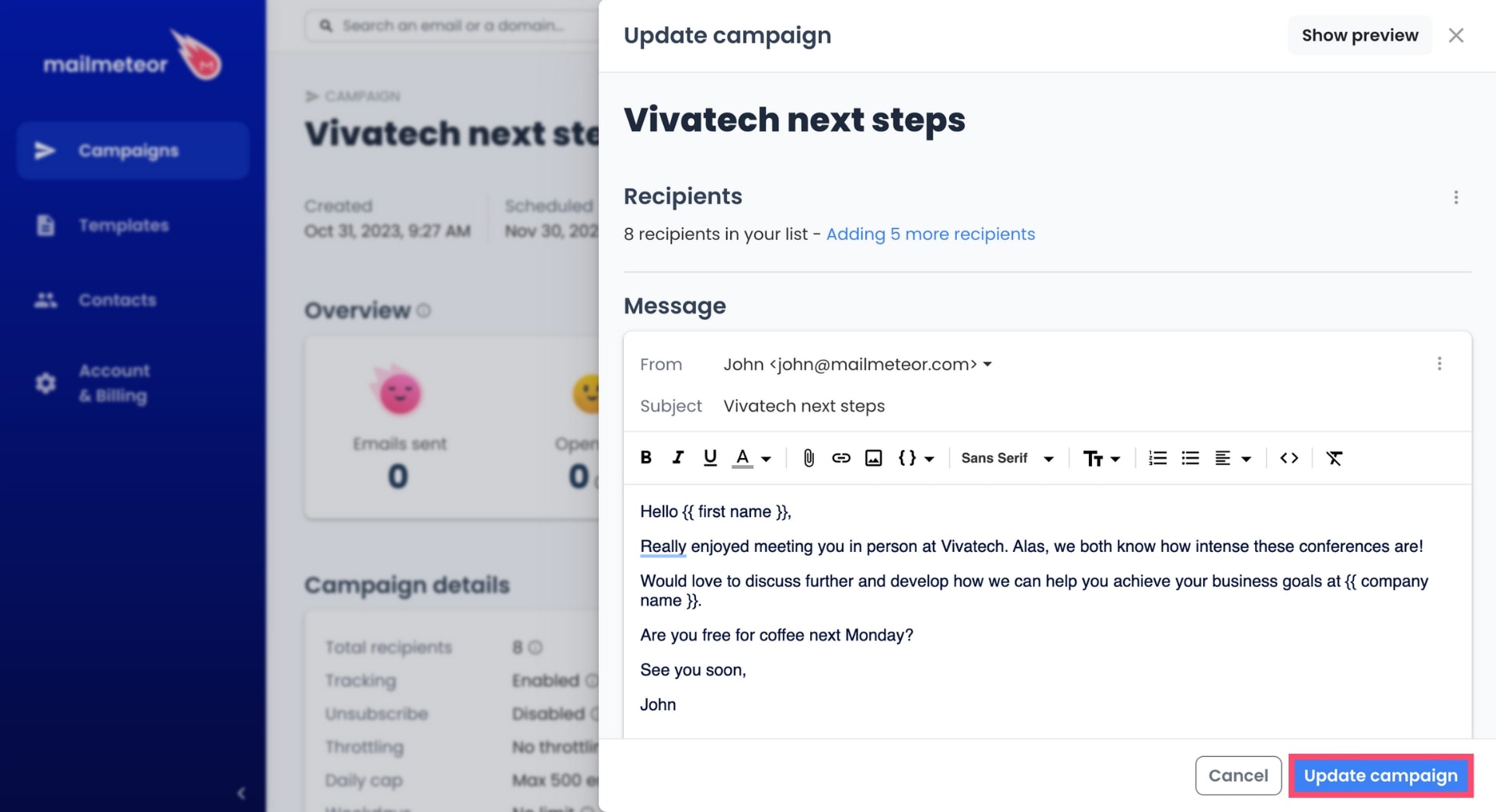
And voilà. Your recipients have now been added to your campaign. Learn more about how to edit an existing campaign.