Formatting
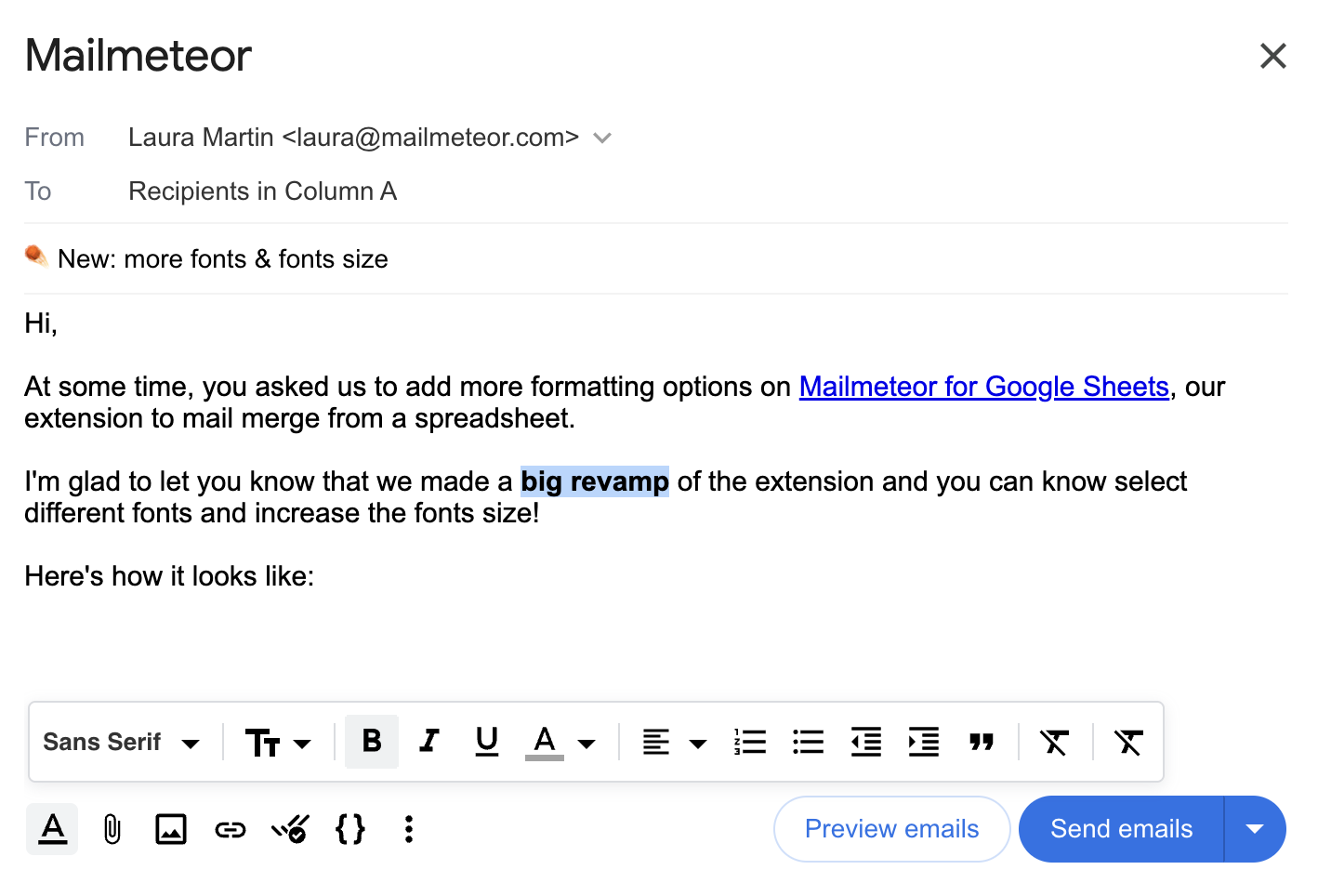
Within Mailmeteor, you can style your email so they look exactly as you want. Here’s how it looks:
How to change the font?
Here’s how to change the font of your email:
- Open Mailmeteor.
- Write your email message, then click the formatting icon
 .
. - Select some text then change the font to your favorite one.
By default, the message uses the ‘Sans serif’ font, which is supported by all major email clients (including Gmail, Outlook, Yahoo, etc.).
How to change the font size?
Just like changing the font, here’s how to change the font size of your email:
- Open Mailmeteor for Google Sheets.
- Write your email message, then click the formatting icon .
- o change the font size for part of the email, select the text, then choose the desired font size.
By default, your email message uses 14px, which is the standard font size for emails.