Inbox Rotation
Inbox rotation lets you pick multiple senders when setting up a campaign. Mailmeteor automatically assigns a sender to each recipient and sends each email from that address.
Why use inbox rotation?
Sending a large campaign from a single address concentrates all the volume on one sender. Inbox providers notice high-volume sending and may filter or throttle your emails over time.
Spreading your campaign across multiple senders distributes that volume. Each address sends fewer emails, which reduces the risk of hitting sending limits or triggering spam filters.
How to enable inbox rotation
- Sign in to the Mailmeteor Dashboard.
- Create a new campaign or open an existing one.
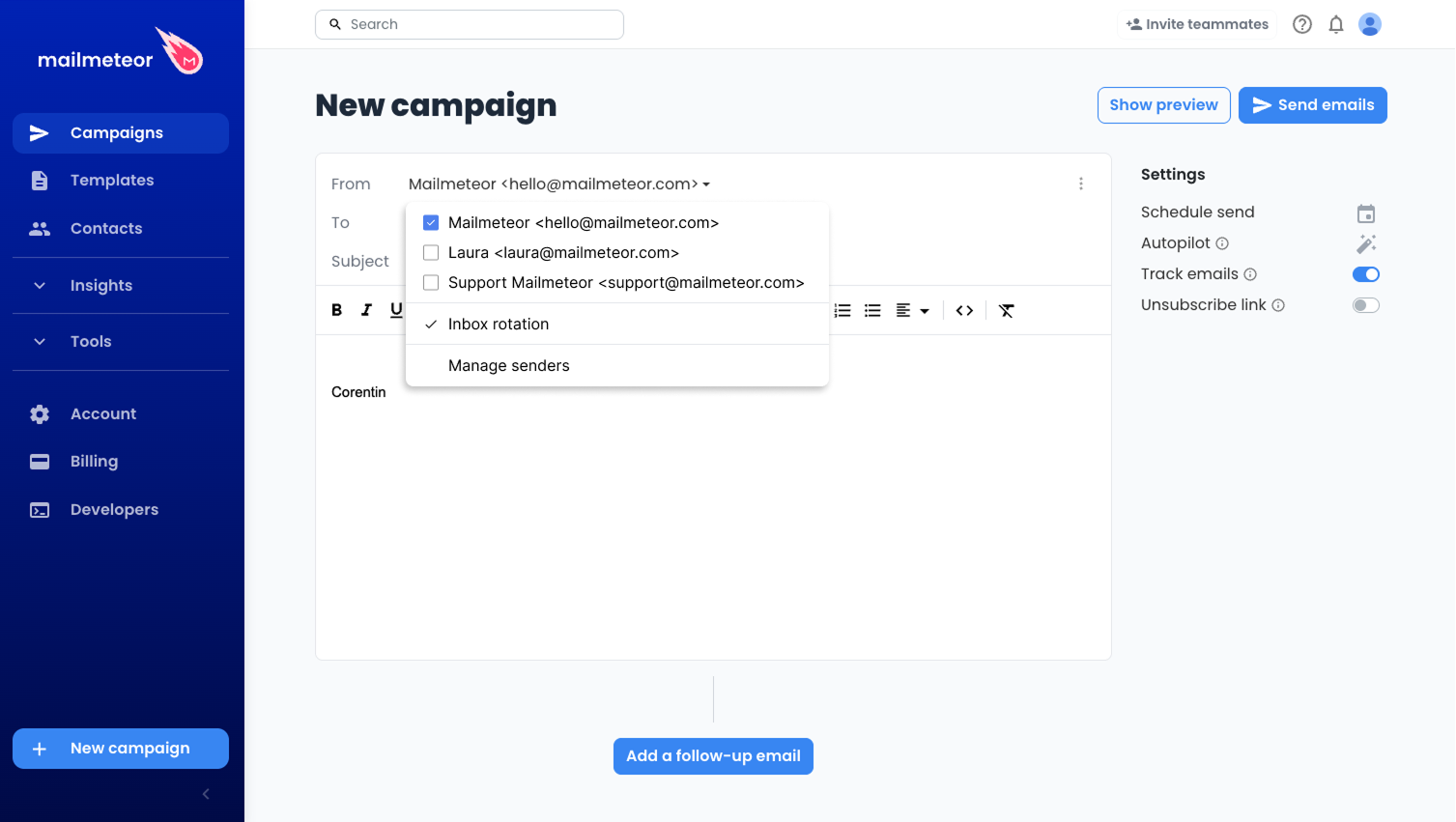
- In the From field, click the caret symbol (“▼”) to open the sender options.
- Select Inbox rotation.
- Choose from 1 to 10 senders to include in the rotation.
- Send or schedule your campaign as usual.
Mailmeteor will assign one sender per recipient automatically. The assignment is done before sending starts and stays fixed for the life of the campaign.
Requirements: Inbox rotation requires a Pro plan and at least two active senders. If you need to add more senders, go to Account > Senders.
How it works with follow-ups
When a follow-up is sent, Mailmeteor uses the same sender that was assigned to that recipient in the original email. The thread stays consistent from the recipient’s point of view, even though multiple senders are involved in the campaign.
This applies to all follow-up steps in the sequence.
Limits
- Inbox rotation is available on Pro plans only.
- You can select between 2 and 10 senders per campaign.
- Each sender must be active and connected to an email service.