Reverse Email Lookup
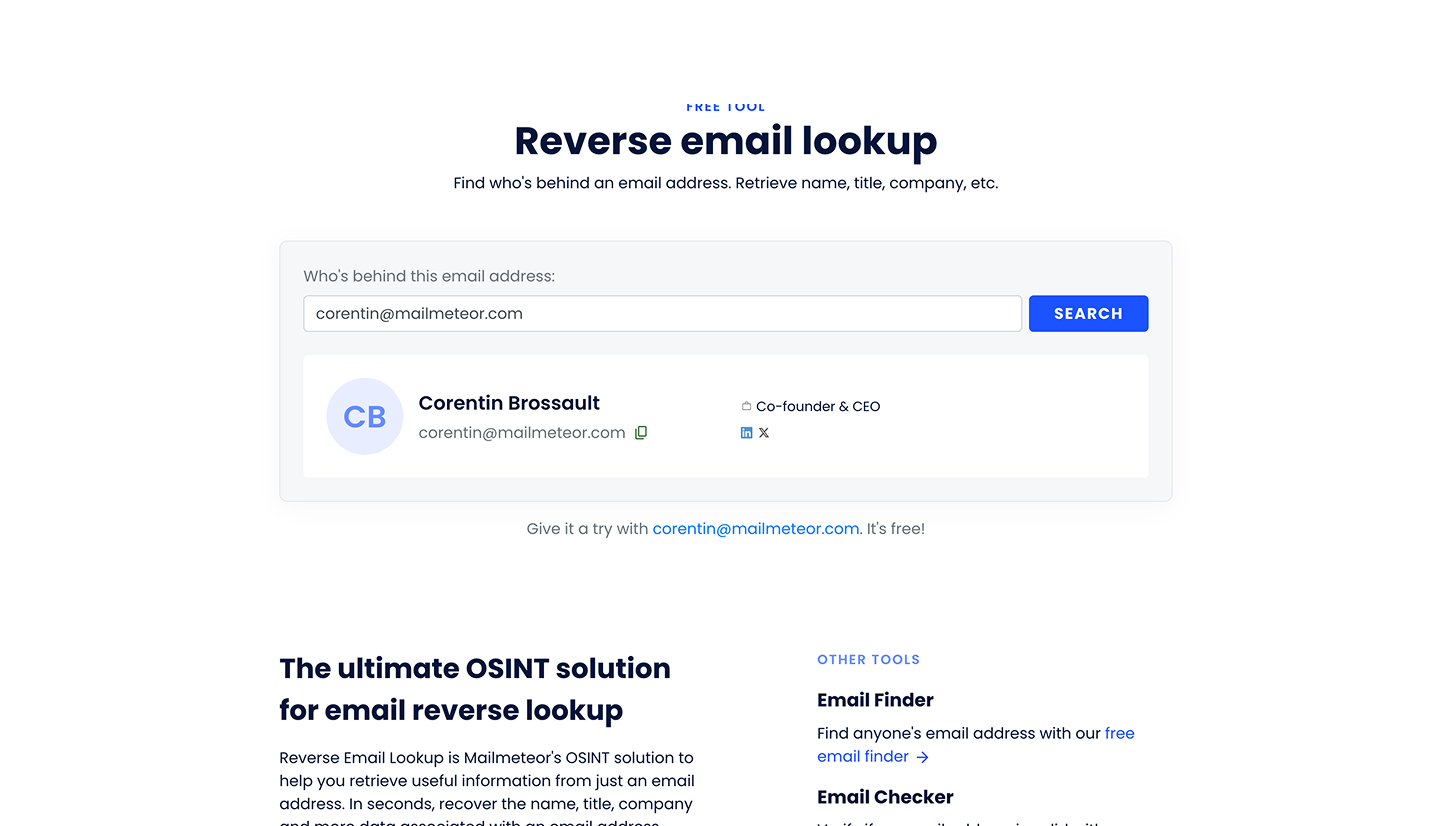
The Reverse Email Lookup is a free tool that helps you learn more about the owner of an email address. You enter an email, and the tool finds publicly available details like the person’s name, company, and role.
This tool is helpful when you receive an email from someone you don’t recognize or when you want to enrich a contact before reaching out.
What is Reverse Email Lookup?
Reverse Email Lookup lets you identify information associated with a professional email address. Based on publicly available data, it can return details such as:
- Full name
- Current company
- Job title
- Professional profiles (e.g. LinkedIn)
The tool uses open-source intelligence techniques to match an email address with public records and professional profiles.
How the Reverse Email Lookup works
Reverse Email Lookup finds available public details for an email address without requiring an account.
-
Open the Reverse Email Lookup tool in your browser.
-
Enter the email address you want to investigate.
-
Click “Lookup email”. The tool searches public sources to identify the person or organization behind that email.
You’ll see available profile information such as name, company, and role when it’s found.
When should you use Reverse Email Lookup?
Use Reverse Email Lookup if you:
- Get an email from an unknown sender and want to know who they are
- Are qualifying a lead before outreach
- Want to enrich your contact list with names and roles
- Need context about a prospect or inquiry before replying
Is Reverse Email Lookup free?
Yes. Reverse Email Lookup is free to use. No account or credit card is required. The tool may use CAPTCHA protection
Tips for best results
- Try professional email addresses (company domains) for more accurate results
- Use full corporate emails rather than personal addresses where possible
- If details aren’t found, it may mean the person has limited public information
Frequently asked questions
Do I need a Mailmeteor account to use this tool?
No. You can use Reverse Email Lookup without signing up.
What kind of information can I find?
Depending on the email address, you may see:
- Full name
- Company and job title
- Public professional profiles
Results vary based on how much public information exists.
Is this the same as email verification?
No. Reverse Lookup finds publicly available identity information. To check if an email address is active and deliverable, use the Email Checker tool instead.
Is it legal to use?
Yes. The tool retrieves information that is already publicly available and complies with privacy laws when used responsibly.