Inbox time
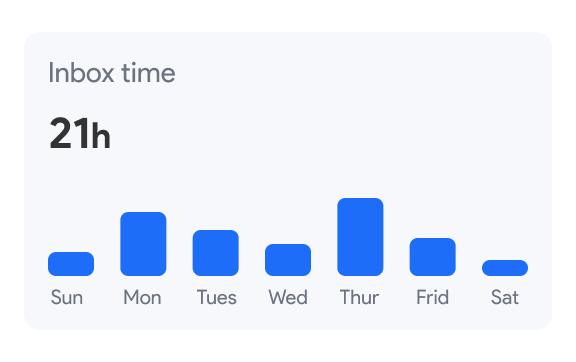
Inbox time is a feature included in the Mailmeteor for Gmail browser extension that shows how much time you actively spend in your Gmail inbox each week.
It appears in Mailmeteor’s sidebar directly inside Gmail and gives you a simple, visual overview of your inbox activity. Helping you stay aware, protect your focus, and build healthier email habits.
Much like “Screen Time” on your smartphone, it provides a visual breakdown of how long you spend managing emails, helping you identify patterns, avoid burnout, and reclaim your workday.
Getting started
To start tracking your inbox time, follow these simple steps:
- Install Mailmeteor for Gmail available as an extension to the Google Chrome browser.
- Ensure you are signed in to your Mailmeteor account.
- Open the Mailmeteor sidebar to view your current inbox time.
What inbox time shows
Inbox time displays a weekly bar chart of your inbox activity.
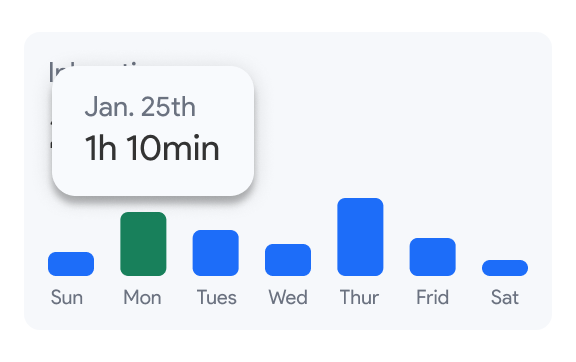
The chart includes:
- One bar per day showing time spent on email in Gmail.
- The exact daily duration when you hover over a bar.
- A total time for the week summarizing your inbox usage.
The week resets automatically, so you always see a clear view of your current habits.
How your inbox time is measured
Inbox time tracks active inbox usage, not idle browser time. Time is counted only when:
- The Gmail tab is open and in focus.
- You are actively interacting with the page (mouse movement or typing)
If Gmail is open in the background while you’re doing something else, time is not counted. This ensures your data reflects real engagement, not just an open tab.
Where to find your inbox time
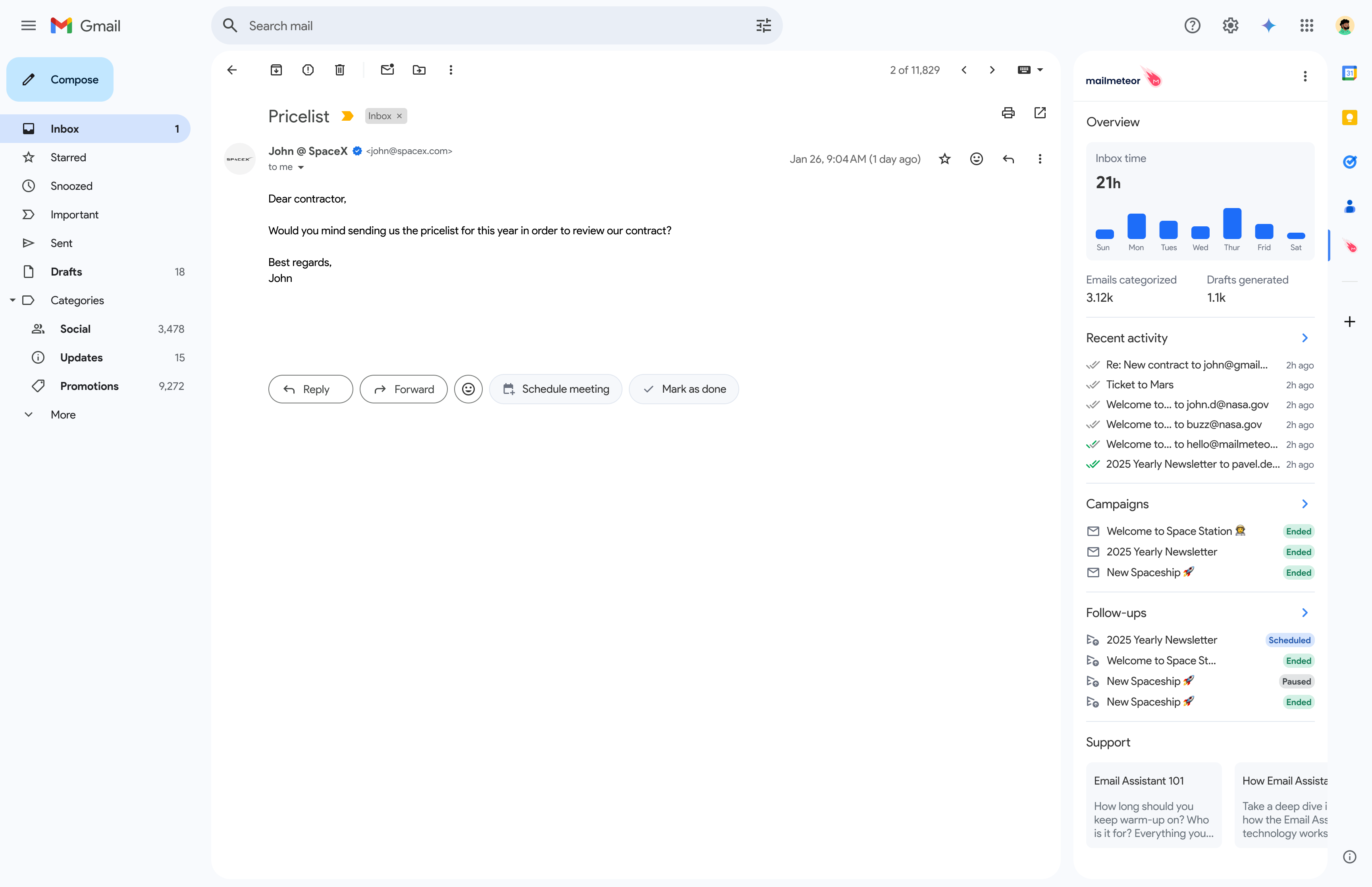
Your inbox time appears in the right-hand sidebar of Gmail, alongside Google tools like Calendar or Keep.
- Open Gmail in your browser.
- Look at the right sidebar.
- Click the Mailmeteor icon.
- Your Inbox time chart appears instantly.
If you close the sidebar, you can reopen it at any time by clicking the Mailmeteor icon again.
Secure and private
Inbox time is built with privacy in mind:
- Only the total time spent per day is recorded.
- Data is used solely to generate your weekly chart.
Inbox time saves how long you’re in Gmail, never what you’re doing.