Deliverability Hub
The Deliverability Hub shows you the health of each sender configured in your account. It surfaces DNS issues, blacklist flags, and reputation signals so you can fix problems before they affect your campaigns.
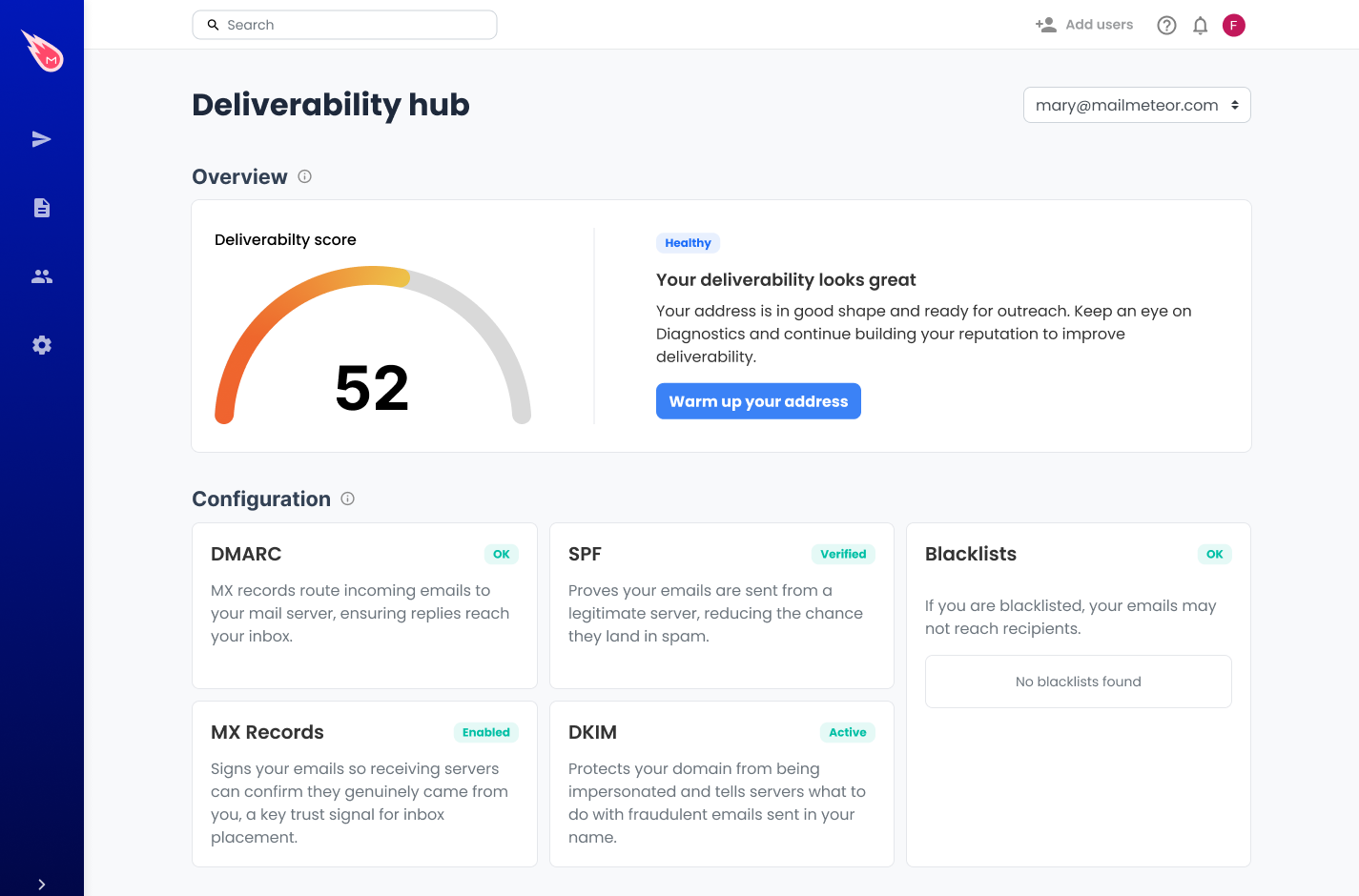
The Deliverability Hub is available to all users, including free accounts.
What does the Deliverability Hub check?
For each sender, the Deliverability Hub runs three checks:
DNS records
Your DNS records tell inbox providers how to authenticate emails sent from your domain. The Hub checks:
- MX: whether your domain has valid mail exchange records
- SPF: whether your sending IP is authorized to send on behalf of your domain
- DKIM: whether emails are cryptographically signed to prove they haven’t been tampered with
- DMARC: whether your domain has a policy in place to handle authentication failures
Each record shows a pass or fail status. If a record is missing or misconfigured, you’ll see what needs to be fixed.
Blacklist status
If your domain or IP address appears on a major email blacklist, inbox providers may reject or filter your emails. The Hub checks your sender against the most common blacklists and shows you the result.
If you’re listed, the fix usually involves identifying why you were flagged (spam complaints, sending to bad lists, etc.) and requesting removal from the relevant blacklist.
Email reputation
Your sender reputation is a score based on how inbox providers perceive your sending history. The Hub pulls this from our Email Reputation tool and surfaces it directly in your sender page.
A low score is an early warning sign. It may mean your emails are being marked as spam, your list has too many invalid addresses, or you’re sending too much volume too fast. The score helps you catch this before it gets worse.
How to access the Deliverability Hub
- Sign in to the Mailmeteor Dashboard.
- In the sidebar, open the Deliverability Hub.
- Select the sender you want to get insights on.
If you have multiple senders, each one has its own Deliverability tab with independent results.
What to do if something fails
DNS record failure: Log in to your domain registrar (e.g. GoDaddy, Cloudflare, Namecheap) and update or add the missing record. Changes can take up to 48 hours to propagate. Run the check again once you’ve made the update.
Blacklist flag: Check which blacklist you’re on and follow their removal process. Most have a self-service delisting form. If you’re on multiple lists, focus on improving your sending practices first (list hygiene, lower bounce rates, fewer spam complaints) before requesting delisting.
Low reputation score: Review your recent sending behavior. Common causes include high bounce rates, spam complaints, or sending to old or unverified lists. BounceShield can help you clean your list before your next campaign.