Explore gallery
Mailmeteor lets you write beautiful emails directly. But if you’re short on time or just need a little inspiration, you can start with one of our ready-to-use templates. They’re professionally designed, fully customizable, and proven to get results.
Here’s how to import a template:
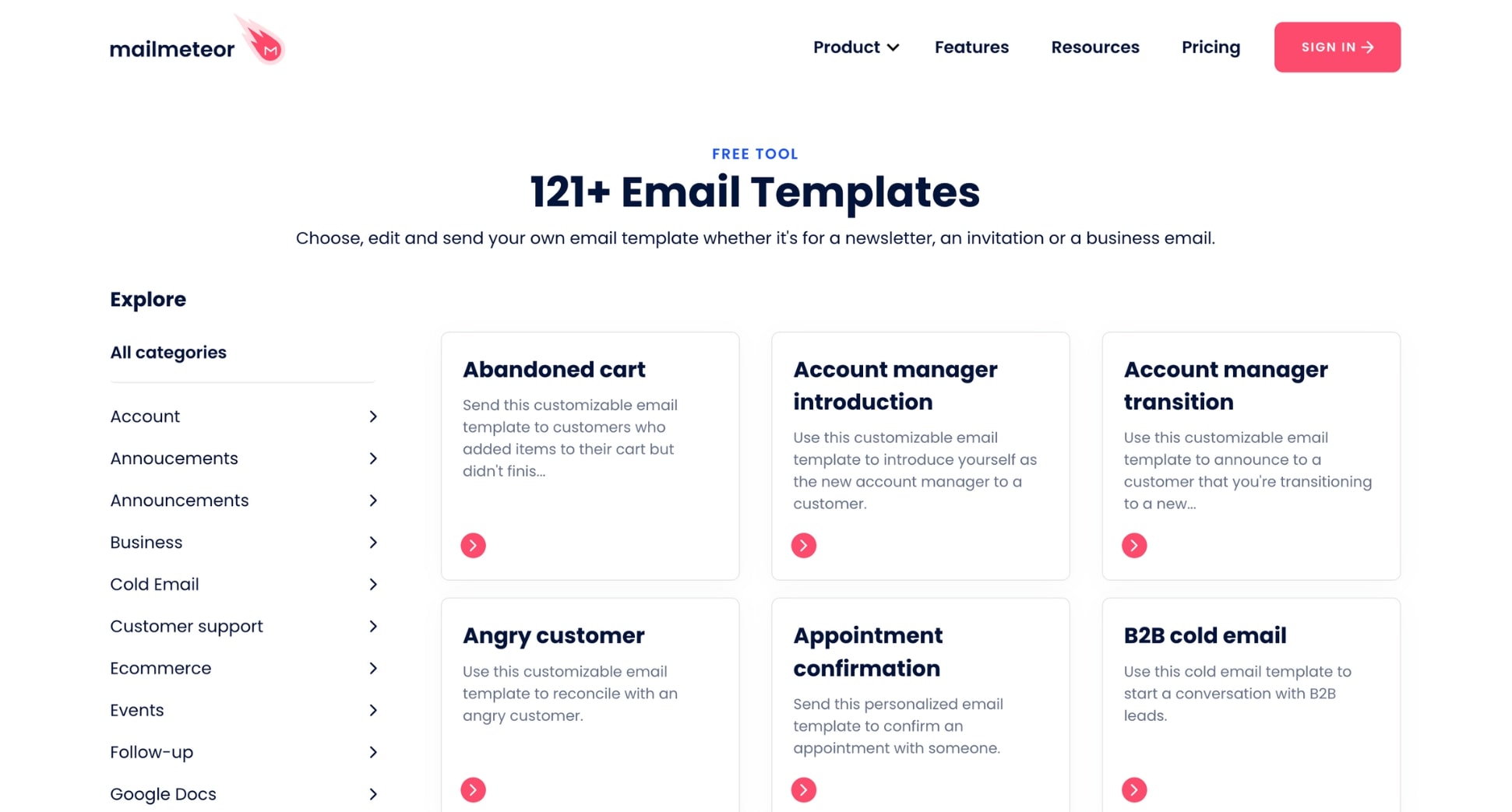
1) Find the perfect template
Visit our library of 120+ email templates. And select a template that matches your needs and the style of your brand.
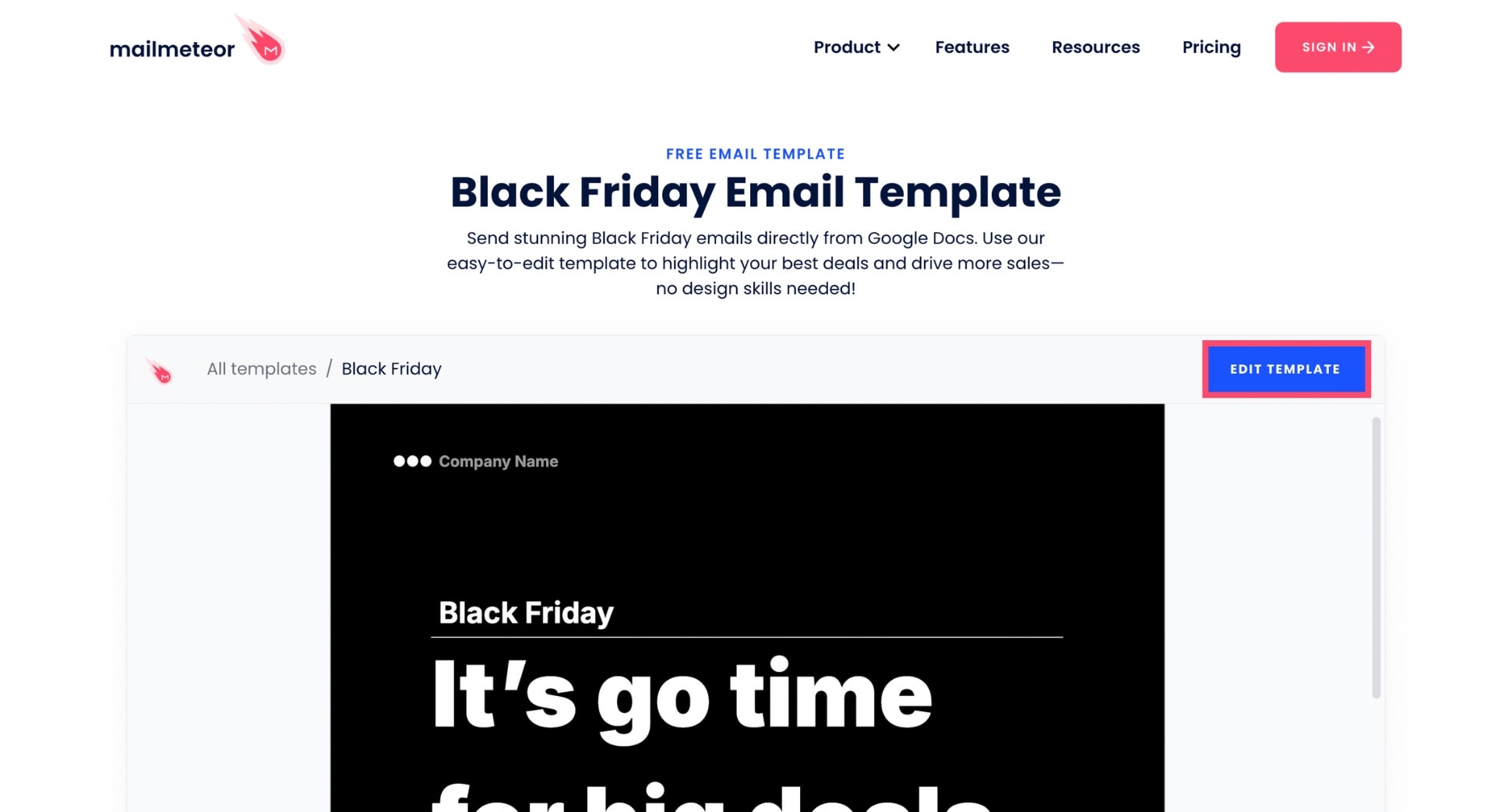
2) Import the template
Once you’ve found the perfect email template, click the Edit template button (it’s in the top left corner) to import a customizable copy of this template in Google Docs.
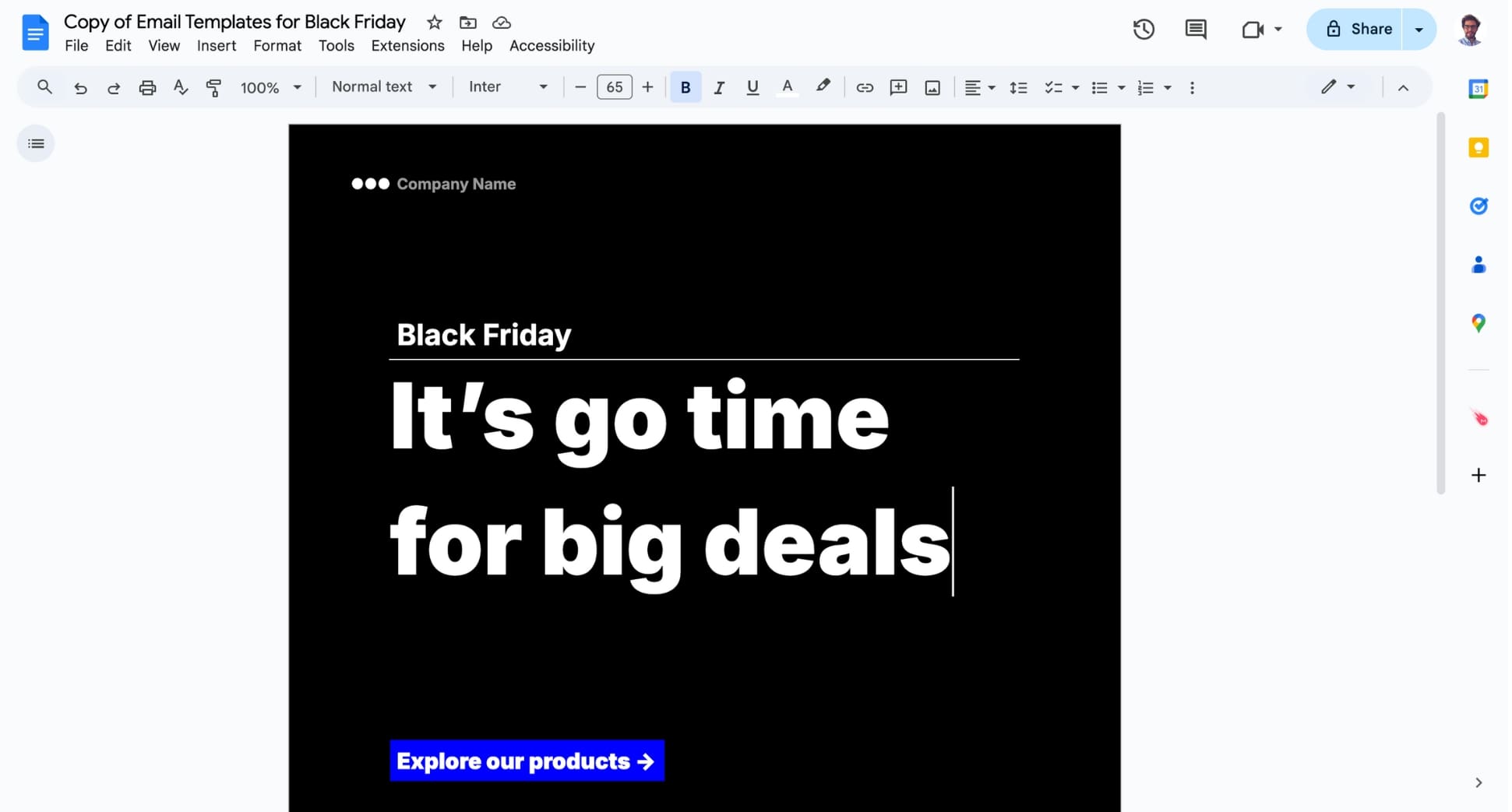
3) Customize your template
And voilà. You can now customize the template to make it your own. Feel free to personalize the text, modify the layout and add images.