Scheduling automatic follow-ups
Rather than keeping a mental note to chase someone next week, set the rule once and let Mailmeteor send the message when the moment comes.
Follow-ups scheduled from Pipelines are available for campaigns sent from Gmail only. The Follow-up button is disabled on Outlook and Zoho Mail conversations.
How to schedule a follow-up
- Open a conversation from your pipeline.
-
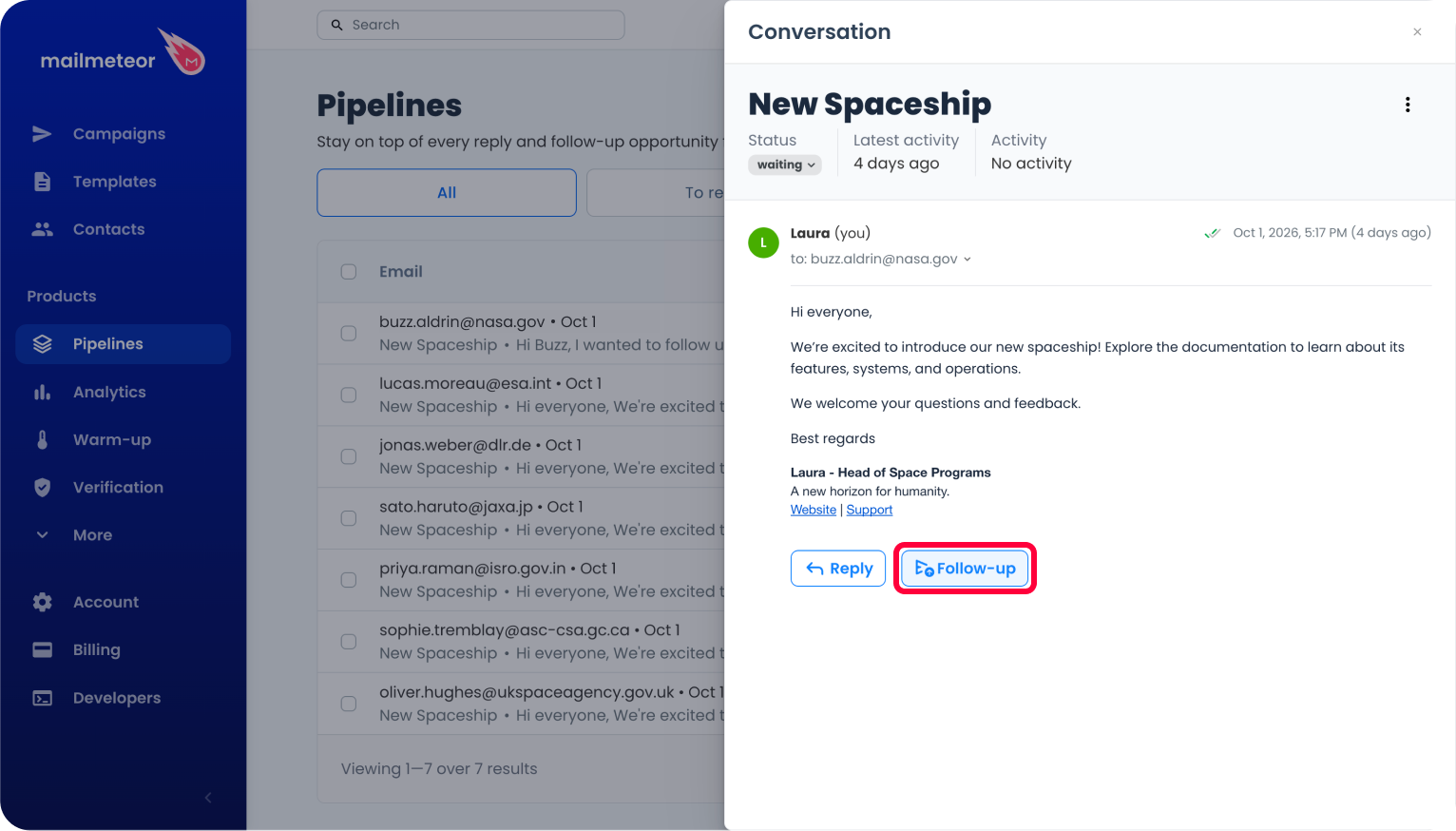
Click Follow-up at the bottom of the panel.
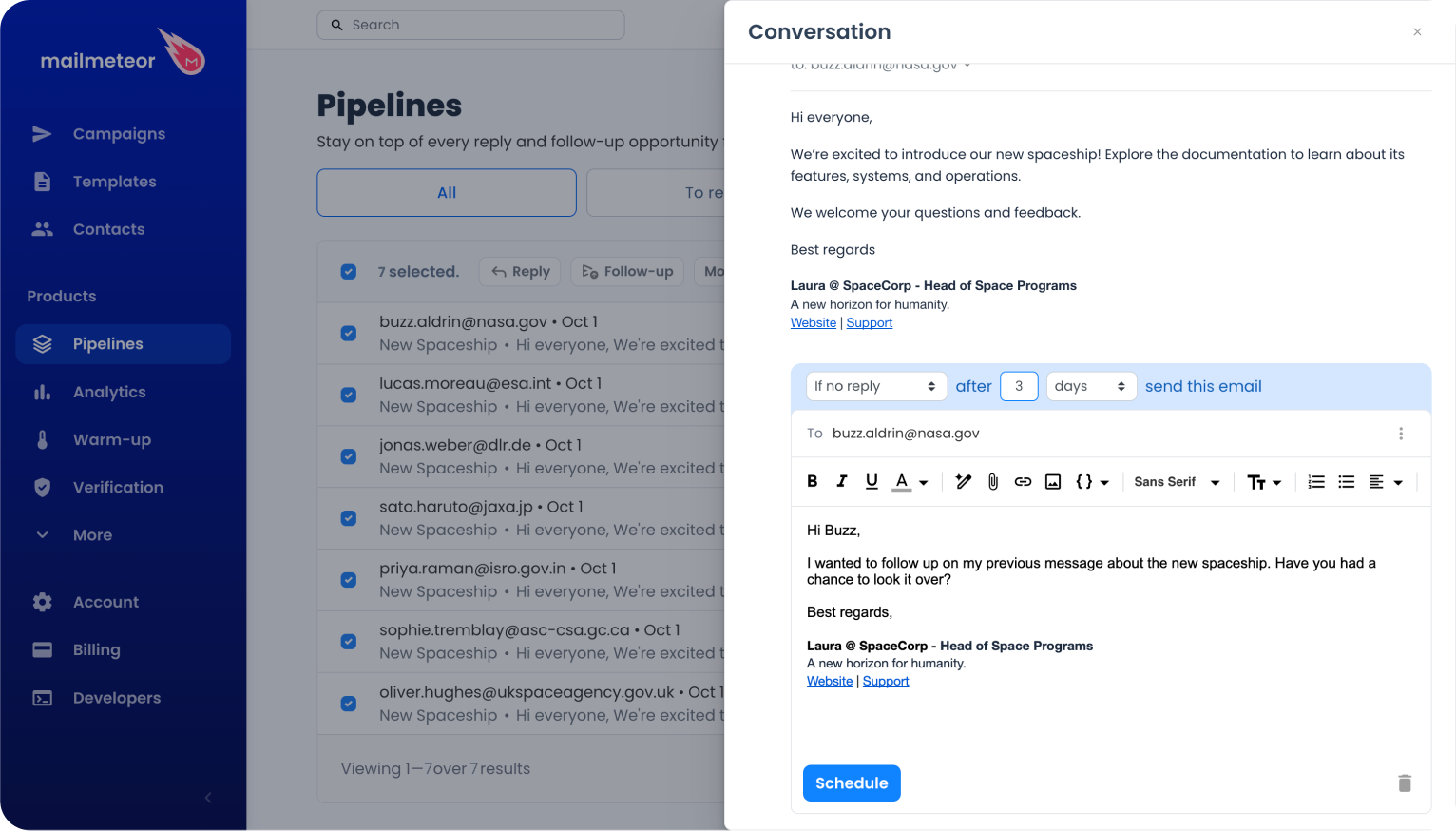
- Set the condition and the delay in the header of the composer. It reads as a sentence: If no reply, after 3 days, send this email.
- Write your message.
- Click Schedule.
The follow-up answers the first message you sent in the thread, and reuses its cc, bcc and reply-to.
To do the same on several conversations at once, use Follow-up in the batch action bar. See Acting on several conversations at once.
Available conditions
| Condition | The follow-up is sent if… |
|---|---|
| If no reply | the recipient hasn't replied. |
| If no click | the recipient hasn't clicked a link in the previous email. |
| If no open | the recipient hasn't opened the previous email. |
| If opened | the recipient opened the previous email. |
| If clicked | the recipient clicked a link in the previous email. |
| If replied | the recipient replied. |
| No matter what | no condition, the follow-up always goes out. |
The default is If no reply, after 3 days.
Setting the delay
The delay can be expressed in days, hours or minutes, and must be a whole number greater than zero. Each unit has a ceiling:
- up to 28 days
- up to 120 hours
- up to 300 minutes
Above these values, or with a delay of zero, the field turns red and the Schedule button stays disabled.
Building a sequence
From the batch Follow-up panel, click Add a follow-up email as many times as you need to chain several messages. Each stage has its own condition and delay, counted from the previous one, so you can write if no reply after 3 days, then if no reply after 1 week.
Cancelling a scheduled follow-up
Open the conversation. At the bottom of the panel, the banner Follow-up scheduled for… shows when the message will go out. Click Cancel, then confirm. Clicking the banner itself opens the follow-up, with its content and its rule.
Cancelling takes effect immediately and cannot be undone. You can always schedule a new follow-up afterwards.
A conversation with a follow-up pending also shows a small icon in the last column of the table. Hover it to see when the follow-up goes out, or click it to open the conversation on that follow-up. The Has follow-up filter lists all of them at once.