LinkedIn Email Finder
The LinkedIn Email Finder is a free tool that helps you find a professional email address from a LinkedIn profile URL. Instead of searching by name and company, you can paste someone’s LinkedIn profile link to discover their email address and related professional information.
This tool is useful for sales, recruiting, networking, and outreach when you want to connect with someone whose email you don’t yet have.
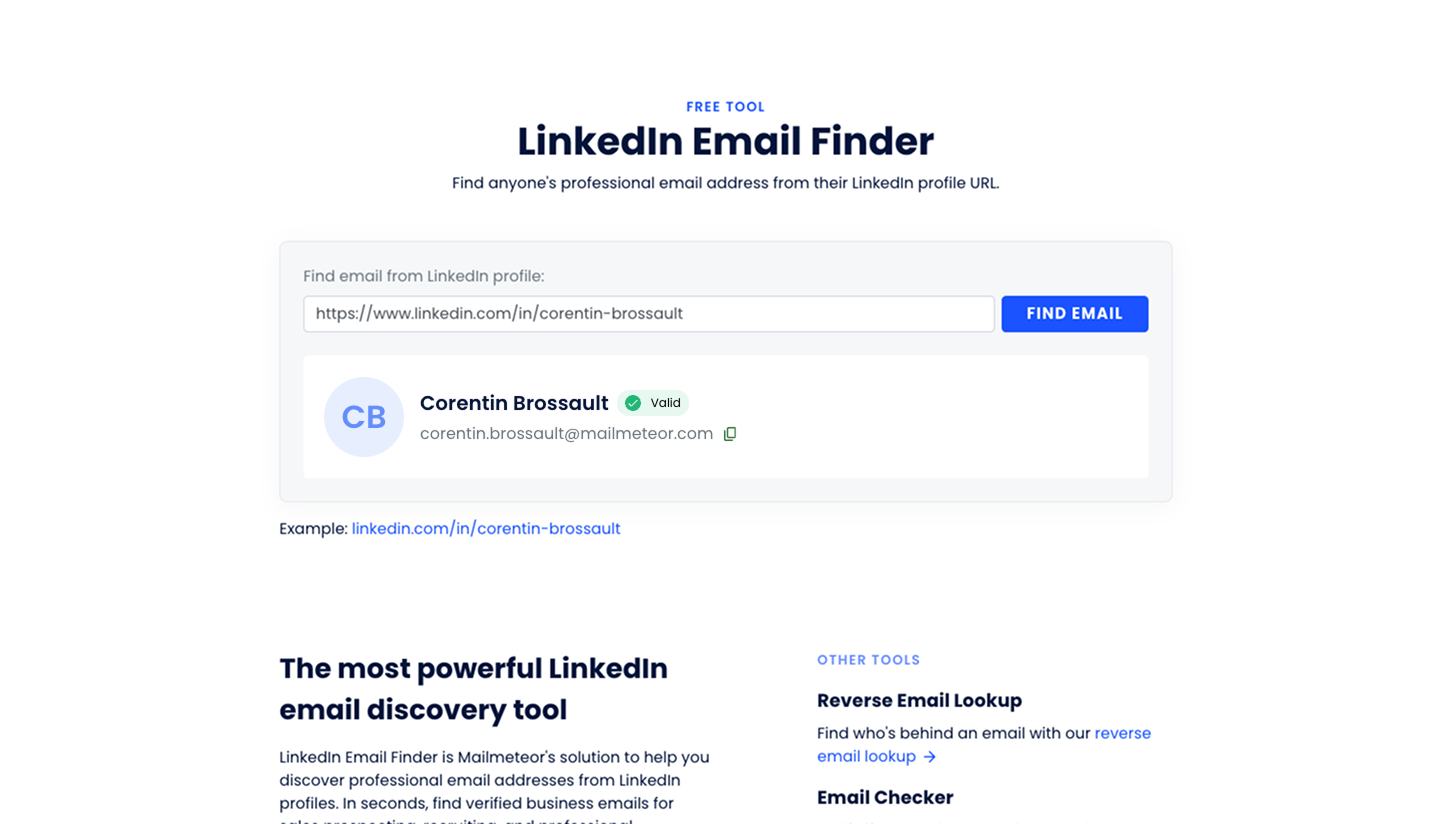
What is the LinkedIn Email Finder?
The LinkedIn Email Finder lets you find a business email address from a LinkedIn profile link. By using publicly available data and patterns, the tool searches for the most likely professional email address associated with the profile.
Depending on the available data, it may show details such as:
- The email address found.
- Verification status (valid or risky).
- Professional information like name and current company (when available).
The tool is free to use and doesn’t require signing up.
How the LinkedIn Email Finder works
To use the LinkedIn Email Finder, you only need a LinkedIn profile URL. The tool analyzes publicly available information to find a professional email address associated with that profile.
-
Open the LinkedIn Email Finder tool in your browser.
-
Paste the full LinkedIn profile URL you want to search. A profile URL typically looks like
https://www.linkedin.com/in/your-name/. -
Click “Find email”. The tool searches for the most likely professional email address and checks whether it can verify it.
You’ll receive the email address if one is found, along with a verification status that indicates whether the email appears to be valid.
When should you use the LinkedIn Email Finder?
Use the LinkedIn Email Finder if you:
- Want to find someone’s professional email from their LinkedIn profile
- Have a LinkedIn URL but no email address
- Are doing targeted outreach for sales, recruiting, or networking
- Want context about a contact before reaching out
Is the LinkedIn Email Finder free?
Yes. The LinkedIn Email Finder is free to use. No account or credit card is required. The tool may use CAPTCHA protection.
Tips for best results
- Make sure the LinkedIn profile link is complete and includes
linkedin.com/in/ - Use profiles with clear professional information (job title, company) for better results
- If no email is found, try checking the profile’s contact info directly on LinkedIn
Frequently asked questions
Do I need a LinkedIn account to use this tool?
No. You just need the full profile URL, which can be copied even from public LinkedIn pages.
What information do I need to find an email?
You only need a person’s LinkedIn profile URL.
Is the email verified?
The tool displays a verification status showing whether the email appears to be valid.
What if no email is found?
If the tool doesn’t find an email, there may be limited public information for that profile or the person uses privacy settings that restrict available data.