How do add-ons work?
Add-ons (such as extra senders) are flexible, usage-based upgrades. You can add or remove them at any time directly from your Billing settings.
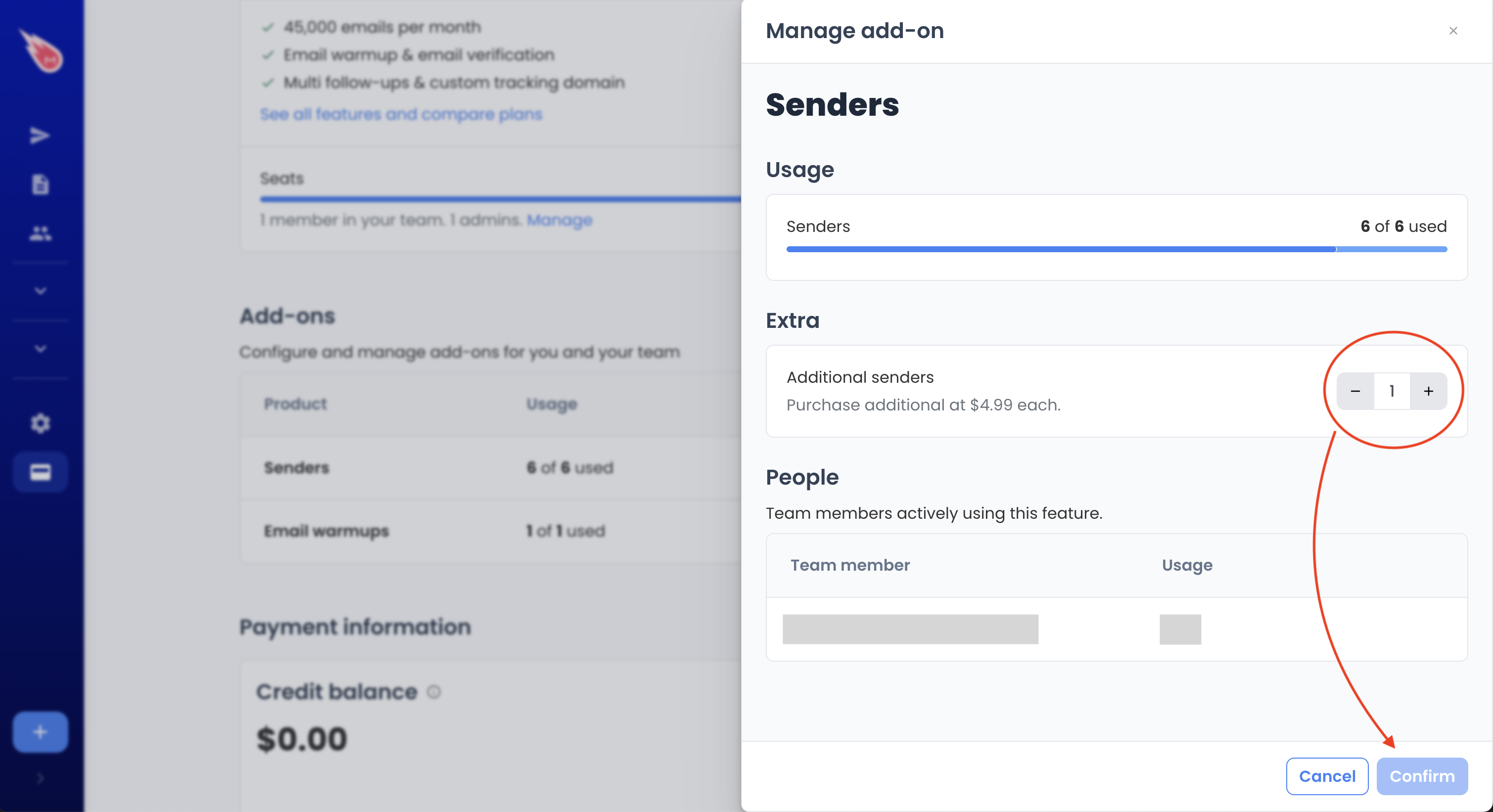
How to buy an add-on
- Sign in to Mailmeteor Dashboard
- Go to Billing settings
- Select the add-on you want (for example, an extra sender)
- Confirm your purchase
The add-on becomes active immediately.
How billing works for add-ons
- Add-ons are billed prorated, based on the time they’re active
- You’re only charged for the period you actually use them
- Charges appear as a separate line on your invoice
How to reduce or remove an add-on
- Go to Billing settings
- Locate the add-on you want to remove
- Remove or reduce the add-on
- Confirm the change
How refunds work for add-ons
When you remove an add-on:
- It is deactivated immediately
- A credit for the unused portion is applied automatically
- The credit is used toward future charges on your account
💡 We don’t issue manual refunds for add-ons, but unused time is always credited automatically once the add-on is removed.
This means that if you added an extra sender by mistake or it caused a technical issue, removing it is the fastest way to receive a refund for the unused amount.
Need help?
If you’re unable to manage your add-ons or think your billing doesn’t reflect your usage, feel free to contact support and we’ll be happy to assist.