You’ve got 140 people you’d genuinely like to hire one day. Past applicants who came second, referrals with no open role at the time, people you met at a conference and meant to follow up with.
A role finally opens that fits about 30 of them. So you paste every address into BCC, write something generic enough to apply to everyone, and hit send.
It works, technically. But nobody replies, a handful of addresses bounce, and one candidate emails back asking to be taken off “whatever list this is” — which you have no way to do.
That’s the problem with BCC-ing a candidate pool. Nobody feels individually addressed, so nobody responds. The fix is a mail merge — each candidate gets their own personalized email, with a working unsubscribe link, and no risk of exposing anyone’s address.
TL;DR: Here's how to email your candidate pool without a BCC list:
- Keep your pool in a sheet — one row per person, with a column for what they're interested in
- Segment before you write — a relevant email to 30 people beats a vague one to 140
- Use a mail merge tool — each person gets an individual email with their own name and context
- Always include an unsubscribe link — this is marketing, legally speaking, not a reply to an application
- Check your data first — pool addresses go stale faster than any other list you keep
Here’s what we’ll cover:
- Why You Shouldn’t BCC Your Candidate Pool
- What to Send a Candidate Pool and How Often
- How to Email Your Candidate Pool from Google Sheets
- Candidate Pool Email Templates
- Common Mistakes to Avoid When Emailing a Candidate Pool
- Do You Need Consent to Email a Candidate Pool?
Sounds good? Then let’s dive in.
Why You Shouldn’t BCC Your Candidate Pool
BCC hides addresses from each other, which is the one thing it does well. Everything else about it works against you.
- One slip exposes everyone — BCC and CC sit next to each other, and the mistake is one click wide. Send 140 candidate addresses to 140 candidates and you’ve turned a hiring list into a data breach.
- You can’t personalize anything — A BCC email is identical for every recipient by definition. No first name, no reference to the role they applied for, no reason for them to believe this was meant for them specifically.
- There’s no unsubscribe link — BCC has no built-in opt-out, so a candidate who wants off your list has to email and ask, and you have to remember to act on it manually. Under GDPR and CAN-SPAM, that’s a compliance risk.
- Large BCC blasts look like spam to mail providers — A single message to 140 hidden recipients is a pattern filters are built to catch. Your update lands in Promotions at best, and in spam at worst.
- You can’t tell who’s interested — A BCC blast gives you no way to see who opened it, who’s engaged, or who’s worth following up with. Every recipient looks the same until they happen to reply.
A mail merge fixes all these at once. Each person gets their own individual email, with their own name and their own context, sent from your address like any other message you’d write to them.
What to Send a Candidate Pool and How Often
A candidate pool email should give the reader a reason to still be on the list. In practice that’s one of 3 things: a role that fits them, news worth knowing about the company, or a question about whether they still want to hear from you.
Here’s what works, and roughly when:
| Type | When to send | What it does |
|---|---|---|
| New role announcement | When a role matches a segment | The main reason your pool exists |
| Keep-warm update | Every 2–3 months | Company news, team growth, something worth reading |
| Re-engagement check | Once a year | Confirms who’s still interested and cleans your data |
Frequency is where most pools go wrong. Email people every few weeks and you’re a newsletter nobody signed up for. Email them once every 2 years and they’ve forgotten who you are, changed jobs twice, and abandoned the address you have.
How to Email Your Candidate Pool from Google Sheets
To email a candidate pool without BCC, keep the pool in a Google Sheet, filter it to the people the message actually applies to, and run a mail merge so each person receives an individual email.
Here’s the workflow ⤵️
1. Build Your Candidate Pool Sheet
Open a Google Sheet. Add one row per person — the table below shows the columns you’ll need.
| Spreadsheet column | Merge tag | Example |
|---|---|---|
| First name | {{ First name }} |
Charlotte |
| — | used as the recipient address | |
| Interested in | — | the column you filter on |
| Last role applied for | {{ Last role }} |
Senior Product Designer |
| Source | {{ Source }} |
March 2025 |
| Recruiter | {{ Recruiter }} |
Marcus Bell |
| Added on | — | when they joined the pool |
Interested in is what you filter on — design, engineering, sales, whatever segments make sense for your hiring. And Added on tells you when someone’s consent is old enough to be worth refreshing.
2. Install Mailmeteor for Google Sheets
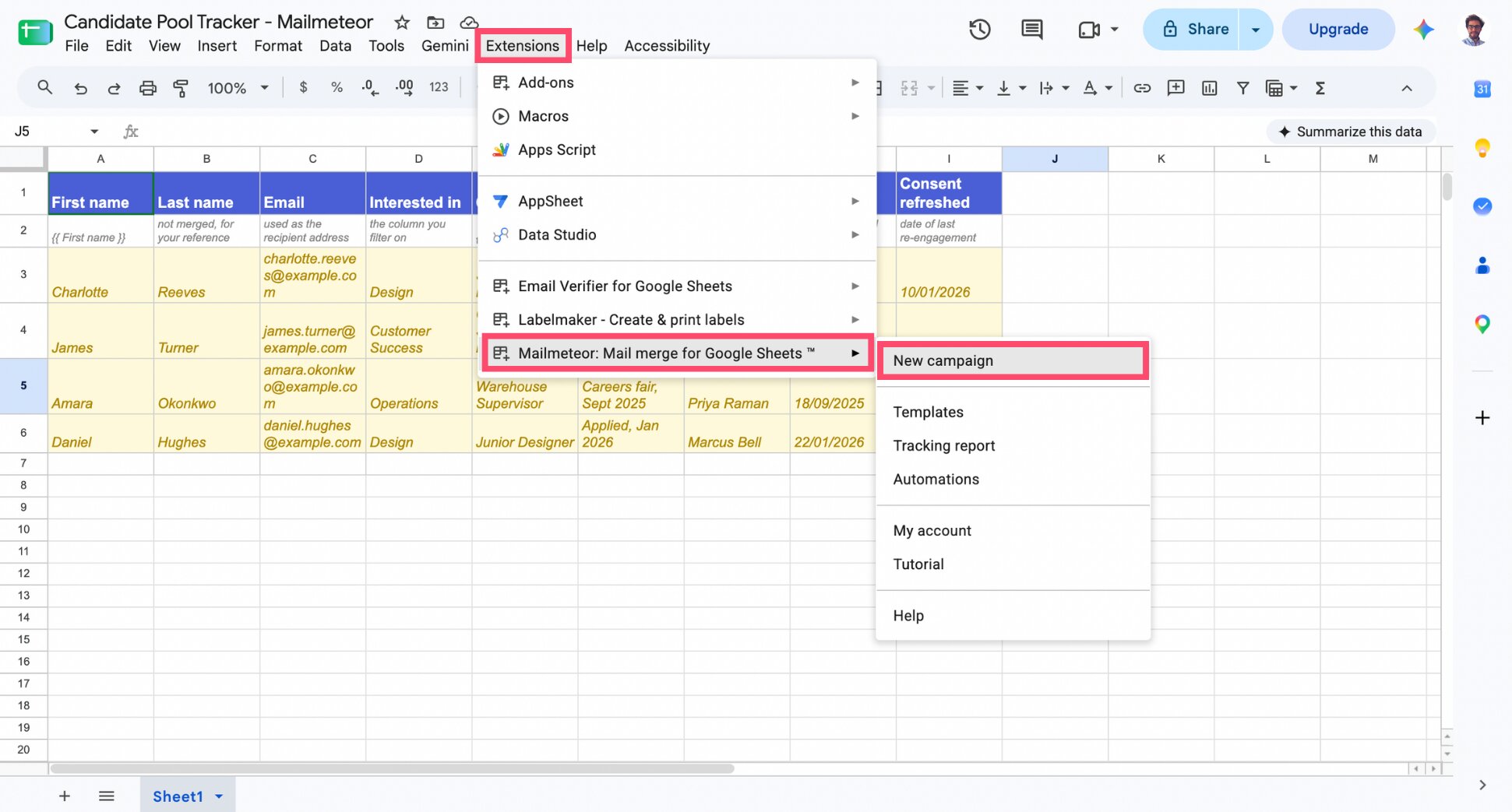
If you haven’t already, install Mailmeteor from the Google Workspace Marketplace. Then open your sheet, and go to Extensions > Mailmeteor > New campaign.
3. Segment Before You Write
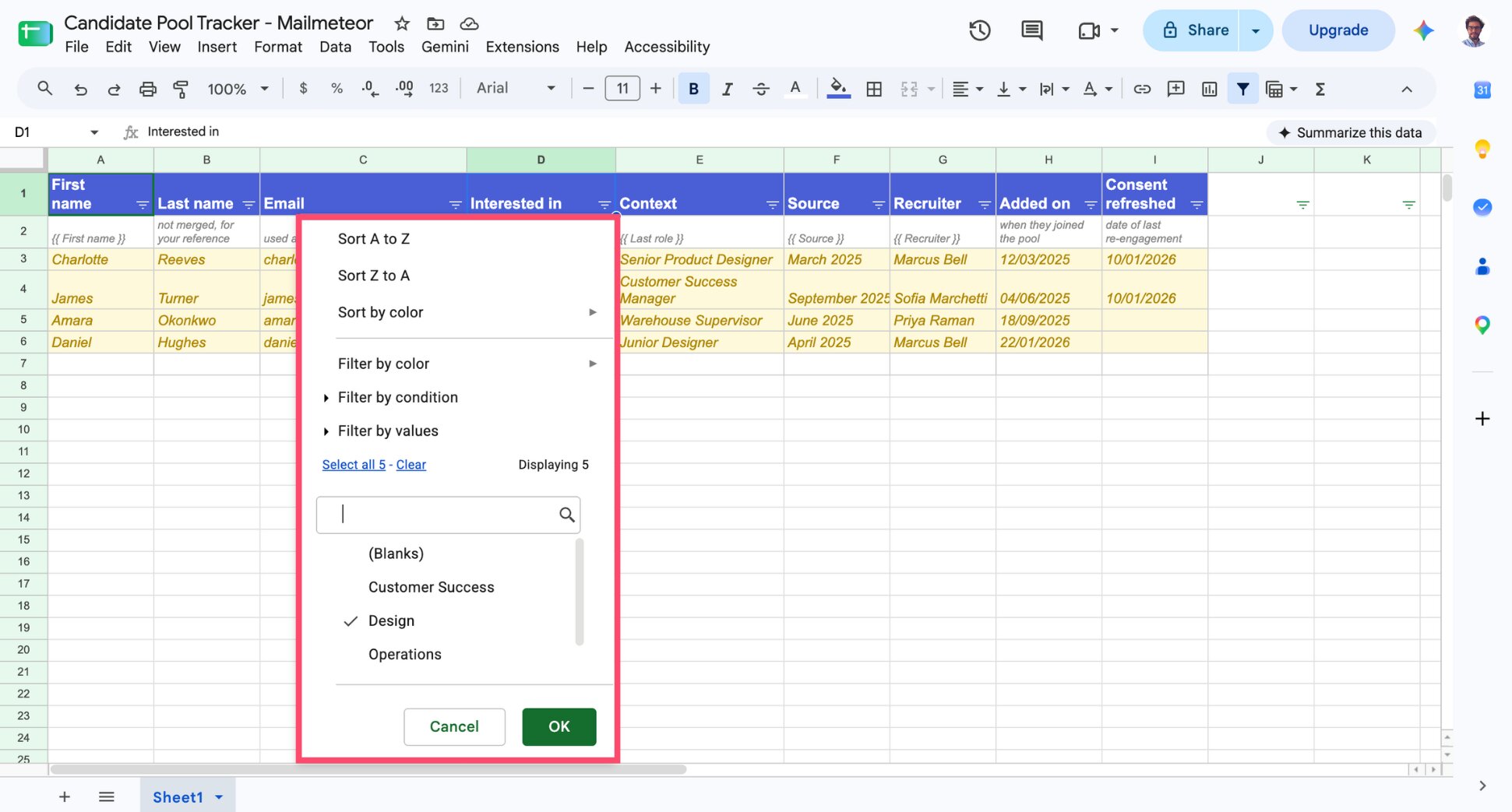
Apply a Google Sheets filter (Data > Create a filter) on the Interested in column, so only the relevant part of your pool is visible. Mailmeteor sends to visible rows only, so a design candidate never hears about a warehouse opening.
4. Write and Personalize Your Update
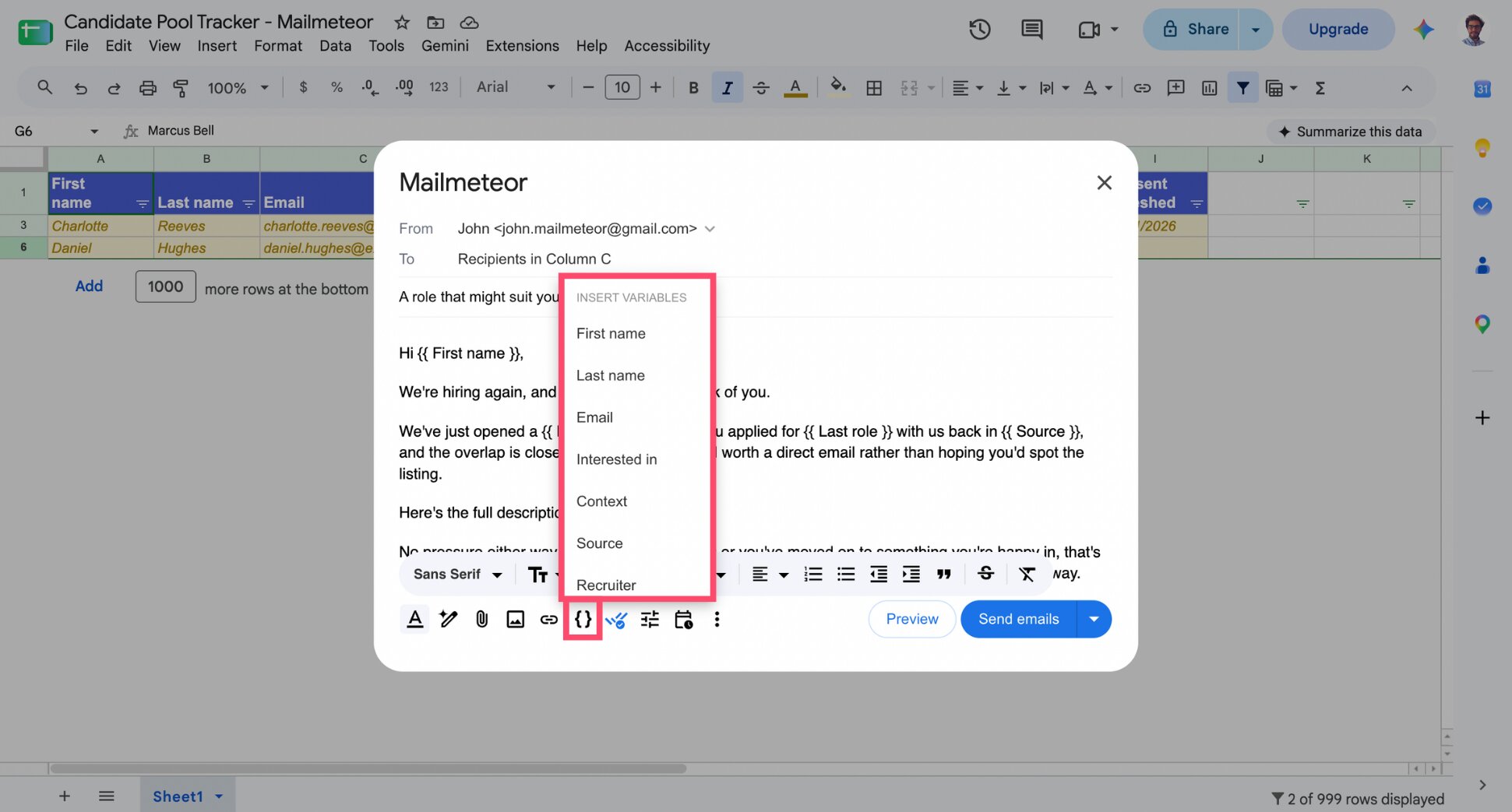
Write your email in the Compose window. Wherever the message should shift per person — name, context, whatever’s relevant — place your cursor there, click Insert variable, and choose the column. Mailmeteor fills in the right value for each recipient automatically.
5. Add an Unsubscribe Link
In More options, click Insert unsubscribe link before you send.
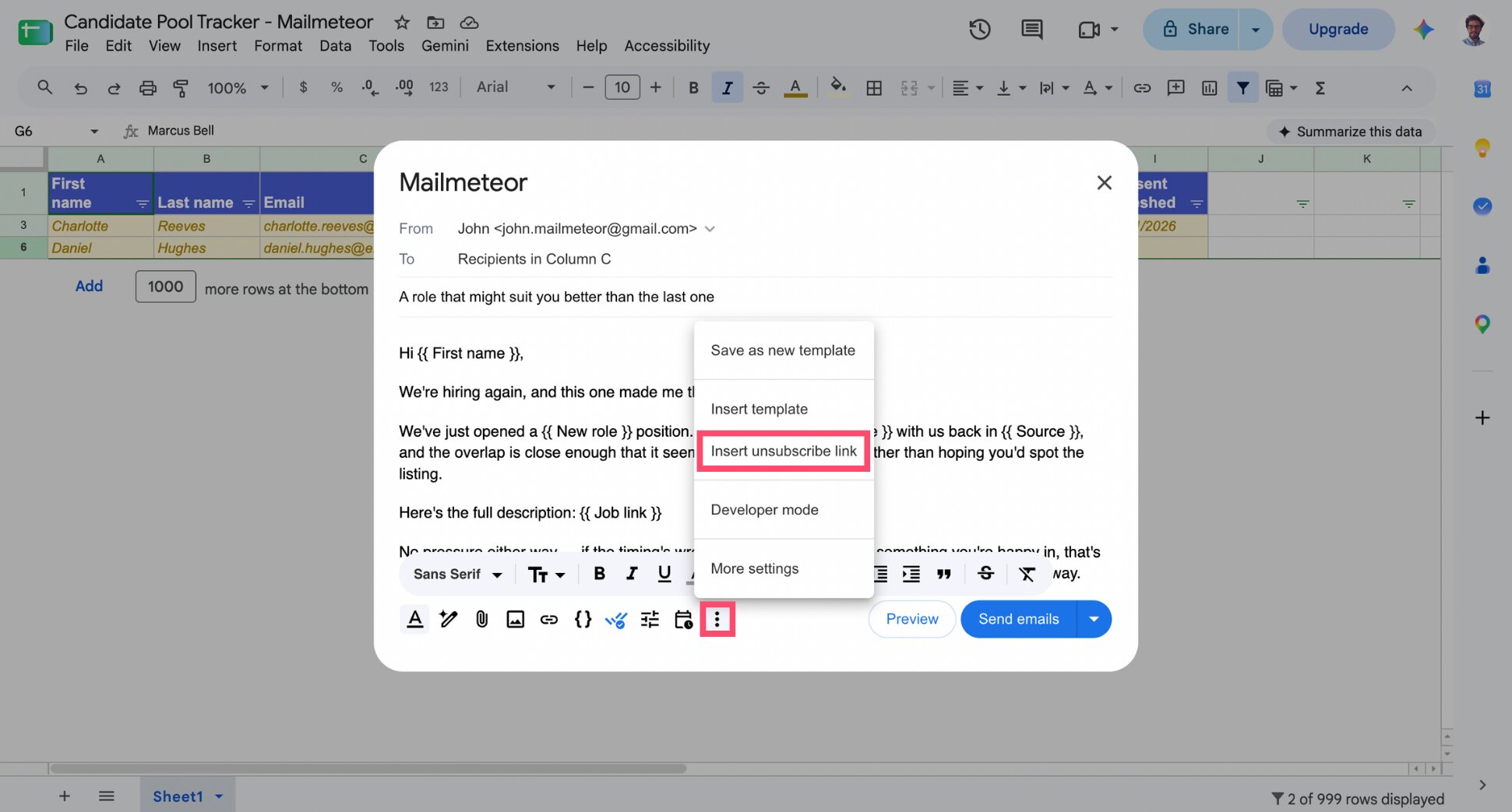
This is the step people skip, and it’s the one that matters legally. The candidates in your pool aren’t replying to an application — they’re receiving unsolicited email about opportunities, which in most jurisdictions means they need a one-click way out.
6. Preview and Check for Stale Data
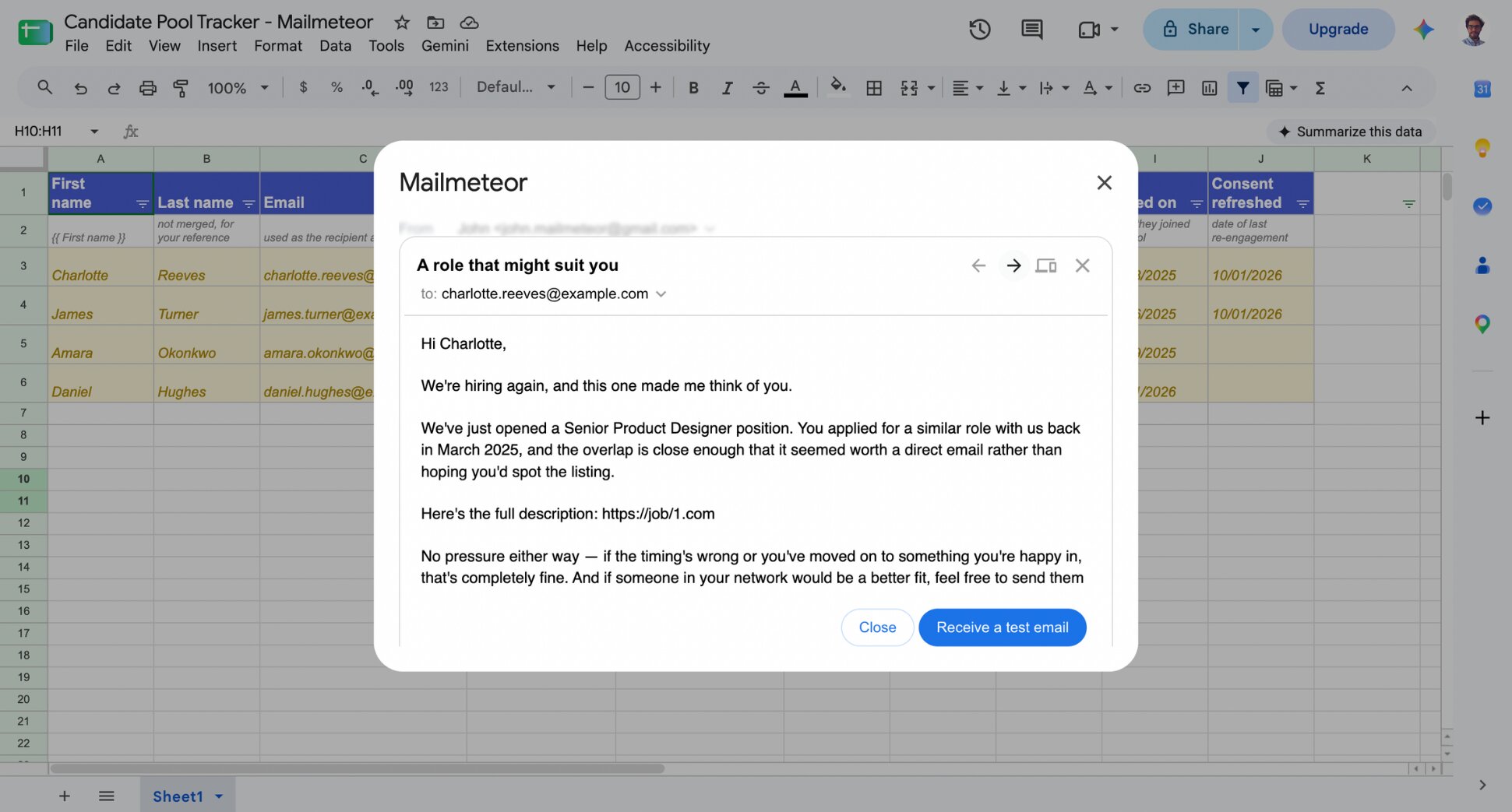
Preview several rows before sending. A candidate pool is the one list in recruiting where the data rots. People change jobs, abandon addresses, and stop being the person your notes describe.
Watch for 3 things:
- Empty merge fields — a blank first name produces “Hi ,” undercutting the exact thing this email is supposed to prove: that you remember them specifically.
- Out-of-date context — “the Junior Designer role you applied for” reads badly to someone who’s been a Design Lead for two years.
- Old addresses — anything added more than a year ago is a bounce risk. Run your sheet through Mailmeteor’s Email Verifier for Google Sheets before a send — the first 50 checks each month are free, and it catches exactly the kind of dead address a pool accumulates over time.
7. Send Your Candidate Pool Update
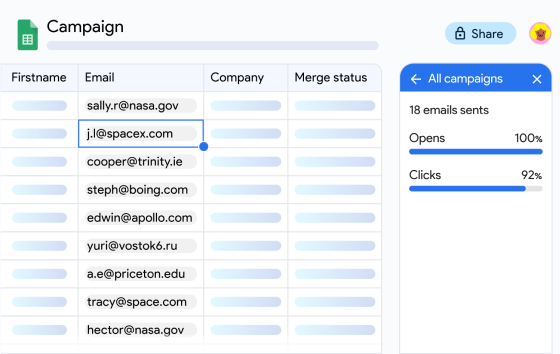
Click Send, or use the arrow next to it to schedule your email campaign for later. Mid-morning midweek is a safe default. Mailmeteor tracks opens and clicks automatically, so you’ll see which parts of your pool are still paying attention.