The average worker now receives 117 emails daily and spends more than a quarter of their working week just managing the flow. AI email clients promise to give that time back — by automatically triaging your inbox, drafting replies, and following up on your behalf. And some of them genuinely do.
The problem is that “AI email client” has become a catch-all term. It covers everything from $30/month standalone apps that replace Gmail entirely to free browser extensions that help you write faster. Those aren’t interchangeable. And choosing the wrong category can mean paying for software you don’t actually need.
Whether you’re looking for a full inbox replacement or just a smarter way to handle email, we tested 6 of the top AI email clients in 2026 — evaluating AI writing quality, inbox prioritisation, thread summaries, integrations, and price — to help you cut through the noise and find the right fit for how you actually work.
Here’s what we’ll cover:
- What is an AI email client
- AI email client vs. AI email assistant
- The best AI email clients in 2026
- When you don’t need an AI email client
- Add AI to Gmail without switching apps
Sounds good? Then let’s dive in.
What is an AI email client?
An email client is any app you use to read, write, and manage email. Gmail, Outlook, Yahoo Mail, Zoho Mail, and Apple Mail are all email clients. An AI email client takes that a step further by building artificial intelligence directly into the core experience.
In practice, that means features like:
- Inbox prioritisation — AI surfaces the emails that actually need your attention and filters out the noise
- Thread summaries — long email chains condensed into a few sentences
- AI-drafted replies — responses written in your tone, based on the context of the conversation
- Automated follow-ups — reminders or messages that send automatically if someone doesn’t reply
- Smart search — find emails by meaning, not just keywords, and ask questions to your inbox
Some AI email clients are built from the ground up as standalone apps — you connect your Gmail or Outlook account and use an entirely new interface. Others work as layers on top of your existing inbox, adding AI features without changing how email looks or feels.
That distinction matters. And it’s where a lot of people choose the wrong tool.
AI email client vs. AI email assistant
The terms get used interchangeably, but they describe very different things.
- An AI email client replaces your inbox entirely. You connect your Gmail or Outlook account, but you stop using Gmail or Outlook as your interface. Everything happens inside the new app. Superhuman, Shortwave, and Spark Mail all work this way. The upside is a purpose-built experience designed around speed and AI. The downside is a real learning curve and a monthly subscription that starts at $25–30.
- An AI email assistant works inside the inbox you already have. It adds AI capabilities — like drafting, summarising, tracking, and automating follow-ups — without asking you to change anything about how you use email. Gemini in Gmail, Copilot in Outlook, and tools like Mailmeteor all fall into this category.
| AI email client | AI email assistant | |
|---|---|---|
| Replaces your inbox | Yes | No |
| Works inside Gmail/Outlook | No | Yes |
| Learning curve | High | Low |
| Best for | Power users who live in their inbox | Anyone who wants AI without switching apps |
| Typical price | $25–30/month | Free–$15/month |
Neither is objectively better. The right choice depends on what’s actually slowing you down:
- If your frustration is with email itself — the interface feels slow, you process hundreds of messages a day, you want keyboard shortcuts for everything — a standalone AI email client is worth considering.
- If your frustration is with specific tasks — writing replies takes too long, you miss follow-ups, your outreach isn’t converting — an AI assistant does the job without the disruption of switching apps.
The best AI email clients in 2026
We tested six tools across five criteria: AI writing quality, inbox prioritisation, thread summaries, integrations, and price. Here’s what we found.
| Tool | Best for | Starting price | Free plan | Works with | Rating |
|---|---|---|---|---|---|
| Superhuman | Speed and volume | $30/month | No | Gmail, Outlook | 4.7/5 on G2 |
| Shortwave | AI-powered Gmail | $7/month | Yes (limited) | Gmail only | 4.5/5 on G2 |
| Spark Mail | Teams | Free | Yes | Gmail, Outlook, others | 4.5/5 on G2 |
| Canary Mail | Privacy | $3/month | Yes | Gmail, Outlook, others | 4.3/5 on G2 |
| Notion Mail | Notion users | Free | Yes | Gmail only | 4.6/5 on G2 |
| FiloMail | Free AI features | Free | Yes | Gmail only | 4.1/5 on Google Play |
1. Superhuman — best overall AI email client
Superhuman is the benchmark everything else gets measured against. Built around keyboard-first navigation, it lets you archive, reply, snooze, and search without touching your mouse. The entire experience is engineered around speed.
The AI features are genuinely strong. Auto Drafts writes follow-up emails in your voice without prompting. Auto Labels categorises every incoming message automatically. And Ask AI lets you query your inbox in natural language.
Users report getting through email twice as fast and saving 4+ hours a week. This AI client works on top of Gmail or Outlook, so your emails stay where they are — you just use a different interface.

✅ Best for: High-volume professionals who process 100+ emails a day and want to move through their inbox as fast as possible.
❌ Limitation: at $30/month there’s no free tier and no stripped-down plan. You’re also paying on top of whatever you already pay for Gmail or Google Workspace. For solo users or small teams who don’t live in their inbox all day, the maths rarely adds up.
💰 Price: $30/month (Starter), $40/month (Business). No free plan.
⭐ Rating: 4.7/5 on G2
2. Shortwave — best AI email client for Gmail users
Shortwave was built by former Google engineers. It connects via Gmail’s official API, so labels sync natively, search operators work fully, and Gmail categories are preserved. If you’re deeply embedded in Gmail, this AI-powered email app feels like a natural extension rather than a foreign interface.
The standout feature is AI email search. You can ask questions like “What did Sarah say about the Q3 budget?” and get a real answer, not just a list of matching emails. Thread summaries are fast and accurate. AI drafts are solid, though not as voice-aware as Superhuman’s.

✅ Best for: Gmail users who want an AI email app with powerful search and inbox organisation without paying Superhuman prices.
❌ Limitation: Shortwave is Gmail-only. Outlook and Microsoft 365 are not supported at all. If your team uses Microsoft 365, this isn’t an option.
💰 Price: Free (personal Gmail, limited AI), Pro $18/month, Business $30/month, Premier $45/month, Max $120/month.
⭐ Rating: 4.5/5 on G2
3. Spark Mail — best AI email app for teams
Spark Mail has been around since 2015 and earned its reputation on team features before AI was part of the conversation. Real-time shared drafts, private comments, email delegation, and shared inboxes make it the most collaborative AI email app on this list.
AI arrived later. Compose assistance and thread summaries work well, though they’re not the headline feature. It runs on macOS, iOS, Android, and Windows, and works with Gmail, Outlook, Yahoo, and iCloud. For teams with mixed email providers, that flexibility matters.
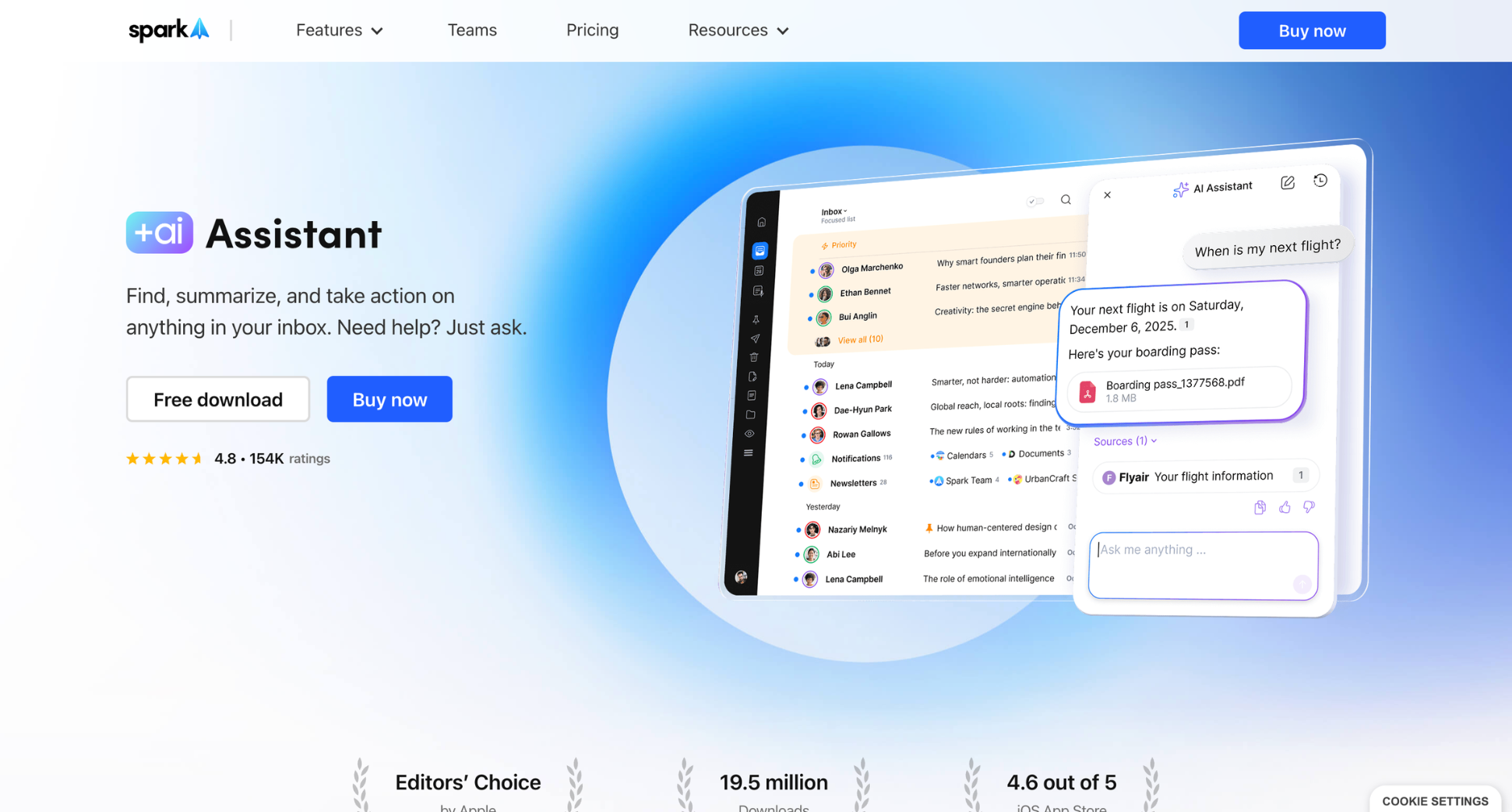
✅ Best for: Small teams that share inboxes, collaborate on replies, and want a solid free tier to start.
❌ Limitation: individual users looking for deep AI features will find more substance elsewhere. Spark is optimised for collaboration, not AI power. The IMAP connection also means you lose some Gmail-specific behaviour. For example, labels can behave unexpectedly if you switch between Spark and Gmail.
💰 Price: Free plan available, Plus $10/month, Pro $22/month.
⭐ Rating: 4.5/5 on G2
4. Canary Mail — best privacy-focused AI email client
Canary Mail’s defining feature is on-device AI processing. Summaries and categorisation happen locally, without being sent to external servers. That matters if you handle confidential information. For lawyers, healthcare professionals, and financial advisors, it’s not a nice-to-have — it’s a requirement.
Beyond privacy, Canary is a capable AI-powered email client. End-to-end encryption is built in by default. PGP support and HIPAA compliance are available on Pro plans. The AI handles drafting, thread summaries, and inbox prioritisation. It works across Gmail, Outlook, Yahoo, and iCloud on Mac, Windows, iOS, and Android.
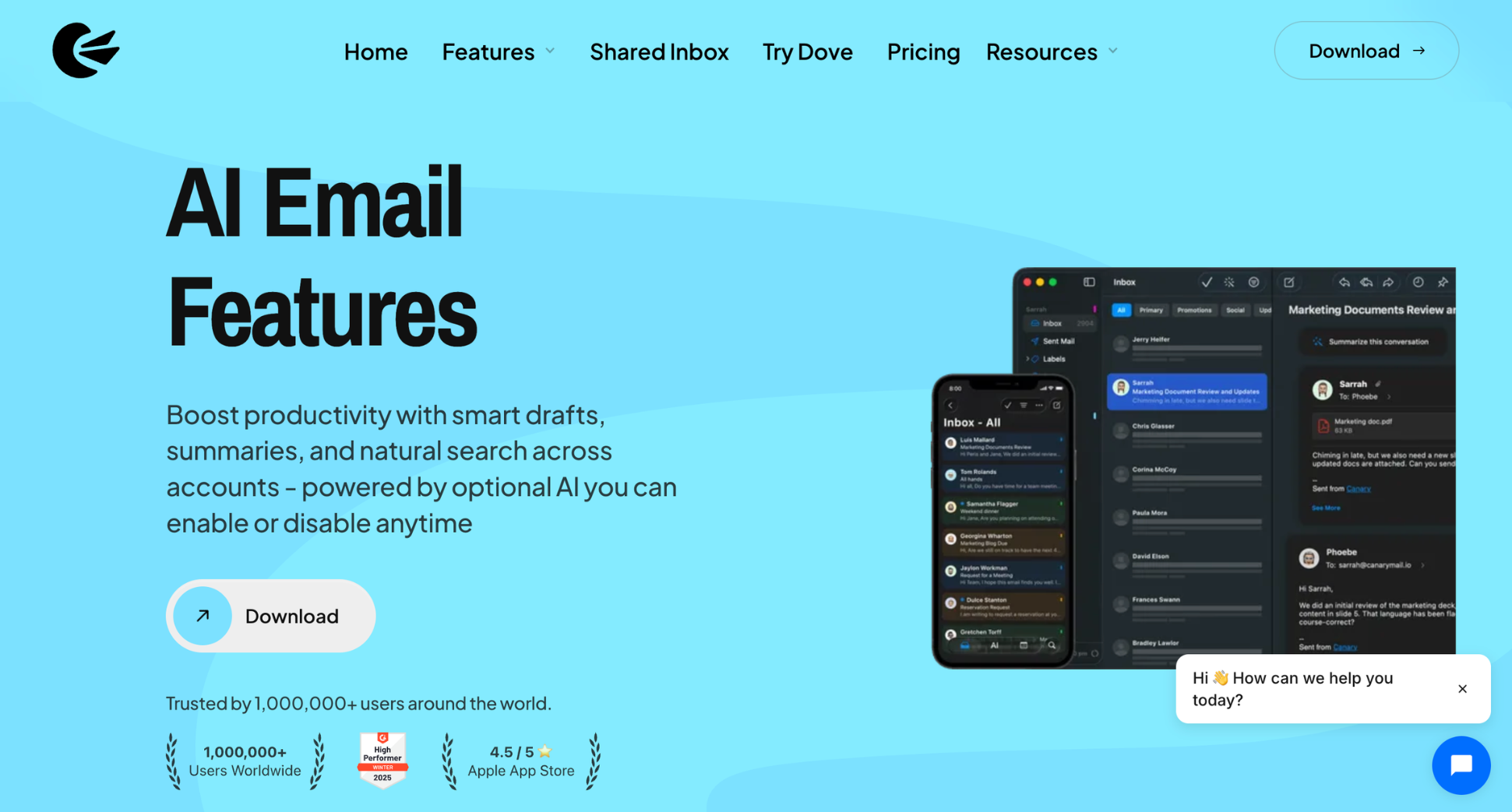
✅ Best for: Professionals handling sensitive information who can’t risk email content being processed by third-party AI servers.
❌ Limitation: on-device AI means smaller models and less context. No smart labels, no AI search, no automatic to-do extraction. The trade-off for privacy is capability. Canary helps you draft and summarise, but it doesn’t fundamentally transform how you work through email.
💰 Price: Free (limited), Growth $3/month, Pro+ $10/month. 7-day free trial available.
⭐ Rating: 4.3/5 on G2
5. Notion Mail — best AI email client for Notion users
Notion Mail launched in 2025 with a clear bet: if your knowledge base lives in Notion, your email should too. You can save emails to Notion databases, reference docs while drafting replies, and link conversations to project pages. For heavy Notion users, this AI email tool removes a genuine friction point.
AI auto-labelling adds semantic categories on top of your existing Gmail labels, and a built-in AI assistant helps you draft and summarise threads. The interface is clean and familiar if you already spend time in Notion.
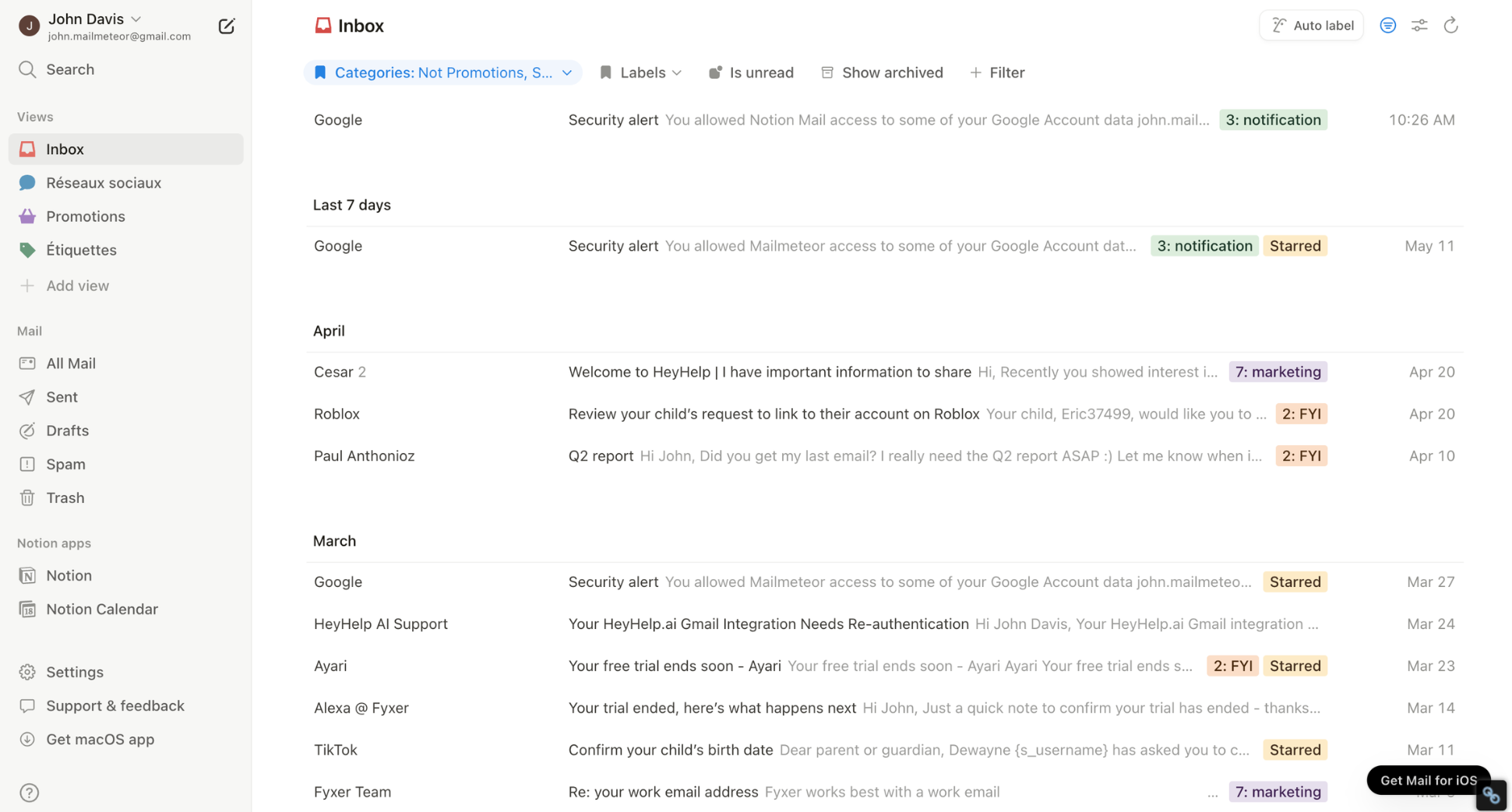
✅ Best for: Notion users who want their email integrated into the same workspace as their docs, databases, and projects.
❌ Limitation: Notion Mail is Gmail-only, and AI features require the Notion AI add-on at an extra $10/month on top of your Notion plan. If you don’t already use Notion, there’s no reason to start here.
💰 Price: Free with Notion account, Notion AI add-on $10/month (required for AI features).
⭐ Rating: 4.6/5 on G2
6. FiloMail — best free AI email client
FiloMail does something none of the other AI email tools on this list do at this price: it automatically extracts to-do items from your emails and turns them into a task list — no manual tagging, no rules to set up.
AI reads your inbox and pulls out action items, deadlines, and meetings buried in paragraph three. That’s a genuinely different approach to what an intelligent email client should do.
The free tier is also unusually generous. AI summaries, to-do extraction, smart labels, AI drafts, and natural language search are all available at no cost.

✅ Best for: Gmail users who want meaningful AI email management features without paying for them.
❌ Limitation: FiloMail is Gmail-only. If you use Outlook or need cross-provider support, it’s not an option. The interface is also less polished than Superhuman or Shortwave — it’s a newer product and it shows in places.
💰 Price: Free, paid plans available for additional accounts and features.
⭐ Rating: 4.1/5 on Google Play
When you don’t need an AI email client
Switching to a new email client is a real commitment. New interface, new shortcuts, new habits, and a monthly subscription on top of whatever you already pay for Gmail or Google Workspace. Before you make that call, it’s worth asking whether a new inbox is actually what you need. Spoiler: in most cases, it isn’t.
Here’s why ⤵️
- If you just want to write better emails faster, a standalone client won’t help. The bottleneck is the writing, not the interface. An AI assistant inside Gmail — like Gemini or Mailmeteor — handles that without touching your setup.
- If you send outreach at scale, tools like Superhuman and Shortwave aren’t built for that. They’re designed for reading and triaging fast, not for sending 200 personalized emails at once. That’s a mail merge problem, and it’s solvable from inside Gmail.
- If you miss follow-ups, the fix isn’t a new inbox — it’s automated follow-ups. Set them once and they send automatically if someone doesn’t reply. No new email client required.
- If you’re happy with Gmail’s interface, the honest answer is that you probably don’t need to switch. Most of what AI email clients offer — smarter drafts, inbox prioritisation, thread summaries — is now available as an add-on. You get the AI without the learning curve.
The tools we reviewed are genuinely excellent. But they’re built for people who process hundreds of emails a day and treat inbox speed as a competitive advantage. If that’s not your situation, an AI assistant inside Gmail will do the job — without the cost or the learning curve.
Add AI to Gmail without switching apps
If you’re happy with Gmail but want it to do more, Mailmeteor adds everything you’re missing directly inside your existing inbox. No new interface to learn. No $30/month subscription. Just AI features that work the way Gmail already does.
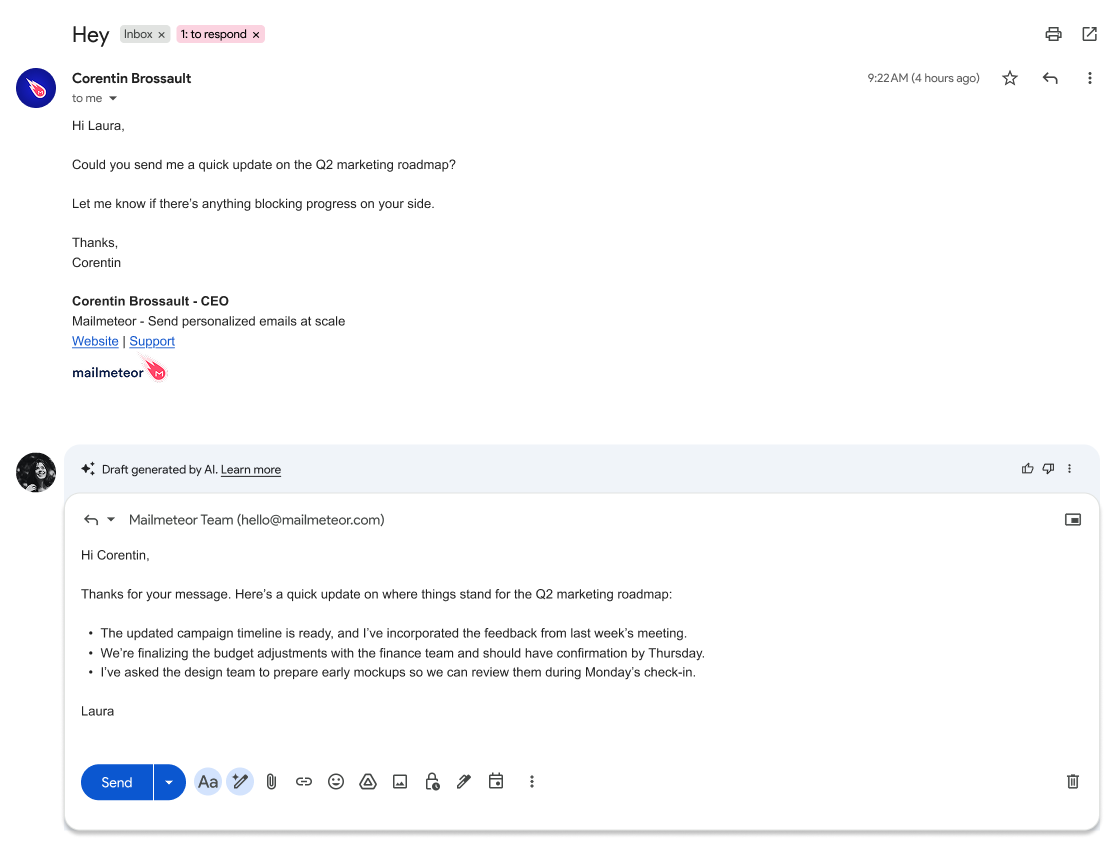
✍️ Draft better emails in seconds with AI-powered writing assistance
💬 Summarise long threads instantly so you never lose context
🗂️ Categorise your inbox automatically with smart AI labels
🔁 Follow up automatically so important emails don’t get forgotten
📊 Track email opens to see when your messages are read
📬 Send personalised emails at scale with mail merge from Gmail
Try Mailmeteor for Gmail today (it’s free!) and get more out of the inbox you already use.
FAQs
What is the difference between an AI email client and an AI email assistant?
An AI email client replaces your inbox entirely — you connect your Gmail or Outlook account but use a completely new interface, like Superhuman or Shortwave. An AI email assistant works inside the inbox you already have, adding AI features like drafting, summarising, and follow-ups without changing your interface.
What is the best AI email client?
Superhuman is the best AI email client for high-volume professionals who prioritise speed. Shortwave is the best option for Gmail users who want powerful AI search at a lower price. For teams, Spark Mail offers the strongest collaboration features. For privacy, Canary Mail processes everything on-device.
How much do AI email clients cost?
AI email clients range from free to $30/month per user. FiloMail and Notion Mail are free to start. Shortwave starts at $7/month, Spark Mail at $10/month, and Canary Mail at $3/month. Superhuman is the most expensive at $30/month with no free plan.
Is there a free AI email client?
Yes. FiloMail offers the most generous free tier — AI summaries, to-do extraction, smart labels, and natural language search at no cost. Notion Mail is also free with a Notion account, though AI features require a $10/month add-on. Shortwave and Spark Mail both have free plans with limited AI features.
Which AI email client works best with Gmail?
Shortwave and FiloMail are the strongest AI email clients for Gmail users — both connect via Gmail’s official API, so labels, search operators, and categories work natively. Superhuman also integrates tightly with Gmail. Spark Mail and Canary Mail use IMAP, which means some Gmail-specific features don’t carry over.
Are AI email clients safe to use?
Most reputable AI email clients use encryption and don’t sell your data. Canary Mail goes furthest on privacy — all AI processing happens on your device, so your emails never leave your machine. Tools like Superhuman and Shortwave process emails on secure cloud servers.
Can I use AI in Gmail without installing a new app?
Yes. Tools like Mailmeteor add AI directly inside Gmail — drafting, thread summaries, follow-ups, and smart labels — without replacing your inbox or learning a new interface. Gmail also has Gemini built in for basic drafting and summarisation. If you’re happy with Gmail but want AI features, an assistant or add-on is all you need.


