Superhuman is fast. Genuinely fast. If you spend hours in your inbox every day, the keyboard shortcuts, split inbox, and AI drafting can make a real difference. The problem isn’t the product — it’s the price.
At $40/month, you’re paying for Grammarly and Coda whether you need them or not, just to access the email client. And you still process every email yourself. Superhuman makes you faster. It doesn’t make email lighter.
If that trade-off no longer feels worth it, there are better options out there. We’ve tested and reviewed the 7 best Superhuman alternatives — from free tools to more powerful AI suites — so you can find the right fit without overpaying.
Here’s what we found ⤵️
TL;DR: The 7 best Superhuman alternatives in 2026:
- Mailmeteor — Best for Gmail outreach and AI features.
- Shortwave — Best for Gmail power users.
- Spark Mail — Best free option.
- Missive — Best for team email collaboration.
- Fyxer AI — Best for email and meeting management.
- Mimestream — Best for Mac users who want native Gmail speed.
- Canary Mail — Best for privacy-first email.
Here’s what we’ll cover:
- What Superhuman does (and where it falls short)
- The 7 best Superhuman alternatives
- Which Superhuman alternative is right for you?
Sounds good? Then let’s dive in.
What Superhuman Does (And Where It Falls Short)
Superhuman is a premium email client built on top of Gmail and Outlook. Its core promise is simple: get through your inbox faster. Everything is designed around that goal — 100+ keyboard shortcuts, a Split Inbox that automatically separates important emails from newsletters, AI drafting that turns a prompt into a full reply, and thread summaries so you can catch up on long chains in seconds.
The result is an inbox that genuinely feels different. Actions happen in under 100ms and power users report processing email twice as fast. For founders, executives, and sales professionals who spend hours in their inbox every day, that speed compounds into real time saved.
So why are people looking for alternatives?
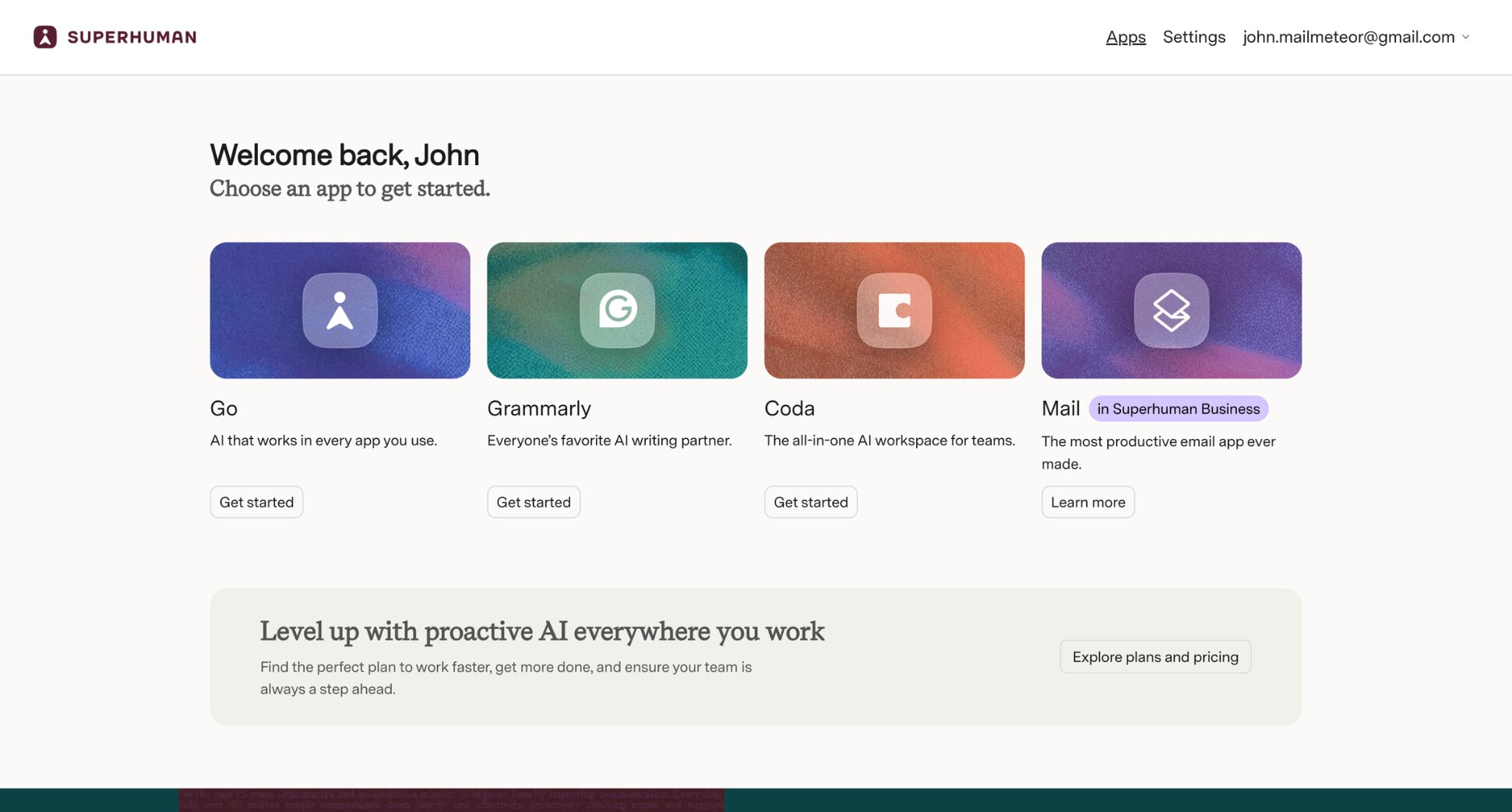
- The price. Superhuman Mail is only available as part of the Business suite at $40/month — bundled with other tools like Grammarly, Coda, and Go whether you use them or not. There’s no standalone email plan and no free tier.
- The learning curve. The keyboard-first workflow takes weeks to master. Superhuman even requires a 1-on-1 onboarding call before you can access the product — a meaningful time commitment before you’ve seen any value.
- You still do all the work. Superhuman makes you faster at email. It doesn’t reduce the volume, handle meetings, extract tasks, or do anything autonomously. You process every email yourself — just more efficiently.
- Gmail and Outlook only. If you use any other email provider, Superhuman isn’t an option.
If any of those are dealbreakers, here are the best replacements ⤵️
The 7 Best Superhuman Alternatives
Superhuman isn’t the only premium email experience available today — and it’s certainly not the most affordable.
Here’s how we narrowed down the best alternatives:
- Speed and polish — does it feel fast and deliberate, or slow and cluttered?
- AI features — does it genuinely save time, or is AI just a marketing label?
- Email provider support — does it work beyond Gmail and Outlook, or is it limited like Superhuman?
- Value for money — does it justify the price compared to Superhuman’s $40/month?
- Ease of use — can you get value from it on day one without weeks of onboarding?
Here’s how these AI email tools stack up:
| Tool | Free plan | Starts at | Rating | Best for |
|---|---|---|---|---|
| Mailmeteor | ✅ | $4.99/month | 4.9/5 | Gmail outreach + AI features |
| Shortwave | ✅ | $18/month | 4.4/5 | Gmail power users |
| Spark Mail | ✅ | €10/month | 4.4/5 | Free cross-platform option |
| Missive | ✅ | $18/user/month | 4.7/5 | Team email collaboration |
| Fyxer AI | ❌ | $22.50/month | 4.1/5 | Email and meeting management |
| Mimestream | ❌ | $4.99/month | 4.4/5 | Mac-native Gmail speed |
| Canary Mail | ✅ | $3/month | 4.4/5 | Privacy-first email |
Looking for platform-specific guides? Check out our roundups of the best AI assistants for Gmail and the best AI assistants for Outlook.
1. Mailmeteor — Best for Gmail Outreach
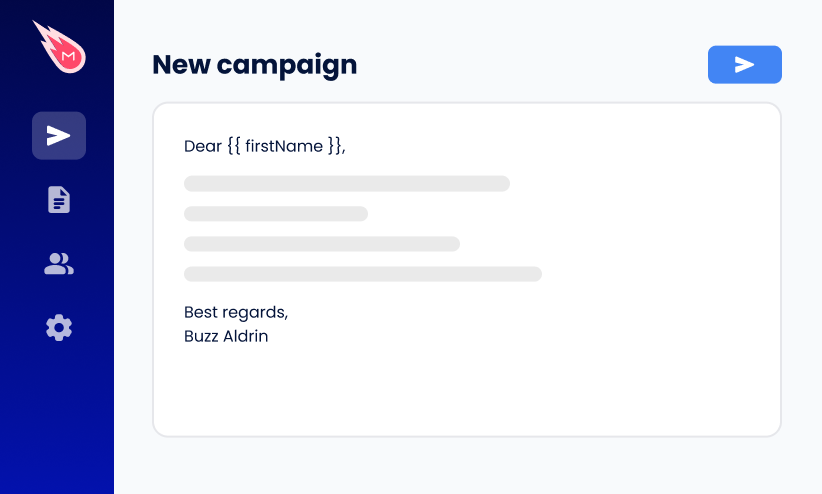
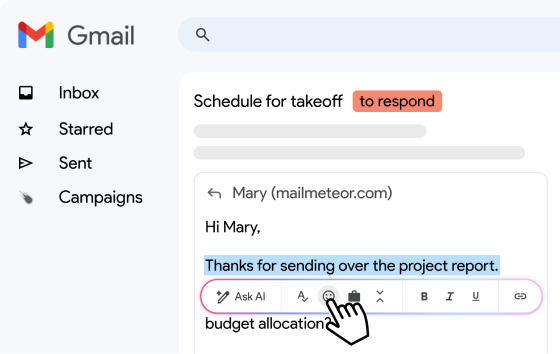
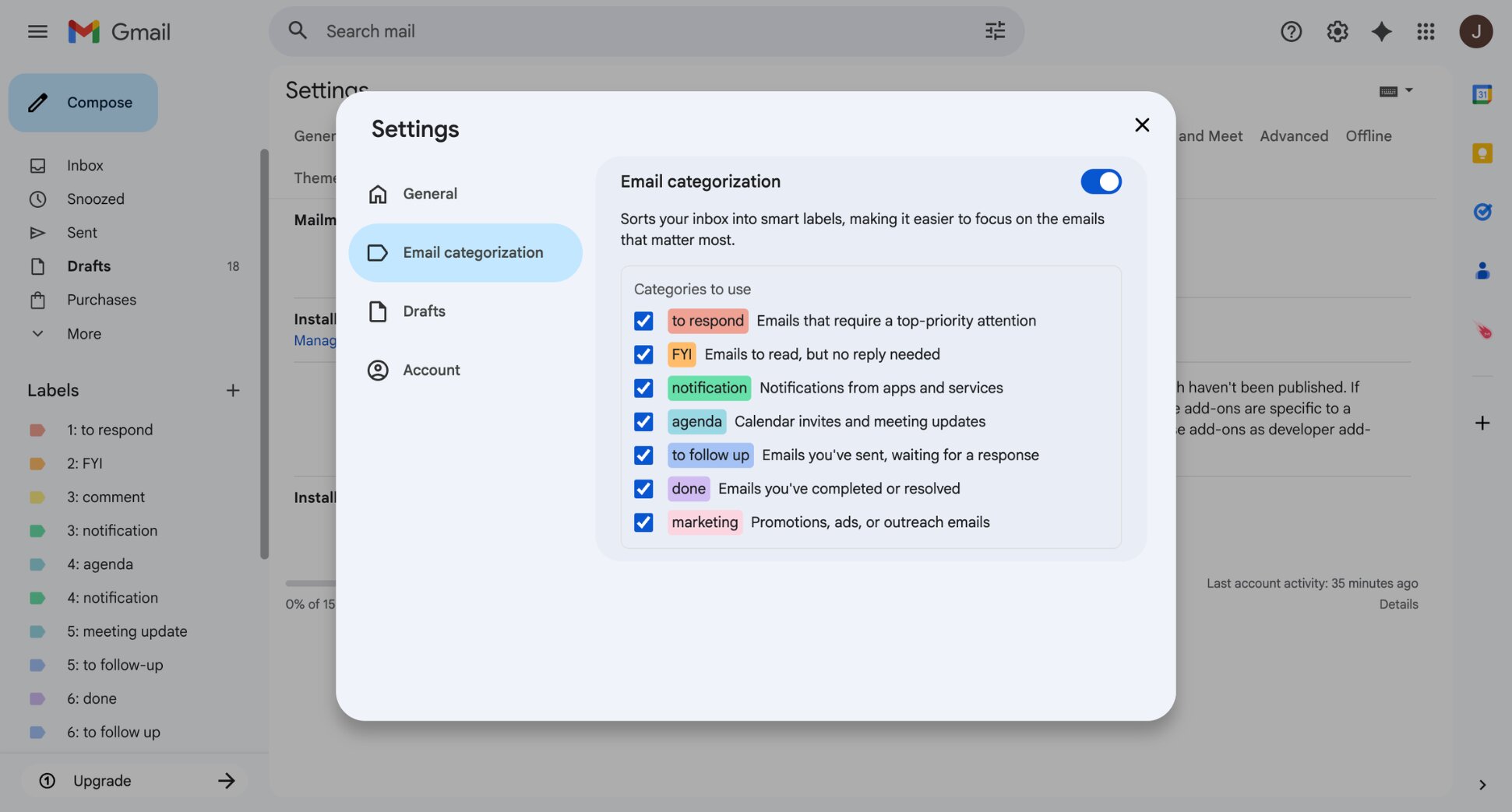
Mailmeteor doesn’t try to replace Superhuman’s keyboard-driven speed. It plays a different game entirely — adding AI-powered outreach capabilities to Gmail that Superhuman simply doesn’t offer. The AI assistant drafts replies in your voice, summarises long threads, and categorises your inbox automatically.
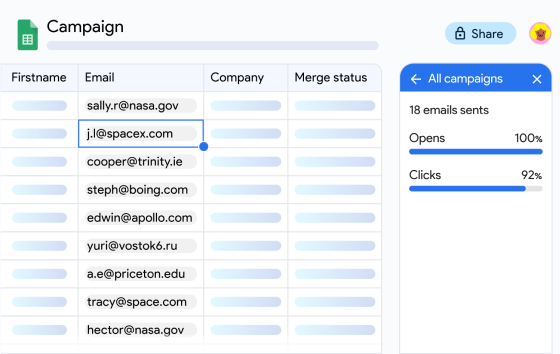
On top of that, you get mail merge for personalised campaigns at scale, real-time open and click tracking, and automated follow-ups. The biggest differentiator from Superhuman? Mailmeteor’s free plan gives you real value from day one. No onboarding call, no credit card, no bundle of tools you didn’t ask for.
Key features:
- AI reply drafting and thread summaries directly in Gmail
- Smart inbox categorisation
- Open and click tracking in real time
- Mail merge for sending personalized emails at scale
- Automated follow-up sequences
- Works with Gmail, Outlook, and Zoho Mail
Pricing:
- Free plan includes up to 50 emails/day with basic tracking
- Starter from $4.99/month — email tracking, templates, verification
- Premium from $12.99/month — AI auto labels, auto drafts, follow-ups
- Professional from $29.99/month — team analytics, higher limits
Rating: 4.9/5 on Google Workspace Marketplace
Limitation: Mailmeteor is built around outreach and campaigns. If you primarily want a faster, keyboard-driven inbox experience — the thing Superhuman is known for — Shortwave or Mimestream will serve you better.
2. Shortwave — Best for Gmail Power Users
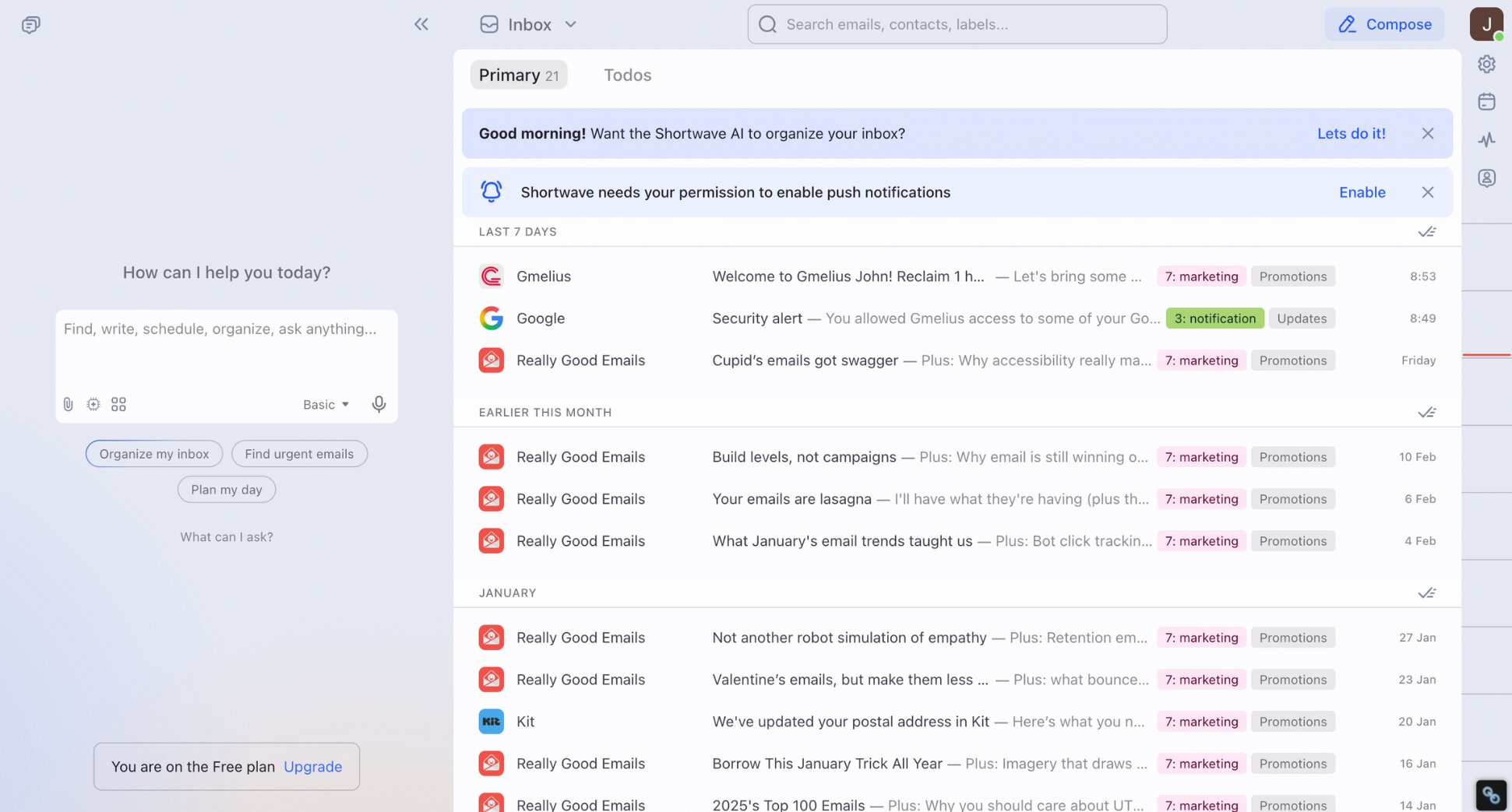
If you’re leaving Superhuman and staying on Gmail, Shortwave is the first place to look. This fully redesigned AI email client replaces your Gmail interface with a faster, smarter one. It gives you natural language search across your full email history, instant AI email summaries, and reply drafting in your tone.
The key difference from Superhuman? Shortwave’s free plan covers most individual needs, and paid plans start at $18/month. That’s less than half of Superhuman’s price. You trade some of the keyboard-driven polish for deeper AI features like agentic capabilities and a smarter bundling system.
Key features:
- Keyboard shortcuts and command palette for mouse-free navigation
- Automatic email bundling by type
- Natural language search across full email history
- AI thread summaries and reply drafting
- AI web browsing and agentic capabilities
- Works with Gmail and Google Workspace only
Pricing:
- Free plan available
- Pro from $18/month
- Business from $30/seat/month
Rating: 4.4/5 on G2
Limitation: Shortwave is Gmail-only — no Outlook support. The free plan is also capped at 90 days of AI search history, which power users coming from Superhuman will hit quickly. If you’re already considering it, we’ve also compared the best Shortwave alternatives.
3. Spark Mail — Best Free Option
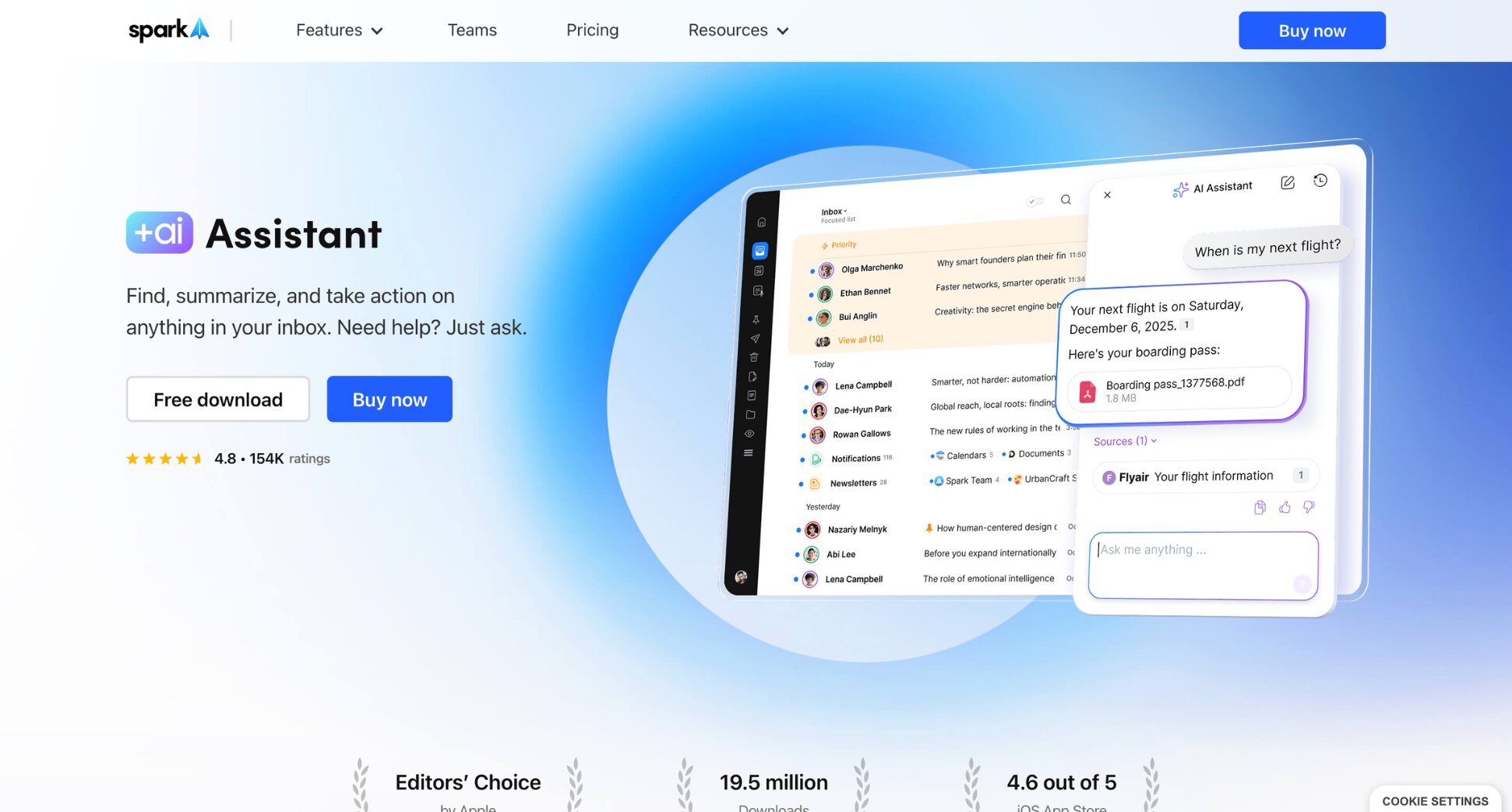
Spark Mail is the most practical free alternative to Superhuman. It works across Gmail, Outlook, Yahoo, iCloud, and IMAP — solving Superhuman’s biggest provider limitation — and includes smart inbox sorting, AI writing, thread summarisation, and multi-account support without requiring a paid plan.
The free tier is genuinely useful, not a stripped-down teaser. Most individual users never need to upgrade. For teams, collaborative features like shared drafts, email delegation, internal comments, and AI meeting notes are available on paid plans, making it one of the most affordable team email tools on this list.
Key features:
- Smart inbox with automatic categorisation
- AI writing and thread summarisation
- Shared drafts and email delegation
- Internal comments on email threads
- AI meeting notes
- Supports Gmail, Outlook, Yahoo, iCloud, and IMAP
Pricing:
- Free plan available
- Plus from €10/month per user
- Pro from €22/month per user
Rating: 4.4/5 on G2
Limitation: Spark is optimised for collaboration, not AI depth — if that’s your main reason for leaving Superhuman, Shortwave goes further. It can also have quirks with Gmail labels when switching between Spark and native Gmail.
4. Missive — Best for Team Email Collaboration
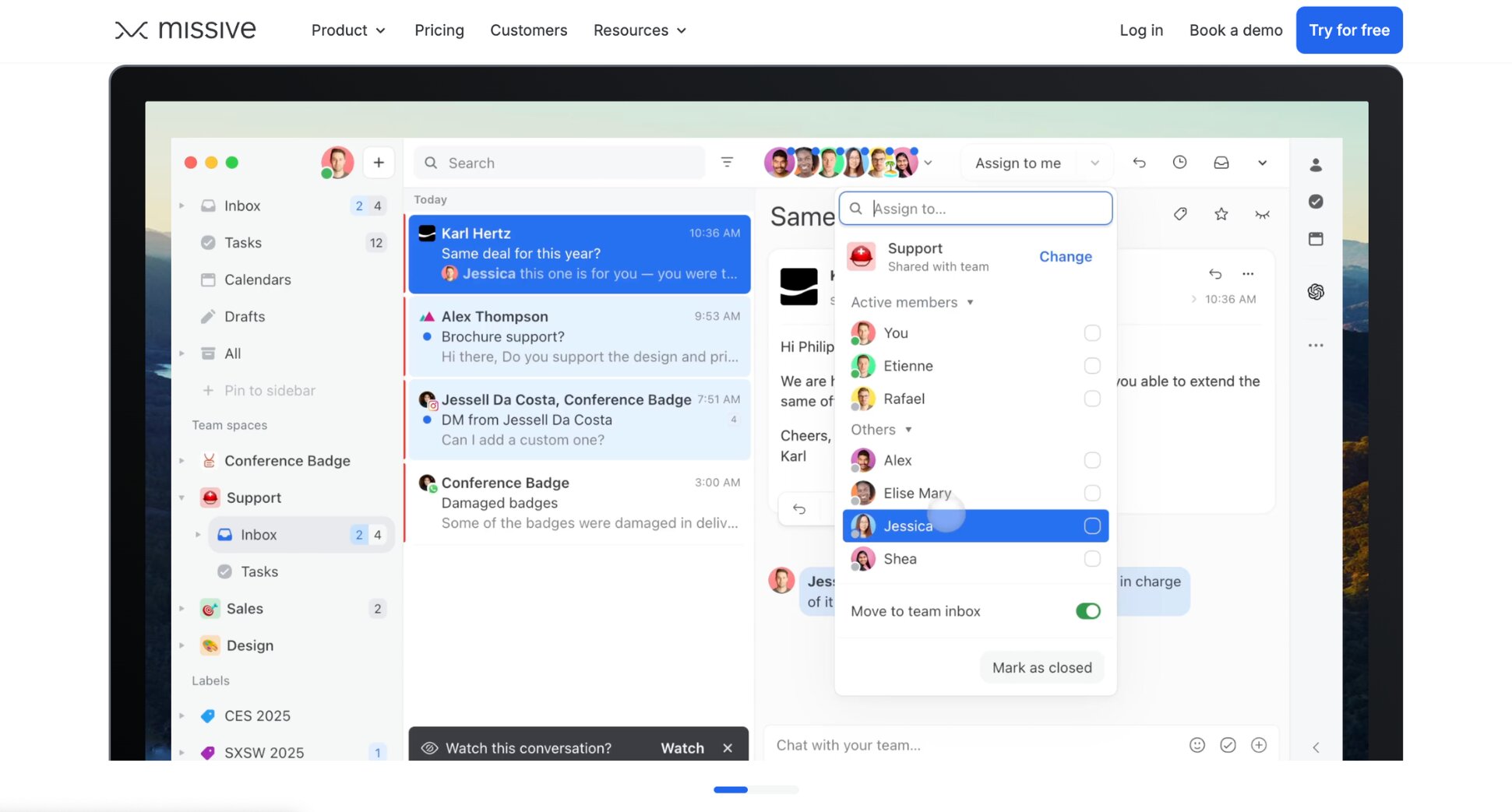
Superhuman is built for individual speed. Missive is built for teams. It combines shared inboxes, internal chat on email threads, real-time collaborative drafting, and AI-powered routing rules into one platform — purpose-built for teams that live in email together.
If your inbox pain isn’t about personal speed but about coordination — missed handoffs, unclear ownership, teammates stepping on each other’s replies, or important client emails disappearing into someone’s personal inbox — Missive is built for exactly that. It turns email into a shared workspace.
Key features:
- Shared inboxes with assignment and routing rules
- Internal chat on email threads
- Real-time collaborative drafting
- AI drafting and thread summarisation
- AI-powered routing rules
- Multi-channel support (email, SMS, WhatsApp, live chat)
- Works with Gmail, Outlook, and IMAP
Pricing:
- Free plan available (limited)
- Starter from $18/user/month
- Productive from $30/user/month
- Business from $45/user/month
Rating: 4.7/5 on G2
Limitation: Missive is overkill for individual users. AI features also require bringing your own OpenAI API key, which adds a setup step and an extra monthly cost on top of your Missive subscription that Superhuman doesn’t ask for.
5. Fyxer AI — Best for Email and Meeting Management
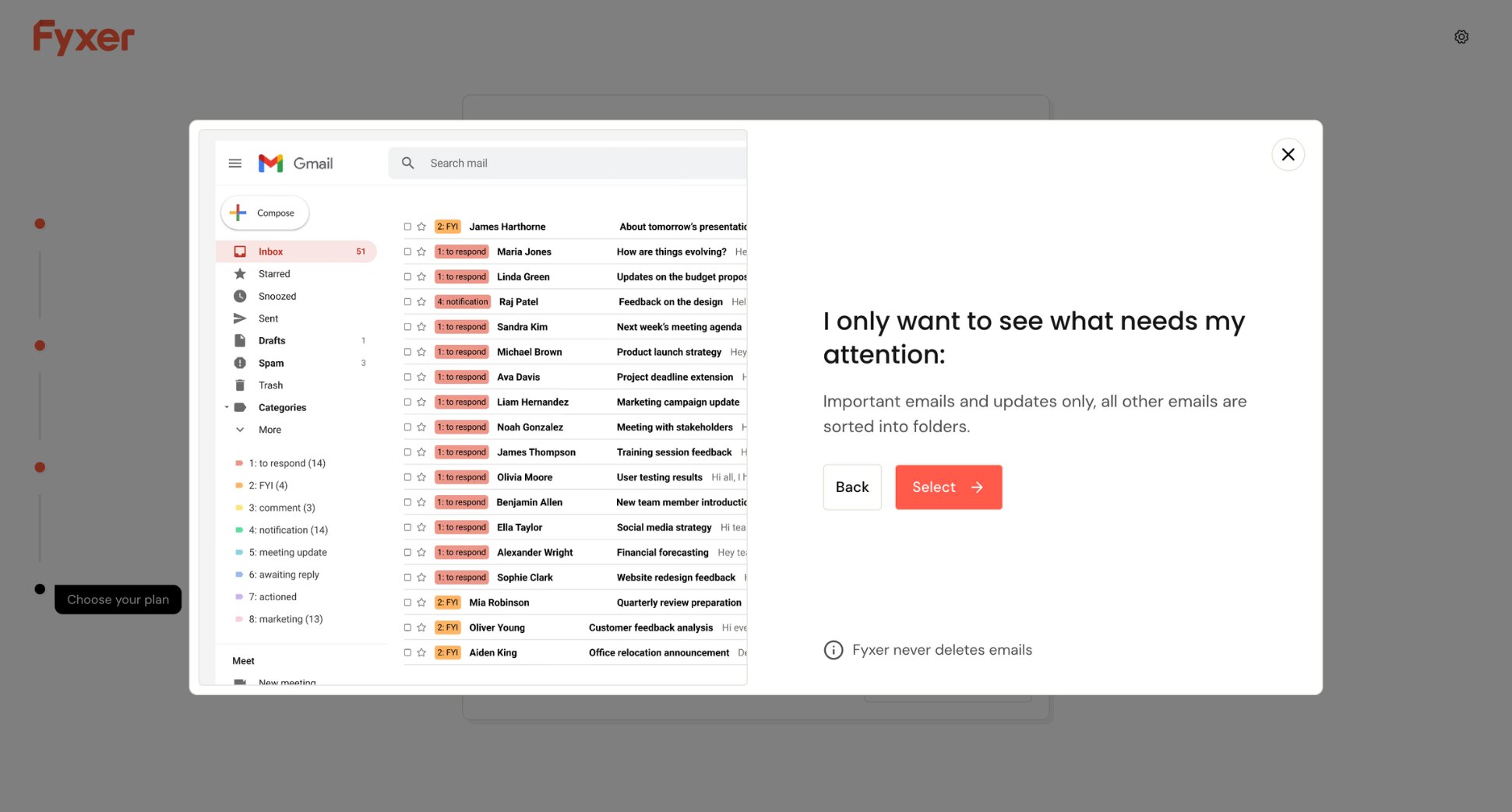
Fyxer AI is the pick for users who want Superhuman’s AI layer without Superhuman’s speed-focused philosophy. It sits on top of Gmail or Outlook as an invisible assistant — drafting replies in your tone before you open a thread, organising your inbox automatically, and taking notes during meetings so you don’t have to.
Superhuman makes you faster at email. Fyxer AI makes email lighter. Fewer decisions, fewer manual tasks, fewer things falling through the cracks. The trade-off is control. Fyxer works quietly in the background, which is either the appeal or the dealbreaker, depending on how much you trust AI to act on your behalf.
Key features:
- AI draft replies before you open the thread
- Automatic inbox organisation and labelling
- Meeting notes and follow-up emails generated automatically
- AI chat to query your inbox
- Meeting scheduling
- Works with Gmail and Outlook
Pricing:
- No free plan — 7-day trial available
- Starter from $30/month
- Professional from $50/month
Rating: 4.1/5 on G2
Limitation: Fyxer AI’s inbox categories are fixed — you can’t customize the labelling logic. Some users also report drafts that miss context in long threads, requiring more editing than expected.
6. Mimestream — Best for Mac Users Who Want Native Gmail Speed
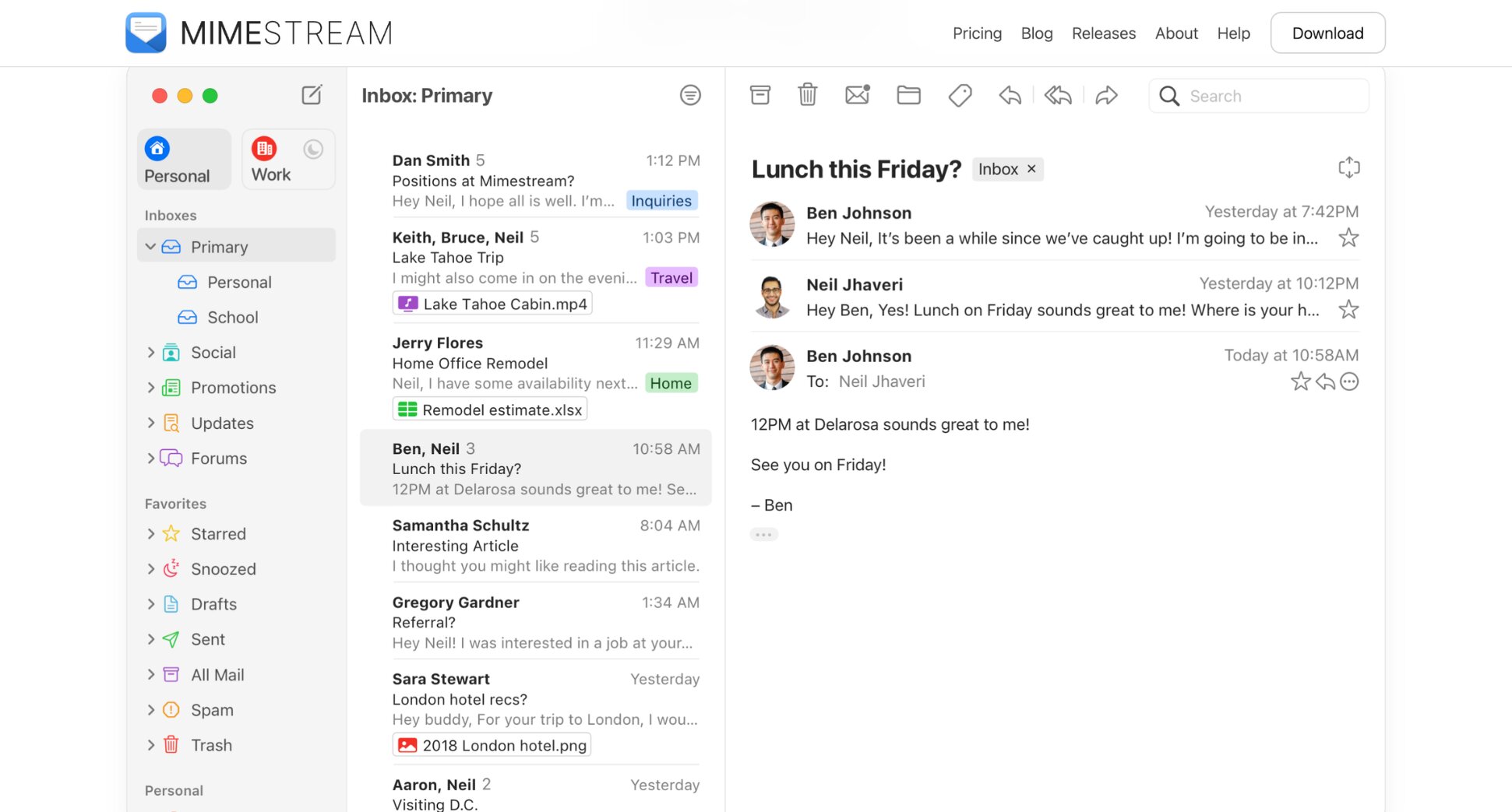
Mimestream is the closest thing to Superhuman for Mac Gmail users — at a fraction of the price ($4.99/month). Built natively for macOS, it feels faster and more integrated than most cross-platform email clients. Labels, categories, and aliases all work exactly as Gmail intended, just cleaner and snappier.
And like Superhuman, keyboard shortcuts cover every common action — archiving, labelling, replying, and navigating between messages — with support for both Gmail-style single-key shortcuts and standard Mac shortcuts. The only caveat? There are no AI features to speak of.
Key features:
- Native macOS app built with Apple frameworks
- Full Gmail feature support (labels, categories, aliases)
- Multiple Gmail account management
- Keyboard shortcuts for fast email triage
- Works with Gmail only, on Mac only
Pricing:
- 14-day free trial, no credit card required
- Individual from $4.99/month
Rating: 4.4/5 on Product Hunt
Limitation: Mimestream is Mac and Gmail only — no Windows, no iOS, no Outlook. AI features are also minimal compared to Superhuman or Shortwave. It’s a speed and polish play, not an AI play.
7. Canary Mail — Best for Privacy-First Email
Canary Mail is the pick for users who want a polished, AI-powered inbox without handing their email data to a third-party server. Unlike Superhuman, Spark, and Shortwave, Canary uses end-to-end encryption and PGP support, and explicitly states it does not use your emails to train AI models.
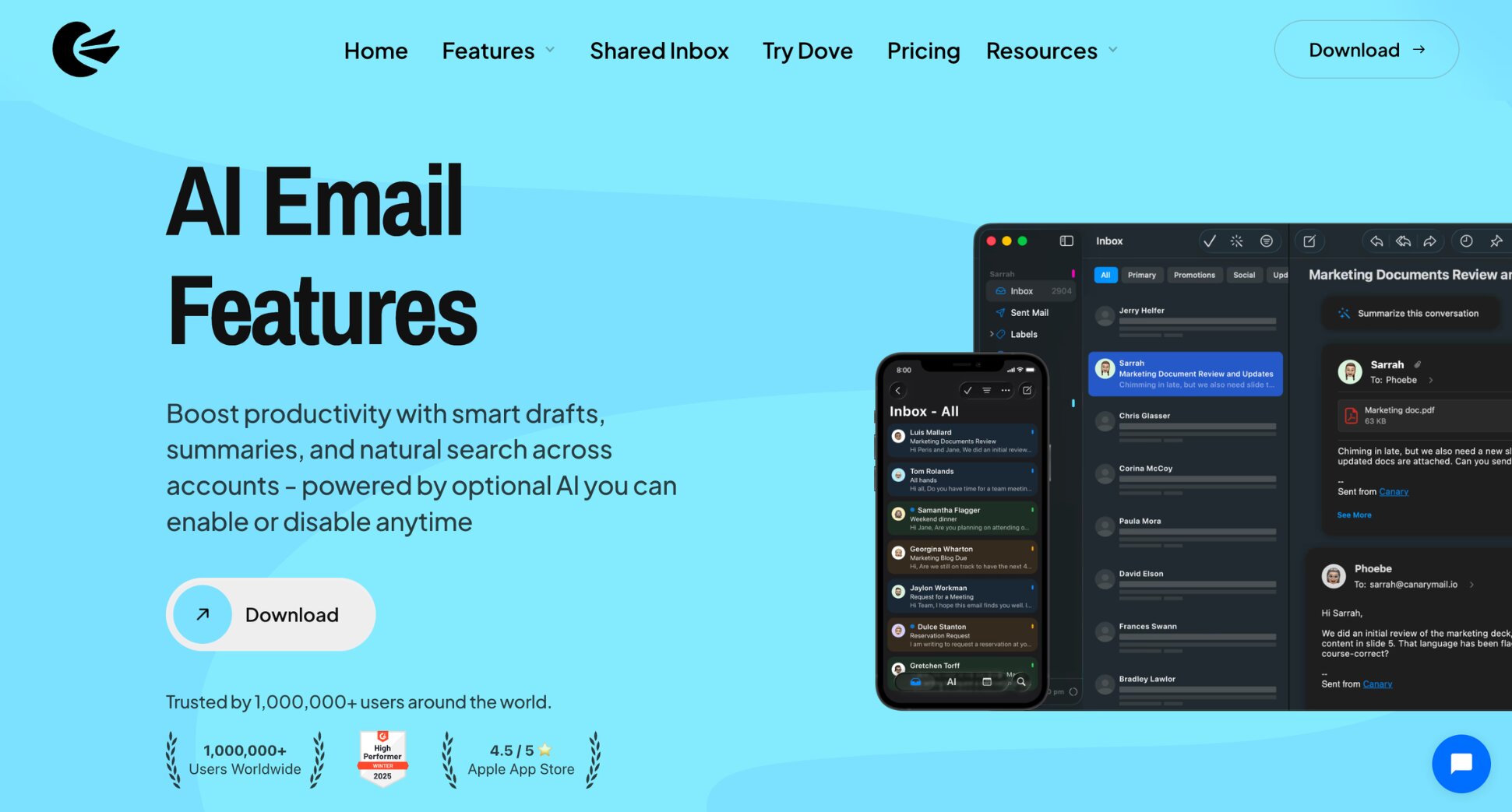
The AI features are solid — smart drafts, thread summaries, focused inbox, follow-up reminders — and it works across every major platform and email provider. For anyone in a regulated industry (legal, healthcare, finance…) or simply privacy-conscious, it’s the most credible Superhuman alternative.
Key features:
- End-to-end encryption and PGP support
- AI email drafting and thread summaries
- Focused inbox and smart categorisation
- Follow-up reminders and read receipts
- No AI training on your email data
- Supports Gmail, Outlook, iCloud, and IMAP
Pricing:
- Free plan available
- Growth from $3/month (billed $36/year) — AI Copilot, read receipts, scheduling
- Pro+ from $10/month (billed $100/year) — adds PGP encryption, SecureSend, phishing protection
Rating: 4.4/5 on G2
Limitation: Some users note that Canary Mail’s UI customization options are limited. It’s also less keyboard-driven than Superhuman — if raw speed is your priority, it won’t scratch that itch.
Which Superhuman Alternative Is Right for You?
The right Superhuman alternative depends on why you’re leaving in the first place — whether that’s the price, the Gmail-only limitation, the lack of team features, or just wanting AI that does more than make you faster.
Here’s a quick breakdown to help you decide ⤵️
- If you want to stay in Gmail and add outreach on top of AI features, go with Mailmeteor. You get AI drafting, tracking, mail merge, and automated follow-ups — all from a tool that starts free.
- If you want the closest Superhuman alternative at half the price, Shortwave is the most natural step down. Same Gmail-first philosophy, more powerful AI, paid plans from $18/month.
- If you want a free option that works beyond Gmail, Spark Mail is the strongest pick. It covers Gmail, Outlook, Yahoo, and IMAP, includes smart inbox sorting and AI writing on its free plan, and works on Mac, Windows, iOS, and Android.
- If your team is the bottleneck, not your personal inbox, Missive is purpose-built for shared inboxes, assignments, and real-time collaboration — features that simply don’t exist in Superhuman.
- If you want email and meetings handled without lifting a finger, Fyxer AI drafts replies before you open them, takes meeting notes automatically, and handles scheduling — no keyboard shortcuts required.
- If you’re a Mac Gmail user who just wants native speed without the $40/month bill, Mimestream delivers a fast, keyboard-friendly Gmail experience built natively for macOS — at $4.99/month.
- If privacy is non-negotiable, Canary Mail gives you end-to-end encryption, PGP support, phishing detection, and a clear commitment to never training AI models on your emails — at a fraction of what Superhuman charges.
FAQs
What is the best free Superhuman alternative?
Spark Mail is the strongest free option — it includes smart inbox sorting, AI writing, and multi-account support on its free plan, and works across Gmail, Outlook, Yahoo, and IMAP. Mailmeteor also has a free plan that includes AI email drafting and basic tracking for Gmail users.
Does Superhuman have a free plan?
Yes, but not for email. Superhuman’s free plan includes Grammarly, Coda, and Go — but not Superhuman Mail, the actual email client. To access Superhuman Mail, you need the Business plan at $40/month. There’s no standalone email trial or freemium tier for the inbox features.
Is Superhuman worth the price?
For high-volume email users — founders, executives, and sales professionals processing 100+ emails a day — the speed gains are real. But Superhuman Mail is only available as part of the Business suite at $40/month, bundled with Grammarly and Coda whether you need them or not. If you just want a fast, AI-powered inbox, tools like Shortwave ($18/month) or Mailmeteor ($4.99/month) cover most of the same ground at a fraction of the cost.
What is the best Superhuman alternative for Mac?
Mimestream is the strongest Mac-native alternative. It’s built specifically for macOS, connects directly to Gmail via the Google API, and delivers a native app experience that feels closer to Superhuman’s speed and polish than anything browser-based. It’s also significantly cheaper.
What is the best Superhuman alternative for Outlook?
Spark Mail is the most versatile option — it works with Outlook alongside Gmail, Yahoo, iCloud, and IMAP. Canary Mail also supports Outlook with strong privacy features. If you want an AI assistant layer on top of Outlook rather than a new email client, Fyxer AI is worth considering.
What is the best Superhuman alternative for Gmail?
Shortwave is the closest Gmail alternative. It gives you AI summaries, natural language search, and keyboard-driven speed at a fraction of Superhuman’s price. Mailmeteor is the stronger pick if you want AI-powered inbox management combined with outreach tools like mail merge, tracking and follow-ups.
How do I switch from Superhuman to Mailmeteor?
Install the Gmail extension, and Mailmeteor will start surfacing AI drafts and organising your inbox automatically. Your Superhuman subscription can be cancelled from your Superhuman account settings. No data migration needed since both tools connect directly to your existing Gmail inbox.